Get Music on Spotify without Premium (Listen for Free Now)
Spotify's popularity stems in part from its free music streaming service. However, not everyone is permitted to download songs for offline listening, which reduces the user experience. Subscribing to Spotify Premium for $10.99 per month, especially for the occasional requirement for offline listening, can become a pleasant burden for many people.
So, can you download Spotify songs/playlists/albums without paying a premium? Of course, you can. In this blog, we'll show you how to simply download free music from Spotify. Designed to meet a variety of demands, this guide not only covers Spotify music downloads on Mac and Windows but also includes step-by-step instructions for users on Android and iOS. Check them out!
Part 1. Download Spotify Songs Without Premium [Windows/Mac]
TopVox All Music Converter
TopVox All Music Converter is a professional and dependable software for downloading and converting Spotify songs without a Premium account. It supports a variety of audio formats, including MP3, AAC, FLAC, and WAV, for high-quality offline playback. You may effortlessly download full playlists, albums, or single tracks while retaining the original song metadata such as title, artist, album art, and ID3 tags.
Features
- You can download Spotify songs, albums, and playlists without a Premium account.
- Convert Spotify songs to MP3, AAC, FLAC, or WAV files.
- Keep all ID3 tags and metadata, including the music title, album, and cover art.
- Support for batch downloads and quick conversion speeds.
- Compatible with both Windows and MacOS.
Step 1. Download and install TopVox All Music Converter to your PC.
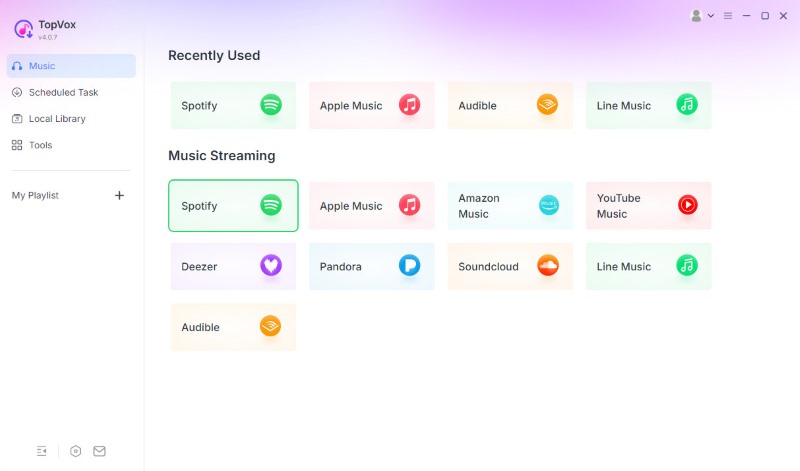
Step 2. Launch the software and use the built-in Spotify online player.
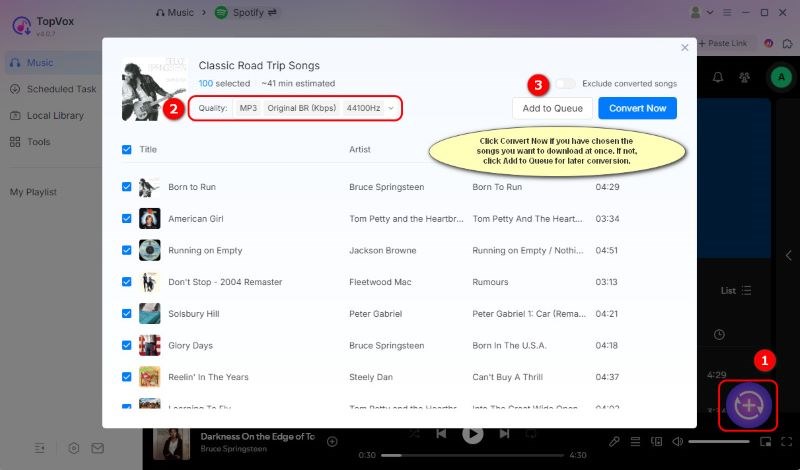
Step 3. Log in to your Spotify account and open playlists you want. Click Add to Convert, then choose your preferred output format and quality.
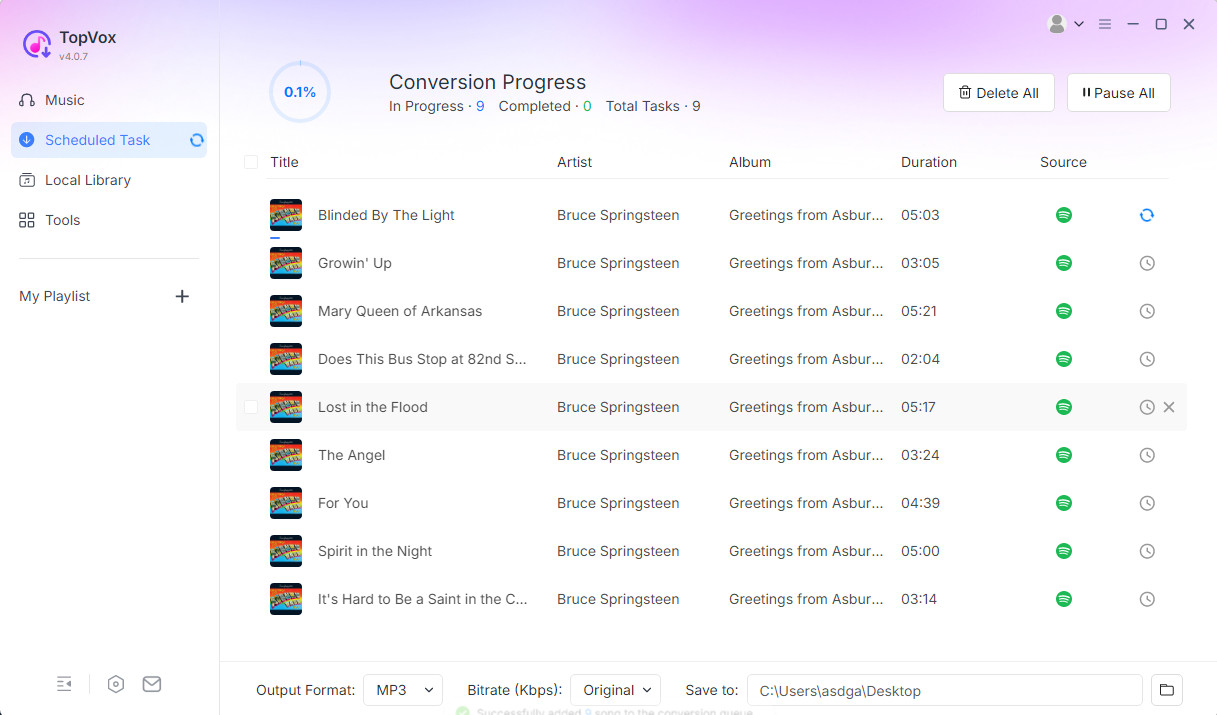
Step 4. Tap Convert All to begin downloading Spotify music onto your computer for offline listening.
Audacity Audio Recorder
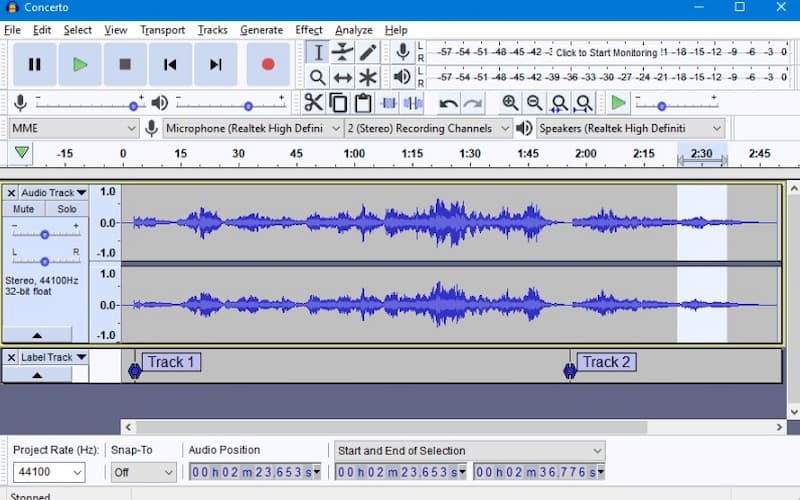
Audacity is a free, open-source audio recorder and editor that enables users to record Spotify tracks in real time without requiring Premium. Instead of downloading music directly, it captures the system sound as the song plays and saves it as an MP3 or WAV file. This method ensures that you can freely collect Spotify music, albeit manual editing may be required later.
Features
- You can record Spotify audio in real time without paying a premium.
- Recordings can be exported as MP3, WAV, or other commonly used formats.
- The built-in tools allow you to edit, cut, and improve the recorded audio.
- It is completely free and open-source, with versions for Windows, macOS, and Linux.
- Offers noise reduction and equalization to improve audio clarity.
Step 1. Install and launch Audacity on your PC. In the options, select Stereo Mix or System Audio as the recording source.
Step 2. Open Spotify and play the song or playlist you wish to record.
Step 3. To begin recording in Audacity, use the Record button. When the song is finished, click Stop to export the recording in your preferred format (e.g., MP3 or WAV).
Part 2. Download Spotify Songs Without Premium [Android/iPhone]
Spowlo APK – Android
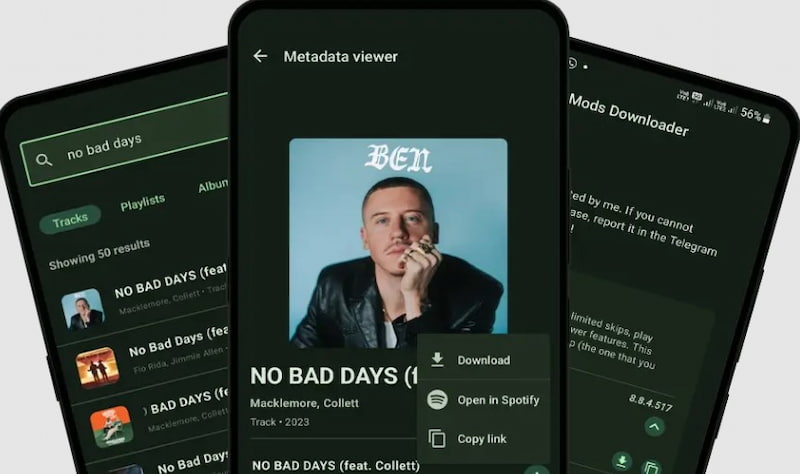
Do you want to download songs from Spotify without a Premium account directly to your Android device? Spowlo offers a free and flexible solution. This powerful software uses the spotDL engine to effortlessly fetch your Spotify music from YouTube or YouTube Music. You can download individual tracks or full playlists without Premium, knowing that all ID3 tags will be retained, and a choice of output formats is supported for the best offline listening experience.
Features
- You can download Spotify tracks and playlists without a Premium subscription.
- Keep all ID3 tags, including the title, artist, and album details.
- Choose from a variety of export formats to ensure the highest offline quality.
- The simple UI is powered by the dependable spotDL engine.
Step 1. Download and install the newest Spowlo APK from its GitHub website, then launch it for your phone.
Step 2. Copy the Spotify song or playlist URL and paste it into Spowlo's search field.
Step 3. Then click the Download button, followed by Start downloading at the bottom. And it will start downloading songs from Spotify for free on Android.
Telegram: For iOS
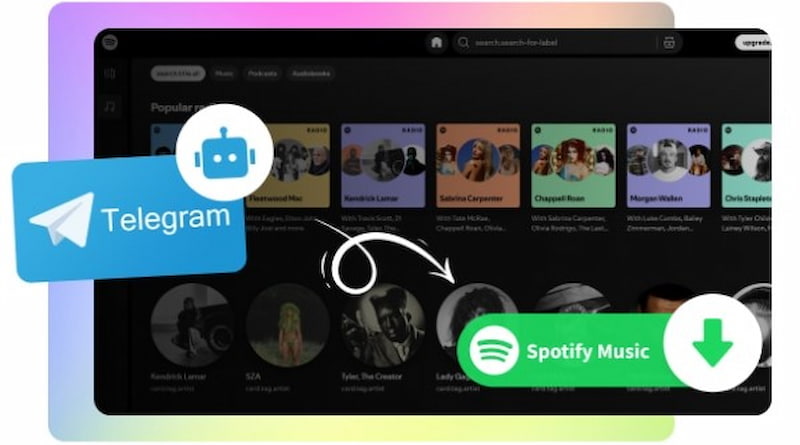
Another option for downloading Spotify songs without Premium on a phone is to use Telegram's special bots. Simply download the Telegram software on your mobile device, find the bot, and transmit the Spotify links to it. The MP3 download links for your Spotify tracks will be returned promptly. There are several Spotify downloading bots available, including TT Audio Bot, Sound2Bot, and Spotify Bot. It's a free way to download Spotify tracks to your phone without a Premium subscription; nevertheless, Telegram Bots are unstable and frequently prohibited.
Features
- Telegram allows you to download Spotify tunes for free.
- Works directly from your mobile device, with no need for additional apps.
- Offers rapid MP3 download links.
- There are multiple Spotify bots accessible for different locations.
Steps to Use Telegram
Step 1. Download and install the Telegram app from the App Store, and then launch it.
Step 2. Use the search field to locate a Spotify download bot like TT Audio Bot, Sound2Bot, or Spotify Bot.
Step 3. Open Spotify and copy the song or playlist URL you wish to download.
Step 4. Return to Telegram and paste the link into the bot's chat.
Step 5. The bot will process your link and send you an MP3 download link; touch it to save or play the song on your device.
Part 3. Download Spotify Songs Without Premium [Online Free]
Spotidown
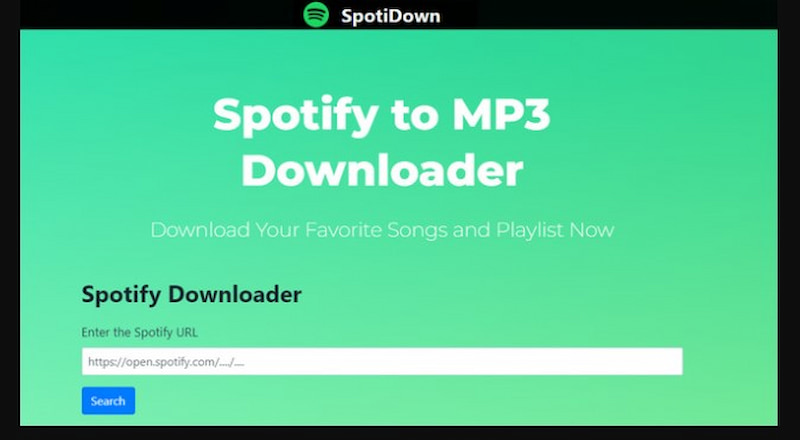
Spotidown is a quick Spotify to MP3 converter. Simply access its homepage and you can download Spotify tracks as local files at any time and from any location, while keeping the song details intact. This metadata comprises the artist, cover art, release date, and other relevant information about the track. The most notable benefit is that the website does not overwhelm you with invasive advertisements. However, the success rate of song downloads is low.
Features
- Download Spotify tracks in low-quality MP3 format.
- Preserve the metadata, which includes the artist, cover art, release date, and other important information.
- Download tracks without bothersome advertisements.
- Accessible through a website browser on any device.
Step 1. Get a Spotify link for a specific single, album, or playlist.
Step 2. Enter the URL into the parse box on this page and click Search.
Step 3. Find your desired track and tap Get Download Link.
Step 4. Click Download to begin downloading this track. To select another music, click Go Back.
SpotifyDownloader
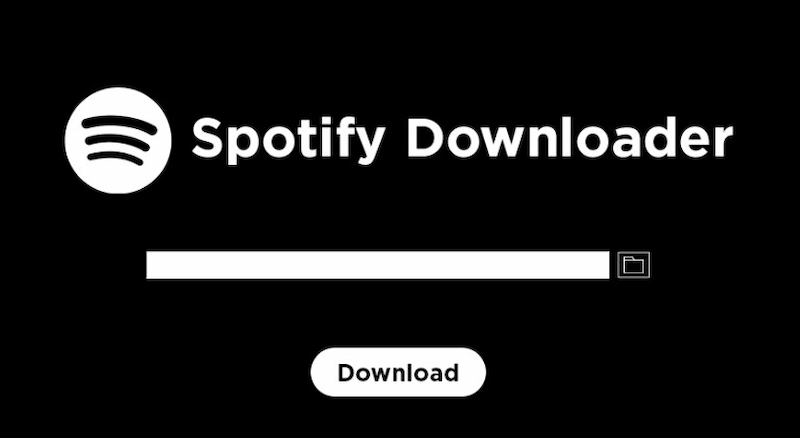
SpotifyDownloader provides a free Spotify-to-MP3 conversion service. Simply go to its website and paste the song, album, or playlist link to begin downloading. It permits downloading full albums as ZIP files, which distinguishes it from other internet downloaders. Furthermore, metadata such as the artist's name, release date, album, and cover art can be kept simultaneously. However, it should be noted that artist and podcast connections are not supported.
Features
- Download Spotify songs, albums, and playlists in 128kbps MP3.
- You can either download Spotify tracks individually or save a complete album or playlist as a ZIP.
- Keep all metadata, including the artist's name, release date, album, and cover art.
- Run on any device equipped with a web browser.
Step 1. Select a tune, album, or playlist from the Spotify app and copy the link.
Step 2. Enter the URL into the parsing box on this website and click Submit.
Step 3. After a while, it will prompt you to download the single, whole album, or playlist; pick Download or Download ZIP as appropriate. Use the slider below to check off each song on the album and select.
Conclusion
Downloading music from Spotify without a Premium account is perfectly possible with reputable programs such as TopVox All Music Converter, Spowlo APK, Telegram bots, and online downloaders such as Spotidown and SpotifyDownloader. These approaches enable users to save songs, albums, or playlists for offline listening while maintaining audio quality and information. Whether you're on Windows, macOS, Android, or iOS, each option offers an easy way to listen to Spotify tunes without a paid subscription. Just remember to use these tools responsibly and exclusively for personal use to support artists and comply with copyright laws. You may listen to your music whenever and wherever you want for free.
Luna Harper
Luna Harper is a passionate music lover and an inspiring content sharer. She has explored most of the music converters available on the market, acquiring thorough knowledge of their features, usability, and differences. Luna enjoys using her professionalism to help fellow music lovers get superior audio quality.




 by
by