What's The Difference Between Closed Captions and Subtitles
 by Ethan Carter | July 16, 2026 | Subtitle/Caption
Many of you really love to watch movies or videos on social media, yet cannot define the differences of closed captions and subtitles. In fact, many of the users only call the text on the screen as subtitles. Thus, it is also important that these two are understood by the video editors and the people working behind the camera, because these two elements are a great help in achieving some goals of the content especially if they are targeting higher engagement. That is why in this article post, we would like to help you with this matter. Join us via reading as we differentiate closed captions vs subtitles. We will explain everything you need to know about these two. Whether you are a viewer or an editor, being aware is nice. Read now.
1. Closed Captions VS. Subtitles
We shall define an overview of each element. Thus, here are some significant distinctions between captions and subtitles, aside from their usage? These can be ascertained by examining their fundamental traits.
Captions
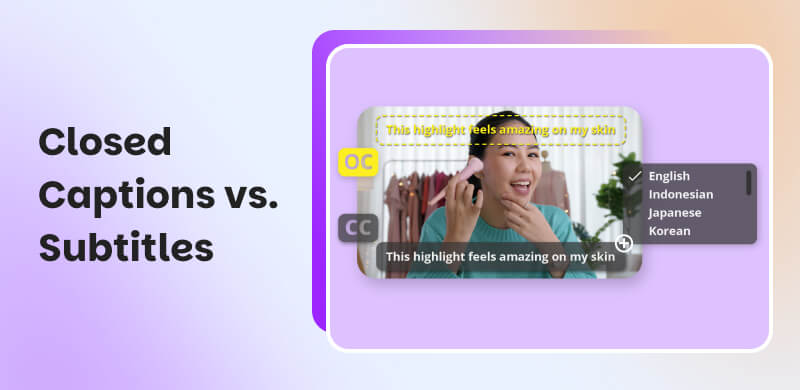
Captions exist to make content more accessible for people who are Deaf or hard of hearing, incorporate background noises such as atmospherics, speaker differentiation, and other pertinent information.
Moreover, there are two types of captions: Open captions sometimes called burned-in are integrated into the video and cannot be disabled, and closed captioning often labeled CC can be disabled by the viewer with a button click.
| Open Captions | Feature | Closed Captions |
|---|---|---|
| To make text permanently visible on the video for accessibility and understanding. | Purpose | To give viewers the option to turn captions on or off as needed. |
| Displays dialogue and sometimes basic sound cues, burned directly into the video. | Content | Displays dialogue, sound effects, speaker identification, and background sounds. |
| Viewers watching without sound, social media users, and platforms that autoplay videos muted. | Target Audience | Deaf or hard‑of‑hearing viewers and audiences who prefer customizable accessibility features. |
| Cannot be turned off; captions are always visible. | Toggle Options | It can be turned on or off by the viewer using video controls. |
Subtitles
On the other hand, subtitles are usually needed when the viewer does not speak the language in the video, are different from closed captions in that they assume the viewer can hear the audio.
These are used in movies when the language spoken in the nations where the film is distributed differs from the language used in the film's production, for example a French film screened in an English-speaking country.
2. What is Closed Caption
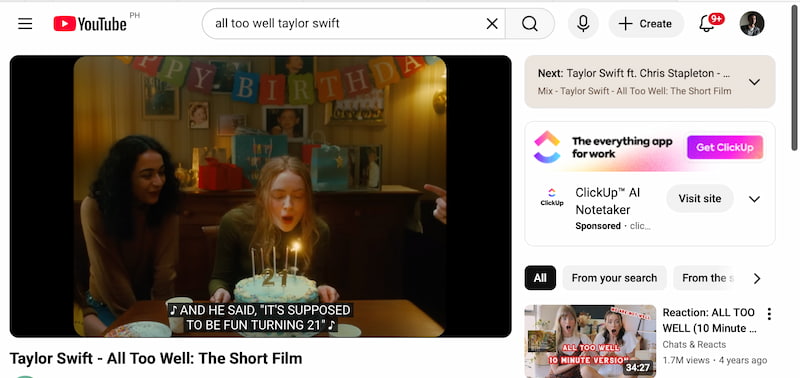
As we define Closed Captions in a deeper level, it is important to know that this can provide all of the audio information for a piece of video content in written format, created with accessibility in mind. In reality, in order to prevent discrimination, the Americans with Disabilities Act or ADA mandates that all public multimedia, whether on late-night television or in a classroom, be captioned. This implies that in order to abide with these rules, you might need to provide closed captions when posting any type of video content online.
However, captions have a few more purposes in addition to increasing the accessibility of your material. When viewers are unable to hear the sound in a video, they can assist them in following the plot or speech whether it's because of a noisy or sound-sensitive surroundings or a hearing problem.
3. What Are Subtitles
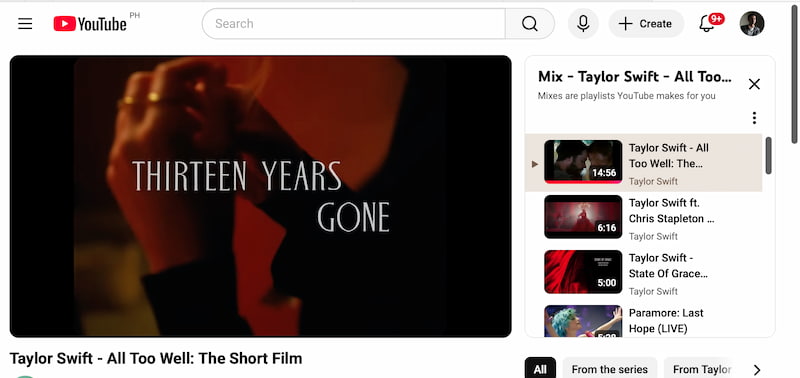
As we move forward in defining Subtitle, we need to acknowledge that the entertainment sector in the United States accounts for one-third of the worldwide market. This basically means, there are more Americans consuming material created abroad. This implies that when more individuals see content in a foreign language, they will increasingly rely on subtitles.
Again, though, subtitles serve more purposes than just helping viewers comprehend foreign-language content. Additionally, they have been shown to be beneficial for people attempting to learn a second language. Research indicates that movies with subtitles can help improve comprehension as long as they are appropriate for the language learners' level of ability.
In simple words, adding video subtitles is the best option for everyday use if you want your work to be shared globally or if you do business in foreign countries. Your material will be understandable in many different regions if you include subtitle options in multiple languages, such as Spanish.
4. Use Cases of Closed Captions or Subtitles
Use Cases for Closed Captions
By displaying speech and sound data, closed captions increase accessibility and make video material easier for all viewers to understand, especially those who have hearing issues or are in places with sound restrictions.
- • Deaf and hard-of-hearing viewers’ accessibility. By displaying spoken dialogue, sound effects, and background audio cues, closed captions guarantee equitable access to video content and aid viewers in comprehending context, emotions, and crucial non-verbal indicators.
- • Delivery of Professional and Educational Content. Regardless of audio quality or learning style, closed captions enhance understanding, facilitate note-taking, and assist students in following difficult subjects in online courses, webinars, and training videos.
- • Turning Off the Sound in Public Areas. Closed captions maintain high levels of engagement while preserving the environment by enabling users to consume content without sound in places like offices, libraries, cafes, and public transportation.
Use Cases for Subtitles
By converting spoken language into text, subtitles improve comprehension and make content accessible to viewers who require clarity in rapid or accented speech as well as international audiences and language learners.
- • Using Translation to Reach a Worldwide Audience. By translating conversation into various languages, subtitles enable content producers to reach a global audience and overcome linguistic obstacles.
- • Learning Languages and Developing Skills. In an entertaining fashion, subtitles assist students connect spoken words with written material, enhancing their vocabulary, pronunciation, listening comprehension, and general comprehension.
- • Recognizing Accents and Quick Conversation. When speakers speak rapidly, have strong accents, or have bad audio, subtitles help viewers understand what is being said.
5. FAQs about Closed Captions vs. Subtitles
Q: Which one should I use for accessibility?
A: Closed captions. They are specifically created to support deaf and hard-of-hearing viewers and meet accessibility standards on most platforms.
Q: Can a video have both closed captions and subtitles?
A: Yes. A video can include closed captions in its original language and subtitles in other languages for international audiences.
Q: Do closed captions improve SEO?
A: Yes. Closed captions provide searchable text that search engines can index, helping your video content rank better and become more discoverable.
Conclusion
Closed captions and subtitles serve different but equally important purposes. Closed captions focus on accessibility by including dialogue and sound cues for a complete viewing experience, while subtitles aim to overcome language barriers and improve comprehension. Using both ensures your content is inclusive, globally reachable, and more engaging. By choosing the right option or combining you create a better experience for every type of viewer, making your content more professional, accessible, and impactful.
Ethan Carter creates in-depth content, timely news, and practical guides on AI audio, helping readers understand AI audio tools, making them accessible to non-experts. He specializes in reviewing top AI tools, explaining the ethics of AI music, and covering regulations. He uses data-driven insights and analysis, making his work trusted.