How to Download SoundCloud to WAV with the Best Quality
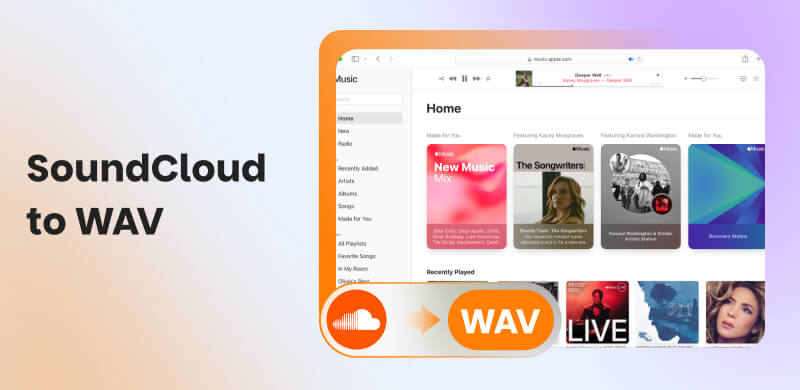
SoundCloud is one of the best and reliable online music streaming services and audio distribution platforms, functioning as a hybrid content hub for music enthusiasts. With this tool, you can listen to various music with the best quality. However, please note that it is an online-dependent tool, so you can only listen to music when you are online. Thus, if you want to listen to various music offline, the best thing to do is to download the music from SoundCloud as a file. Fortunately, this guide will show you how to convert SoundCloud to the WAV format. With that, you can access all your music without relying on an internet connection. To initiate the conversion and download process, please proceed to this article immediately.
Part 1. Best Methods to Download and Convert SoundCloud to WAV
Want the best SoundCloud to WAV downloader? If so, we suggest using TopVox All Music Converter. When it comes to downloading and converting music from SoundCloud, we can tell that this software is perfect, thanks to its engaging features. It can provide a smooth conversion process, a simple user interface, and improved compatibility. You can convert your music up to 35 times the conversion speed. You can also convert multiple music files at once, allowing you to get the final output while saving more time. What we like most here is that it can produce high-quality music at up to 320 kbps. Additionally, WAV is not the only format supported; you can also convert SoundCloud music to other video formats, including MP4, FLAC, AAC, AC3, OGG, and more. Thus, if you are looking for the best software that can download SoundCloud to WAV, consider using TopVox.
Features
- The music converter can offer a fast conversion process.
- It supports various audio formats, including MP3, AC3, FLAC, OGG, and more.
- It supports the batch conversion feature.
- The program is accessible to both Mac and Windows.
- The software produces high-quality audio output.
Step 1. Download and launch TopVox All Music Converter on your Windows or Mac. You can use the buttons below to easily access the software.
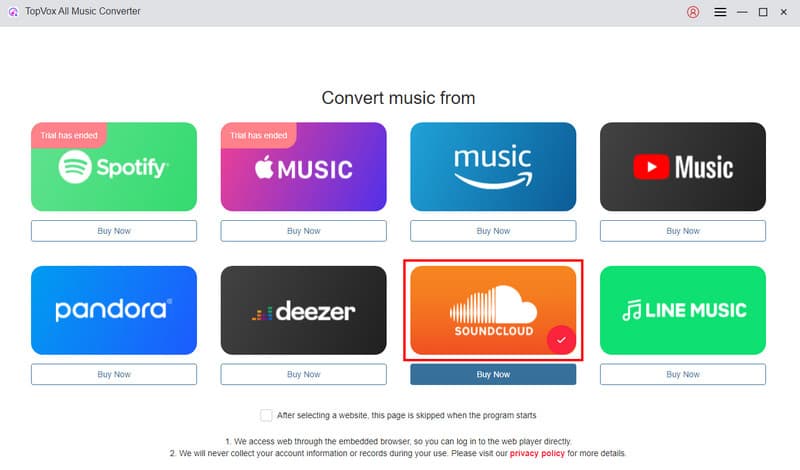
Step 2. Once the mini interface appears, select the SoundCloud platform. Then, you can start creating your account.
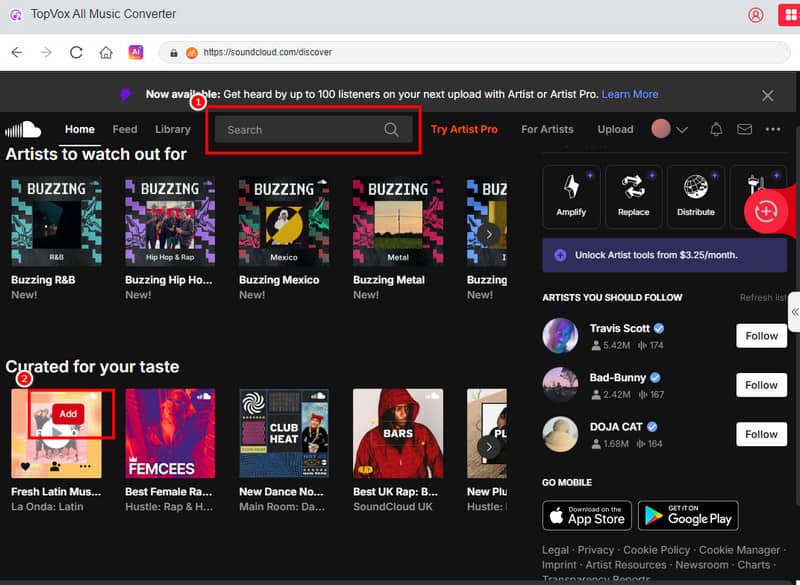
Step 3. After the loading process, go to the Search section and browse the music you want to download. Then, after finding the music, click the Add button.
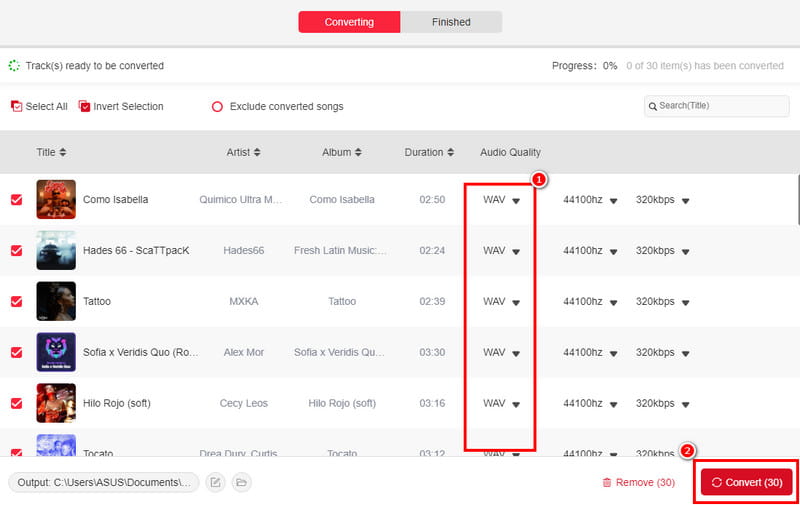
Step 4. Go to the Format section and select the WAV format. Finally, click the Convert function to start the SoundCloud to WAV conversion process.
Thanks to this method, you can easily download and convert music from SoundCloud to the WAV format. You can even download a SoundCloud playlist if you'd like. What makes the software ideal is that it features a simple layout and can simultaneously convert multiple music files.
Pay a visit: The best methods to convert Spotify to MP3.
Part 2. Download SoundCloud to WAV Online
Do you want an online SoundCloud to WAV converter? If so, you can check this section, as we provide you with the best online tools to access for an effective conversion process.
Method 1. Convert SoundCloud to WAV Using ConverterFactory
Another helpful online tool that is capable of converting your favorite music from SoundCloud is ConverterFactory. This tool is ideal, especially for non-professional users, due to its easy-to-operate layout. Aside from that, the tool can also offer a fast conversion process, allowing you to save more time. What's more, ConverterFactory ensures that you can get the best quality for a satisfying listening experience. The only drawback here is that some ads appear on the PC screen, which can be annoying. However, to achieve the desired result, follow the methods we have provided.
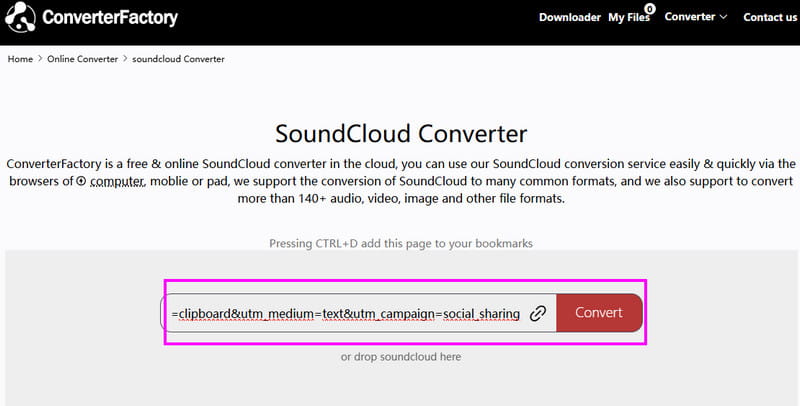
Step 1. First, you have to access the ConverterFactory on your browser. After that, copy the music link from the SoundCloud platform.
Step 2. Then, paste the link on the main interface of the tool. Once done, select the WAV format and start clicking the Convert button.
Step 3. After the conversion process, you can now listen to the converted music on your WAV player.
Thanks to this other conversion process, you can ensure that creating a WAV file from SoundCloud is a straightforward task. Thus, if you want to convert SoundCloud to WAV, consider using this online converter.
Method 2. Download SoundCloud to WAV Using Soundcloudrips
One of the best online tools for converting and downloading SoundCloud to WAV is Soundcloudrips. The advantage of this tool is that you can obtain the result in just a few seconds. Additionally, it features a seamless conversion process, ensuring you receive the music with the best possible audio quality. Another thing, you can also convert SoundCloud music to other audio formats. You can download SoundCloud to FLAC, MP3, AAC, AC3, OPUS, FLAC, OGG, and more. You can even access it from almost all web browsers, making it more convenient for all users. The only drawback here is that you must have a stable internet connection to get the tool's overall performance. Plus, it is not 100% free. You have to get its premium version for more features.
To convert SoundCloud to WAV, you can follow the detailed instructions below.
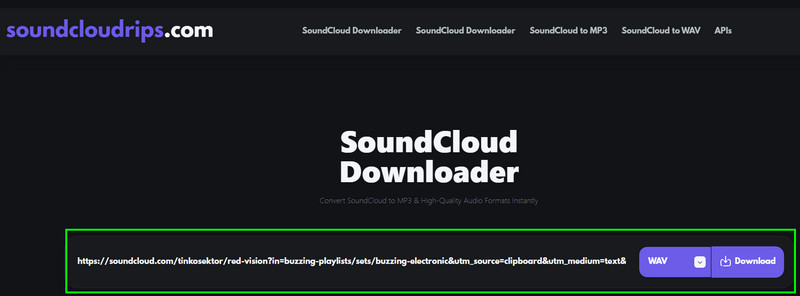
Step 1. After you open your browser, you can access the main Soundcloudrips website. Then, before proceeding to the next step, ensure that you have already obtained the music link from SoundCloud.
Step 2. After that, paste the link from the tool's interface. From the Format section, select the WAV format.
Step 3. Finally, you can now hit the Download button to start the conversion and saving process.
With this online method, you can tell that converting and downloading your favorite music from SoundCloud is possible. The good thing here is that it is free and simple to operate. Therefore, if you want to achieve the desired result, feel free to use this tool.
Part 3. FAQs about SoundCloud to WAV
Why Convert SoundCloud to WAV?
Converting SoundCloud to WAV is the best choice if you want to obtain an audio file with the highest quality. The good part here is that the format is perfect for editing and long-term preservation.
What is the disadvantage of WAV files?
Since the WAV format offers exceptional audio quality, you can expect the audio’s file size to be significantly larger than that of other audio formats. Therefore, if you intend to store numerous WAV files, ensure that you have enough storage space.
Is WAV better for music?
Absolutely, yes. If your main goal is to listen to any audio with the best quality, then using WAV is ideal. With this format, you can get a satisfying quality during the audio playback.
Conclusion
To download and convert SoundCloud tracks to the WAV format, you need the right tool to do so. Thanks to this tutorial, you have learned how to convert SoundCloud to WAV smoothly and effectively. Additionally, if you want the best converter available for your Windows and Mac, it is recommended to use TopVox All Music Converter. This program ensures a fast conversion process with the best audio quality.
Owen Bannett
Owen Bannett is a music enthusiasm as well as a senior writer. He has paid close attention on the pros & cons of various audio formats, bitrate, sample rate and encoding methods. Always seeking the best listening experience, Owen has deep insights about lossless music and diverse music converters on the markets.


 by
by