5 Pandora Music Downloader to Save Songs, Ratio, Playlists
Pandora is one of the world's leading music streaming services, known for its library of songs, playlists, albums, and podcasts. It lets you discover and enjoy music through personalized stations and curated playlists. However, many users find the app limited because tracks can only be played within the app. Unlike local music files, Pandora music cannot be shared or transferred to other devices. Additionally, the download feature is only available for Pandora Plus and Premium subscribers. If you want to listen offline or share your tracks, you need a Pandora music downloader. This post will review the best Pandora downloaders available, providing a detailed look at their features. This way, you can easily find the right tool to download Pandora music quickly.
Part 1. Professional Pandora Music Downloader
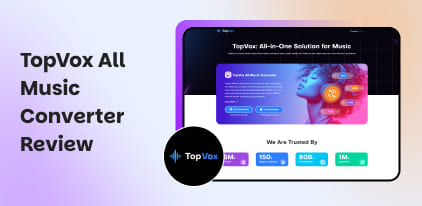
TopVox All Music Converter
TopVox All Music Converter is a multiplatform software bundle for downloading and converting music. As the name suggests, this software supports conversion from all major music streaming services, including Pandora. It allows you to easily download songs, albums, playlists, and podcasts for offline listening. This Pandora Music Converter can convert music to MP3, M4A (AAC), WAV, FLAC, AIFF, and M4A (ALAC) formats with audio quality up to 48000 Hz at 320 kbps. In addition to Pandora, it supports YouTube Music, Spotify, Apple Music, Amazon Prime Music, Deezer, SoundCloud, and Line Music.
What to Look Forward to with the TopVox All Music Converter:
- Browse, search, preview, and stream music directly within the software.
- Queue multiple songs, albums, or playlists for conversion simultaneously.
- Acts as a downloader for streaming music and a converter for audio formats.
- Delivers up to 35× faster conversion performance for efficient bulk downloading.
Step 1. Begin by obtaining the free download of TopVox All Music Converter. Install the Pandora Downloader for Windows or Mac, then complete the installation. Once finished, launch the software to start the Pandora music download.
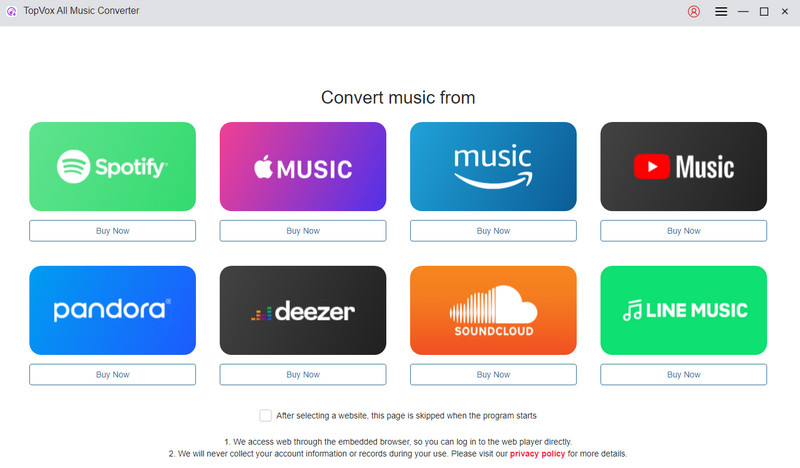
Step 2. As soon as it opens, you’ll see a home interface displaying multiple supported streaming platforms. Click the Pandora tile to open its built-in browser. This integration lets you browse, search, and access Pandora directly without a separate web browser.
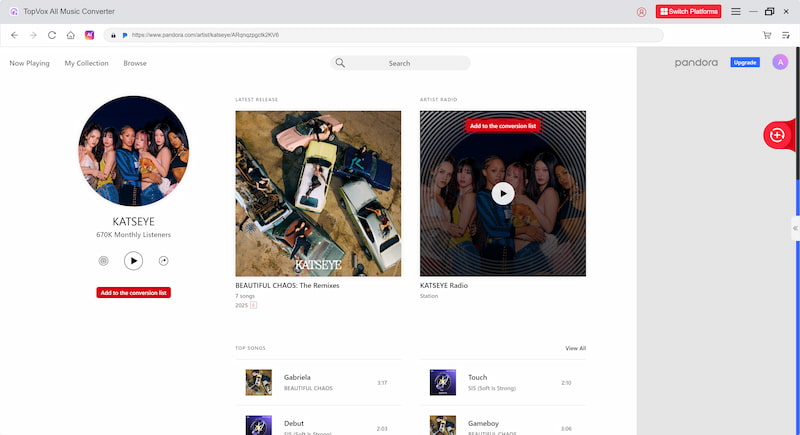
Step 3. Sign in to your Pandora account to access your personalized stations, liked songs, and playlists. Once logged in, locate the tracks, albums, or playlists you want to download. Click Add To The Conversion List to send them to the queue panel for conversion preparation.
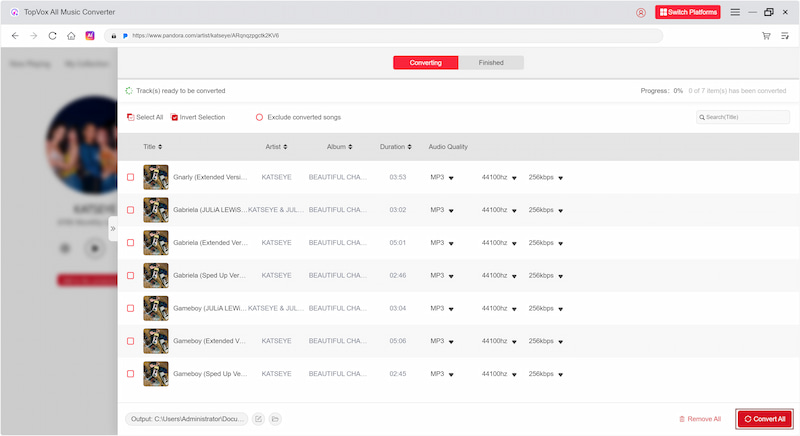
Step 4. Open the Conversion List panel to customize your output preferences. By default, it exports files in MP3 format at 44100 Hz and 256 kbps. After setting your preferences, click Convert All to start processing your selected Pandora music.
TopVox All Music Converter offers an effortless and reliable solution for downloading Pandora music. It ensures you can enjoy your favorite Pandora playlists offline in any audio format and at premium sound quality. Beyond Pandora, it also functions as a YouTube Music downloader and supports several other streaming services.
TunePat Pandora Music Converter
TunePat Pandora Music Converter is a dedicated software for downloading Pandora music, albums, or playlists. This Pandora MP3 music downloader maintains original sound quality and complete music tag information. It also allows you to batch-convert multiple tracks at once.
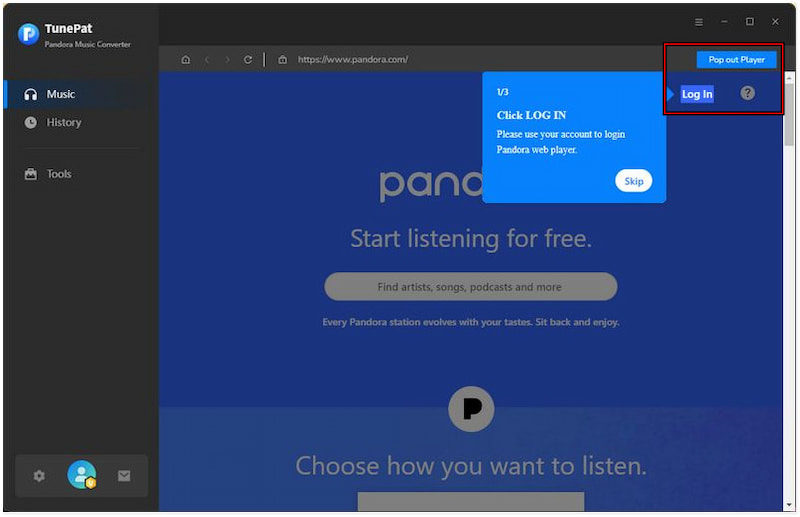
Step 1. In TunePat Pandora Music Converter, click Pop-out Player, then sign in to your Pandora account. After logging in, browse Pandora to find the music you want to download.
Step 2. Hit Click to Add to load the song, album, or playlist. TunePat will automatically detect all playable tracks and display them in a list.
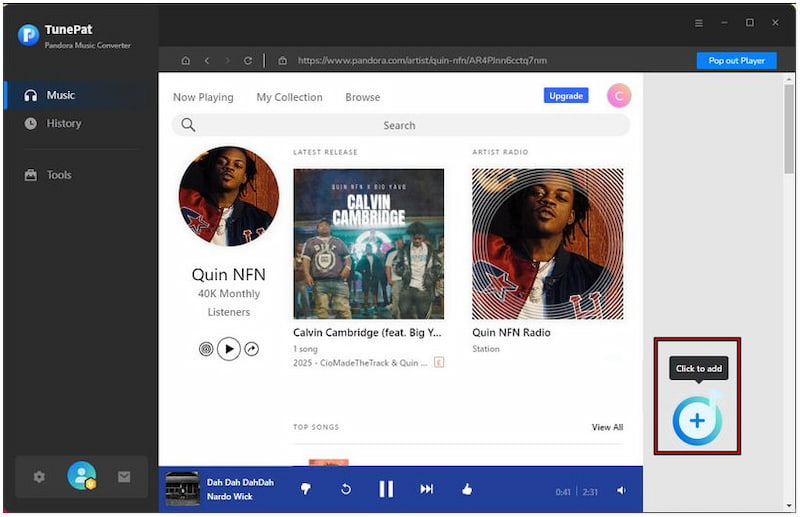
Step 3. Select the songs you want to download by checking their boxes before proceeding. Once you’ve added your songs, click Convert to begin the download process.
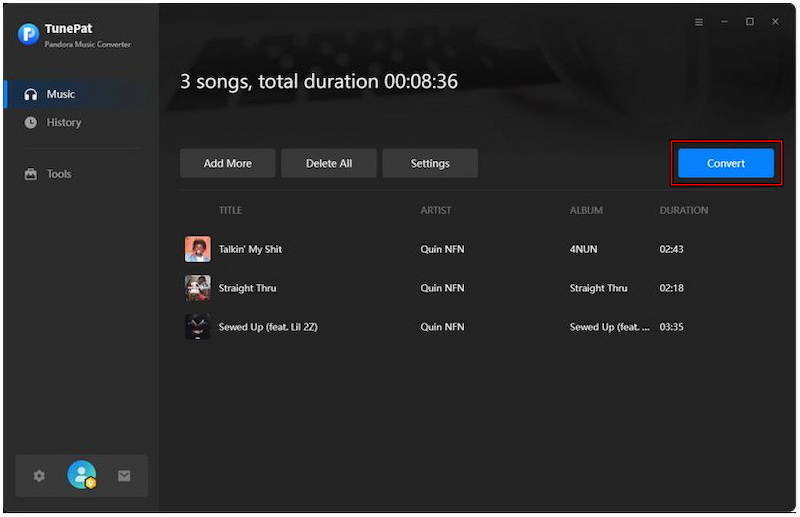
TunePat Pandora Music Converter offers a high-quality solution for downloading Pandora songs. However, you’ll need to upgrade to the paid version to download full-length songs. Also, it is exclusively designed for Pandora; it cannot be used as an Apple Music Converter.
Part 2. Free Pandora Music Downloader
Audacity Audio Recorder
Audacity Audio Recorder is a completely free multi-track audio recording tool for Windows, Mac, and Linux. While not a dedicated Pandora music downloader, it lets you record live audio from Pandora. You can then export the captured music to MP3, FLAC, M4A, etc.
Step 1. In the Pandora app or web player, prepare the music you want to record. Then, open Audacity and ensure your audio input source is set correctly.
Step 2. Click the Record button and play the Pandora track. Audacity will immediately begin recording the audio as it plays. When the song finishes, click Stop to end the recording.
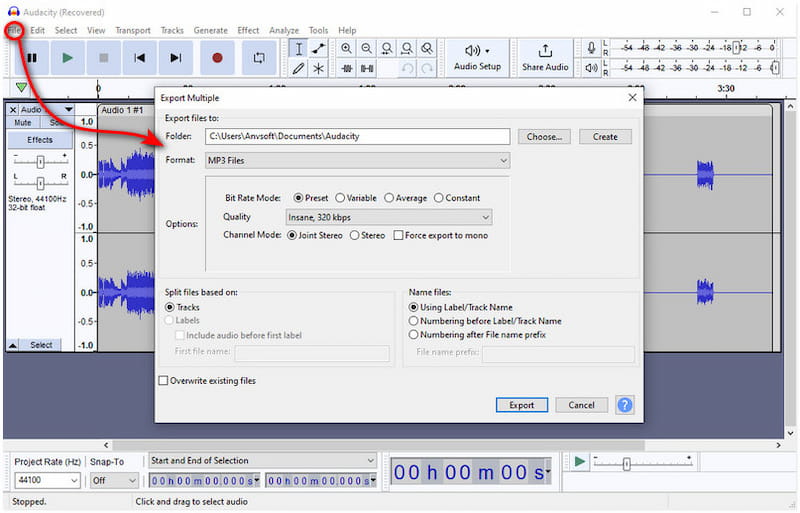
Audacity Audio Recorder provides a free and flexible way to capture Pandora music on your computer. However, since it records live playback, it does not preserve the ID3 tags.
Video DownloadHelper
Video DownloadHelper is a zero-cost browser extension that captures and downloads streaming media from websites. It allows you to download Pandora music without installing a full Pandora music downloader apk. It automatically detects downloadable audio as you play Pandora songs.
Step 1. Install Video DownloadHelper from your browser’s extension store. After installation, you’ll see the Video DownloadHelper button on your browser’s toolbar; click it.
Step 2. Go to the Pandora web player and play the track you want to download. As soon as it plays, the tool becomes active, indicating that a downloadable audio stream has been detected.
Step 3. Click the Video DownloadHelper button on your browser's toolbar, then choose the Pandora audio stream. Next, click the Download button to save the file to your local storage.
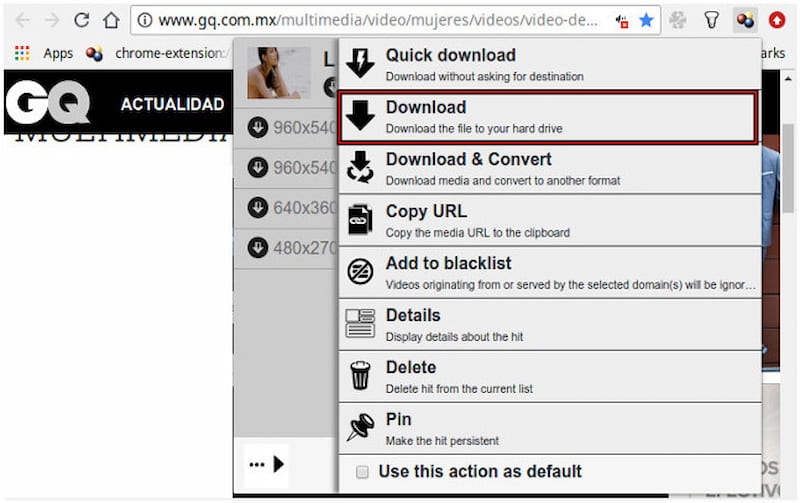
Video DownloadHelper is a practical and free option for a quick, browser-based way to download Pandora music. However, it can be unstable at times and supports only M4A output.
Pandora Download Links
Pandora Download Links is a free Google Chrome browser extension for downloading Pandora songs. This extension is lightweight and easy to use, letting you save tracks with just a click. Since it is free, you don’t need to pay or subscribe.
Step 1. Launch Pandora in your Google Chrome browser and sign in to your account. Play the song, playlist, or radio station you want to download.
Step 2. Once the song starts playing, you’ll see a Download button appear below the player. Simply click this button, and the extension will start downloading the track to your computer.
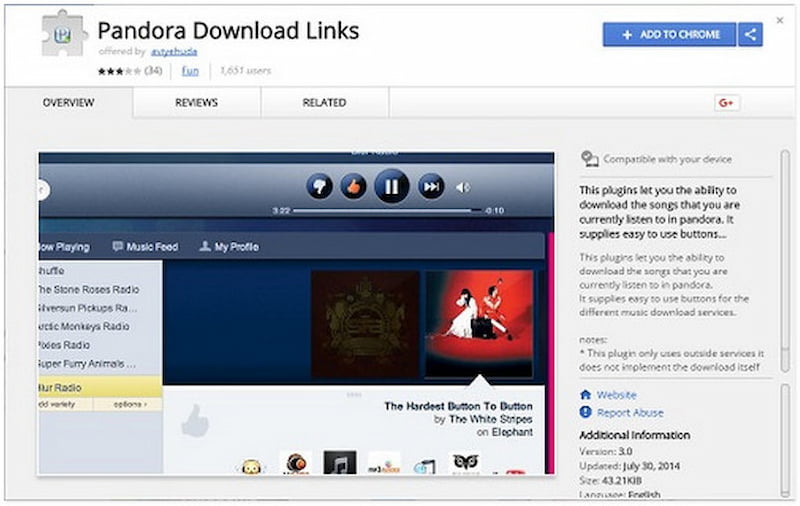
The Pandora Download Links provides a quick method to download Pandora songs. However, it works with only a limited number of Pandora songs, not every single track.
Part 3. Comparison Table of the Top Pandora Music Downloaders
| Music Streaming Platform Supported | Output Formats | Audio Quality | Download Speed | Batch Download Support | ID3 Tags Preservation | Ad-Free | Web Player |
| TopVox All Music Converter | Pandora, YouTube Music, Spotify, Apple Music, Amazon Prime Music, Deezer, SoundCloud, and Line Music. | MP3, M4A (AAC), WAV, FLAC, AIFF, and M4A (ALAC) | Up to 320kbps | Up to 35× speed | Yes | Yes | Yes | Yes |
| TunePat Pandora Music Converter | Pandora | MP3, AAC, WAV, FLAC, AIFF, and ALAC | Up to 320kbps | Up to 10× speed | Yes | Yes | Yes | Yes |
| Audacity Audio Recorder | Pandora, Apple Music, YouTube Music, etc. | MP3, WAV, Ogg Vorbis, etc. | Up to 320kbps | Up to 20× speed | No | No | Yes | No |
| Video DownloadHelper | Pandora, Spotify, YouTube, etc. | M4A | Up to 256kbps | 1× speed | No | No | No | No |
| Pandora Download Links Extension | Pandora | MP3 | Up to 120kbps | 1× speed | No | No | No | No |
Conclusion
Downloading music from Pandora doesn’t have to be complicated. While Pandora offers an extensive music library, its app limitations make it difficult to enjoy your favorite tracks offline. Whether you want to listen offline, transfer music, or convert tracks, a reliable Pandora music downloader is the solution. Among the available options, TopVox All Music Converter shines as a professional, fast, and versatile tool. It supports high-quality downloads, batch conversion, ID3 tag retention, and multiple output formats.
Luna Harper
Luna Harper is a passionate music lover and an inspiring content sharer. She has explored most of the music converters available on the market, acquiring thorough knowledge of their features, usability, and differences. Luna enjoys using her professionalism to help fellow music lovers get superior audio quality.


 by
by