2026 Top 6 Text-to-Speech Software for Natural Voice [Free/Paid]
The most realistic text-to-speech software in 2026 is Google Cloud TTS for human-like emotional depth, followed by Murf AI for professional voiceovers. These tools use neural synthesis to mimic human intonation, pauses, and regional accents.
In the early days of text-to-speech software, computer voices were famously robotic, monotone, and clunky. Simple software could read words aloud, but the voices lacked emotion, natural pacing, and subtle human nuances. This limits their usefulness for content creation, accessibility, or professional applications. Today, through AI and deep learning, TTS has been completely transformed. Modern tools use neural networks to produce voices that are so realistic they’re nearly indistinguishable from a human narrator, capturing natural intonation, pauses, and even emotion. This post will cover the best TTS tools available, tailored for different users. Whether you’re a content creator, a student, or a business, we’ll cover the top options, their key features, and what makes each one stand out. By the end of this post, you’ll have a clear understanding of how TTS works, why it matters, and which tools fit your specific needs.
To rank these tools, our audio team tested 50+ scripts across 20 languages, evaluating for robotic artifacts, emotional range, and API stability.
How we tested
We conducted hands-on testing of over 20 tools, evaluating them based on four critical benchmarks: AI voice naturalness, technical output quality, multilingual accuracy, and commercial licensing transparency. We prioritized software that offers granular customization and stable performance to achieve professional TTS for both personal and commercial projects.
Part 1. What is Text-to-Speech Software and How Does it Work?
Text-to-Speech software converts written text into spoken words using computer-generated voices. Essentially, it analyzes the texts, breaks them into phonetic components, and then uses speech synthesis techniques to generate natural-sounding speech.
Instead of relying on concatenative synthesis, TTS technology has developed with generative models trained on human speech samples, such as the early WaveNet and the latest ChatTTS, Chatterbox-Turbo, FishAudio-S1, and other models. They learn the characteristics of human sound production. This means that AI will deeply understand the text and automatically adjust breathing, accent, and emotion, making the output voice sound more nuanced, almost like a real person.
It matters because it improves accessibility, helping people with dyslexia, visual impairments, or reading difficulties access written content effortlessly. It also enhances productivity, enabling users to listen to documents, emails, or articles while multitasking. Today, TTS is widely used in education, content creation, virtual assistants, audiobooks, and accessibility tools. It is an essential bridge between written information and auditory understanding.
Part 2. Top Text-to-Speech Software in 2025
TopVox Text to Speech AI [Lightweight Use]
Best For: Most common users to convert text to voice for daily and commercial needs.
Rating: 4.9 out of 5
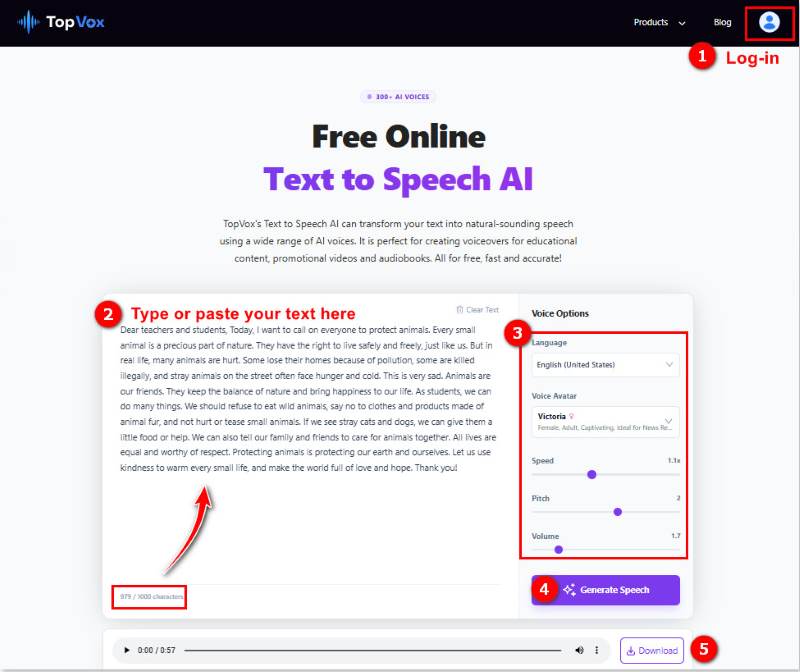
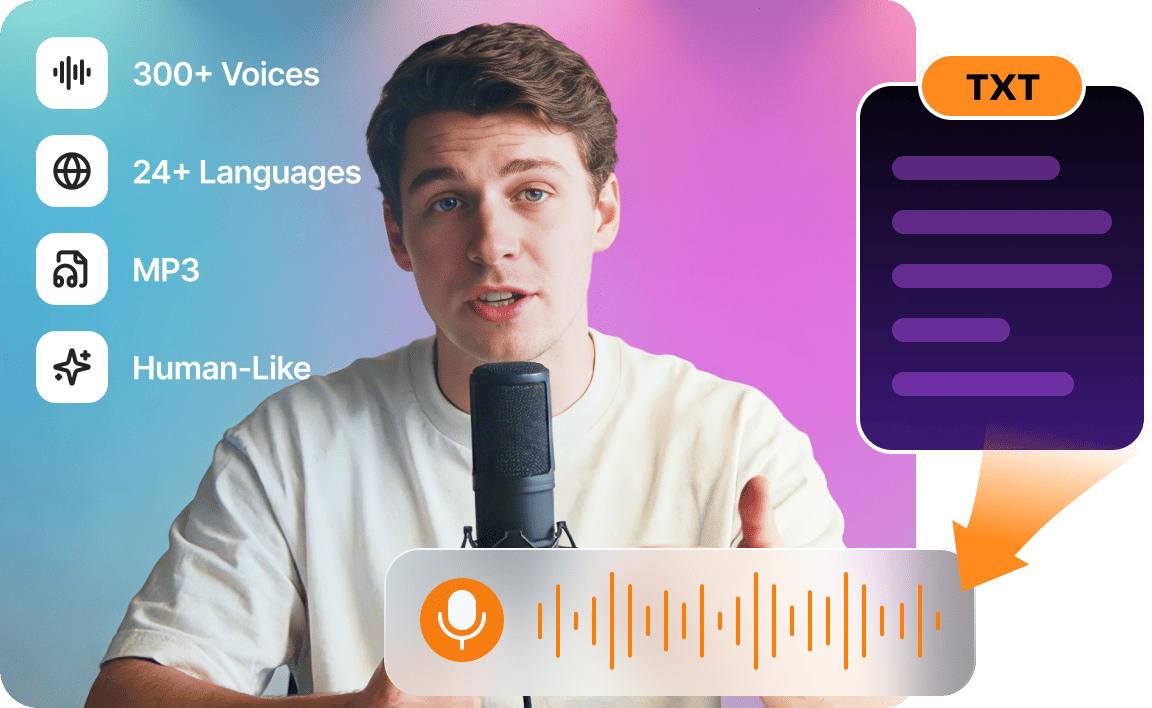
TopVox Text to Speech AI is a web-based text-to-speech tool. It outputs high-quality text-to-speech MP3 files without installing other software. You can use it on mobile phones, computers, or browsers, quickly completing text-to-speech conversion. With AI advances that are built on deep learning, it offers over 300 ultra-realistic AI voices that meet most common usage scenarios and the timbre of sound. The customized setting supports you to change the languages, voice avatar customization, speed, pitch, volume, and playback speed - suitable for daily reading and simple dubbing needs.
Core Features
- 300+ AI voices with natural emotion and subtle nuances.
- Supports 24 languages, like English, Japanese, Spanish, French, etc.
- Adjustable speed, pitch, and volume for full and personal customization.
- Accurate AI-generated human-like audio content.
- Output studio-quality MP3 files that are compatible with most devices.
- Easy-to-use workflow and clear interface.
- Fast TTS conversion speed.
Pros
- 100% free to use on cross-device without installing other apps.
- Rich voice and language options for any purpose.
- Export as standard MP3 for editing and sharing further.
- Commercial-friendly: legal for videos, podcasts, marketing.
Cons
- A long text is limited to 1000 characters.
- No editing function to fully control the converted file.
Compared with other paid TTS software, TopVox Text to Speech AI gets cheaper while meeting your daily needs, such as short video dubbing, language practice, etc. Compared with ordinary free tools, it has a more natural AI voice and offers a smooth and convenient experience.
Murf AI [Creative]
Best For: content creators and voiceovers to generate humanlike speech.
Rating: 4.5 out of 5
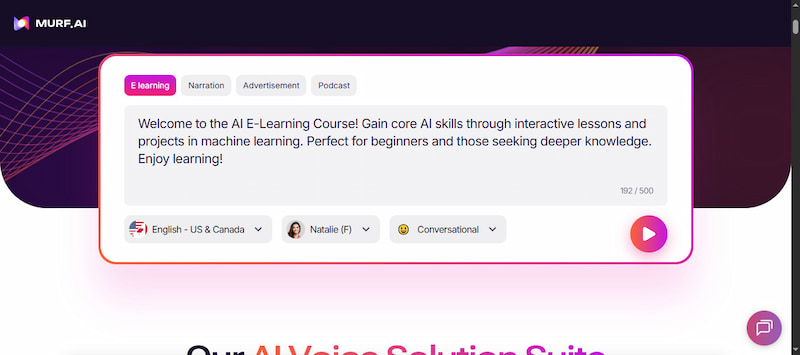
Murf AI is a good Text-to-Speech software that turns written words into realistic, studio-quality voiceovers. It offers over 200+ AI voices that can speak more than 20 languages and accents naturally. It lets you change emotions, speed, pitch, and emphasis to make speech sound natural. You can customize word pronunciation, add pauses, and even clone voices for consistent branding. It also provides tools for editing and syncing voiceovers with video, team collaboration, and exporting audio in common formats.
Reason to Use:
- • It makes voices sound like real humans.
- • It gives you commercial rights on paid plans.
- • It’s great for making clear voice-overs for videos.
Reason to Skip:
- • It’s harder to try all features on the free plan.
- • It sometimes sounds too similar between voices.
My experience with Murf AI was very positive but not perfect. I loved how easy it was to take a script and turn it into a voiceover that sounds clean and professional without recording myself. However, the free tier is too limited to test properly.
NaturalReader [Document]
Best For: Convert various files (text, PDF, image, webpage) to natural-sounding audio.
Rating: 4 out of 5
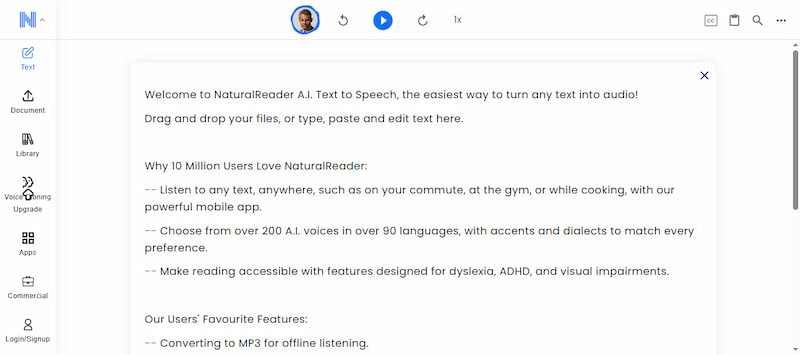
NaturalReader is the best Text-to-Speech software made for reading text aloud from almost any source. This includes documents, web pages, emails, and even images, thanks to its OCR camera scanner. It offers more than 200 natural-sounding voices in 50+ languages. It lets you easily adjust the reading speed, volume, and pronunciation to match your listening comfort. It also highlights words as you read and supports long documents. This makes it especially helpful for those with reading difficulties or students learning from textbooks.
Reason to Use:
- • It highlights words as it reads.
- • It lets you control reading speed.
- • It can read texts from pictures with OCR.
Reason to Skip:
- • It has limited voice emotion options.
- • It may misread complex words sometimes.
NaturalReader was very helpful for everyday reading tasks, especially when I needed text read aloud from documents, articles, or PDFs. However, some voices can still sound a bit plain compared with high-end AI TTS tools.
Balabolka [No Cost]
Best For: Abstract on-screen text and save them to audio files.
Rating: 3.5 out of 5
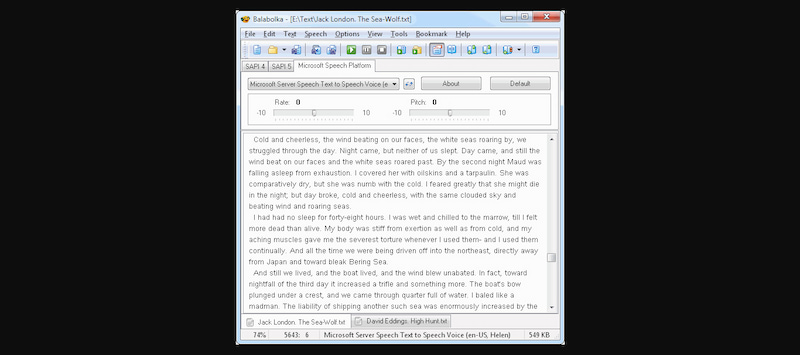
Balabolka is a free text-to-speech software that uses the voices already installed on your computer to read text aloud. It works with many text files, including AZW/AZW3, CHM, DjVu, DOC/DOCX, and 20+ others. It lets you change the speaking rate and pitch so the voice sounds closer to what you want. You can also save speech as audio files, use hotkeys to control playback, and add pronunciation rules to make complex words sound right. However, the voices may not be as smooth as those of modern AI.
Reason to Use:
- • It’s fully free to use forever.
- • It can save speech as audio files.
- • It works offline without the internet.
Reason to Skip:
- • Its voices sound older and robotic.
- • It only works on Windows computers.
Balabolka impressed me as a solid free desktop TTS tool, no subscriptions, no cloud accounts, and it works offline. For basic reading and quick text conversion, it gets the job done without cost. However, the voices are more robotic than newer AI services.
Google Cloud Text-to-Speech [Google AI system]
Best For: Tech enthusiasts and developers seeking Gemini or other latest TTS models at a higher price.
Rating: 4 out of 5
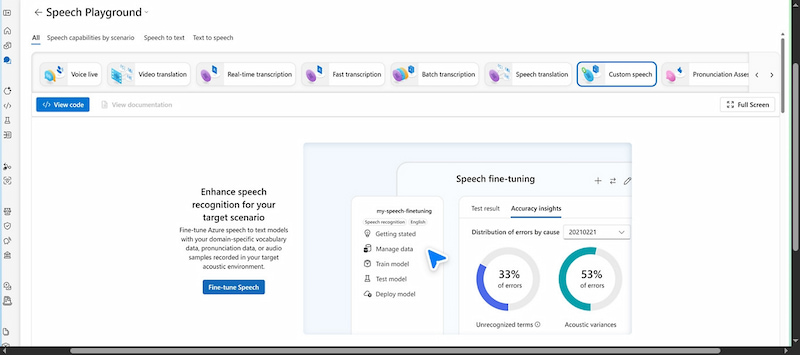
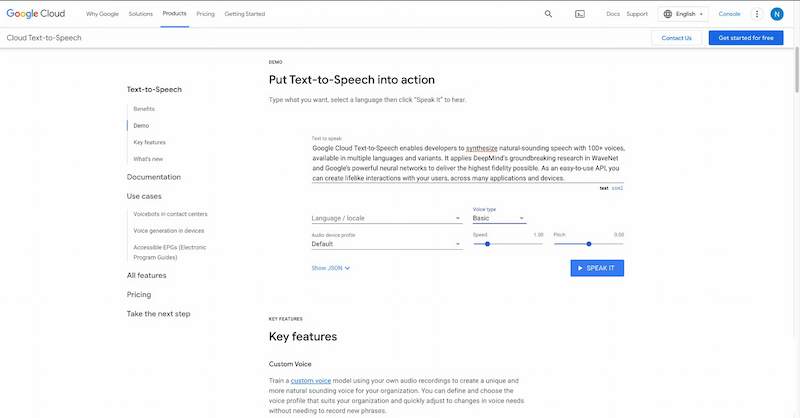
Google Cloud Text-to-Speech is a TTS program that turns written text into natural, human-like speech. It’s built for people who want to embed high-quality speech into apps, websites, devices, and services rather than use a simple drag-and-drop tool. It supports 380+ voices across 75+ languages. It can read text in many international languages with correct accents and clear pronunciation. You can control how the voice sounds by adjusting speed, pitch, volume, and even speech style or emotion using simple settings or SSML. It works by letting developers send text to the Google Cloud TTS API, which then generates speech that sounds close to a real human voice.
Reason to Use:
- • It has many natural-sounding voices.
- • It supports many languages and accents.
- • It’s free to start with a monthly free quota.
Reason to Skip:
- • It charges once the free quota runs out.
- • It needs to be set up with Google Cloud accounts.
Google Cloud Text-to-Speech was extremely powerful and flexible when I needed realistic voices. The voices it produces are among the best available from cloud engines. However, you really need some developer skills to set up the API.
Microsoft Azure TTS [Developers]
Best For: Advanced users requiring granular SSML control and enterprise-grade projects.
Rating: 4 out of 5
Microsoft Azure TTS is a developer-focused Text-to-Audio software within Azure’s Cognitive Services. It converts text into speech for apps, devices, customer support bots, accessibility tools, and more. It supports more than 100 languages and hundreds of neural voices. It allows customization like speech speed, pitch, emotional tone, and even custom voice creation for branding or unique use cases. Azure’s API is built for large-scale and business-grade projects, with options for real-time streaming or batch processing.
Reason to Use:
- • It has many natural neural voices.
- • It’s built for large and business projects.
- • It lets developers customize speech deeply.
Reason to Skip:
- • It can get expensive at scale.
- • It’s complex for non-developers.
Azure Text-to-Speech was impressive as a developer and enterprise solution. I liked how it can handle real-time requests and fit into larger voice systems for accessibility or AI assistants. But for everyday content creators or casual users, it felt too complex.
Part 3. Key Factors to Choose the Best TTS Software
Voice Quality & Naturalness
Modern Text-to-Speech computer software offers two main types of voices: standard voices and neural or AI-generated voices. Standard voices tend to sound more robotic and lack subtle human nuances. Meanwhile, neural voices use deep learning to mimic the natural rhythm, intonation, and flow of human speech. Features like breathing sounds and natural pauses are critical because they make the speech sound more realistic and easier to listen to for long periods. Without these subtle details, even high-quality voices can feel monotonous or tiring.
Language & Accent Support
Another key factor is language and accent support, which is essential for reaching global audiences. The best TTS software offers multiple languages and regional accents. This allows businesses and content creators to produce content that feels native to different regions. For example, having English voices with both American and British accents can help target specific audiences more effectively. Multilingual TTS is essential for global marketing, e-learning platforms, and customer service applications, beyond accessibility and education.
Commercial Rights
Commercial rights are a crucial consideration, especially for creators, businesses, and marketers. Some natural-sounding Text-to-Speech tools only allow personal or educational use for free or basic plans. On the other hand, premium options provide licenses for commercial usage under paid plans. Without proper commercial rights, content creators could face legal issues if they use TTS-generated voices in monetized videos, advertisements, podcasts, or products. Choose a software that explicitly grants commercial use.
Customization Features
Customization features are key for tailoring the TTS output to specific needs. Good software lets you adjust pitch, speed, emphasis, and emotion. This allows you to create voices that sound more engaging, dynamic, or expressive. These features are particularly important for voiceovers, narration, and interactive applications, where monotone reading can reduce listener engagement. Advanced customization ensures that your content feels human, personalized, and professionally produced.
Part 4. Use Cases for Text-to-Speech
E-Learning & Training:
A realistic AI Text-to-Speech software is a powerful tool for e-learning and corporate training. It allows educators and organizations to create audio content without hiring professional voice actors. Course modules, tutorials, quizzes, and presentations can all be narrated with AI voices, saving both time and cost. Modern TTS software can provide different voices, accents, and emotional tones, making learning materials more engaging and accessible.
YouTube & TikTok Automation:
Content creators on platforms like YouTube and TikTok increasingly use TTS to run faceless channels. These videos rely on AI-generated narration instead of human voices. TTS enables creators to produce videos faster, cheaper, and at scale, covering topics such as tutorials, news summaries, and story narrations. AI voices can be adjusted for pitch, speed, and emotion to make the content feel lively and professional. Remember to follow TikTok Music Usage Confirmation when using AI-generated or original audio to avoid copyright issues.
IVR & Customer Service:
Text-to-Speech with emotion tools plays a critical role in interactive voice response systems and automated customer service. Banks, telecoms, and service providers use AI voices to guide customers through menus, provide updates, or answer frequently asked questions without a human agent. Modern TTS systems produce clear, professional, and natural-sounding speech, reducing frustration and improving the caller experience.
Accessibility:
The most important application of TTS is improving accessibility for people with visual impairments or reading difficulties. TTS allows users to listen to websites, e-books, documents, or emails, turning written content into spoken words. This ensures that information is accessible to everyone, regardless of their ability to read printed text. TTS also benefits those who prefer auditory learning, enabling greater independence, inclusivity, and convenience.
Comparison of Best 6 Text-to-Speech Software
| AI Voice Supported | Language Supported | Customized settings | Commercial Use | OS | Pricing |
| TopVox Text to Speech AI | 300+ | 24 | Voice Avatar, Speed, Pitch, Volume, etc. | ✅️ | Web-based | Free |
| Murf AI | 200+ | 35+ | Speed, Pitch, Add pauses and emphasis | ✅️ | API | Free
Creator: $19 / month
Business: $66 / month
Enterprise: Custom |
| NaturalReader | 100+ | Personal use: 40+
Commercial use: 28+ | AI text filter, OCR, annotation, edit word | ✅️ | Web, iOS& Android, Chrome extension | Free
Personal Plus: $20.9/month ($119/year)
Commercial:
single plan: $49/month
Team Plan: start at $59/month |
| Balabolka | 26 | 75+ | Spell checking, alter the voice rate and pitch | ❌️ (contact voice developers and purchase a license) | SAPI for Windows 7/8/10/11 | Free |
| Google Cloud Text-to-Speech | 300+ | 75+ | style, accent, pace, tone, and emotional expression | ✅️ | API | TTS Pricing is per character, based on various TTS models. |
| Microsoft Azure TTS | 150+ | 100+ | adjust pitch, pauses, pronunciation, rate, volume, etc. | ✅️ | Browser-based | Pay as You Go for Standard/Custom/Neural TTS |
FAQs about Text-to-Speech Software
Q: What is the most realistic text-to-speech software?
A: There are plenty of TTS software to choose from for various productivity. For example, NaturalReader is better for processing documents. TopVox Text to Speech AI is suitable for lifelike voice cloning for common users. More TTS software that uses advanced Neural Text-to-Speech (NTTS) technology includes Murf.ai, Google Cloud TTS, and Azure TTS.
Q: Is there a completely free text-to-speech software?
A: Yes, there are several completely free TTS tools available. Programs like TopVox Text to Speech AI offer web-based TTS with multiple voice settings and languages supported. You can easily personalize your audio creation for daily use.
Q: Can I use text-to-speech for YouTube monetization?
A: Yes, you can use TTS for YouTube monetization, but there are important guidelines to follow. YouTube allows AI-generated voices if your content provides original value, such as educational explanations, commentary, tutorials, or storytelling. Simply posting repetitive TTS-generated content without originality may be flagged as inauthentic or spammy.
Q: How does AI text-to-speech work?
A: AI TTS works by first analyzing the text linguistically, breaking it into phonemes, syllables, and words. Then it predicts natural speech patterns using deep learning models. These patterns are synthesized into audio using neural vocoders, which convert the predicted features into realistic sound waves that mimic human voices.
Conclusion
With the rise of AI and deep learning, modern Text-to-speech software can produce natural voices that are nearly indistinguishable from humans. Choosing the right tool on the market today depends on your specific goals. If you want to apply to the latest Text-to-Speech models, you can choose Google Cloud. For specialized demands to technical developers, Microsoft Azure TTS provides a more accurate pricing plan for details. Overall, if you are only a student, a YouTube creator, or an office worker, TopVox Text to Speech AI is a cost-effective alternative, converting a common short text into an immersive audio experience.
Ethan Carter
Ethan Carter creates in-depth content, timely news, and practical guides on AI audio, helping readers understand AI audio tools, making them accessible to non-experts. He specializes in reviewing top AI tools, explaining the ethics of AI music, and covering regulations. He uses data-driven insights and analysis, making his work trusted.


 by
by