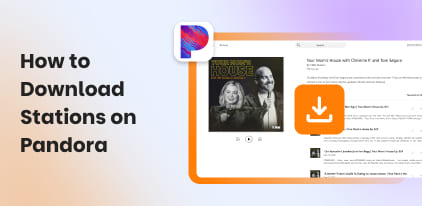
Speechma Review: Free AI Text-to-Speech That Actually Works
In this era, Text-to-Speech tools are becoming popular among content creators, educators, marketers, and businesses. Speechma is one such AI-powered platform that enables you to effortlessly convert written text into speech. This tool aims to make voice generation simple, fast, and accessible to everyone. We wrote this Speechma review to help you understand whether it is the right TTS tool for your needs. With so many tools available, it can be overwhelming to choose the right one. Our aim is to provide an honest, detailed, and complete review, so you can make an informed decision before using it. In this post, we will cover everything, including its core features, a step-by-step guide on how to use it, pros and cons, and practical use cases.
Part 1. Core Features of Speechma
Unlimited Usage
Speechma AI Voice provides generous usage for converting text to speech. Unlike many online tools, it allows extensive and generous daily conversions that feel practically unlimited. This means you can run multiple projects without worrying about hitting a cap.
Voice Selection
The platform offers over 580 AI voices, spanning various genders, styles, and tones. Such a broad selection allows you to choose the voice that best suits the purpose of your content. Beyond just selecting a voice, it allows you to adjust pitch, speed, and volume. Additionally, you can even insert natural pauses to make the speech more lifelike.
Multi-language Support
With over 75 languages supported, you can generate in various tongues and regional accents. This multilingual functionality extends beyond basic coverage, incorporating authentic regional accents and dialects. This helps make the synthesized audio sound more native and culturally appropriate. This is extremely valuable for creators who work with international audiences.
Copyright-Free Audio
All audio generated comes with a commercial license and no copyright restrictions from the service itself. This means once you generate your voiceover, you fully own the audio. You’re free to use the output in any commercial context, such as YouTube videos, podcasts, e-learning materials, and more. This freedom is critical for professionals because it ensures legal clarity and flexibility.
You can also pair the copyright-free audio for your podcast. But before that, you need to download a Spotify podcast to MP3 using a legal downloader.
Part 2. How to Use Speechma (Step-by-Step Guide)
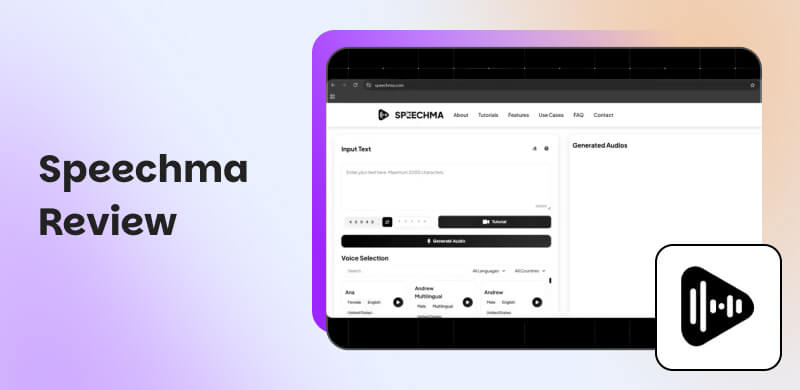
Speechma.com is a free, internet-based text-to-speech tool that converts written content into natural-sounding audio. It provides more than 580 AI voices across over 75+ languages with full commercial licensing. Since it works directly from your browser, you don’t need to create an account or download any software.
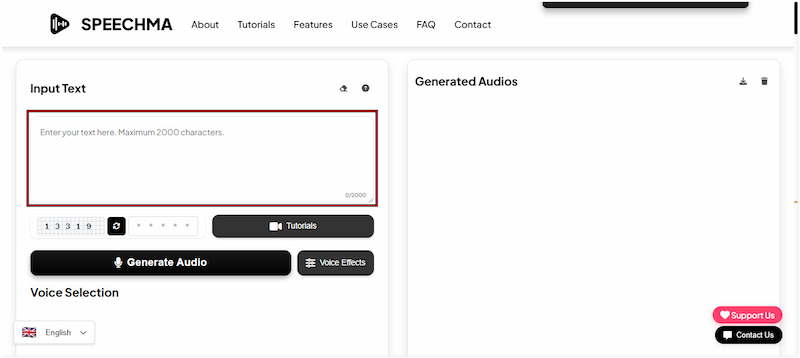
Step 1. On the homepage, type your content or paste text from another document into the text input box. Take note that you can enter up to 2,000 characters per generation.
Step 2. Under the Voice Selection section, choose a gender, language, and accent. Before generating your audio, please complete a simple CAPTCHA.
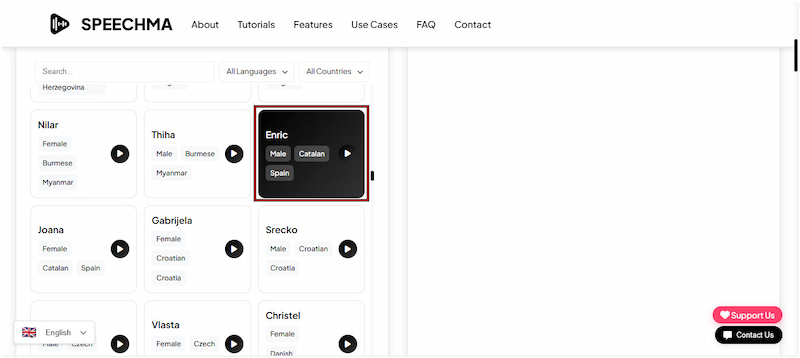
Step 3. After selecting your preferred voice, click the Generate Audio button to begin processing your text. Once the conversion is complete, click Download to save it locally.
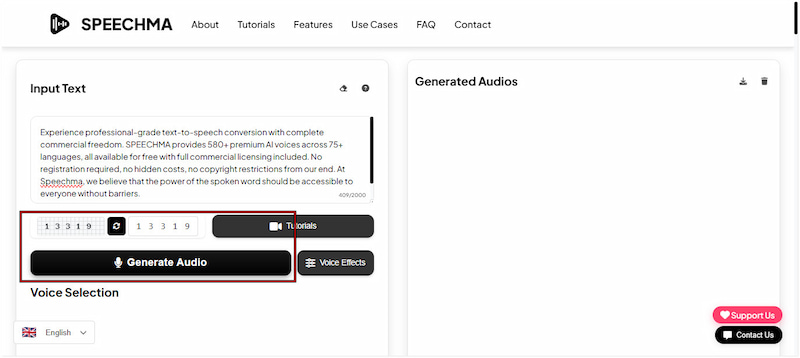
The tool offers a fast, simple, and highly accessible way to convert text into natural-sounding audio. It delivers a smooth and efficient experience, especially if you need quick voiceovers. However, there is a character limit per generation. For longer scripts, you need to break them into smaller segments and convert them one section at a time.
Part 3. Pricing of Speechma
According to the official claims on the website, Speechma is completely free to use. This means there are no subscription fees, hidden charges, or paid plans required. Additionally, you don’t need to create an account or provide personal details to start generating TTS audio. All 580+ voices, languages, and core features are immediately accessible at no cost.
However, like most free tools, there is a catch. While it offers unlimited text-to-speech generation, you must watch an advertisement to continue using the unlimited access feature. This is how the tool sustains itself financially without charging users a subscription fee.
Part 4. Pros/Cons of Speechma
Before choosing any tool, it's important to understand both its strengths and its limitations. Knowing the pros helps you maximize the tool’s benefits. Meanwhile, understanding the cons prepares you for potential restrictions or inconveniences that may arise during use. With that in mind, here are the key advantages and disadvantages of Speechma AI:
Reason to Use:
• It instantly downloads generated audio to MP3 files.
• It is free to use with no subscription or hidden charges.
• It allows you to use the generated audio in commercial projects.
• It supports over 75 languages, including English, Spanish, and Chinese.
• It provides access to over 580 AI voices from various languages, accents, and genders.
Reason to Skip:
• It requires you to watch ads to unlock unlimited usage.
• It has limited customization compared to paid TTS services.
• Its output quality may vary depending on the voice selected.
• Its captcha verification is repetitive when generating multiple files.
• It has a character limit per generation, approximately 2000 characters.
Part 5. Speechma Use Cases
YouTube Videos:
You can use Speechma AI Voice to produce professional voice-overs for your YouTube videos. With its voice library, you can match a tone that fits your channel’s style. Since the audio is available as a downloadable MP3 with commercial licensing, you’re free to use it in your videos.
Didn’t get the sound you wanted? Use a YouTube Music downloader to find the right audio instead.
TikTok Content:
Short-form video platforms like TikTok are all about compelling audio and visuals. With this tool, you can craft narration, voice-overs, or even character voices for your TikTok clips. It allows your content to stand out with professional-sounding audio, rather than just text.
Presentations:
If you’re delivering a live presentation, adding a voice narration can make a big difference. This tool can convert text into speech and sync it with visuals in PowerPoint or Google Slides. This is especially useful for e-learning modules, corporate training, webinars, or remote presentations.
Part 6. FAQs about Speechma
Q: Is voice cloning available?
A: No, it does not currently offer voice cloning. This means you cannot replicate a specific person’s voice or create a custom voice based on a real individual.
Q: What is similar to Speechma?
A: There are plenty of text-to-speech platforms similar to Speechma. This includes Murf AI, ElevenLabs, VEED, Luvvoice, Otter AI, Rask AI, and many more.
Q: Does SPEECHMA provide an API?
A: Currently, Speechma is developing an API, but it is not yet publicly available. Once released, you can integrate its text-to-speech functionality into various applications, platforms, and more.
Conclusion
That brings us to the end of our Speechma review. Overall, Speechma is a reliable and cost-free TTS solution with minor inconveniences that are understandable for a free platform. If you need a simple, effective, and legally safe way to generate AI voiceovers, Speechma is definitely worth trying. We hope it provides you with a clear understanding of what to expect from the platform.
Ethan Carter
Ethan Carter creates in-depth content, timely news, and practical guides on AI audio, helping readers understand AI audio tools, making them accessible to non-experts. He specializes in reviewing top AI tools, explaining the ethics of AI music, and covering regulations. He uses data-driven insights and analysis, making his work trusted.


 by
by