Murf AI Review:Is It a Reliable AI Voice Generator
If you’re searching for a reliable AI voice generator, you’ve probably come across Murf.ai. With its growing popularity, it’s only fair to ask: Does Murf AI really work, and is it actually worth it? That’s exactly why we wrote this review. To give you a clear, honest, and comprehensive understanding of what Murf can and can’t do. In this Murf AI review, we will dive deep into the tool's key features. This includes its core features, pros, cons, pricing, and real-world usability. This way, we can help you determine whether Murf is the right tool for your voiceover needs. By the end of this review, you’ll have a full picture of how Murf works.
Part 1. What is Murf AI
What is Murf.ai? It is an internet-based platform that uses AI to convert written text into realistic speech. Essentially, it’s a text-to-speech tool, but one that’s much more advanced than typical voice generators. It features over 200 realistic voices and 10+ speaking styles, supporting 20+ languages and accents. It is used to make voiceovers for YouTube videos, audiobooks, or podcasts. In addition, developers integrate its voice models via API to build conversational voice agents or bots.
Need a different tone for your show? Save your Spotify podcast to MP3 and use Murf to switch up your voice.
Part 2. Murf AI Quick Look
Overall Rating (Out of 5 Stars):
• Pronunciation Accuracy: ⭐⭐⭐⭐
• Voiceover Production: ⭐⭐⭐⭐
• Customization: ⭐⭐⭐
• Tool Integration: ⭐⭐⭐
• Value for Money: ⭐⭐⭐
Pricing:
• Free (Studio)
• Creator (Studio)
• Business (Studio)
• Enterprise (Studio)
• Free (Dub)
• Pay as you go (Dub)
• Enterprise (Dub)
• Free Trial (API)
• Pay as you go (API)
• Enterprise (API)
Best For:
• E-learning developers and instructional designers.
• Content creators and video producers.
• Businesses and teams.
What to Look Forward to with the Murf:
• Some Murf voices can mix languages within a single script.
• Take a recorded voice (even your own) and convert it into AI voices.
• Define custom pronunciations, adjust emphasis, pauses, pitch, and more.
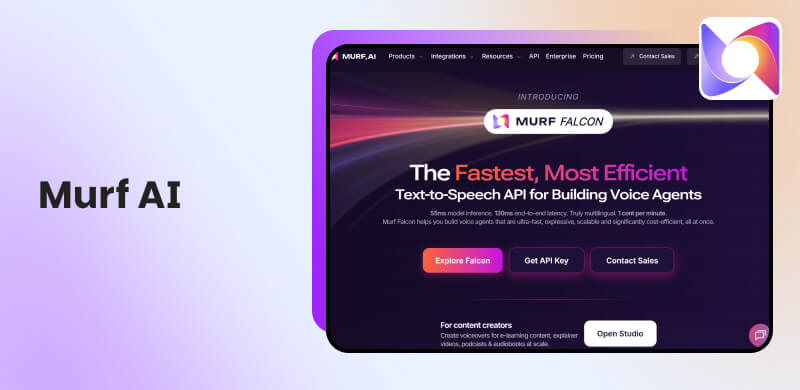
• Features the Falcon API, enabling fast, expressive, scalable voice generation.
• Project-sharing, multiple editors and viewers, and collaborative editing features.
Reason to Use:
• It delivers very realistic, high-quality voices.
• It supports more than 200 multilingual voices.
• It guarantees a 98.38% pronunciation accuracy.
• It allows customization of pitch, speed, emphasis, etc.
• It works with PPT, Canva, Adobe Captivate, Adobe Audition, etc.
Reason to Skip:
• The Murf AI free trial is very limited, intended mostly for testing.
• The Murf’s subscription is time-based; unused hours are useless.
• The expression of some emotional nuance may not feel as natural as a human's.
Part 3. Core Features of Murf AI
Text To Speech
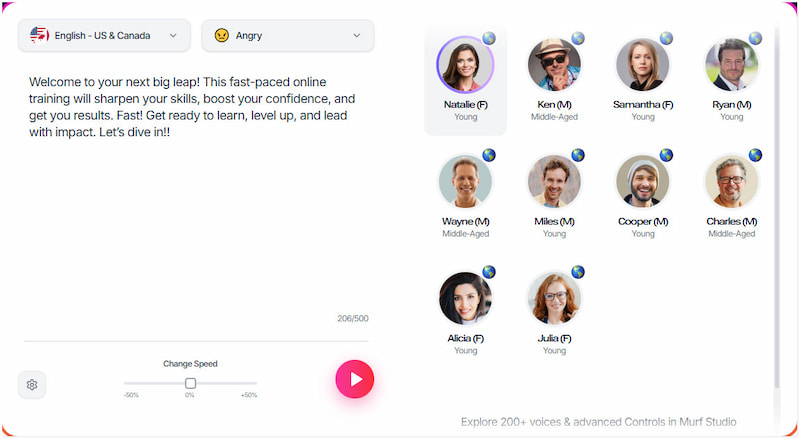
Murf AI’s text-to-speech engine is very high quality. It supports over 200 realistic voices and more than 20+ languages and accents. It lets you fine-tune pitch, speed, pauses, and emphasis. You can also control pronunciation, ensuring words are said just how you want. It includes 10+ different speaking styles and emotional tones, giving a more natural, expressive delivery. You can import scripts and export audio in MP3, WAV, FLAC, and video in MP4, MOV.
If you do not want to use text-to-speech, you can use a YouTube Music downloader to download the audio you want.
AI Voice Cloning
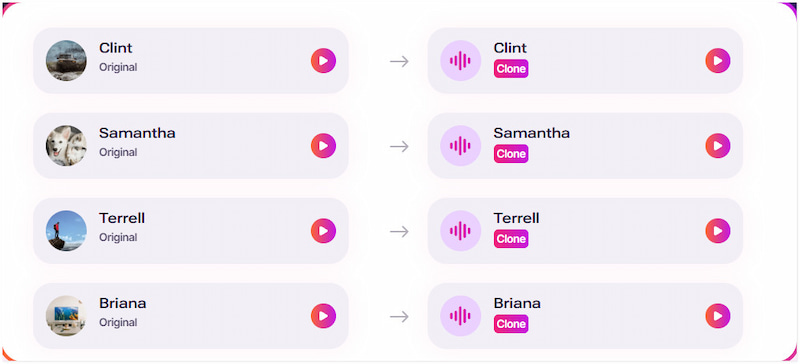
Murf allows you to create custom voice clones from real human voices. The cloned voices are designed to retain tonal nuances, emotional inflections, and realistic speech patterns. This makes the synthetic voice sound very close to the original. Murf AI voice cloning works with the voice artist to build clones in various styles. Once created, your cloned voices are stored in your workspace, so you can reuse them anytime.
Canva Add-On
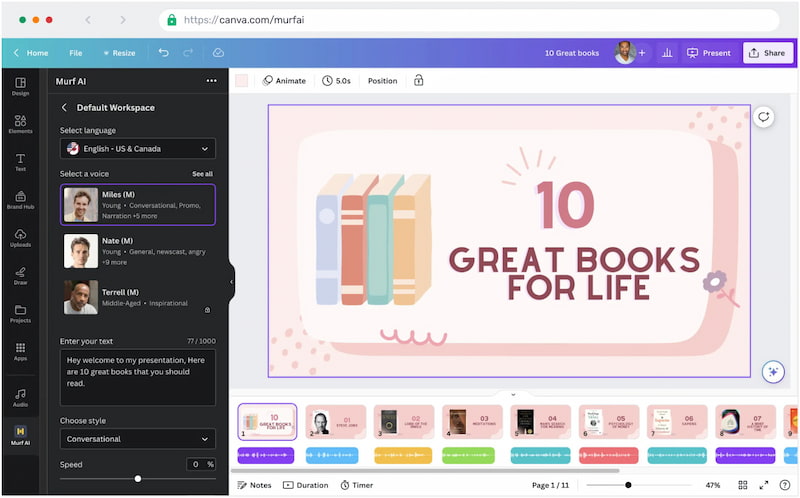
Murf integrates directly into Canva, making it very easy to add voiceovers to visual designs. In the Canva app, you write or paste your text, choose an AI voice, adjust speed/pitch, and then generate the voiceover. After you generate the voiceover, you can sync it to your Canva project's timeline. You have access to many of Murf’s supported languages and accents right inside the Canva add-on. Before finalizing, you can preview the voice and make edits.
Voice Over Video
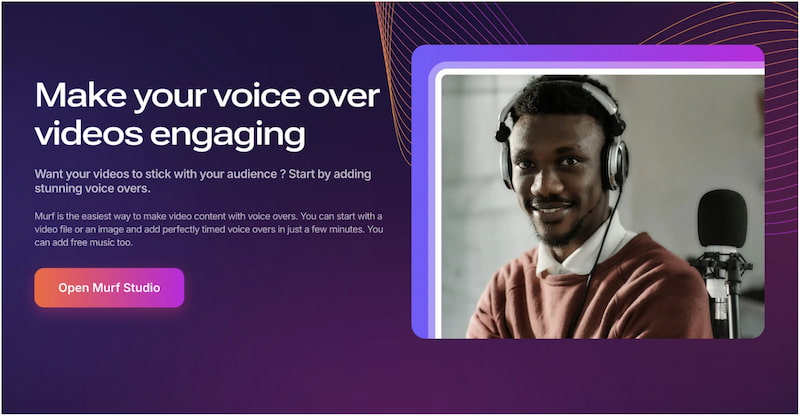
Murf Studio enables voice-over for video. You can upload or embed video content, then layer on your AI-generated voiceover. It supports combining your narration with images, video clips, and soundtracks. This feature is especially valuable for explainer videos, training modules, marketing promos, and any content.
Need background music? Just convert Apple Music to MP3 and add it to your voice-over video.
Google Slides Add-On
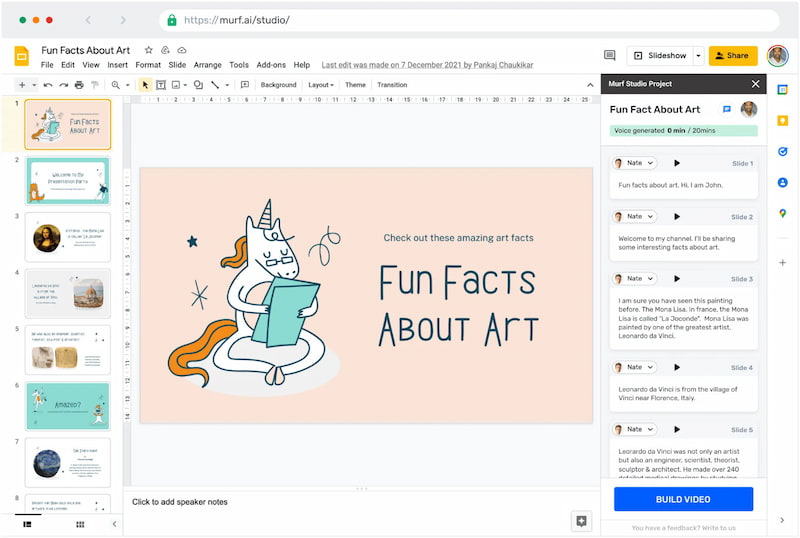
Murf has a dedicated Google Slides add-on to add AI narration to slide decks. It enables you to convert slide speaker notes into synchronized voice narration. You can write your script, choose a voice and style, and Murf generates a voiceover that’s timed to each slide. The generated narration is saved as a Studio project, so you can go back and tweak or refine it later. This is great for educators, business presenters, or anyone making narrated slide decks.
Murf API
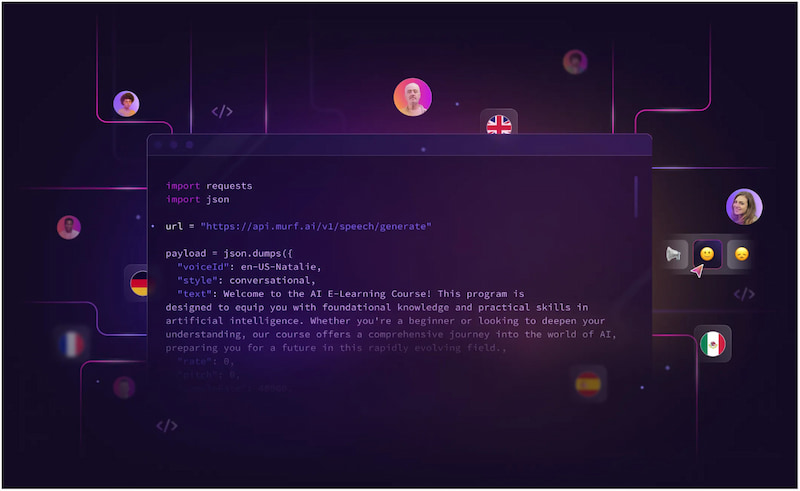
The Murf API is Murf AI’s suite of developer-focused APIs and SDKs for building voice-enabled applications. The API goes beyond TTS; it also offers services for voice transformation, translation, and dubbing. Through the API, you can customize voice parameters and use streaming for real-time voice generation. This makes Murf very useful for building voice agents, IVR systems, customer support bots, or any app.
Part 4. Murf AI Pros: What Really Works
Integration Ecosystem:
Murf is integrated with tools that content creators, instructional designers, and teams already use. This includes Canva, PowerPoint, Google Slides, Adobe Captivate, and Adobe Audition. This means you don’t have to export your script to another tool just to layer in voice‑overs.
Multi‑Language & Code‑Mixed Support:
Murf AI voice generator supports 35+ languages for its Falcon API. It also features MultiNative voices that can switch between languages in a single sentence, with proper accents. This makes voiceovers sound natural even when mixing languages.
High Pronunciation Accuracy & Naturalness:
Murf’s voice models boast very high pronunciation accuracy. It claims 99.38% accuracy for digits, acronyms, and complex context. This means less time spent correcting mispronounced words, especially in professional, e‑learning, or brand content.
Scalable & Low-Latency API (Murf Falcon):
For developers or businesses building voice‑enabled products, Murf’s Falcon API is a major advantage. It offers ultra-low latency even at scale. It supports high concurrency, 10,000+ simultaneous calls, and is designed to scale efficiently.
Team Collaboration & Workflow Efficiency:
Murf supports collaborative workspaces that enable teams to work together on voiceover projects. Multiple team members can view, edit, and contribute to the same project. This makes Murf ideal for production teams, e‑learning departments, or marketing groups.
Part 5. Murf AI Cons: What is Not Good
Limited Emotional Nuance and Expressiveness:
While Murf’s AI voice changer sounds quite natural in many use cases, it sometimes struggles with deep emotional expression. AI-generated voices may lack the subtle inflections, spontaneity, or improvisational variety that real human voice actors bring.
Pronunciation & Customization:
Murf supports custom pronunciation using phonetic spelling or IPA. However, it still mispronounces common or important words, forcing you to spend time correcting or adjusting many terms, names, or acronyms.
Overuse of Same Voices:
Because Murf offers a fixed set of AI voices, there’s a risk that content can sound repetitive. This is especially noticeable if the same voices are used often. Over-reliance on the same synthetic voices can lead to monotony, reducing the human touch.
Free Plan Constraints:
Murf AI free version is quite limited. Recording is limited to under-1-minute clips, and there are daily recording caps. This makes the free plan less practical for more than very light experimentation or micro‑use.
Privacy Concerns in Voice Cloning:
While Murf supports voice cloning, using that feature responsibly raises ethical and security considerations. You must ensure consent, consider data encryption, and be aware of how voice data is stored and used.
Part 6. Murf AI Pricing Plans
| Studio |
| Creator | Business | Enterprise |
| $0 | $29 per month | $99 per month | Contact Sales |
| 10 projects 10 minutes of voice generation 1 Editor | 100 projects 2 hours per month of voice generation 1 Editor All 200+ voices, styles , and tonalities Multi-native voices Unlimited downloads Canva integration Commercial rights | 500 projects 8 hours per month of voice generation 1 Editor Everything in Creator, plus: Business license Emphasis Variability Say it my way PowerPoint integration Audio to text Murf voices for Windows app | Custom projects Unlimited voice generation Custom editors Everything in Business, plus: Sharing and collaboration Enterprise grade features AI translation Single sign-on No data tracing Master service agreement IT security assessment PO and invoicing Custom voice clones (add-on) Custom success manager |
| Dub |
| Pay as you go | Enterprise |
| 200 credits | $0.25 per credit | Contact Sales |
| Automated dubbing 2 credits per minute per dub Standard support 2 projects at a time | Everything in Free, plus: No watermarks 5 projects at a time | Everything in Pay as you go, plus: QA assured dubbing Customer support Unlimited projects Scalable pricing with volume based discounts Sharing and collaboration Single sign-on Security assessments Master service agreement PO and invoicing |
| Note: Credit charges are based on file length: 2 credits per minute, per language. |
Part 7. FAQs about Murf AI
Q: Is Murf AI free?
A: No, it is not completely free to use. However, it offers a free trial that gives you 10 minutes of voice generation. You can use it to test out voices, adjust pitch and speed, or try basic scripts. In other words, the free trial has limited capacity and is mainly for experimentation.
Q: What is Murf used for?
A: Murf is used for creating realistic AI voiceovers in e-learning, YouTube videos, podcasts, explainer videos, etc. It’s also used by developers via its API to build conversational voice‑agents, chatbots, or scalable text-to-speech applications.
Q: What languages does Murf AI support?
A: Murf supports 20+ languages of different accents. This includes English, French, German, Spanish, Italian, Hindi, Portuguese, Dutch, and many more. Its AI voices can produce multilingual speech, meaning a single voice can switch between languages.
Q: What is the alternative to Murf AI?
A: There are several alternatives to Murf AI. Some popular options include ElevenLabs, WellSaid Labs, and Resemble AI. All of these tools offer high-quality AI voices and different trade-offs in pricing, voice styles, and API capabilities.
Q: How to change voices in Murf AI?
A: To change voices in Murf, open your voice in Murf Studio. Navigate to the Voices panel and select the block of text you want to re-voice. For recordings, go to the Voice Changer tab and choose Convert to AI Voice.
Conclusion
That’s where our Murf AI review ends! By now, you should have a clear understanding of what this AI voice generator can truly offer. In short, Murf AI is a powerful, polished, and reliable tool for producing professional-quality voiceovers. It works best for content creators, educators, business teams, marketers, and e-learning developers. However, if you're budget-conscious or someone hoping for a fully free solution, it is not the ideal tool. Murf is not trying to replace professional actors. It just replaces the need for expensive, time-consuming voiceover production for most practical use cases.
Ethan Carter
Ethan Carter creates in-depth content, timely news, and practical guides on AI audio, helping readers understand AI audio tools, making them accessible to non-experts. He specializes in reviewing top AI tools, explaining the ethics of AI music, and covering regulations. He uses data-driven insights and analysis, making his work trusted.


 by
by