Top 10 SoundCloud to MP3 Converters on Desktop and Browsers
When it comes to listening to music, one of the best audio streaming services you can access is SoundCloud. With this tool, you can access various music you want in high-quality sound. However, the platform requires you to obtain its Premium version if you want to save and download the music. The most unfortunate aspect is that if your subscription expires, the saved music will also be deleted. With that, if you want to save your favorite SoundCloud music permanently, we are here to assist you. Read this post as we explore all the best SoundCloud to MP3 converters you can use on your desktop and browsers. To achieve your desired output, review everything in this article.
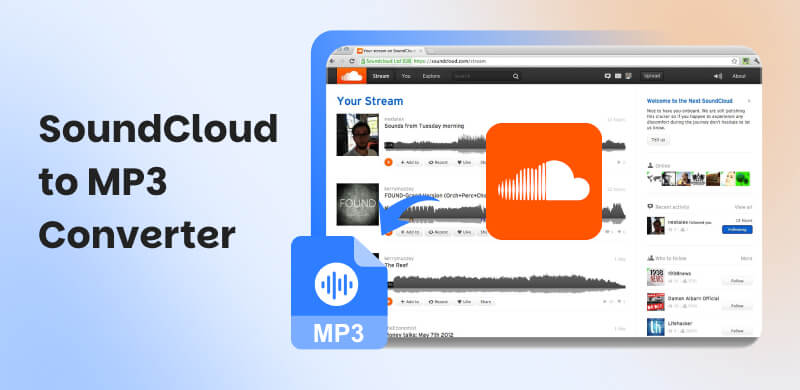
Before proceeding to a detailed explanation about the best SoundCloud to MP3 converters, take a peek at the simple explanation below.
• TopVox All Music Converter - An excellent tool capable of producing high-quality audio.
• KlickAud SoundCloud Downloader - The best online tool with a simple layout.
• Cloudmp3.cc - An amazing downloader capable of a fast conversion process.
• MusicVerter - A reliable tool that can download music at 320 kbps.
• ForHub.io - It is a tool that can offer a smooth conversion process.
• SoundCloudDL - An ad-free online tool that supports MP3 and M4A formats.
• Addoncrop - The best extension for the browser to download SoundCloud music.
• SaveFrom.net - Another excellent extension that allows you to download music from SoundCloud with a fast download process.
• Audacity - An excellent recorder that can record music from SoundCloud smoothly.
• SCDL - A desktop-based software that is perfect for downloading SoundCloud playlists.
Part 1. TopVox All Music Converter
One of the most powerful SoundCloud to MP3 downloaders available on your desktop is TopVox All Music Converter. In terms of converting and downloading your favorite SoundCloud music, you can rely on this software, as it provides you with all the necessary features. You can convert the music to MP3 with the best audio quality, which is 320 kbps. Additionally, the process of converting the music is simple, making it an ideal tool for non-professional users. Additionally, you can download your favorite playlist, making it even more remarkable. With that, if you want to obtain your desired music from SoundCloud, there is no doubt that TopVox All Music Converter is among the programs you can operate.
Features
- The music downloader can convert SoundCloud music smoothly.
- It has a fast conversion and downloading process for up to 320 kbps.
- It supports the batch conversion process.
- The software can support various formats, including, WAV, M4A, FLAC, and more.
- It can download music from various platforms, including Deezer, Spotify, Pandora, and Apple Music.
To use this SoundCloud to MP3 downloader, you can check the instructions below.
Step 1. Download TopVox All Music Converter on your desktop. Then, launch it to start the SoundCloud to MP3 conversion process.
Step 2. Then, visit the SoundCloud platform and start linking your SoundCloud account. You can use your Gmail account if you want to.
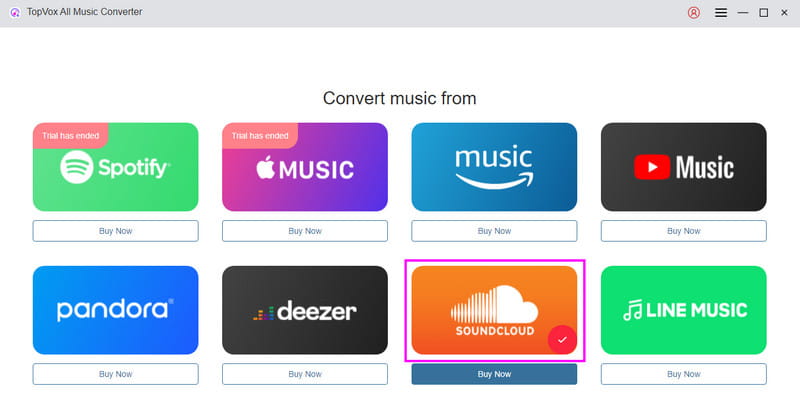
Step 3. You can go to the Search section above to browse the music you want to save and download. Then, tap the Add button to insert the song in the Conversion section.
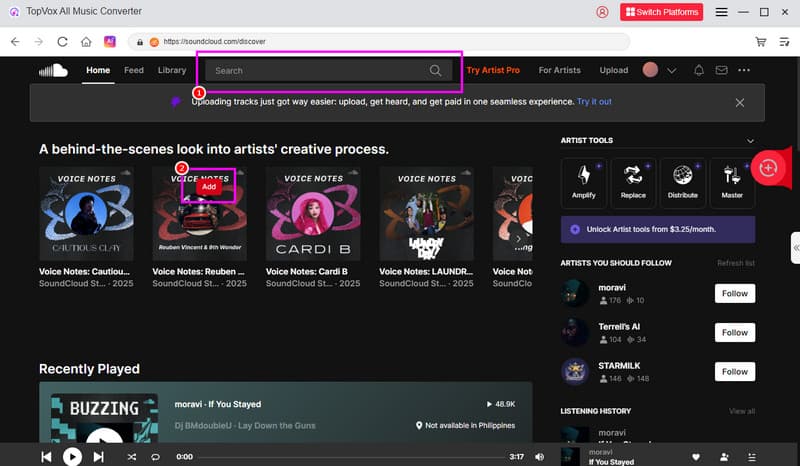
Step 4. Go to the Format section and select MP3. After that, you can now hit the Convert button below to begin converting the SoundCloud music to MP3 and save it on your computer.
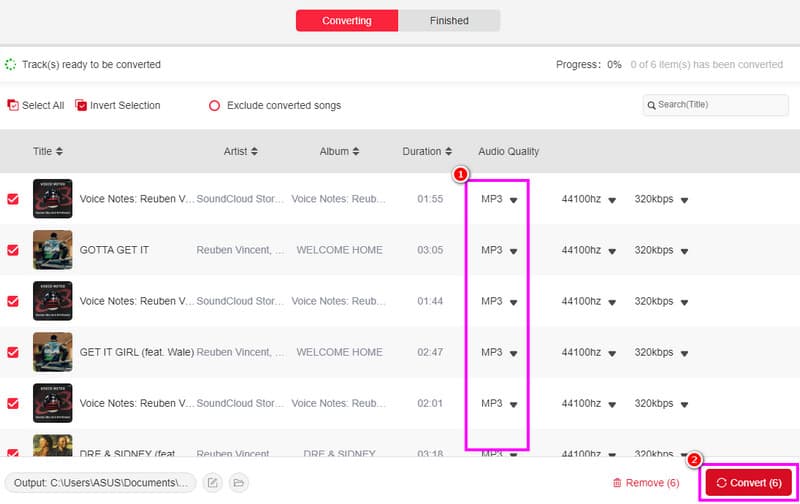
After using this music downloader, we can see that it is an excellent program for converting SoundCloud tracks to MP3. You can even convert it to other audio formats with the best quality. Therefore, consider using this software to achieve your desired output.
Part 2. KlickAud SoundCloud Downloader

If you need an online music downloader to download music from SoundCloud as MP3, we suggest using KlickAud SoundCloud Downloader. Thanks to this tool, you can simply insert the music link and initiate the download process. What we like here is that the tool can provide a fast process, allowing you to get the result in just a few seconds.
Pros
- The tool has a simple conversion process.
- It is available to all web platforms.
Cons
- Ads are appearing on the screen.
- It doesn't support the batch conversion process.
After using KlickAud SoundCloud Downloader, we can confirm that it is among the best downloaders available to help you achieve your desired results. However, you will need a fast/stable internet connection for smooth performance.
Part 3. Cloudmp3.cc

CloudMP3.cc is a free-to-use and highly popular SoundCloud MP3 downloader tool that allows you to easily and effortlessly download SoundCloud tracks in the highest available audio quality, up to 320 kbps. Whether you're using a tablet, PC, or mobile device, CloudMP3's user-friendly interface makes the download procedure seamless and straightforward.
Pros
- It has a neat user interface.
- The process of downloading music is simple.
Cons
- The tool only supports the MP3 format.
- Sometimes, it doesn't work well.
Thanks to this tool, you can effectively get your favorite music in just a few seconds. So, to start listening to your music offline, rely on this music downloader.
Part 4. MusicVerter
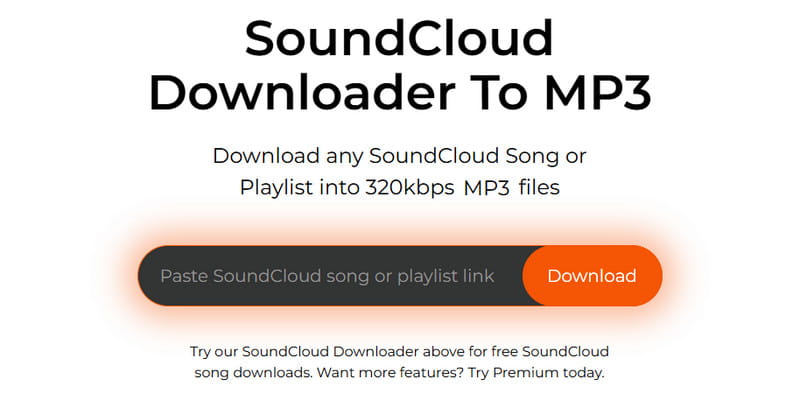
MusicVerter is an excellent tool if your focus is on saving SoundCloud music to MP3 with excellent quality. It is because the tool can download music at 320 kbps, providing a satisfying listening experience. The good part here is that you can access the free version of this tool to check its capabilities.
Pros
- It can download music with the best quality.
- The layout of the tool is comprehensive.
Cons
- The subscription fee is expensive.
- It doesn't offer audio options for audio enhancement.
With this tool, you can effectively turn your favorite SoundCloud music into an MP3. To achieve better results, you will need a fast internet connection.
Part 5. ForHub.io
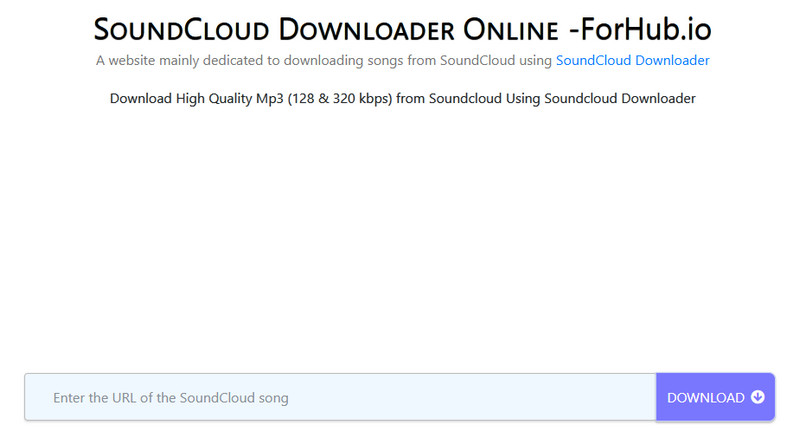
Do you want a smooth downloading process when converting SoundCloud to MP3? If so, you can try using ForHub.io. What makes it more useful is that you can save the music from 128 to 320 kbps.
Pros
- You can access the tool for free.
- The tool doesn't require a login.
- Compatible with any browser.
Cons
- The batch conversion feature is not available.
- Ads are disturbing.
We can conclude that this online SoundCloud to MP3 converter is one of the most reliable options for downloading SoundCloud tracks as MP3 files. It can even provide high-quality audio for an enhanced experience.
Part 6. SoundCloudDL
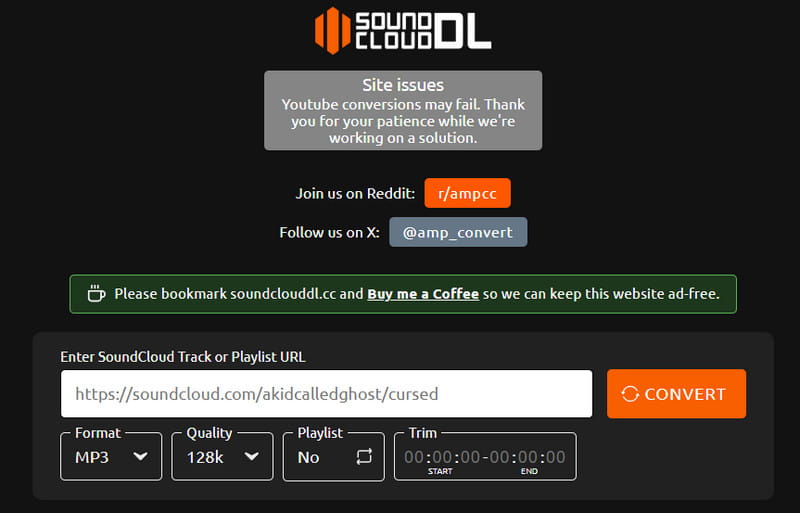
If you're looking for another free SoundCloud to MP3 downloader, consider using SoundCloudDL. What makes this tool more powerful is that it has a fast conversion process. You can even get a good quality from 128 to 320 kbps. Additionally, besides MP3, you can also convert music to M4A, making the tool even more astounding.
Pros
- It can maintain the original ID3 tags.
- It supports MP3 and M4A formats.
Cons
- It cannot download a SoundCloud playlist.
- There are times when the downloading process is slow.
SoundCloudDL is an excellent SoundCloud downloader for converting and downloading music from SoundCloud. You can even choose your preferred format, such as MP3 and MP4. Therefore, consider using this tool to enhance your conversion process.
Part 7. AddonCrop
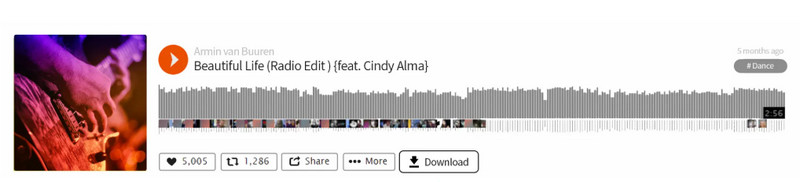
Looking for the best extension for downloading SoundCloud music? Then, we suggest using AddonCrop. This extension can offer a download button on your SoundCloud platform, allowing you to download SoundCloud music as an MP3. It is also free to use, which makes it accessible to all users.
Pros
- The extension can convert SoundCloud music to the best quality.
- It can also save the original ID3 tags of the music.
Cons
- Not all SoundCloud soundtracks can be downloaded.
- There are times when the extension can save the music with only 128 kbps.
AddonCrop is an excellent extension that allows you to achieve a great result. What we like here is that you can easily access it on your browser to instantly proceed with the main process.
Part 8. SaveFrom.net
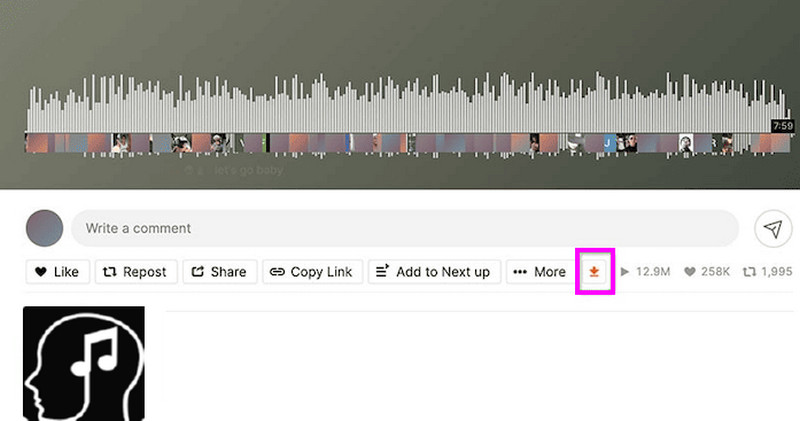
Looking for another reliable extension? In that case, you can use SaveFrom.net. This tool is ideal for saving your music from SoundCloud. It also features a simple layout, making it suitable for beginners. With that, consider using this tool if you want an excellent SoundCloud to MP3 converter on your website.
Pros
- The extension is free to access.
- It can offer a fast downloading process.
Cons
- It requires another extension to set up the tool.
- It is incapable of customizing the audio bitrate.
After using the extension, we can tell that it is effective. However, you must download an additional extension to use the tool, which can be time-consuming for some users.
Part 9. Audacity
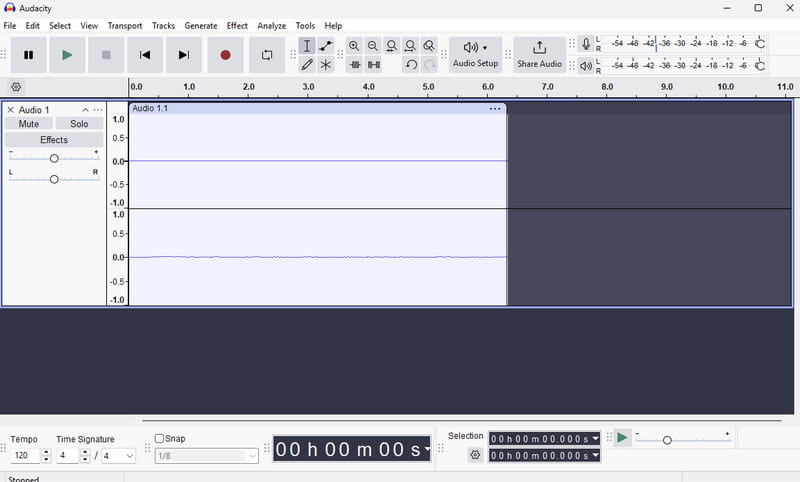
Besides downloading, you can also record the music from SoundCloud and save it as an MP3. With that, if you are looking for an excellent audio recorder, we recommend using Audacity. With this software, you can access its recorder feature to record SoundCloud music and save it in your preferred format, including MP3, FLAC, WAV, M4A, and more.
Pros
- The software is open-source and free.
- The tool's user interface is neat.
Cons
- There are times when the saving process is slow.
Audacity is a must-have recorder if you want to record music from SoundCloud smoothly. Thus, access this program and get your desired outcome.
Part 10. SCDL
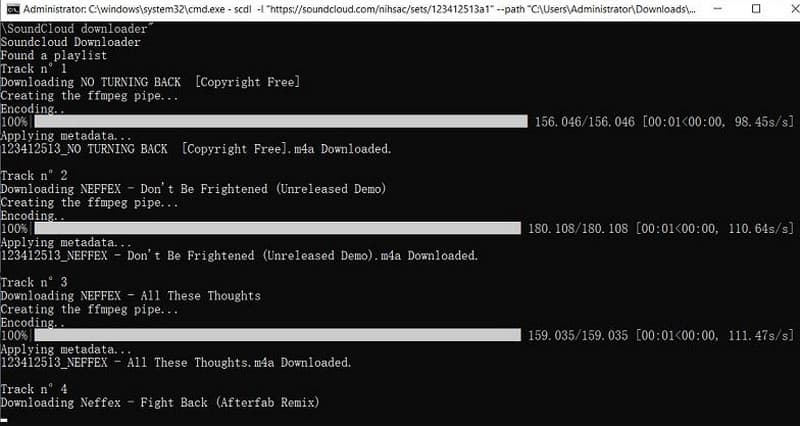
If you love music on SoundCloud, SCDL is a free tool that lets you download your favorite tracks directly to your computer. It works on Windows, Mac, and Linux. You'll get the songs as high-quality MP3s, and in some cases, you can even get studio-quality 320 kbps files.
Pros
- The tool can retain the music metadata.
- It can deal with SoundCloud playlists.
Cons
- The software doesn't offer a graphical user interface.
- The program is complicated to use.
SCDL is ideal for professionals, as it features an advanced process for saving SoundCloud music to MP3. The only drawback here is that it is not suitable for beginners.
If you want to learn more about these best SoundCloud to MP3 converters, see the table below.
| Compatibility | Output Formats | Quality | Offers Batch Download | Speed | Shows Ads |
| TopVox All Music Converter | Mac and Windows | MP3, FLAC, AAC, AC3, M4A, WAV, and more. | 320 kbps | Yes | 35 times faster | No |
| KlickAud | Browser | MP3 only | 128 kbps | No | It depends on the internet connection. | Yes |
| Cloudmp3 | Browser | MP3 only | 320 kbps | No | It depends on the internet connection. | Yes |
| MusicVerter | Browser | MP3 only | 320 kbps | No | It depends on the internet connection. | Yes |
| Forhub.io | Browser | FLAC, M4A, and MP3. | 320 kbps | No | It depends on the internet connection. | Yes |
| SoundCloudDL | Browser | MP3 and M4A. | 320 kbps | Yes | It depends on the internet connection. | Yes |
| AddonCrop | Browser | MP3 only | 128 kbps | No | It depends on the internet connection. | No |
| SaveFrom.net | Browser | MP3 only | 128 kbps | No | It depends on the internet connection. | No |
| Audacity | Windows and Mac | MP3, FLAC, WAV, M4A, and more. | 320 kbps | No | Fast | Yes |
| SCDL | Mac, Linux, and Windows | MP3, FLAC, WAV, M4A, and more. | 320 kbps | Yes | Standard | No |
Conclusion
With these SoundCloud to MP3 converters, you can ensure that you get all the music you want from the SoundCloud platform. Thus, utilize these tools to achieve your desired output. Additionally, if you want to use your desktop to save and convert your favorite music to MP3 with the best quality, we recommend using TopVox All Music Converter. This program provides a consistent, high-quality audio experience, making it a powerful music converter and downloader for users.
Owen Bannett
Owen Bannett is a music enthusiasm as well as a senior writer. He has paid close attention on the pros & cons of various audio formats, bitrate, sample rate and encoding methods. Always seeking the best listening experience, Owen has deep insights about lossless music and diverse music converters on the markets.


 by
by