Unbiased Luvvoice Review: Should You Trust This Tool
In today’s time, AI-powered tools like Luvvoice are transforming the way we create audio content. We’ve written this Luvvoice review to help you determine whether it is the right tool for your text-to-audio conversion needs. Luvvoice is an AI-driven text-to-speech platform that allows you to turn written text or documents into human-like audio. This tool promises versatility and convenience for a wide range of projects. This post will cover everything you need to know about Luvvoice. We’ll dive into its core features, explain how it works, outline its pros and cons, and explore the best use cases. We’ll also explore alternatives to help you make an informed choice.
Part 1. What is Luvvoice
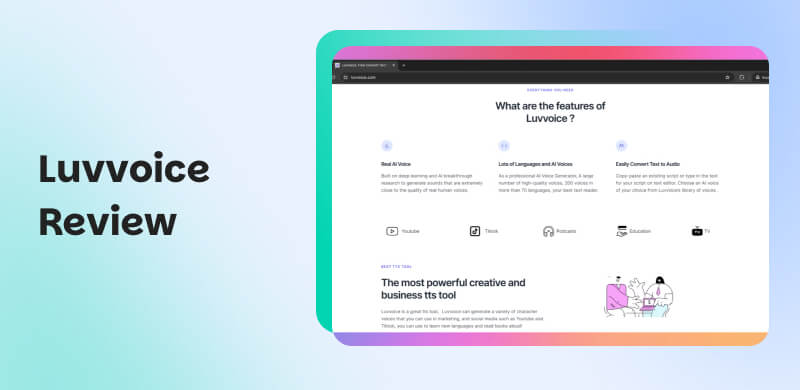
Luvvoice is a free internet-based text-to-speech (TTS) tool that converts written text into natural-sounding speech. It offers more than 200 different voices and 70 languages with no strict word limit. With it, you can type or paste text, choose from various voices, and download the resulting audio as an MP3 file. It supports document uploads, like PDF or TXT, for conversion. Additionally, you can adjust the speech rate and pitch to achieve the perfect tone.
Part 2. Core Features of Luvvoice
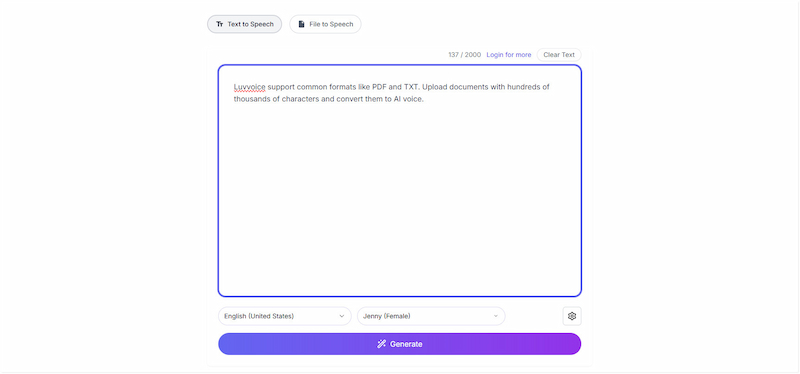
Real AI Voice:
The tool utilizes deep learning and AI to generate voice outputs that closely resemble natural human speech. Instead of producing robotic or flat audio, it captures human-like tones, intonations, pauses, and emotional cues. This makes the generated audio suitable for narration, voiceovers, online courses, audiobooks, or marketing content.
You can also download a Spotify podcast as an MP3 and use AI voices to enhance the sound.
Languages and AI Voices:
Luvvoice Text-to-Speech offers over 200 AI voices across more than 70 languages. This makes it an ideal tool for global creators and businesses reaching multilingual audiences. You can choose from different accents, genders, and vocal styles to match your project. It provides diverse voice options to ensure your output sounds natural and culturally appropriate.
Convert Text to Audio:
The tool is designed to be simple and efficient for converting text into audio. You can copy-paste existing scripts or type text directly into the built-in editor. From there, selecting a voice from an extensive library is as simple as a click. Additionally, the system produces high-quality audio quickly.
Document to Voice:
Luvvoice AI also supports converting entire documents, like PDF or TXT, into spoken audio. This means you upload common file types, even those containing hundreds of thousands of characters. It processes the document and turns it into natural AI speech. This makes it a useful tool for creating audiobooks, reading reports aloud, or turning study materials into an audio format.
Extended Character Limit:
The tool offers an extended character limit to support more demanding projects. It can reach up to 20,000 characters per generation for premium users. It allows you to convert long scripts or full sections of documents without splitting the text. For those handling large-scale content, this extended limit ensures smoother and faster voice generation.
Part 3. How to Use Luvvoice (Step-by-Step Guide)
Luvvoice AI Text-to-Speech is simple to use, even for beginners, thanks to its intuitive interface. It streamlines the process of converting text into MP3 format in just a few clicks. Below is a step-by-step guide to help you get started easily with the tool.
Step 1. On the homepage, select the Text to Speech option above the text box. Type or copy your written script and paste it into the large text input box. Use the Clear Text button to remove everything when you want to start fresh.
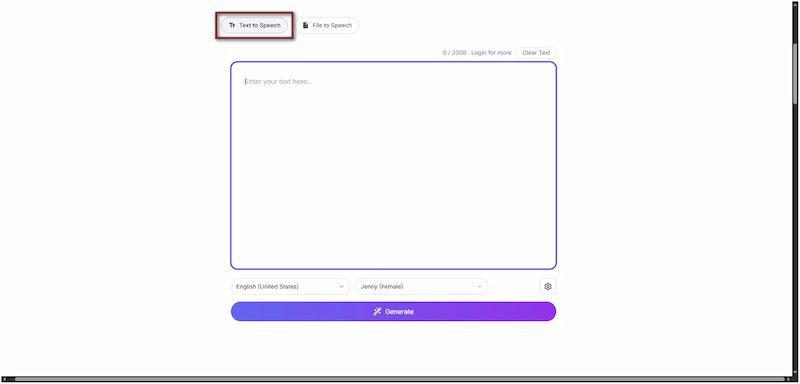
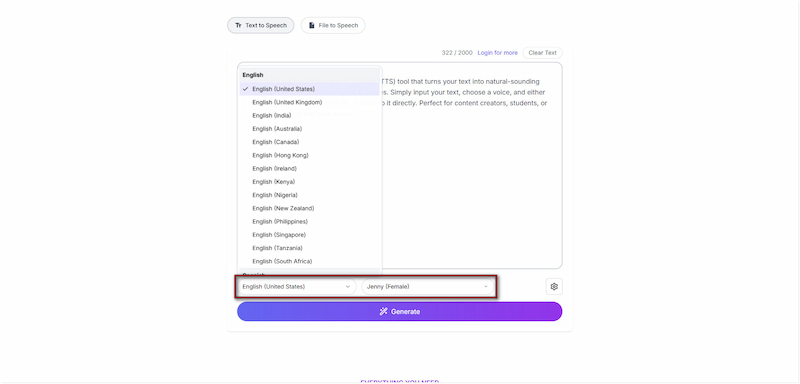
Step 2. Below the text input box, pick a language and browse through the different AI voices. Preview multiple voices first to find the one that best fits your project. Optionally, click the Settings button to adjust the Rate, Volume, and Pitch.
Step 3. After setting everything, click the Generate button to convert your text into high-quality, human-like audio. Once the conversion is complete, it will play automatically. If you’re satisfied, click the Download button to save the generated audio in MP3 format.
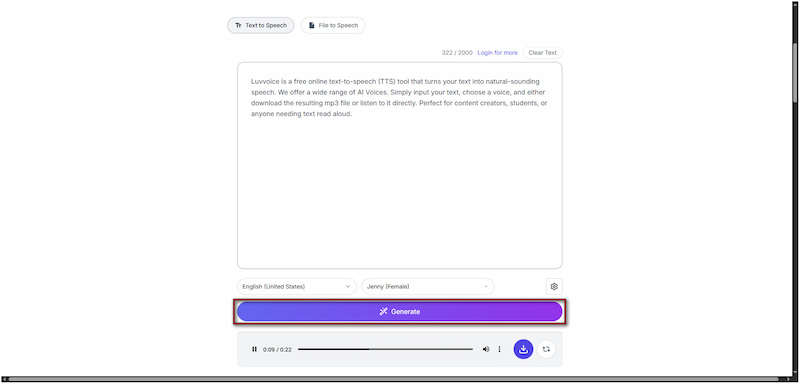
The tool is a user-friendly AI voice generator that enables fast text-to-speech conversion. It offers 200+ voices, 70+ languages, adjustable speech settings, and more. However, like any tool, it also has limitations. If you’re a free user, generated audio files are available for 72 hours only.
If you don’t want to use the generated MP3, you can use a YouTube Music downloader to obtain the audio you want.
Part 4. Luvvoice Free Vs. Paid
The tool offers both free and paid versions, each designed to suit different usage needs. Luvvoice's free plan is ideal for quick, occasional voice generation. Meanwhile, the paid version unlocks higher limits, more flexibility, and better workflow efficiency.
Here’s a quick comparison to help you decide which option fits your needs best:
| Free | Feature | Paid |
| Up to 10,000 characters per month | Character Limit per Generation (Standard Voices) | Up to 20,000,000 characters per month (standard voices) |
| Up to 2,000 | Character Limit per Conversion (Standard Voices) | Up to 20,000 |
| 1 | Custom Voice Count | Unlimited |
| 500 | Custom Voice Credits | 200,000 |
| 200+ voices | Voice Options | 300+ voices |
| 70+ languages | Languages Supported | 70+ languages |
| Rate, volume, and pitch | Voice Settings | Rate, volume, and pitch |
| MP3 | Download Format | MP3 |
| ❌ | Latest Features | ✅ |
| ✅ | Ads | ❌ |
| ❌ | File transcription | TXT, PDF, DOC, DOCX, ODT, etc. |
Part 5. Pros & Cons of Luvvoice
Before making a decision, it’s essential to understand both the tool’s strengths and limitations. Knowing the pros helps you appreciate what the tool does exceptionally well. At the same time, being aware of the cons helps set the right expectations.
Reason to Use:
• It converts text to voice in just a few clicks.
• It offers over 200 AI voices across more than 70 languages.
• It supports up to 20,000 characters per generation.
• Its deep learning models generate realistic speech.
• It accepts inputs like TXT, PDF, DOC, DOCX, ODT, etc.
Reason to Skip:
• Its file availability is restricted to 72 hours only.
• Its voices do not deliver the same clarity or natural tone.
• It requires a stable connection for text-to-speech generation.
Part 6. Luvvoice Use Cases (Best For)
After we review Luvvoice’s features, pros, and cons, it’s time to explore the best use cases of the tool. Let us see where it truly delivers the most value. Below are the best use cases where the tool truly shines:
• It is great for narrating courses, lessons, and training modules.
• It is useful for creating intros, outros, ads, or even full podcast episodes.
• It is ideal for YouTube creators, TikTok videos, reels, and promotional clips.
• It quickly adds voice to short-form content, announcements, and engagement posts.
• It converts long-form text into clear, natural-sounding audio for storytelling or reading.
Part 7. Luvvoice Vs Competitors
Deepgram
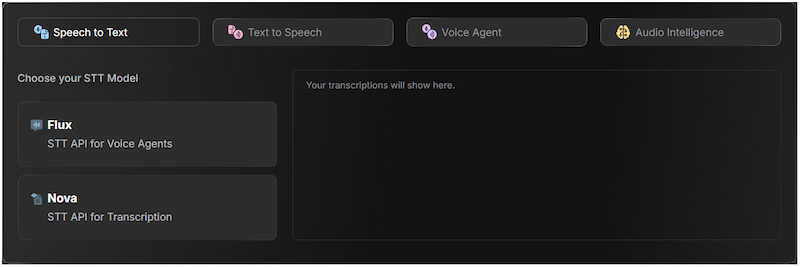
Deepgram is known for its enterprise-grade Text-to-Speech API, designed for real-time performance, scalability, and professional use. Its Aura-2 TTS model supports domain-specific pronunciation. It enables accurate speech for specialized industries and offers over 40 English voices with various accents.
ElevenLabs
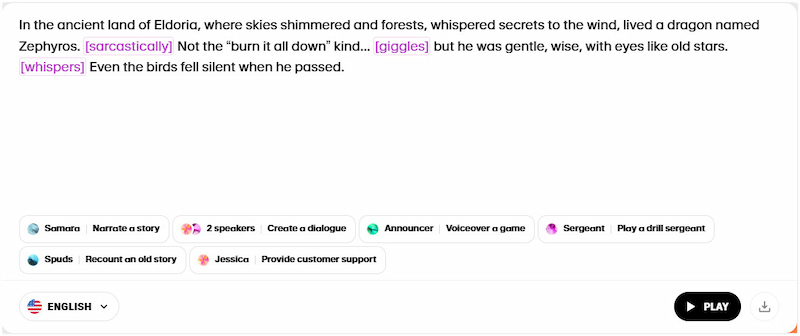
ElevenLabs is an ultra-realistic, emotionally expressive voice synthesis that goes beyond simply reading text. It understands context, intonation, and emotion efficiently. Its Eleven v3 model supports 70+ languages and enables users to insert tags to guide emotional delivery. Additionally, it offers voice cloning, letting you create a synthetic version of a real voice.
VEED
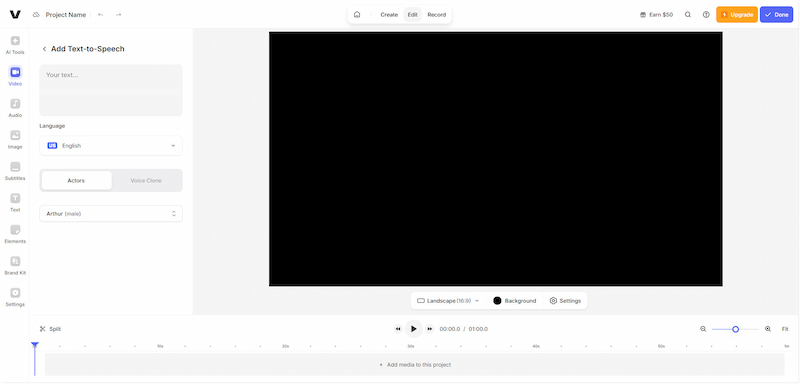
VEED is a more all-in-one video editing platform that offers text-to-speech as part of its pipeline. With it, you can paste your text, generate a voiceover, and directly layer that audio onto video. It supports 50+ languages and a variety of natural-sounding AI voices. However, it may not be as specialized and expressive as other advanced transcription tools.
Part 8. FAQs about Luvvoice
Q: Is Luvvoice safe?
A: Luvvoice is reasonably safe to use. It has an average to good trust score from a trusted review tech site. Since it runs on a valid SSL certificate, this means data transmitted between you and the site is encrypted.
Q: Is Luvvoice completely free?
A: No, Luvvoice is not completely free. However, there’s a free version. For unlimited access with all premium features, you need a paid subscription to remove restrictions.
Q: What is Luvvoice used for?
A: Luvvoice is primarily used for text-to-speech (TTS) tasks. It converts written content into natural, human-like audio. It is useful for narrations, explainer videos, educational content, podcasts, and more.
Conclusion
That’s where our Luvvoice review concludes. We’ve covered its features, pros and cons, use cases, and how it compares to other tools. The tool excels in accessibility, multilingual support, and ease of use. This makes it ideal for projects like podcasts, video narration, audiobooks, and educational content. However, the free plan has limitations, including smaller character limits, which may not be sufficient for larger projects. Still, it remains a solid choice for creators seeking a simple yet powerful text-to-speech solution.
Ethan Carter
Ethan Carter creates in-depth content, timely news, and practical guides on AI audio, helping readers understand AI audio tools, making them accessible to non-experts. He specializes in reviewing top AI tools, explaining the ethics of AI music, and covering regulations. He uses data-driven insights and analysis, making his work trusted.

 by
by