Voicemod Review 2026: Features, Pros, Cons & Pricing
One of the most often used voice changers nowadays is Voicemod. Gamers vouch for it, streamers adore it, and cool online buddies use it to keep things lively. However, because in 2026, the developer of Voicemod is currently releasing new tools regularly, it's worthwhile to find out if this app is still reliable. Let us now read this Voicemod review to learn everything you need to know about it.
1. What is Voicemod?
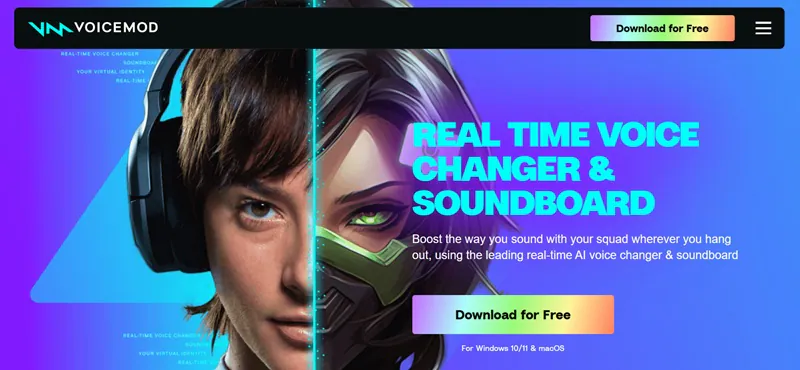
For those who are unfamiliar with it, Voicemod is a soundboard and real-time voice changer for Windows and macOS. It allows you to drop sound effects and change your voice in a matter of seconds. While some people use it for Zoom calls, content production, and even podcast editing, the majority of people use it with Discord to experiment during gaming sessions.
How Does Voicemod Work?
Voicemod transforms your microphone input with digital speech effects while processing it in real time. It creates realistic or fictional voices by adjusting tone, pitch, resonance, and speed using AI, audio modulation, and filters. After being applied, the altered voice is broadcast as if it were your actual speech to streaming or conversation programs like Zoom, Discord, or OBS. During live sessions, you can effortlessly switch between effects, alter settings, or play audio samples via the soundboard.
2. Features of Voicemod
Let's now examine Voicemod's actual performance in more detail via its key features. This section of the Voicemod review covers everything from the features you may anticipate to how smoothly it operates. Since most people come for its voice changer tools, we're paying particular attention to them.
Voicemod Interface
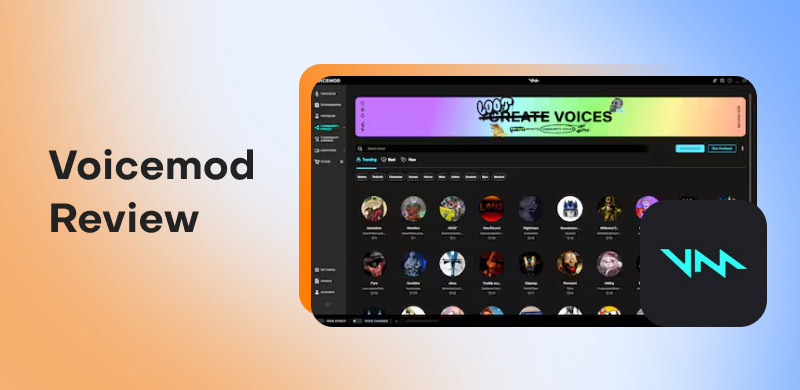
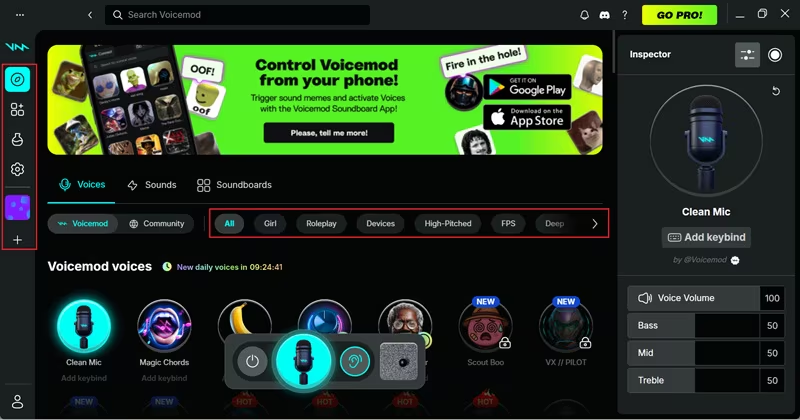
The primary panel, where all of the voice changer choices are arranged and available for use, appears immediately after you log in. Even for new users, the layout seems quite intuitive. You can choose the voice that best suits your mood by scrolling through the various categories to check which voices are locked and which are open.
Voice Changer
You can choose from a limited number of voices that change every day with the free plan. You can test out about six different voices, which is enjoyable but still constrained. Once you've selected one, you can modify various settings, such as loudness, which vary based on the voice you select. Additionally, you may test and improve your sound by clicking on a small ear icon to hear yourself with the effect in real time.
Sound Effects
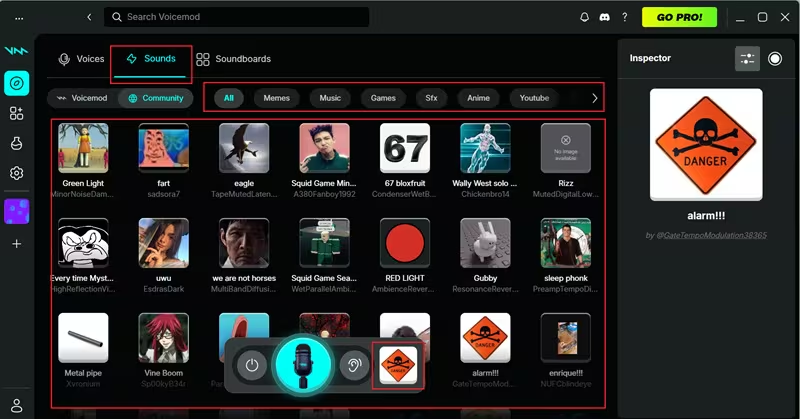
Even without the pro version, you can experiment with a wide variety of sound effects from Voicemod and the community. You won't be able to alter or modify their sound, but you may add them to your soundboard and play them whenever you like.
Recorder
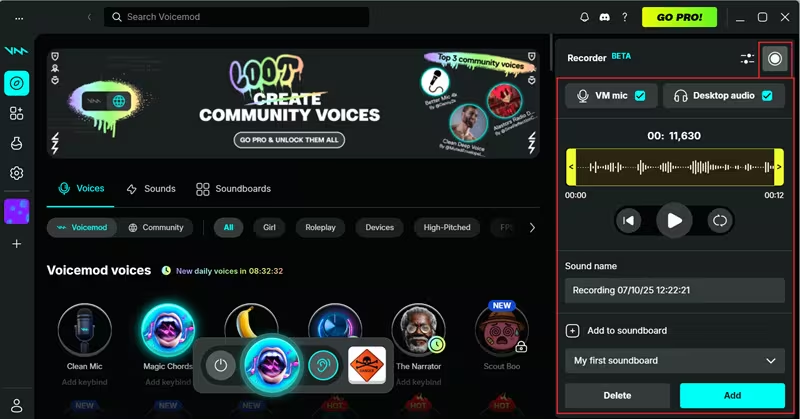
The recorder is located on the screen's right side. You can record your voice with effects for a maximum of 45 seconds. The recording can be saved and added to your soundboard after you're finished.
System Requirements
Voicemod is compatible with both Windows and macOS, but there are a few prerequisites. A 64-bit processor and Windows version 10 are required. Voicemod is only compatible with macOS Monterey or later for Mac users. Their official system requirements page lists all the technical details.
3. Use Cases & Who Should Use Voicemod
Use Cases of Voicemod
Voicemod is a real-time soundboard and voice changer for online conversation, gaming, broadcasting, and content production. With speech effects, character voices, and audio customization, it improves digital interactions and makes live sessions, videos, and discussions more interesting and enjoyable.
- • Gaming and Live Streaming. Voicemod is used by streamers and gamers to improve character play and increase viewer amusement. They may bring fun, intrigue, or excitement to live sessions on Twitch, YouTube, and Discord by using real-time voice effects to sound like robots, villains, or fantastical creatures.
- • Content Creation and Social Media. Voicemod is used by content makers on YouTube, Instagram, and TikTok to create narrative videos, humorous sketches, and dynamic voiceovers. For tutorials, memes, reels, and short-form content, AI voices and sound effects improve audience retention, foster innovation, and make videos more captivating.
- • Online Meetings and Virtual Events. Voicemod uses amusing effects and themed voices to provide entertainment and engagement to online classes, webinars, and virtual meetings. It can make remote communication more pleasurable and memorable by lightening the mood during presentations, engaging students, and supporting role-based activities.
- • Roleplaying and Voice Acting. Voicemod allows voice performers and role players to produce unique character voices without the need for sophisticated equipment. With personalized tones, accents, and expressive audio effects, it’s ideal for storytelling, podcasts, audio plays, and Dungeons & Dragons.
- • Pranks, Fun Calls, and Social Chats. Voicemod is well-liked for amusing and playful voice chats on Skype, WhatsApp, and Discord. Users can play sound clips, mimic celebrities, or add cartoon voices to make online hangouts, group chats, and conversations more entertaining and memorable.
Who Should Use Voicemod
That concludes our evaluation of Voicemod! Voicemod is designed for those who wish to add a little flavor to their audio while considering anything from features to performance. Who will benefit most from this voice-changer app is as follows:
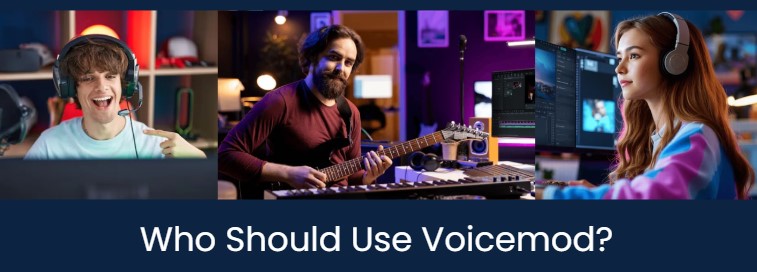
- • Streamers. Excellent for Kick or Twitch streamers who enjoy unpredictability. You can utilize the soundboard to react in real time, change voices at any time, or stop sound effects during a tight game.
- • Gamers. Voicemod gives voice chats and online games, particularly on Discord, a playful edge. In Valorant, you can act like a villain or trash-talk in a chipmunk voice.
- • YouTubers. Voicemod enables YouTubers to add excitement and variation without requiring a full-fledged recording studio. You can voice characters, make skits, or incorporate humorous elements into your content.
- • Audio Producers. With just a browser, Voicemod’s text-to-song function enables producers to transform straightforward lyrics into music. Without opening your DAW, it’s perfect for creating brief demos, entertaining samples, or sound bites that are suitable for social media.
4. Pros and Cons of Voicemod
It's evident from reading and reviewing Voicemod features that this voice changer program has its ups and downs. Here is a summary of them:
Pros
- Real-time Operation: The voice-changer effects take effect immediately, allowing you to hear the change as you speak.
- Tremendous Sound Effects: Even in the free edition, there is a sizable library.
- Simple to Connect: No further setup is required; it seamlessly interacts with Zoom, Discord, OBS, and other platforms.
- Simple Layout: An easy-to-use interface that is ideal for novices.
Cons
- Restricted free voices: Only a few voice effects are available in the free version, and they change every day.
- Restricted customization: Although sound effects can be used, they cannot be significantly altered or customized.
- Voice Lab is locked: You must upgrade to the Pro version to create custom voices.
- Dips in Performance: On lower-end systems, performance drops could result in latency or problems.
5. Voicemod Pricing
| Voicemod Free Version | Voicemod Premium Version |
| Price | Free. | $6.72 a month. |
| Voice Changers | Limited selection that changes daily. | Full library unlocked. |
| Soundboard | One soundboard with a few custom sounds. | Unlimited soundboards with full access. |
| Content Access | Some collections available. | All content and collections unlocked. |
| Voice Lab | Not available. | Create your own custom voices. |
| Plugins& Mobile App | Basic access only. | Full access based on your account. |
6. Should You Buy Voicemod?
Voicemod is a creative and entertaining application that is particularly helpful for voice actors, streamers, gamers, and content creators. Its soundboard features, AI-powered voices, and real-time voice effects enhance the professionalism, entertainment value, and engagement of online interactions. Complete customization, improved voice quality, and sophisticated voice design are all accessible with the Pro edition. However, because the free version can occasionally lag or feel constrained, it might not be worth purchasing if you only require basic effects or have a low-end PC.
7. Voicemod Alternative
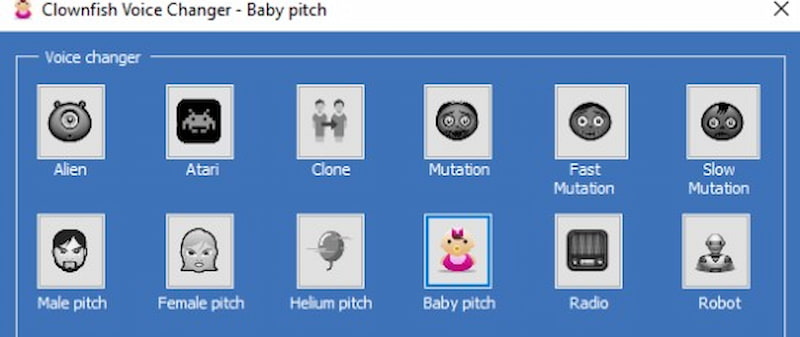
Clownfish Voice Modifier
Clownfish is a lightweight, free voice changer for Windows that offers simple effects like robot, alien, and male/female pitch. It is more straightforward and does not have sophisticated customisation or soundboards like Voicemod.
Ideal For: Those who prefer straightforward voice effects without complicated installation.
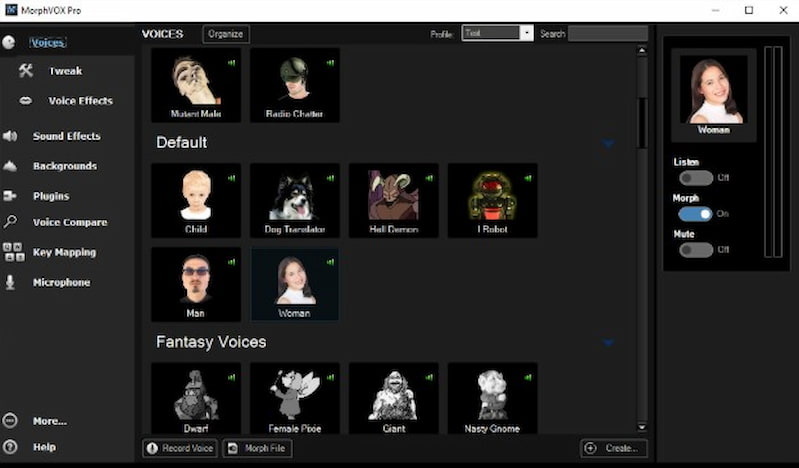
MorphVox
MorphVox provides superior voice alteration, sophisticated sound effects, and background noise reduction. Like Voicemod, the Pro version enables character voices and intricate voice tuning.
Ideal For: Professional voice actors looking for realistic or unique voices, gamers, and broadcasters.
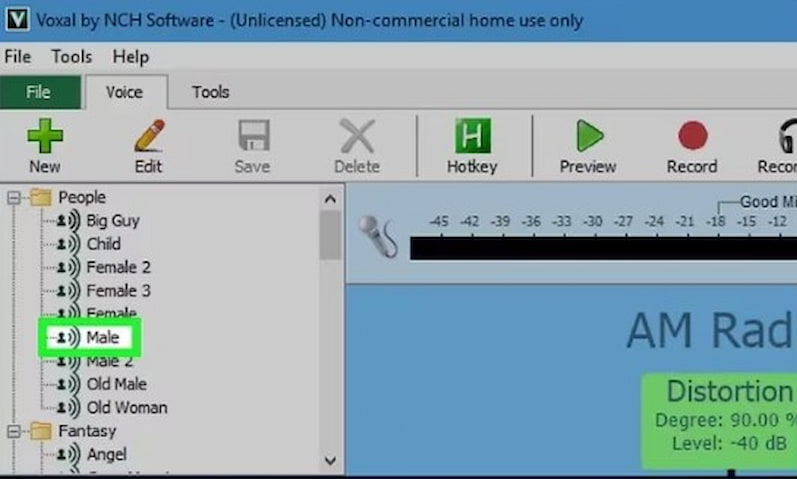
Voice Changer Voxal
Voxal offers a variety of presets and modifications for both recorded and real-time voice change. In terms of diversity, it's similar to Voicemod, although it's less connected to social media or games.
Ideal For: Those who need a variety of voice effects for recordings, roleplayers, and content producers.
8. FAQs about Voicemod Review
Is Voicemod down?
Occasionally, maintenance, heavy traffic, or technical problems may cause Voicemod servers to go down. For up-to-date information on whether you're experiencing problems, visit Voicemod's social media pages or status site. Sometimes, temporary issues can be fixed by restarting the computer or application.
Why is Voicemod not opening?
Outdated software, missing permissions, corrupted files, interference from antivirus software, or other audio apps can all prevent Voicemod from opening. To resolve the problem, try restarting your computer, updating Voicemod, running as an administrator, or reinstalling the program.
Is Voicemod free ?
Voicemod offer free version with restricted capabilities and voice filters. But complete voice customization, soundboard access, and advanced options are only available with the Pro edition. For basic use, the free plan is excellent, especially for novices or infrequent users.
Is Voicemod available for Android?
Indeed, Voicemod is accessible on Android devices via the Voicemod Clips app. You can use speech filters, shoot videos, and post them on social media. But unlike the PC version, it does not yet provide full real-time voice altering.
Is Voicemod cracked?
There are internet cracked copies of Voicemod, but they are dangerous, unlawful, and frequently infected with viruses. Using them may result in account bans or security issues. Using the official free or Pro version is safer and more moral.
Conclusion
Voicemod's real-time effects, user-friendly interface, and AI-powered voices continue to make it a popular option for gamers, broadcasters, and content producers. Alternatives like Clownfish, MorphVox, Voicemeeter, and Voxal, on the other hand, provide special benefits like ease of use, expert audio control, or sophisticated customization. The ideal voice changer for gaming, streaming, video creation, or entertainment will rely on your needs, financial constraints, and degree of inventiveness.
Ethan Carter
Ethan Carter creates in-depth content, timely news, and practical guides on AI audio, helping readers understand AI audio tools, making them accessible to non-experts. He specializes in reviewing top AI tools, explaining the ethics of AI music, and covering regulations. He uses data-driven insights and analysis, making his work trusted.


 by
by