How to Change Voice on TikTok: Official and Alternative Ways
Do you want to stand out in your TikTok videos but aren't sure how? You can alter your voice with entertaining effects using the TikTok voice changer, which can increase the engagement of your material. This function can provide a dramatic effect or produce a humorous clip.
You can alter your voice on TikTok for your videos by following this tutorial. Additionally, we'll discuss a different voice-changer TikTok app with more functionality if TikTok's features aren't working for you. Learn how to use your voice creatively by reading on!
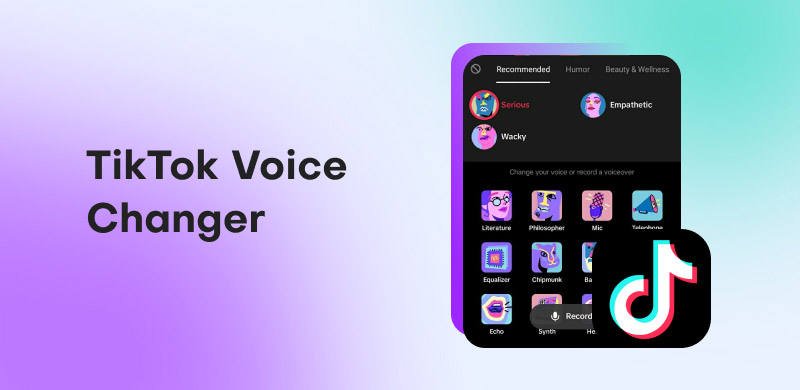
1. Can You Change Your Voice on TikTok? Why?
Yes. It is possible to change the voice on TikTok with ease. In addition, changing your voice on TikTok has a number of benefits that improve your content and make it more memorable and interesting for viewers.
Recognition of Content
By changing your voice, you may establish a unique personality and make your material stand out in the crowded TikTok market. Because the audience can readily identify with your brand, this uniqueness draws in viewers and creates a feeling of connection.
Cutting Edge Technology
By using vocal modulation, you show that you have a deep awareness of the dynamic nature of TikTok, a platform that thrives on innovation and diversity. This flexibility not only maintains audience interest but also establishes you as a creative who understands the changing tastes of the TikTok community.
Increased Flexibility
The voice changer's variety of tones and styles enables you to adapt your content to a wide range of consumers, whether your goal is humorous brilliance, dramatic flair, or experimental tales. This adaptability improves your narrative skills by allowing you to experiment with various themes and genres in the short-form video format.
High Creativity and Entertainment Value
To add more humor or interest to their entertaining videos, creators can play with deep resonant tones, helium-like frequencies, or even imitate renowned voices. This increases the entertainment value and expands the spectrum of feelings and stories you may tell, which makes your content more interesting and viral.
2. How to Change Voice on TikTok Officially
Use the TikTok voice changer to give your videos a playful touch. You can alter your voice with voice effects using TikTok's built-in capability. It makes your clips more dramatic or humorous.
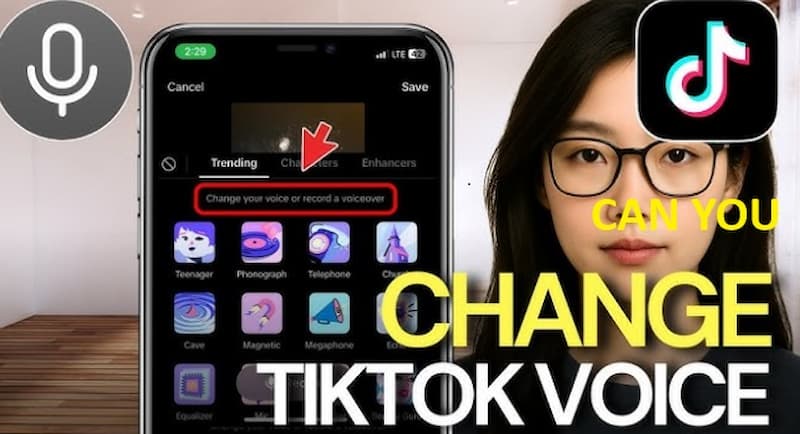
There are two ways to alter your voice on TikTok: Use a voice changer for voiceovers and apply voice effects while recording. If you're wondering how to alter your voice on TikTok, start by following these easy instructions.
Method 1: Voice Changer in a Voiceover
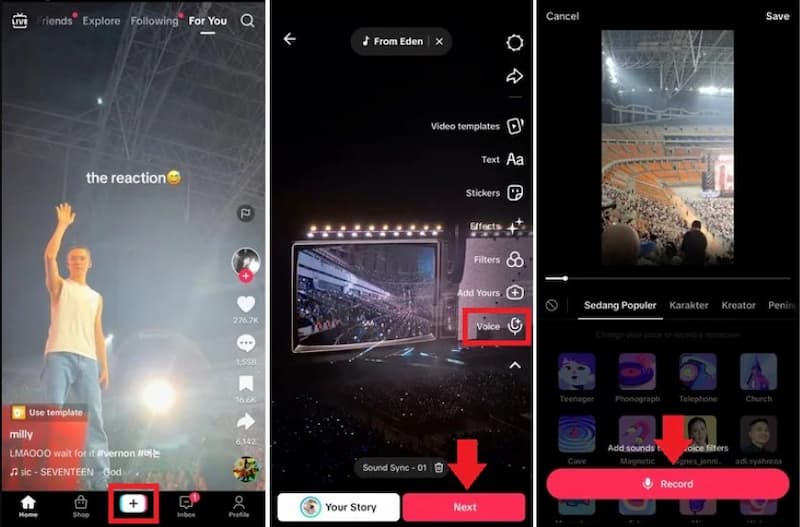
The steps to make a voiceover on TikTok are as follows:
Step 1. Launch TikTok on your mobile device. Tap the Plus button at the bottom of the screen after launching the TikTok app. You can upload a previously recorded video from your gallery or make a new one.
Step 2. Choose from 15 seconds, 60 seconds, or 10 minutes to record a new video. Go to the Gallery, choose the videos, and then click Next to add a voiceover with a voice changer to your recorded video.
Step 3. On the editing page, record the voiceover. To access further editing choices on the editing page, hit the Down Arrow button located on the right side of the screen. To record the voiceover, tap Voice and select Record, then hit the Microphone button. You can add a voiceover to one portion and skip another by pausing and moving the playhead.
Step 4. When you're finished recording the voiceover, click Done.
Method 2: Change Voice while Recording
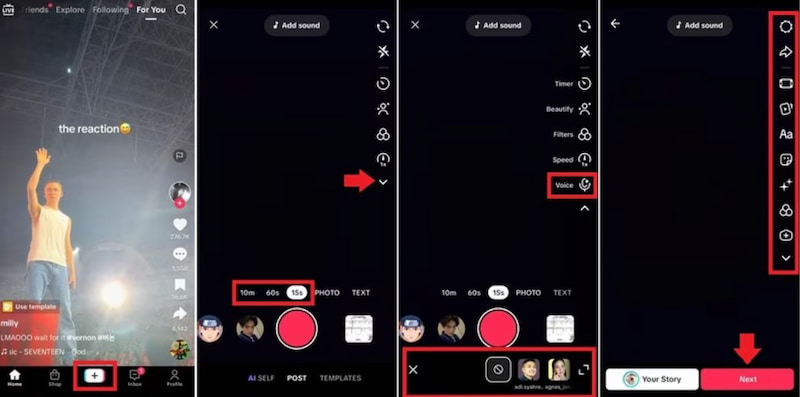
Step 1. Launch TikTok on your mobile device. On your phone, launch the TikTok app and press the Plus button at the bottom of the screen. Depending on your preferences, select a movie duration of 15 seconds, 60 seconds, or 10 minutes.
Step 2. Use Voice Effects. To access further recording choices after recording, hit the Down Arrow symbol located on the right side of the screen. Navigate the voice options at the bottom of your screen by tapping on Voice. Select a voice effect that complements your desired style.
Step 3. To start a new video, click the Record button. Press the Checkmark button when you're finished recording.
Step 4. Watch and Share the Video. To make sure the voice change on TikTok sounds the way you want it to, play your video. Also, to improve your movie, you can use text, stickers, effects, and more. If everything appears to be in order, click Post to share your video and Next to add a captivating caption.
3. Can I Change Voice on TikTok with Third-party Tools
Yes, you can use a third-party voice changer to alter your voice on TikTok. Compared to TikTok's built-in features, these apps provide more control and a bigger selection of speech effects. They are used by creators to make their work more interesting, funny, or anonymous, particularly when they are trying to create distinctive characters or narratives. These tools are helpful, but depending on the app, they may have drawbacks like subscription fees, poor audio quality, or compatibility issues.
MagicMic from iMyFone
An iOS and Android voice changer with lots of features. You can use more than 300 AI-powered voice models, such as cartoon, anime, and realistic voices, after recording or importing audio. It may be used while switching to other apps because of its floating window feature.
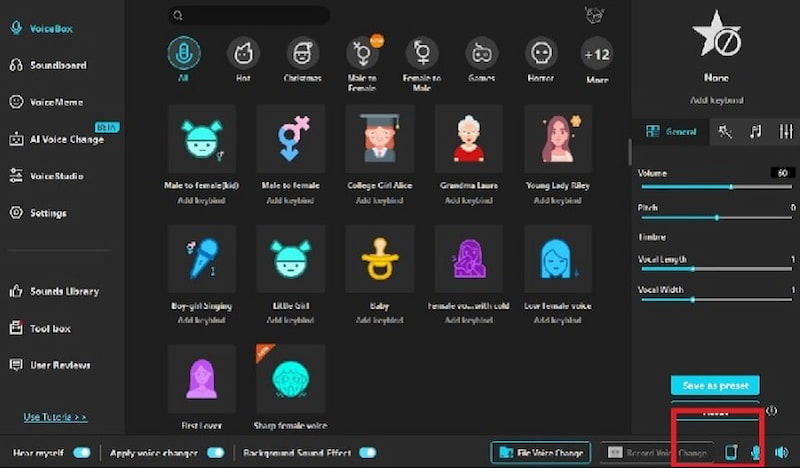
Limitations: A premium plan is necessary for some high-quality voices or effects. Additionally, because it is AI-based, the quality of your original recording may affect how realistic the voice results are.
RoboVox
gives you incredibly inventive, "robotic" speech effects using vocoder technology. An X-Y pad to adjust modulation and pitch is included, along with 32 distinct voice models such as chipmunk, HAL, and bionic.
You can record your voice, alter it in real time (using headphones), or repeat altered sounds using a parrot mode.
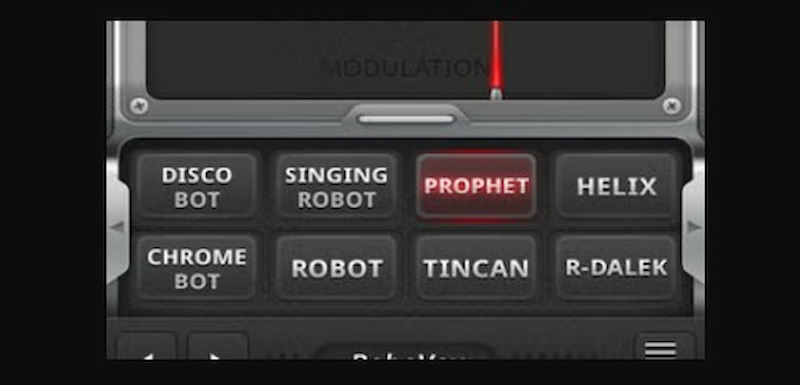
Limitations: Compatibility and performance issues on more recent devices may arise from the app's lack of frequent updates. Extreme or strange effects may also sound distorted or unnatural.
Pro Magic Voice Changer
A straightforward yet effective iOS software that provides a variety of voice-packs, such as ghost, robot, child, uncle, etc. This tool also allows you to record your voice, add effects, and export or distribute the audio that has been altered.
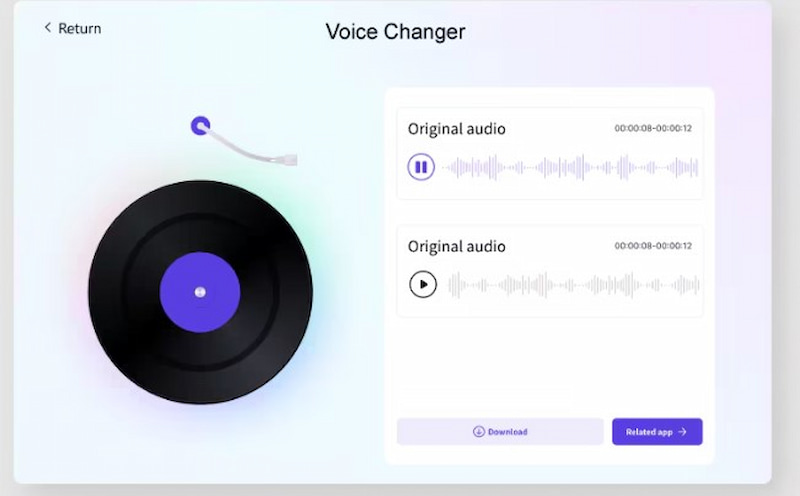
Limitations: A lot of functions require an in-app purchase or membership. Additionally, some users complain about poor quality or unconvincing "voice packs."
Conclusion
The voice-changing trend is a dynamic factor influencing the cultural landscape of TikTok as it develops. Whether they use built-in effects or experiment with third-party apps, creators are at the vanguard of a sound revolution that elevates their storytelling and engages viewers around the world in ways never seen before. In conclusion, TikTok's ability to combine creativity and technology, exemplified by voice-changing capabilities, confirms the platform's reputation as a haven for self-expression, innovation, and limitless artistic discovery.
Ethan Carter
Ethan Carter creates in-depth content, timely news, and practical guides on AI audio, helping readers understand AI audio tools, making them accessible to non-experts. He specializes in reviewing top AI tools, explaining the ethics of AI music, and covering regulations. He uses data-driven insights and analysis, making his work trusted.


 by
by