Using TikTok AI Voice: Features, Benefits, and How It Works
TikTok has swept the globe and transformed social media as well as search, marketing, and purchasing. The usage of AI voiceovers is one of the many new videos and trends that are continually being produced, with approximately 1.04 billion monthly active users globally. Adding AI text-to-speech voiceovers to your TikTok videos can help make them more engaging. Learn why people use them and how to add TikTok AI voice by reading the details below.
1. What is the AI Voice Feature?
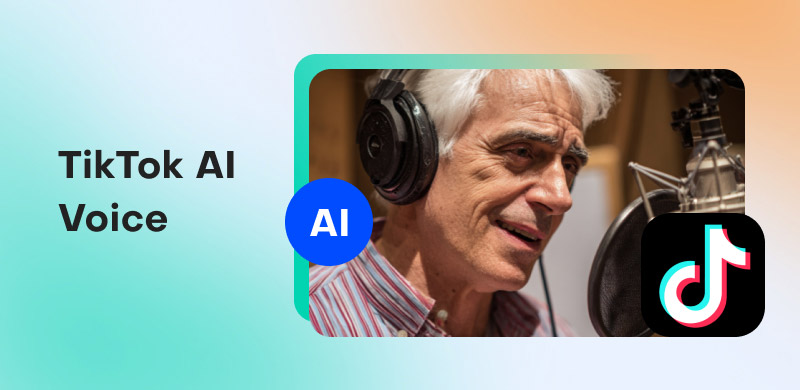
The TikTok AI voice tool allows you to add sounds to your videos by converting text and voice recordings. Because you don't need to record your own speech, this built-in feature makes video editing more effective. Alternatively, you can select from a variety of AI-generated voices on TikTok, such as Jessie or Adam.
To add audio to your video, simply input the text you want the AI voice generator to speak and select your AI TikTok voice. Product reviews, behind-the-scenes sneak peeks, and day-in-the-life videos can all benefit from this functionality.
2. Why do TikTokers Use AI Voice?
You may use TikTok AI voice generators to give your films a whole new level of originality. Here are some advantages to help you see how much of a difference this feature can make:
- • Accessibility. Your TikTok video can be made more accessible for people with visual impairments by adding an AI voiceover. To help viewers better interact with the video and comprehend what’s happening, a voice narrates it.
- • Give further details. Whether it’s background information on a product you’re reviewing or a restaurant you’re visiting, AI voices may enhance your graphics and provide users with more information.
- • Amusing comments. The humor can be enhanced by hearing a voiceover dryly describe a joke or humorous circumstance.
- • You don’t have to speak. You can utilize an AI voiceover for your TikTok videos instead of recording your own voice if you’re a little audio-shy. Additionally, it speeds up the uploading procedure a little.
- • Increase engagement. According to 88% of TikTok users, sound is crucial to the platform. Thus, adding a voiceover might enhance the attraction and virality of your work.
- • Confidentiality. For reasons of safety, security, or privacy, you might not want to utilize your voice. You can conceal your identity in TikTok videos by using an AI voiceover.
3. How to Use TikTok's AI Voice
We have a helpful step-by-step guide to assist you if you want to check out TikTok's AI voiceover tool. Here's how to use TikTok's AI voice:
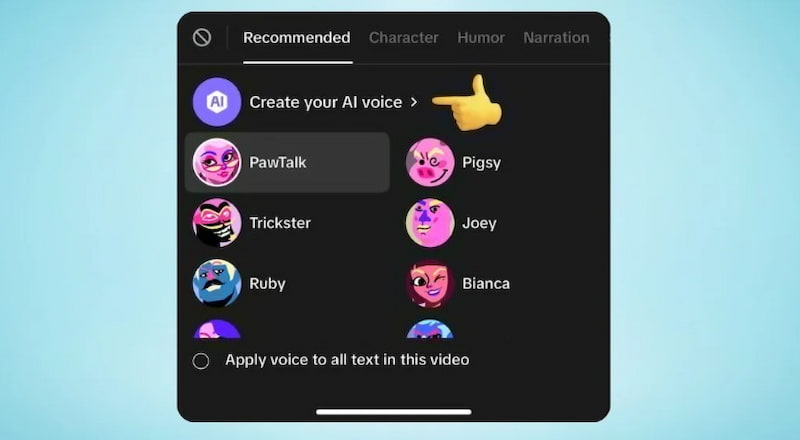
Step 1. Putting together the TikTok video itself is the first stage in making your masterpiece. After selecting the app and navigating to the home screen, hit the Plus icon in the bottom center of your screen. After that, you may either upload a video from your camera roll or record one right within the app.
Step 2. Type the screenplay you want your voiceover to recite after selecting the Aa text box button on the far right. Additionally, you can record a voiceover and then modify the sound of your voice using AI voice effects.
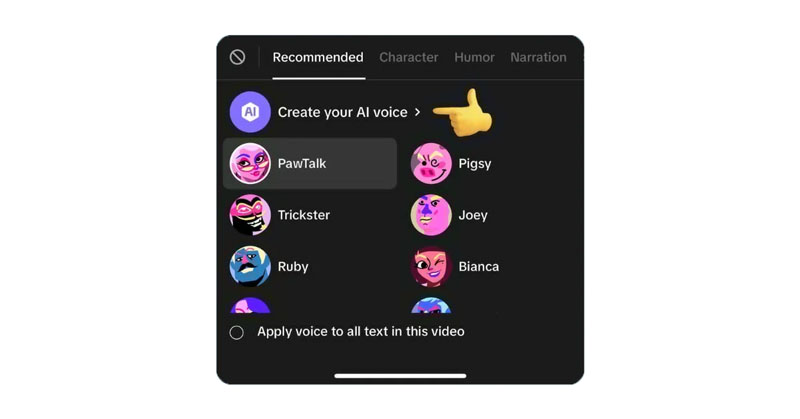
Step 3. Simply tap the "Text-to-speech" button located directly above your text box if you used text. Characters like "Granny" and "Jessie" are among the AI voiceovers available on the menu. To hear a sample, choose a voice. The software classifies several AI voices according to their tone and usage; for instance, if you're making a humorous film, simply select the "Humour" button.
Step 4. To assist you in producing your content, TikTok offers a number of video editing tools. Everything you require is in one location, including a variety of subtitle typefaces and video transitions. To guarantee that others can hear your AI voiceover well or to avoid it overpowering the original sound, for instance, don't forget to change the volume.
Step 5. Click the checkmark and save your modifications after you're happy with your TikTok and AI voiceover. Don't forget to include a description, hashtags, and any additional features. After that, you may choose the red "Next" button to publish your material immediately or choose a time for it to be uploaded.
4. Pros and Cons of TikTok AI Voice Feature
Pros
- Accessibility: Assists users who prefer audio and those who are blind or visually handicapped.
- Time-saving: Produces voiceovers quickly and without recording.
- Consistent branding: Uniform style using the same AI voice.
- Economical: Less expensive than employing voice actors.
- Language support: Able to connect with more people who speak different languages and have different accents.
Cons
- Emotionless: Feels artificial or unnatural.
- Pronunciation mistakes: Having trouble pronouncing names, slang, or specialized phrases.
- Voice cloning: Risk of abuse or voice cloning is an ethical concern.
- Preference of the audience: AI voices are disliked by certain viewers.
5. Third-party AI Voice Generators
ElevenLabs
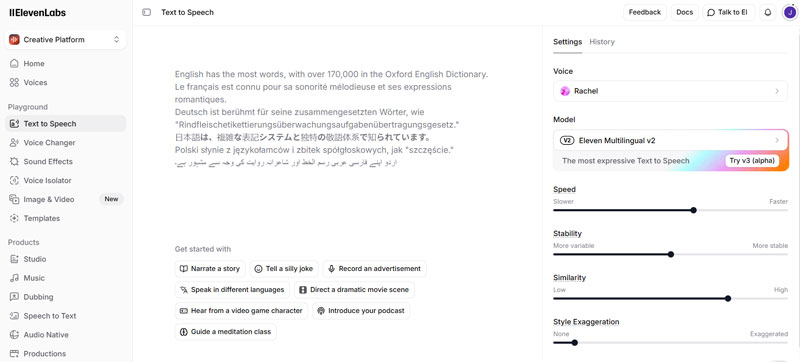
One of the top AI voice generators, ElevenLabs, is renowned for creating incredibly realistic, human-like speech. It is perfect for professional videos, podcasts, and narrative since it allows for expressive narration. Voice cloning, which enables designers to mimic a voice using just a few minutes of audio, is one of its most notable characteristics. Additionally, ElevenLabs offers an API for integration and supports a number of languages, providing producers with flexibility and excellent voiceovers for both personal and commercial projects.
Murf.ai
With more than 120 AI voices available in more than 20 languages, Murf.ai offers a flexible solution for presentations, e-learning, and video producers. Voice cloning, AI dubbing, and text-to-speech translation are some of its capabilities that make it easy to create voiceovers of a high caliber. Because Murf.ai is scalable and accessible, content creators may easily and quickly create content. Without the need for sophisticated technical expertise or audio equipment, its clear interface and lifelike voices guarantee polished results.
Play.ht
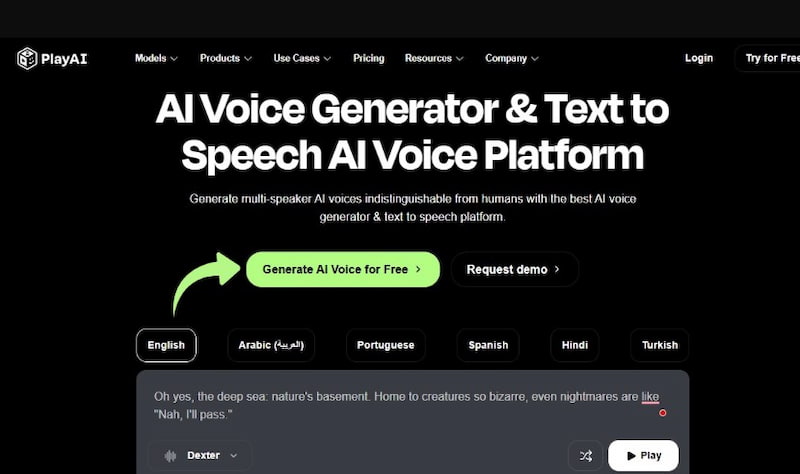
With more than 900 voices and more than 140 languages and dialects, Play.ht is a potent AI voice platform. It offers extremely adjustable narration by enabling creators to change pitch, tempo, pauses, and emphasis. Additionally, voice cloning is supported, allowing for distinctive, branded voices. For content producers, educators, and marketers who require realistic, high-quality audio, Play.ht is perfect. Voiceovers are simple to incorporate into videos, podcasts, and other media projects thanks to export options like MP3 and WAV.
6. FAQs about TikTok AI Voice
Is it possible to use TikTok AI voice for commercial videos?
For regular videos, TikTok AI voice is free; however, for commercial or monetized use, always refer to TikTok's current rules.
Can I create a unique AI voice for TikTok?
Only pre-made voices are available on TikTok. You'll need third-party technologies like ElevenLabs, Murf.ai, or Play.ht to create unique AI voices.
Why does AI pronounce words incorrectly?
Text is literally read by AI. Misspellings, slang, and unusual names can sound incorrect. It can be fixed by changing the formatting or spelling.
Conclusion
Adding narration and accessibility to your movies can be done quickly and for free with TikTok AI voice. Third-party AI speech technologies are a better option for authors looking for realism, variety, or unique voices. Your audience, production requirements, and content style will determine which option is best for you.
Ethan Carter
Ethan Carter creates in-depth content, timely news, and practical guides on AI audio, helping readers understand AI audio tools, making them accessible to non-experts. He specializes in reviewing top AI tools, explaining the ethics of AI music, and covering regulations. He uses data-driven insights and analysis, making his work trusted.


 by
by