12 Speech-to-Text Software in 2026: Accuracy, Latency & Privacy
Quick Summary: Top Picks at a Glance
| Best For Personal Productivity | Wispr Flow |
| Best For Meetings | Otter.ai |
| Best For Privacy | MacWhisper |
| Best For Content Creators | Descript |
| Best For Enterprise API | AssemblyAI |
Speech-to-text software has become an essential tool for both personal and professional productivity. By transcribing spoken words into text, these tools are transforming how we handle documents, meetings, and creative content. With advancements in AI, modern speech-to-text tools now offer impressive accuracy and speed. This article presents a comprehensive review of the 12 best speech-to-text software in 2026, exploring their features, pros and cons, pricing, and more to help you find the perfect fit for your needs.
How We Test
Our evaluation process focuses on core performance metrics such as transcription accuracy, latency, and noise resilience. Accuracy is assessed using Word Error Rate [WER] benchmarks, while latency measures the speed at which the software converts speech to text, particularly in real-time scenarios. We also test the software’s ability to handle background noise effectively. Additionally, we rigorously review privacy and data security protocols to ensure that each tool complies with industry standards and safeguards user information.
Part 1. Top 12 Voice-to-Text Software Reviews
1. Wispr Flow [System-Wide]
- • Best for: Individuals needing system-wide dictation
- • Price:
Basic: Free
Pro: $12/month
Enterprise: Custom
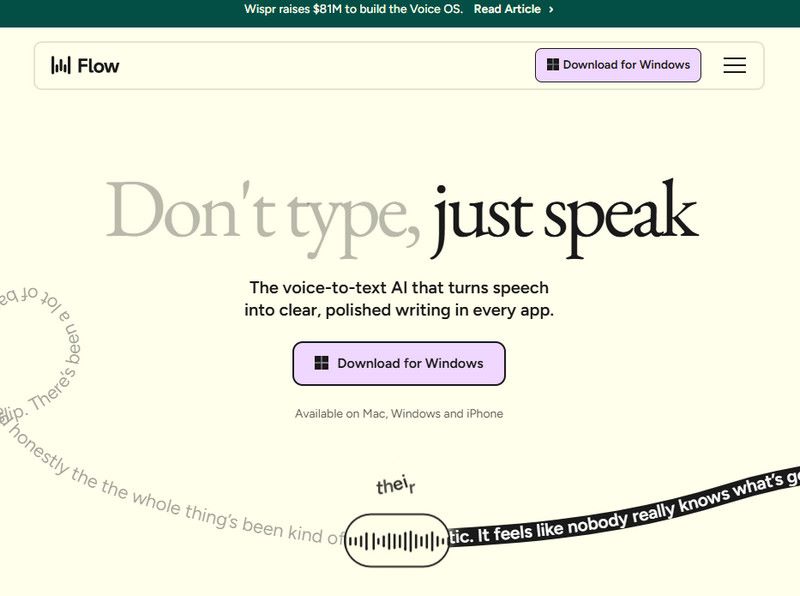
Wispr Flow is a powerful AI dictation tool that uses OpenAI's Whisper model for real-time transcription across applications. This software works seamlessly across your entire system, allowing you to dictate into almost any application, including word processors, email clients, and other productivity tools. It is designed for users who want hands-free control of their devices without needing to stop what they're doing. Wispr Flow stands out for its fast and accurate transcription, delivering a smooth dictation experience without significant delays. Its versatility and ability to support dictation across multiple apps make it a great productivity tool.
Pros
- Fast, accurate transcription.
- Supports system-wide dictation across most applications.
- Seamless integration into a variety of workflows.
Cons
- Lacks advanced editing tools for transcriptions.
- imited integration with specialized tools like design or media editing software.
2. OpenAI Whisper [Industry Standard]
- • Best for: Developers and tech-savvy users looking for an open-source solution
- • Price: Free [open-source]
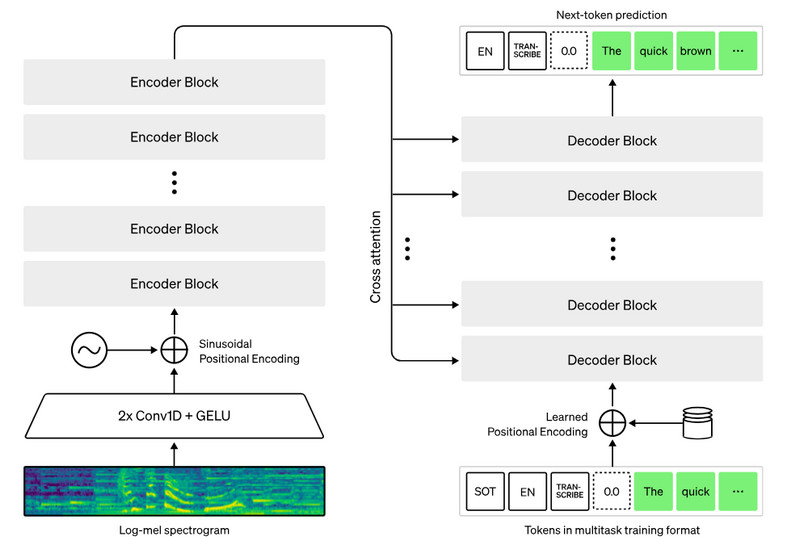
OpenAI Whisper is an open-source speech-to-text model that leverages advanced deep learning techniques to deliver high-accuracy transcriptions across multiple languages. It is highly customizable and ideal for developers and researchers who want to build their own transcription systems or integrate it into other applications. Whisper is trained on a vast dataset, making it robust for a wide range of accents, languages, and speech types. Though Whisper is free, it requires technical knowledge to implement and use effectively, which can be a barrier for less-experienced users.
Pros
- Free and open-source.
- High transcription accuracy across multiple languages.
- Highly customizable for developers.
Cons
- Requires technical expertise to set up and use.
- No user-friendly interface for non-developers.
3. Otter.ai [Live Meeting Collaboration]
- • Best for: Teams and businesses with frequent meetings
- • Price: Basic: Free
Pro: $8.33/month
Business: $19.99/month
Enterprise: Custom
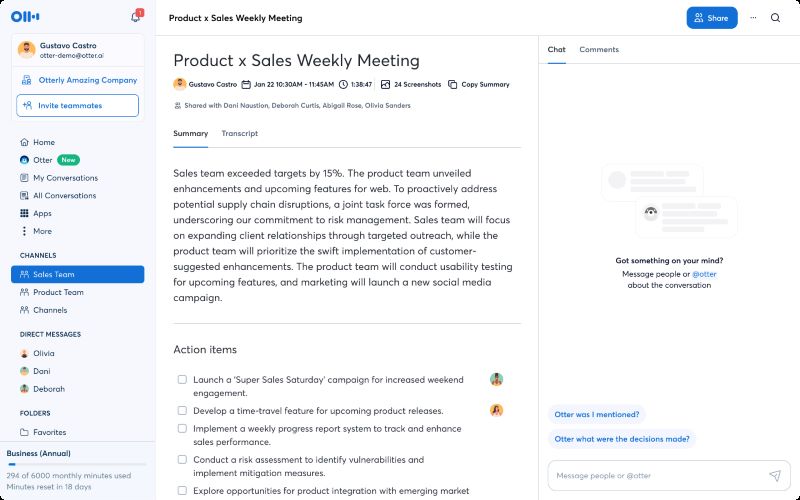
Otter.ai is a leading tool for real-time transcription, perfect for meetings, interviews, and lectures. It allows users to record and transcribe live conversations, with a focus on collaboration. Teams can easily share transcripts, highlight key points, and add comments in real time. With integrations to platforms like Zoom, Google Meet, and Microsoft Teams, Otter.ai is designed to support seamless communication in a team or business setting. It is suitable for users who need accurate and easily shareable transcriptions during live events.
Pros
- Excellent for team collaboration and live transcription.
- Real-time transcription and easy sharing.
- Integrates with popular meeting platforms.
Cons
- Less accurate in noisy environments.
- Premium features behind a paywall.
4. MacWhisper [Local, On-device Privacy]
- • Best for: Privacy-conscious users needing local transcription
- • Price: Free with Pro version starts at $75.37 [one-time purchase]
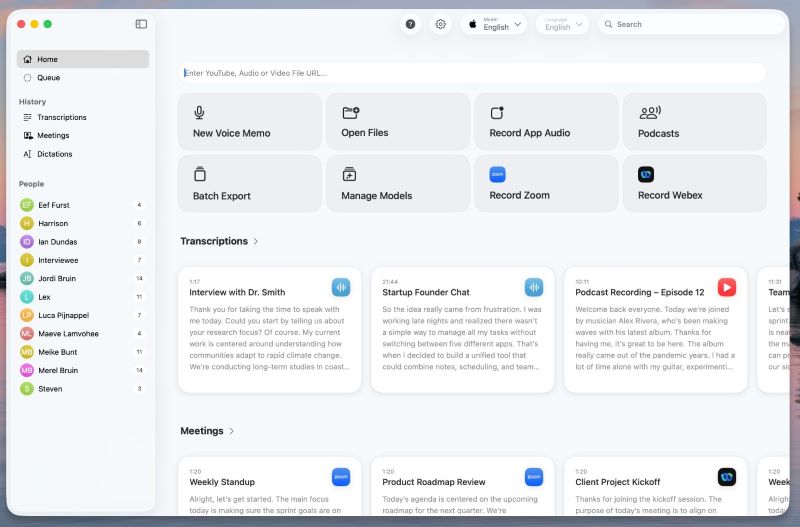
MacWhisper offers local transcription on macOS, processing all data directly on your device for maximum privacy. Powered by OpenAI's Whisper model, it provides high-quality transcription without the need for cloud-based services, making it ideal for users who prioritize data security. The software is also fast and works offline, ensuring that your sensitive data remains on your device. MacWhisper is perfect for anyone who values privacy and wants to avoid sending audio or transcription data to the cloud.
Pros
- Offline functionality ensures complete data privacy.
- Fast, accurate transcription powered by Whisper.
- One-time purchase with no subscription fees.
Cons
- Limited to macOS users.
- Lacks cloud features like multi-device syncing.
5. Dragon Professional v16 [Specialized Medical/Legal]
- • Best for: Legal and medical professionals, highly specialized fields
- • Price: Starts from $349
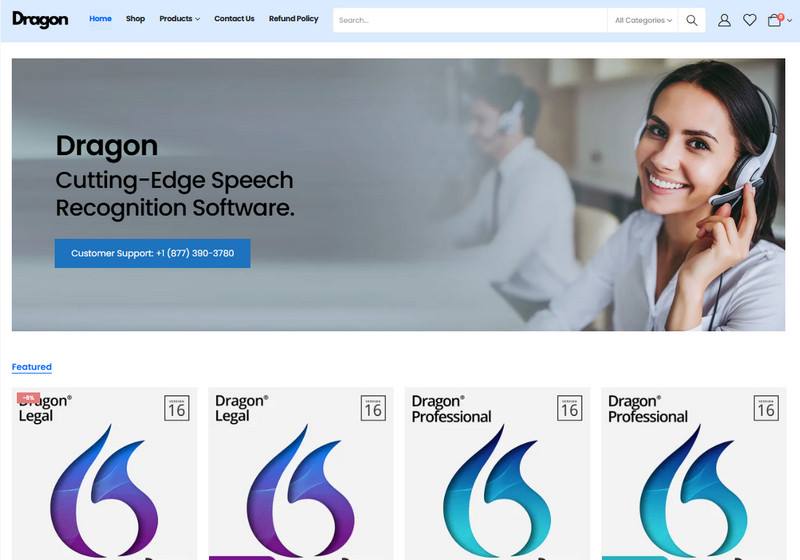
Dragon Professional v16 is one of the most accurate speech-to-text software available, tailored for professionals in specialized fields such as law and medicine. It offers an extensive vocabulary and customizable voice commands for industry-specific terms, improving accuracy for complex terminology. The software also supports voice control for hands-free navigation of your computer, making it ideal for busy professionals. Dragon's premium features and the high price point make it best suited for professionals who need industry-specific transcriptions.
Pros
- Excellent accuracy for legal, medical, and technical fields.
- Customizable voice commands and vocabulary.
- Hands-free computer control.
Cons
- Expensive, especially for casual users.
- Steep learning curve for new users.
6. Jamie [Without a Bot]
- • Best for: Small businesses and startups
- • Price: Free with premium starting at $25/month
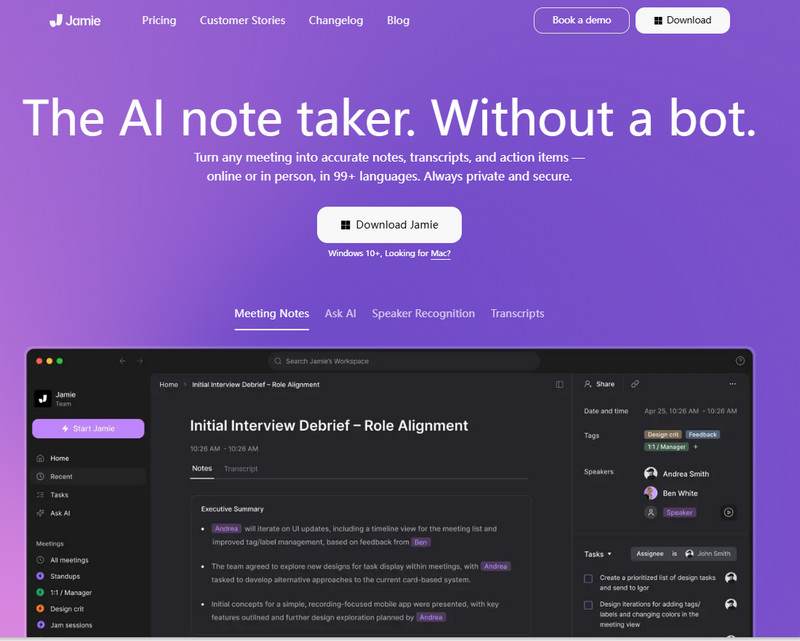
Jamie is designed to make meeting transcription as seamless and intuitive as possible. With a focus on simplicity, it provides automatic meeting summaries, key point highlighting, and voice recognition for a natural transcription experience. It is perfect for small teams or startups that need an easy-to-use tool for transcribing and summarizing meetings without dealing with complex setup processes. Jamie's minimalist design makes it simple to start using, even for those with limited technical experience.
Pros
- Simple and intuitive for meeting transcription.
- Automatic summarization and key point highlighting.
- Low monthly cost.
Cons
- Limited editing tools.
- Lacks integration with advanced productivity tools.
7. Rev.ai [Human-Verified Hybrid Accuracy]
- • Best for: Journalists and content creators needing high-accuracy transcriptions
- • Price: Free with premium starting at $9.99/month
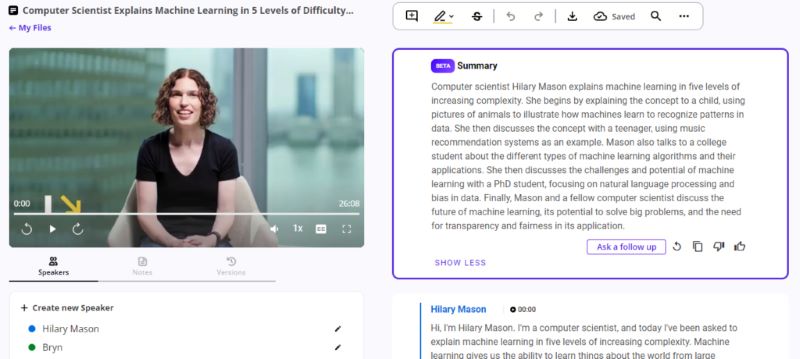
Rev.ai is a hybrid transcription tool combining AI and human verification, delivering highly accurate transcriptions, especially for complex audio content. Rev.ai excels in providing precise transcripts for interviews, podcasts, and other media where accuracy is critical. With a per-minute pricing model, it's cost-effective for occasional users but may become expensive for heavy transcribers. The option for human verification ensures accuracy for those needing the best results, even for challenging audio.
Pros
- High accuracy with human verification.
- Fast transcription turnaround.
- Ideal for professional media transcriptions.
Cons
- Expensive per-minute pricing.
- No real-time transcription capabilities.
8. Descript [Text-Based Audio/Video Editing]
- • Best for: Content creators, podcasters, and video editors
- • Price: Free with premium starting at $16/month
Descript combines transcription with media editing, offering a unique feature that allows users to edit audio and video by editing the text transcription. This makes it an ideal tool for podcasters, YouTubers, and video editors who want a unified workflow. Its powerful features, like multi-track transcription and automatic filler word removal, help streamline editing processes, making it easier to produce polished content quickly. The free version is great for basic use, but advanced editing requires the premium plan.
Pros
- Transcription and editing in one platform.
- Easy-to-use interface for content creators.
- Excellent for podcasts and video content.
Cons
- Limited transcription accuracy compared to specialized tools.
- Premium features require a subscription.
9. Microsoft Azure Speech [Developer-First Scalability]
- • Best for: Developers looking for scalable transcription solutions
- • Price: Pay-as-you-go
Microsoft Azure Speech offers powerful transcription services through an API that developers can integrate into their applications. It supports a wide range of languages and is highly scalable, making it ideal for enterprise-level needs. Azure Speech also provides customizable features such as real-time transcription, speaker identification, and more. However, because it is designed for developers, it requires technical knowledge to implement and is best suited for businesses that need to build custom transcription workflows.
Pros
- Highly scalable for enterprise-level use.
- Customizable API for developers.
- Real-time transcription and advanced features.
Cons
- Requires technical expertise to implement.
- No user-friendly interface for non-developers.
10. Google Docs Voice Typing [Zero-Cost]
- • Best for: Students and casual users
- • Price: Free
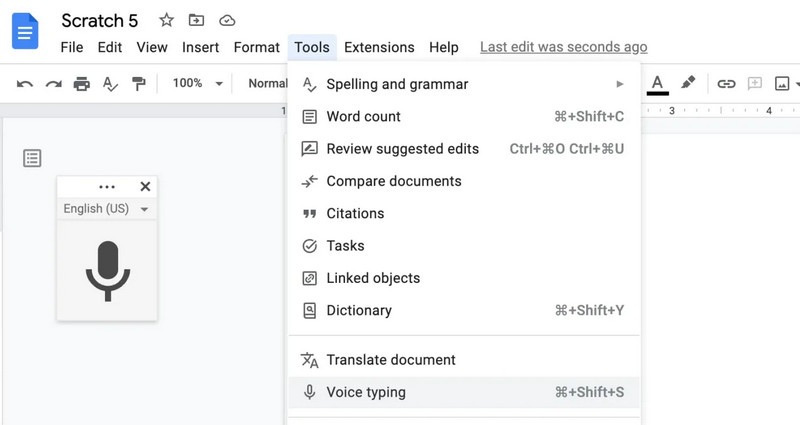
Google Docs Voice Typing is a free, built-in tool that allows users to dictate text directly into Google Docs. It is simple to use and works well for light transcription tasks such as note-taking, writing essays, or drafting emails. While it lacks advanced features like speaker identification or offline functionality, its ease of use and zero cost make it an ideal choice for students or casual users who need basic transcription services.
Pros
- Completely free and easy to use.
- Integrated with Google Docs for seamless workflow.
- Works on most devices with Google Docs support.
Cons
- Limited functionality and accuracy for complex content.
- No offline mode.
11. Trint [Journalism & Time-Aligned Search]
- • Best for: Journalists and media professionals needing time-aligned transcription
- • Price: Pro version: $79/month
Team version: $69/month
Business: Custom
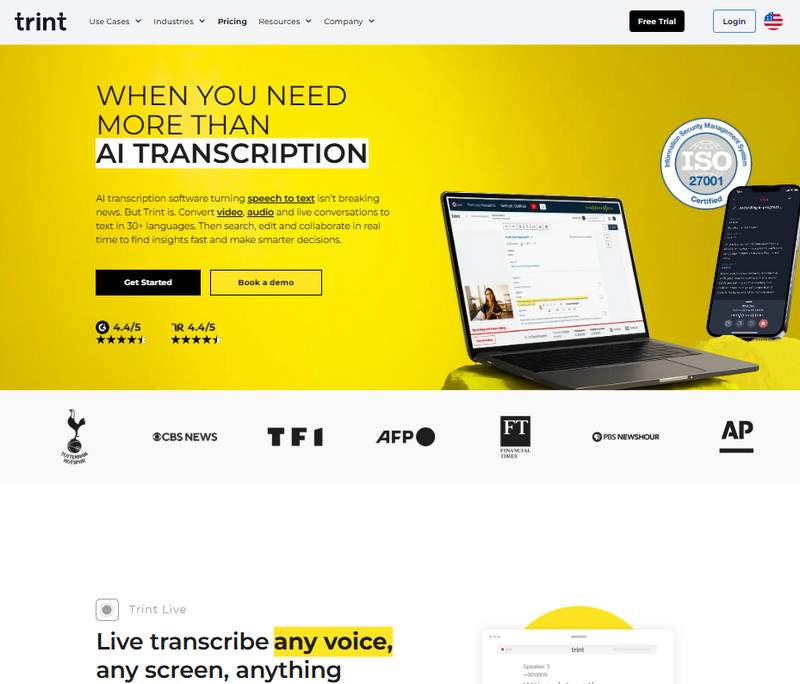
Trint offers accurate transcription with the added benefit of time-stamped text, allowing journalists, podcasters, and media professionals to easily edit and search through their transcriptions. This time-alignment feature is crucial for content that needs to be paired with audio or video, as it allows users to quickly locate specific moments in recordings. Trint's strong search features and integrations with other tools make it great for media professionals who need efficiency in their transcription workflow.
Pros
- Time-aligned transcription for media content.
- Strong search and editing features.
- Ideal for journalists and content creators.
Cons
- Higher cost for casual users.
- Limited offline functionality.
12. Speechnotes [Lightweight Browser Dictation]
- • Best for: Casual users who need quick dictation
- • Price: Dictation: Free with Premium at $1.9/month
Transcription: Pay-as-you-go
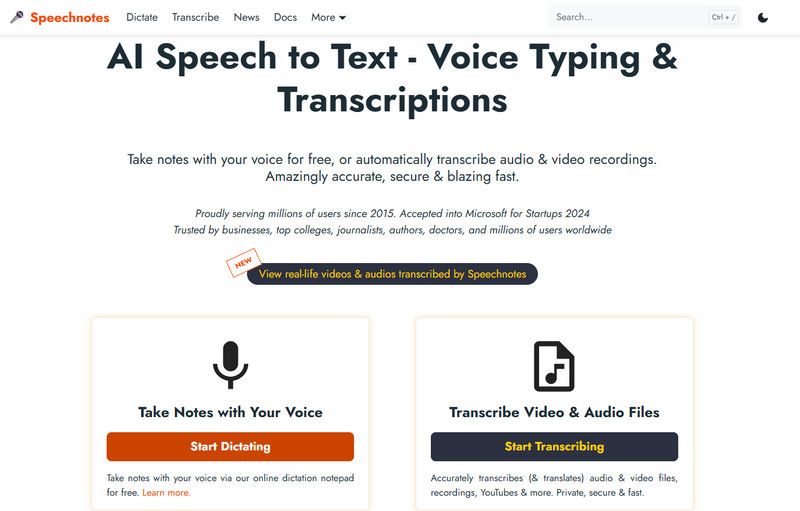
Speechnotes is a simple, browser-based dictation tool that provides basic transcription services for users who need quick, lightweight dictation. It's perfect for note-taking, short dictations, and casual users who need a no-frills solution. While the free version is fully functional, the Pro version offers additional features like longer dictation time and more language options.
Pros
- Free and easy to use.
- No installation required; works directly in the browser.
- Lightweight and simple interface.
Cons
- Lacks advanced features for long transcriptions.
- Limited to browser use only.
Part 2. Comparison of 12 Speech-to-Text Software
| Accuracy | Latency | Offline Mode | Export Formats | Privacy Level | Pricing | Target Audience |
| Wispr Flow | High | Low | ✔ | Multiple [Text, Doc, etc.] | Medium | Basic: Free
Pro: $12/month
Enterprise: Custom | Individuals needing system-wide dictation |
| OpenAI Whisper | Very High | Low | ✔ | Multiple [Text, JSON] | High | Free | Developers, researchers, tech enthusiasts |
| Otter.ai | High | Medium | ✔ | Multiple [Text, Doc, PDF] | Medium | Basic: Free
Pro: $8.33/month
Business: $19.99/month
Enterprise: Custom | Teams, businesses, and professionals in meetings |
| MacWhisper | High | Low | ✔ | Multiple [Text, Doc, etc.] | High | Free with Pro version starts at $73.37 | Privacy-conscious users needing local transcription |
| Dragon Professional v16 | Very High | Low | ❌ | Multiple [Text, Doc, etc.] | Medium | Vary from $349 to $1700 | Legal, medical, and other specialized professionals |
| Jamie | Medium | Low | ❌ | Limited [Text, Notes] | Medium | Personal Pro: $55.35/month
Team: $45.93/month
Enterprise: Custom | Small businesses, startups, and teams needing simple meeting transcription |
| Rev.ai | Very High | Low | ❌ | Multiple [Text, Doc, etc.] | Medium | Basic: $9.99/month
Pro: $20.99/month
Enterprise: Custom | Journalists and content creators need high-accuracy transcription |
| Descript | High | Low | ✔ | Multiple [Text, Audio, Video] | Medium | Hobbyist: $16/month
Creator: $24/month
Business: $50/month
Enterprise: Custom | Content creators, podcasters, and video editors |
| Microsoft Azure Speech | High | Low | ✔ | API [Custom Formats] | Low | Pay-as-you-go | Developers and enterprises looking for scalable solutions |
| Google Docs Voice Typing | Medium | High | ✔ | None | Low | Free | Students, casual users, needing a free, simple transcription tool |
| Trint | High | Low | ❌ | Multiple [Text, Audio, etc.] | Medium | Pro version: $79/month
Team version: $69/month
Business: Custom | Journalists and media professionals need time-aligned transcription |
| Speechnotes | Medium | high | ✔ | None | Low | Free with Pro at $1.9/month | Casual users needing quick, lightweight dictation |
Part 3. Pro-Tips for Choosing the Right Tool
Privacy vs. Cloud Convenience
When selecting voice-to-text software, one of the primary considerations is the trade-off between privacy and cloud convenience. Privacy-focused tools process data locally, ensuring that your information remains on your device and is not stored or shared externally. This is especially important for users dealing with sensitive or confidential information. On the other hand, cloud-based solutions offer greater convenience by allowing real-time transcription, syncing across devices, and easy access from anywhere, but they often involve storing data on external servers, which may raise privacy concerns.
Native Integration vs. Standalone App
Native integration allows for seamless interaction with other tools, such as word processors, email clients, or video conferencing software, enhancing productivity and streamlining workflows. However, standalone apps provide more control over the transcription process and can offer specialized features without the dependency on third-party software, though they may lack the flexibility of integrated solutions.
Real-time Dictation vs. Post-recording Transcription
Real-time dictation is essential for scenarios like live meetings, lectures, or brainstorming sessions where immediate transcription is needed. In contrast, post-recording transcription is more suitable for transcribing pre-recorded audio or video, such as interviews, podcasts, or lectures, where the transcription can be done after the recording is complete and time-aligned text can be generated for better context and searchability.
Scenario Recommendations:
- • For Students & Academics: Consider your needs for note-taking and lecture transcription. If you’re looking for a simple, cost-effective solution, prioritize tools that offer easy, no-fuss dictation, with a focus on accuracy and convenience.
- • For Legal & Medical Professionals: Accuracy, specialized vocabulary, and data security are essential. Focus on tools that cater to these industries with specific terminology and robust transcription features.
- • For Creators & Podcasters: Look for software that combines transcription with editing features, allowing you to seamlessly edit audio and video content while providing high transcription accuracy.
Part 4. The Future of Speech to Text (2026 Trends)
Real-time Voice Translation
Speech-to-text software is expected to integrate real-time voice translation, making it easier to communicate across languages instantly.
Emotion & Tone-of-Voice Recognition
Advances in AI will allow talk-to-text software to understand emotions and tones in voice, further enhancing transcription accuracy.
Personalized AI Acoustic Models
As AI learns from more user data, future tools will adapt to individual speaking styles, improving accuracy for personalized transcriptions.
FAQs about Speech-to-Text Software
Q: What is the most accurate free speech-to-text software?
A: Google Docs Voice Typing is the most accurate free option for basic transcription needs. However, for higher accuracy, OpenAI Whisper provides exceptional results, especially when customized for specific use cases.
Q: Can I transcribe audio files for free with AI?
A: Yes, Google Docs Voice Typing is a free option for basic transcription of live speech, but for transcribing pre-recorded audio files, Otter.ai offers a free plan, though its premium features are better for heavy transcription work.
Q: What is the best speech-to-text software for offline use?
A: For offline transcription, MacWhisper and Dragon Professional v16 are the best options. Both allow transcription without an internet connection, ensuring that sensitive data stays private and secure.
Conclusion
The right speech-to-text software depends on your specific needs, whether you're focused on privacy, advanced transcription features, or real-time collaboration. With a variety of tools to choose from, you're sure to find the perfect solution for your transcription needs in 2026.
Ethan Carter
Ethan Carter creates in-depth content, timely news, and practical guides on AI audio, helping readers understand AI audio tools, making them accessible to non-experts. He specializes in reviewing top AI tools, explaining the ethics of AI music, and covering regulations. He uses data-driven insights and analysis, making his work trusted.


 by
by