Comparing Open Caption vs. Closed Caption for Films
The process of adding captions, text that describes what is happening on screen, including dialogue, to video content is known as captioning. Open captions are always visible and cannot be turned off, whereas closed captions can be turned on or off by the viewer. This is the main distinction between the two types of captions. Additionally, controlling closed captions for TV shows and movies frequently requires specialized equipment known as decoders.
As someone working with films, you should consider the viewing experience you want your viewers to have when choosing between open and closed captions. Using closed captions gives the viewer control over their experience and lets them watch your videos in a variety of settings, such as quiet nights while rocking a newborn to sleep or loud train excursions. Therefore, let us now see the difference between Open Caption vs. Closed Caption to utilize their usage.
Key Takeaways
- • Open captions are always visible, ensuring everyone sees the dialogue.
- • Closed captions give viewers control, allowing toggling and customization.
- • Open captions guarantee accessibility, ideal for autoplay and short videos.
- • Closed captions offer flexibility, including multiple languages and font adjustments.
- • Open captions need clear design, readable and non-obstructive.
- • Closed captions require accurate timing, including non-speech sounds.
- • Choose captions wisely based on content, audience, and platform needs.
1. What is Open Caption
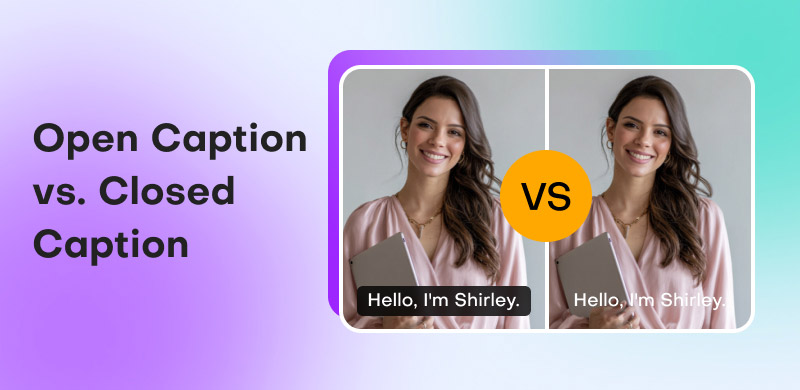
In movies, TV shows, and internet media, open captions are those that are always displayed. They show crucial dialogue and audio information on screen, much like closed captions or subtitles. As previously stated, they cannot be turned on or off, in contrast to closed captions. This is because, instead of being added as an external file afterward, they are burned into the video track.
This is the sole choice because some websites or gadgets don't enable closed captioning, even though some viewers might find it distracting. Open captions should therefore be used whenever you lack access to or control over a closed caption feature, aside from aesthetic or personal preferences.
Advantages of Open Caption
- • It is not necessary for viewers to figure out how to activate them.
- • They cannot be inadvertently turned off by viewers.
- • For brief films, such as social media posts, captions will be automatically generated.
Example of Open Caption
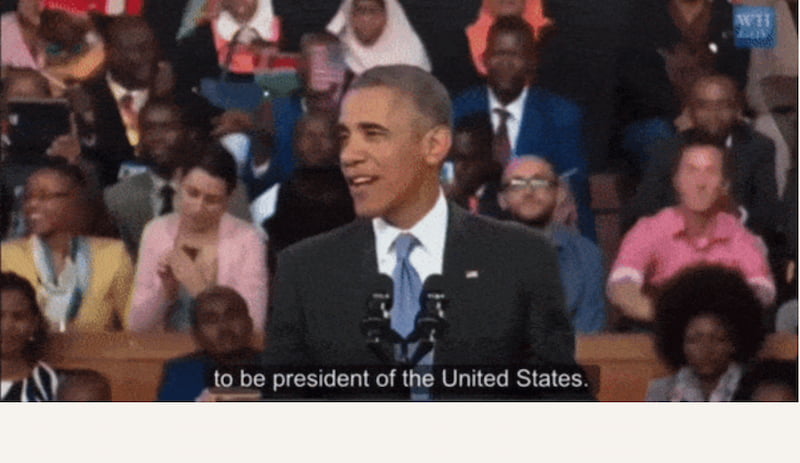
Movies are where open captioning is most frequently used. For instance, The film will show open captions with English translations if there is a scene where the characters begin speaking a different language. Because they appear automatically and cannot be turned on or off, these captions are open captions. Additionally, the full film will play with open captions if it is being shown in a language that the majority of the audience does not speak.
2. What is Closed Caption
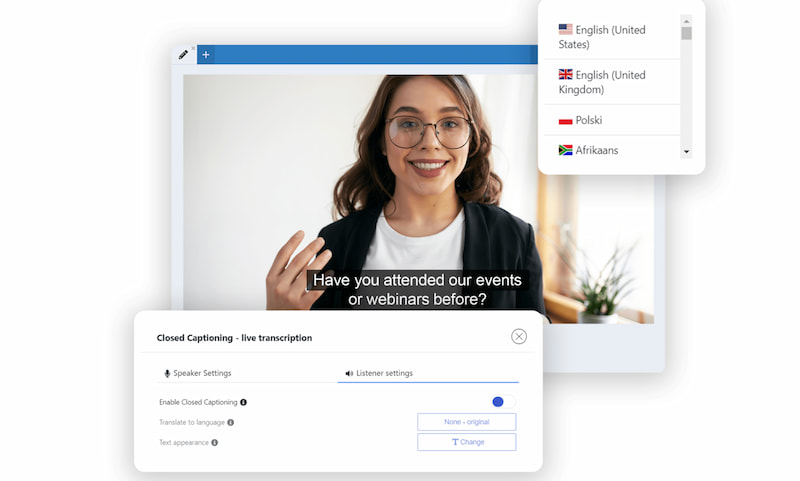
The main distinction between closed captions and open captions is that the viewer has control over them. They are therefore a well-liked choice for the majority of video material, particularly on websites like Facebook and YouTube.
When possible, you should use closed captioning because so many viewers want to personalize their viewing experience. However, open captions can be the ideal choice if accessibility is a major concern for your material.
Advantages of Closed Caption
- • Gives the audience command over their experience.
- • Gives flexible viewing options.
- • Removing, editing, and re-uploading is simple.
Example of Closed Caption
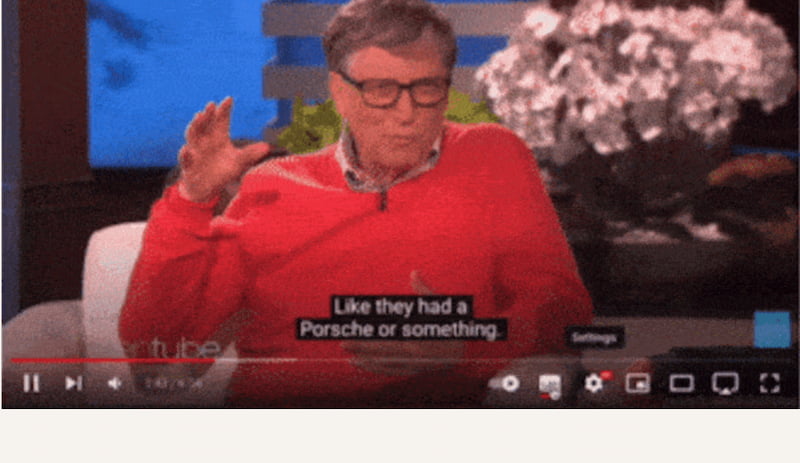
You’ll discover closed captions are the default in most web videos. YouTube's automated captions, which may be enabled or disabled by using their settings option, are a well-known example of closed captioning. All audiences will have access to closed captioning alternatives through popular streaming services, traditional TV, and other online video platforms; however, some platforms and devices will not support this format.
3. Open Caption vs Closed Caption: How to Choose
Comparison Table
This comparison table outlines the main characteristics and distinctions between open and closed captions to assist you in making a decision. It demonstrates how each kind manages accessibility, editing, platform support, visibility, user control, customization, and silent viewing. Creators can select the caption style that best suits their content and audience needs by being aware of these differences.
| Open Caption | VS (Feature) | Closed Caption |
| Always visible on screen. | Visibility | Can be turned on or off by the viewer. |
| No control; captions are permanent. | User Control | Viewer chooses whether to display captions. |
| Cannot change size, font, or style. | Customization | Can adjust font size, color, and background. |
| Works on all platforms and devices. | Platform Support | Depends on platform or player support. |
| Guarantees captions are seen. | Accessibility | Requires users to enable captions. |
| Must re-edit the video to change captions. | Editing | Captions can be edited separately. |
| Ideal for silent autoplay. | Use in Silent Viewing | Effective only if captions are enabled. |
Instagram, TikTok, Facebook, LinkedIn.
Basically, platforms with silent autoplay | Best For | YouTube, Vimeo, online courses, webinars.
These are the platforms that support caption toggle. |
Scenarios to Choose Whether an Open Caption or Closed Caption
Depending on your audience, platform, and type of material, you can choose between open and closed captions. While closed captions offer viewer control, accessibility compliance, and flexibility, open captions are best for short-form videos and guaranteed visibility. In order to help authors select the caption type that guarantees the optimal viewing experience, this section provides scenarios and use cases.
When to Choose Open Captions
Choose open captions when:

- • Videos autoplay without sound like social media feeds.
- • The platform doesn’t reliably support closed captions.
- • You want to ensure everyone sees the text.
- • Content is short-form like reels.
- • Captions are part of the visual design or branding
Common use cases: Social media videos, digital signage, in-store displays, outdoor screens
When to Choose Closed Captions
Choose closed captions when:
- • Viewers need control over captions.
- • Accessibility compliance is required.
- • Videos are long-form.
- • Content is hosted on platforms like YouTube or streaming services.
- • Multilingual caption tracks are needed.
Common use cases: Online courses, YouTube videos, TV shows, corporate training, interviews
Best Practices of Using Open Caption and Closed Caption
Effective captioning necessitates consideration of accessibility, timeliness, and readability. While closed captions should be precise, incorporate non-speech sounds, and provide personalization, open captions require careful placement and contrast. Whether your video material is intended for social media, streaming, or instructional reasons, adhering to these best practices guarantees that it communicates effectively, reaches all audiences, and improves engagement across platforms.
Open Caption Best Practices
- • Keep text concise and readable.
- • Use high contrast between text and background.
- • Place captions where they don’t block important visuals.
- • Test visibility on small screens.
- • Avoid overcrowding the screen with text.
Closed Caption Best Practices
- • Ensure captions are accurate and well-timed.
- • Include non-speech sounds.
- • Follow accessibility standards.
- • Offer multiple language options when possible.
- • Regularly test captions across devices and platforms.
FAQs about Open Caption vs. Closed Caption
Q: What is the main difference between open captions and closed captions?
A: Open captions are permanently visible on the video and cannot be turned off, while closed captions can be toggled on or off by the viewer. Open captions are embedded into the video, whereas closed captions are separate tracks.
Q: Are open captions more accessible than closed captions?
A: Open captions guarantee that everyone sees the text because they are always displayed. Closed captions offer flexibility and customization but require the viewer to enable them. Both serve accessibility, but open captions ensure visibility on all platforms.
Q: Do closed captions require an internet connection or special support?
A: Closed captions rely on the video player or platform to support caption files. If the platform doesn’t support them, viewers may not see the captions. Open captions, on the other hand, appear universally without any additional support.
Q: Can viewers customize open and closed captions?
A: Open captions cannot be customized because they are part of the video itself. Closed captions, however, allow viewers to adjust font size, color, background, and sometimes language, depending on the platform or device used.
Q: Which type of caption is better for social media videos?
A: Open captions are ideal for social media videos since they autoplay without sound. They immediately communicate the message, improve engagement, and don’t require viewers to enable captions manually, making them more effective for short-form content.
Conclusion
Choosing between open and closed captions depends on your content, audience, and viewing platform. Open captions guarantee visibility, making them ideal for social media, short-form videos, and situations where accessibility is critical. Closed captions provide flexibility, user control, and compliance with accessibility standards, making them suitable for long-form content, streaming, and educational videos. By understanding their differences, advantages, and best practices, creators can deliver a more inclusive, engaging, and accessible viewing experience, ensuring every viewer enjoys the content comfortably.
Ethan Carter
Ethan Carter creates in-depth content, timely news, and practical guides on AI audio, helping readers understand AI audio tools, making them accessible to non-experts. He specializes in reviewing top AI tools, explaining the ethics of AI music, and covering regulations. He uses data-driven insights and analysis, making his work trusted.


 by
by