How to Use AI Voice on TikTok Videos: Definition and Process
The rise of TikTok in this era is getting bigger and bigger. People really love its short videos with different kinds of approaches. On the other hand, many users are now interested in creating more content to post. Nowadays, informational videos are also a trend in video, when they will put together their cut videos and record a voice over to explain a certain topic. But that’s not everything, because some users are using AI Voice to make it more interesting or entertaining. Thus, if you are one of the users who are interested to know how to add AI voice to your TikTok videos, then let me help you do it.
1. What is TikTok AI Voice Feature? How Does It Work?
TikTok's AI voice is known to be a built-in text-to-speech technology, a feature that converts written subtitles into voiceover audio for its videos. The popular Jessie voice is the one that is commonly used nowadays by the users. It is available for users to select anytime.
However, in this new year, a few robotic narrators are no longer the only AI voices available on TikTok. There is a wide variety of voices available, each with a distinct tone. In fact, there are already a variety of masculine, female, and gender-neutral voices available on TikTok, ranging from amiable and cheerful to sardonic and deadpan. Some have regional or accented voices, and there are now character voices that can sound like anything from the narrator of a movie trailer to a villain from a fairy tale. That means, more than Jessie, you can now choose your own AI voice because of the technology’s update nowadays.
2. Why Do TikTokers Use AI Voice
According to a recent study, producers who used AI voice were more imaginative and made more original videos. Adoption of AI voice boosts video producers' output by 21.8%, according to another study. This explains why more people are using AI-generated voices on TikTok.
Content producers can benefit greatly from using an AI text-to-speech voiceover because
- • Power of Sound-on Content. According to a study from the social media platform, 88% of TikTok users claim that sound is crucial to their surfing experience. This suggests that audio, from voiceover to music, is important to social media consumers. Additionally, voiceovers improve content accessibility for people with visual impairments. In order to facilitate the creation of inclusive content, TikTok has also introduced additional tools, such as AI-generated alt text.
- • Enables More Personalization. With a variety of accents, speech characteristics, and moods, AI tools provide a vast array of audio options for content creation.
- • Doesn’t Need Any Recording Gear. You don’t need time for several takes, a quiet recording space, or pricey audio equipment. AI voiceovers make production easier.
- • Provides Creators with Additional Privacy. AI text-to-speech solutions provide a degree of anonymity while retaining personality for individuals who would rather not record their own voice.
3. How to Add and Use AI Voice to TikTok
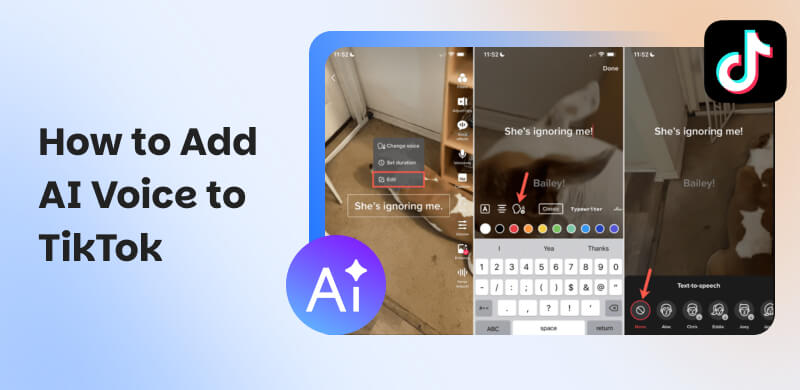
Let us now see how AI voices on TikTok. In this case, let us follow the common one and use Jessie for an instant video with AI voice. See the steps below:
Step 1. pen your TikTok, and click the Upload button. From there, choose a video that you would like to upload. Then, click the Next button to continue.
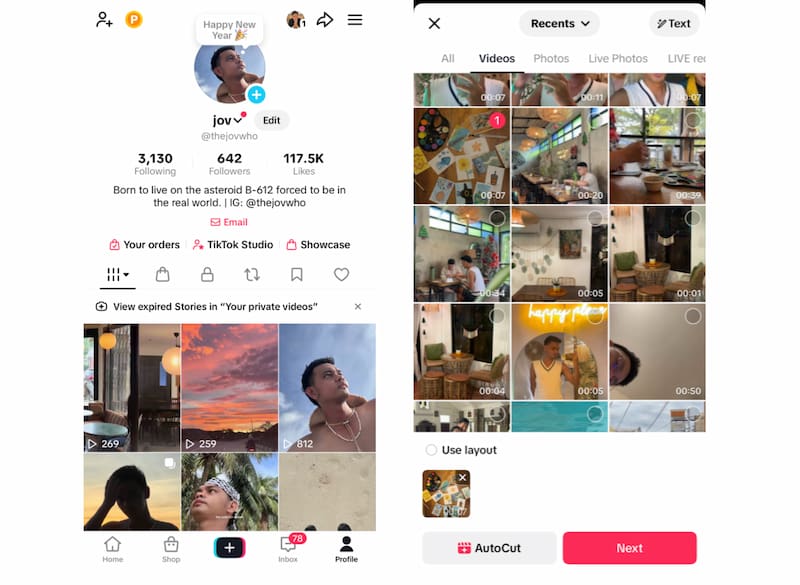
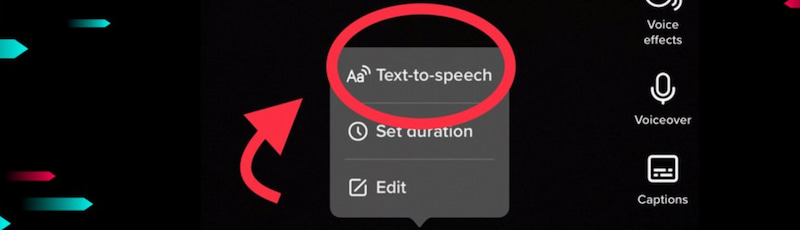
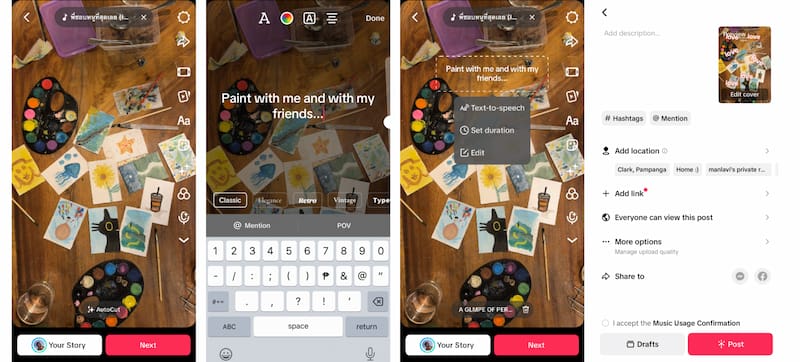
Step 2. On the editing interface of TikTok, select the Text feature to add type your captions. Then once it has been added, click the text on the screen and choose Text-to-speech feature. It will load for a while, and you can now hear AI voice playing.
Step 3. To upload your video, click Next button, add caption and Post to finish.
4. Troubleshooting Common Issues
Even though the features seems wonderful, we cannot still prevent some issue that needs to be troubleshoot sometimes:
- • Text-to-Speech Feature not showing. This issue usually happens when the TikTok app is outdated or the feature is not yet available in your region. Updating the app often solves this issue.
- • AI voice not playing. Check if your video volume is muted, overlapping with background music, or affected by a weak internet connection.
- • Voice not matching the text. Reapply the Text-to-Speech feature after editing captions to ensure synchronization.
- • App freezing or crashing. Restart the app or clear cache to fix minor glitches during the AI voice process.
- • Limited voice options. Some AI voices are released gradually and may differ depending on location and app version.
5. Challenges of Using AI Voice on Tiktok
Although adding AI voices and subtitles is comparatively simple using TikTok's built-in functionality, there are a few things to be aware of:
- • Limited Customization Options: The built-in options might not be sufficient if you want your voiceover to have more personality or a certain emotional expression.
- • Lack of Advanced Emotional Control: TikTok’s Text-to-Speech feature frequently uses AI voices that sound robotic or neutral. You can’t change the emotional depth, which could make your material seem less interesting, particularly if you want to express comedy, excitement, or empathy.
- • Accuracy of Subtitles: TikTok automatically creates subtitles, however they’re not always flawless. Errors in the captions can cause confusion and detract from the viewer’s experience, particularly when they involve complicated language or diverse accents.
6. Alternative Ways to Add AI Voice on TikTok
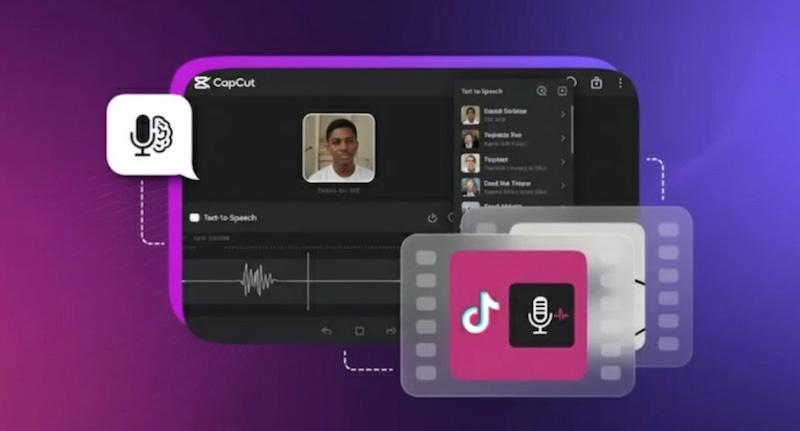
Third-party solutions can offer superior customisation and voice quality if TikTok's built-in AI voice seems constrained. Here are four well-liked substitutes:
Professional-caliber AI voiceovers with a variety of accents and tones are provided by Murf AI. While certain advanced voices demand a subscription, it is appropriate for marketing and educational content.
Play.ht
Play.ht is perfect for authors aiming to reach a worldwide audience because it offers bilingual narration and lifelike AI voices. However, there are character limits for free usage.

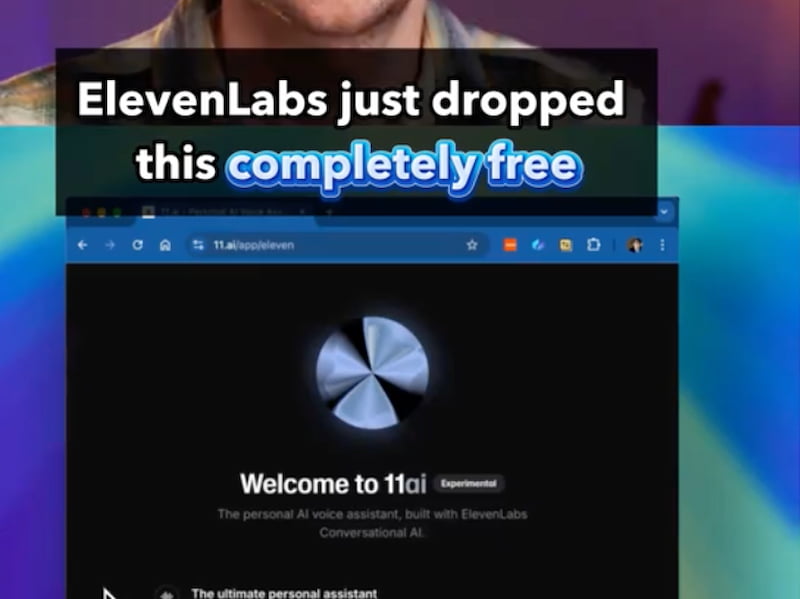
ElevenLabs
ElevenLabs is renowned for producing AI voices that seem incredibly expressive and natural. Although the interface may be a little complicated for novices, it works well for storytelling.
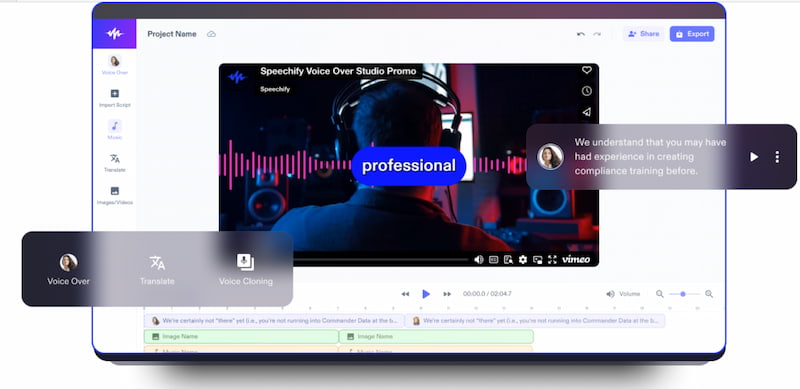
Speechify
Speechify swiftly transforms text into natural, clear audio. Although there aren't as many voice alteration possibilities as with more sophisticated tools, it's beginner-friendly and excellent for basic voiceovers.
7. FAQs about How to Add AI Voice to TikTok
Can I utilize AI voice for more than one TikTok video at once?
Yes, you can utilize an AI voiceover in several TikTok videos once you've created one. All you have to do is export the audio file and add it to each video as required.
How accurate are the automatically generated subtitles on TikTok?
Although TikTok's automatically generated subtitles are usually accurate, they occasionally have trouble with difficult words, unusual pronunciations, or background noise. It's usually a good idea to edit the subtitles for accuracy.
Is it possible to employ multiple AI voices in a single TikTok video?
It is possible to employ more than one AI voice in a single video. To fit each piece of your text, you can alternate between various voice types or emotional tones.
Conclusion
Adding AI voice to TikTok is an effective way to enhance engagement, accessibility, and creativity without the need for recording equipment. Whether you use TikTok’s built-in Text-to-Speech feature or explore third-party AI voice tools, these options help streamline content creation and maintain privacy. As AI voice technology continues to evolve, creators can expect more expressive, personalized, and realistic voiceovers that elevate TikTok videos and connect better with audiences.
Ethan Carter
Ethan Carter creates in-depth content, timely news, and practical guides on AI audio, helping readers understand AI audio tools, making them accessible to non-experts. He specializes in reviewing top AI tools, explaining the ethics of AI music, and covering regulations. He uses data-driven insights and analysis, making his work trusted.


 by
by