Way to Remove DRM from Apple Music | Unlock Music Easily
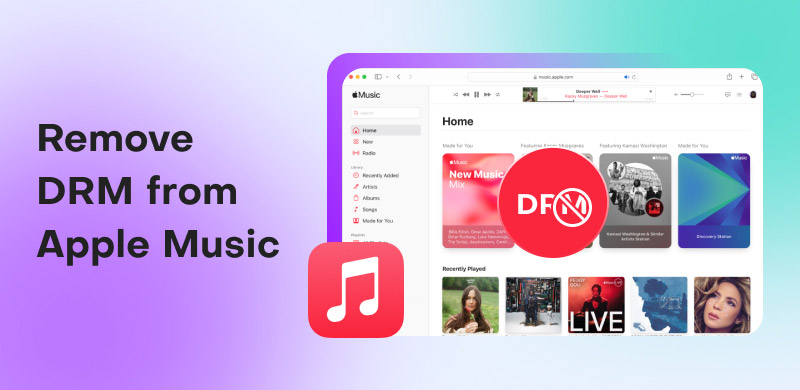
Whether you are an Apple Music subscriber or a music enthusiast with a large iTunes library, you have probably run into some limitations or restrictions that don't make sense. There are times when you want to transfer your iTunes music to a non-Apple device or keep some songs after ending your subscription, only to find out it is impossible. Well, it is not a glitch. It is because of DRM. Digital Rights Management, also known as DRM, is a technology that helps media owners protect their works from unauthorized users. With that, there are times when you can't download the music or keep it on your device. So, do you want to learn how to remove DRM from Apple Music for a smooth experience? You are in the right place. See this tutorial and learn how to deal with DRM-protected music from Apple Music effectively.
Part 1. An Introduction to DRM
Think of Digital Rights Management, or DRM, as a digital lock and key. When you purchase a specific song, movie, or e-book online, the seller often puts a 'lock' on the file. This lock only ensures that you can use it in the ways the copyright holder allows. For example, a DRM-protected music file from a streaming service might only be playable through that service's official app, preventing you from copying or sharing the file freely. This way, the owner of the song can get full access to the song, which can also prevent piracy.
The main objective of DRM is to prevent the unauthorized distribution and copying of digital content. It's a method and strategy for creators and companies to protect their masterpieces from piracy. However, for the average user, this often means that the music or movies you pay to access aren't truly 'yours' to use on any device or platform you choose. It is because they are tied to a specific service or account, making it dissatisfying to some members of the subscription plan.
Please check: Everything you need to learn about DRM.
Part 2. How Does DRM Work in iTunes Music
When you download a song with your Apple Music subscription, the file is encrypted, locked with virtually unbreakable digital rights management protection. It isn't just a straightforward password. It is more like a sophisticated form of digital rights management known as FairPlay. This lock effectively scrambles the music file, rendering it unreadable by any software or hardware device without express permission from Apple. The file is locked and can only be played by an authorized app, such as Apple Music, on one of your devices.
This authorization procedure is performed by checking your account and device. When you try to play a song from Apple Music, the app contacts Apple's server to verify two things. The first one is the device you have approved for use, and your monthly subscription is active. If these two things are passed, Apple will grant a temporary key to play a specific song.
Note: It is necessary to clarify that all the music you purchased from the iTunes Store is now DRM-free. On the other hand, the songs you obtain from an Apple Music subscription are still DRM-protected.
Part 3. How Do I Remove DRM from Apple Music
Do you want to learn how to remove DRM from Apple Music? Well, removing the DRM can help you get the song and save it permanently on your device. Thus, if you want to achieve the result you need, there is no doubt that TopVox All Music Converter is the one you need. With this powerful music downloader, you can easily download songs from Apple Music without encountering any problems. The best part is that you can even save your favorite playlist. Plus, the downloading process is fast, being 35 times faster than other platforms.
What's more, you can save Apple Music to various formats, including MP3, AAC, AC3, M4A, FLAC, WAV, etc. Another thing that we like here is that it can produce high-quality audio at up to 320 kbps, leading to a satisfying listening experience. If you are looking for the best software to ensure a smooth and perfect Apple Music DRM removal process, consider using TopVox All Music Converter.
Features
- The program can give you a fast and simple music downloading process.
- The music downloader can convert music to a DRM-free format, such as MP3, AAC, FLAC, WAV, and more.
- It can support high-quality audio, leading to a better experience.
- It is capable of downloading multiple songs simultaneously.
- The program can download music from various streaming platforms, such as Spotify, Pandora, SoundCloud, YouTube Music, and more.
Use the instructions below and learn how to remove DRM from Apple Music for free.
Step 1. Download TopVox All Music Converter on your computer. After you launch the interface, you can now proceed to the next procedure.
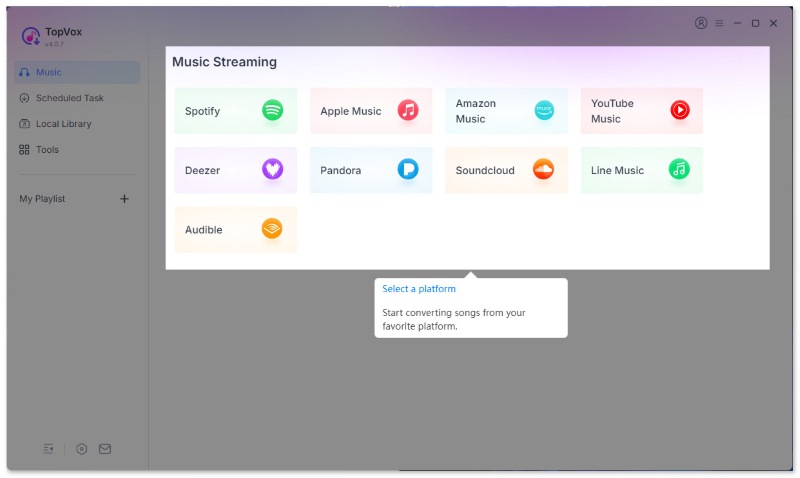
Step 2. After that, choose the Apple Music platform. Then, begin inserting your Apple Music account.
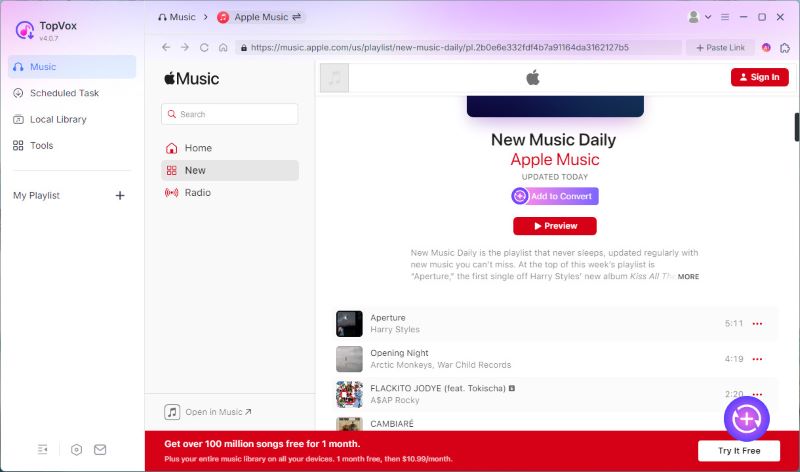
Step 3. Go to the Search section to start browsing all the DRM-protected music you want to download. Once done searching, click Add to Convert.
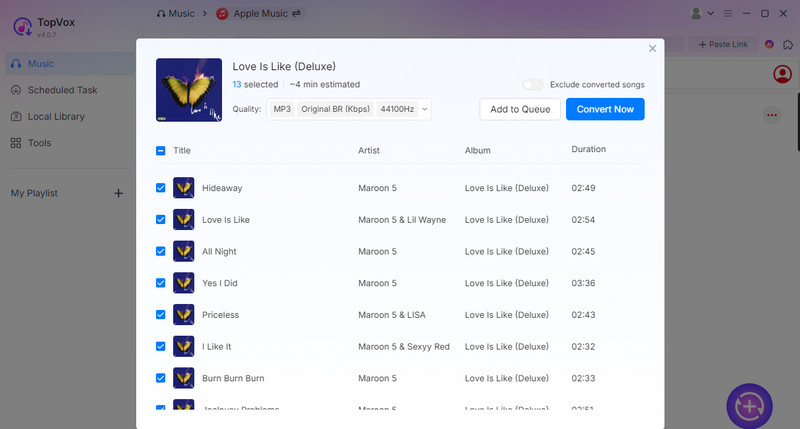
Step 4. In the pop-up window, you can choose Add to Queue for adding other playlists and converting them later. Instead, tap on Convert Now to continue.
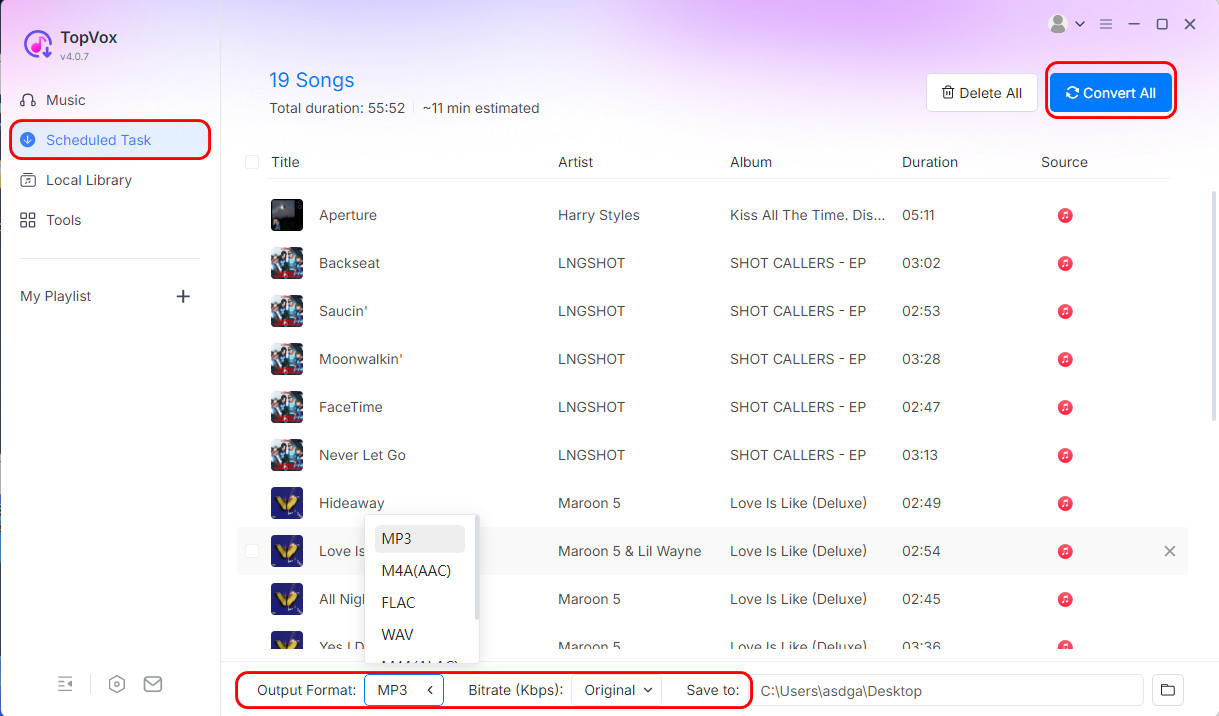
Step 5. Choose your preferred output audio quality from the Format section. For the last process, hit the Convert All button to start saving your music on your device permanently.
With this process, you can deal with a DRM-protected song from Apple Music. You can even download the music permanently, making it the best program. Thus, if you want to download Apple Music to PC smoothly, it is best to use TopVox All Music Converter.
Part 4. Is It Legal to Eliminate DRM from Apple Music
No, removing DRM from Apple Music is not legal. Circumventing Digital Rights Management (DRM) is a direct violation of both the Apple Music Terms of Service and copyright law in most countries. Thus, it would be better to just enjoy the music from a certain platform than to obtain it illegally.
Part 5. FAQs about Removing DRM from Apple Music
What are the risks of removing DRM?
Removing DRM from certain media content may violate copyright laws. It is because removing DRM is considered obtaining other people's work without taking appropriate action.
What is the disadvantage of removing DRM?
Well, you might face various restrictions, even if you are an active subscriber to a certain streaming platform. There are times when the saved music or video will automatically get deleted on your device. You can't even share the content with some devices, which is dissatisfying.
What are the benefits of DRM?
The main benefits of Digital Rights Management are the protection of Intellectual Property. It includes videos, music, e-books, and more digital content. It provides controlled access to the content, allowing you to choose and decide who can access it and how they can do so.
Conclusion
Thanks to this guidepost, you have learned how to remove DRM from Apple Music. With that, you can enjoy playing and listening to your favorite song without any restrictions. Thus, if you want a smooth and simple process of dealing with DRM-protected music, feel free to access TopVox All Music Converter. It can also provide exceptional quality and a fast conversion process, making it more ideal and powerful.
Owen Bannett
Owen Bannett is a music enthusiasm as well as a senior writer. He has paid close attention on the pros & cons of various audio formats, bitrate, sample rate and encoding methods. Always seeking the best listening experience, Owen has deep insights about lossless music and diverse music converters on the markets.


 by
by