7 Best Apple Music to MP3 Converters in 2026 [Free & Paid]
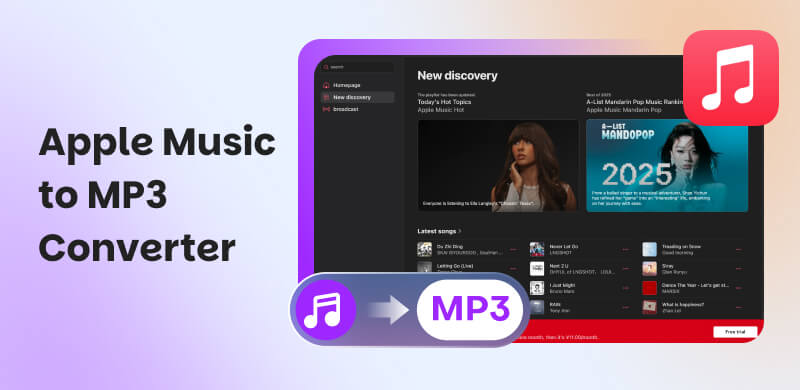
Apple Music is one of the most popular streaming platforms, but its songs aren’t as flexible as many users expect. If you’ve ever tried to play downloaded Apple Music tracks on an MP3 player or a car stereo, you’ve likely hit a wall. In this in-depth guide, we compare 7 Apple Music-to-MP3 converters, including desktop software and free online tools, letting you choose the right solution with confidence.
How We Test
To ensure fair and practical results, each tool was tested using a fully standardized process. We purchase all testing accounts independently with no vendor involvement or any sponsorship. Audio performance is benchmarked with commercial measurement tools, covering aspects such as bitrate, frequency response, dynamic range, and delay (latency).
Part 1. Why Convert Apple Music to MP3?
The DRM Challenge
Apple Music tracks are protected by DRM (Digital Rights Management) and are typically saved in M4P/AAC format. This protection restricts how and where you can play downloaded songs, even though you’re paying for the subscription.
Subscription Limits
Apple Music downloads are not permanent. Once your subscription ends, all downloaded songs become unplayable. Even if they’re already stored on your device. This makes it difficult to build a long-term personal music library.
Device & Format Compatibility
MP3 remains the most universally supported audio format. Most daily devices, such as MP3 players, car stereos, and smart TVs, don’t support Apple Music’s protected files. Converting Apple Music to MP3 ensures compatibility and true offline ownership.
Part 2. Top Choice: Topvox All Music Converter [All-in-One Solution]
Topvox All Music Converter stands out as the most complete and reliable Apple Music-to-MP3 converter we tested. This converter software also serves as a music player and downloader, allowing you to save your preferred tracks, albums, playlists, and audiobooks from various streaming platforms. Unlike traditional converters, Topvox offers 35× lightning-fast speed for batch download. You can quickly save lossless tracks from Apple Music with audio quality up to 320kbps and 48000Hz. With a built-in music web player, it can provide integration for search, play, download, transfer, and conversion. The clean interface and additional tools make this converter ideal for both casual users and power collectors.
(TopVox is a home edition only for personal use.)
Why It Stands Out
- Built-in Apple Music Web Player and no iTunes required.
- Hardware acceleration pushes conversion speed up to 35×.
- Supports 320kbps MP3, AAC, WAV, and FLAC with lossless quality.
- Automatically keeps ID3 tags.
- Batch Download full albums and playlists at once.
- Advanced tools are available to users.
- Very high success rate.
- Clean, ad-free interface.
How to convert protected Apple Music to MP3 via TopVox Music Converter?
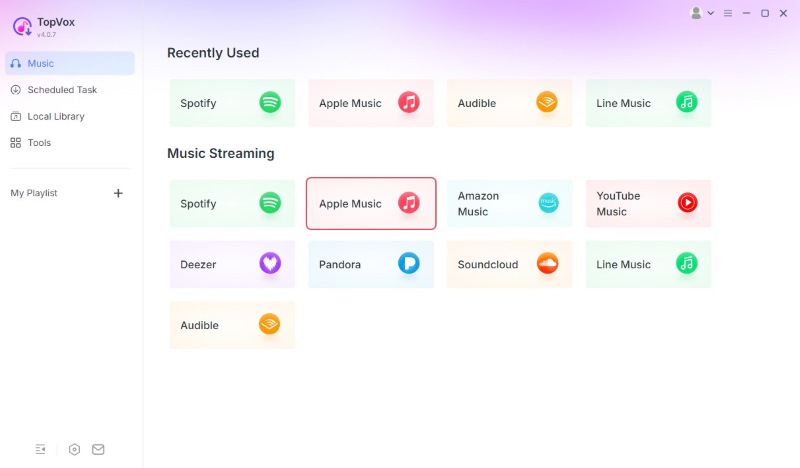
Step 1. Download and launch the program on your computer. Choose Apple Music and log in to your account.
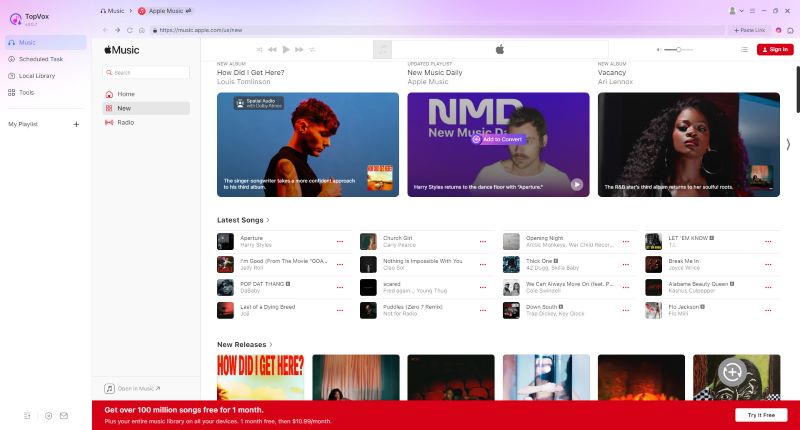
Step 2. Search for the songs you want to convert to MP3 and click the Add to Convert button.
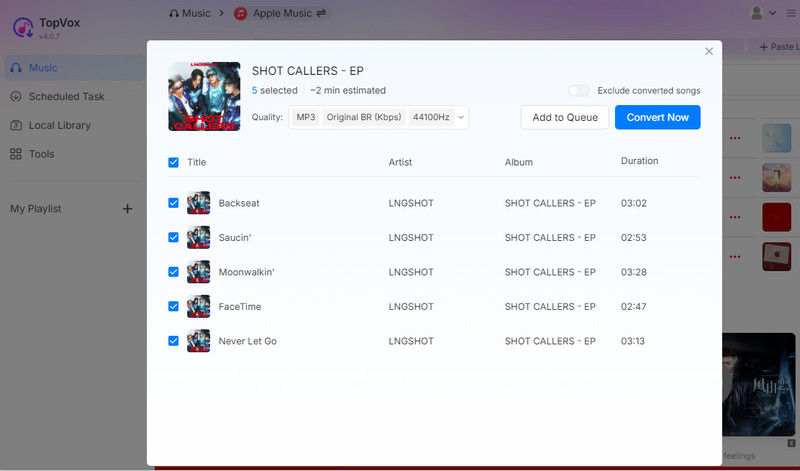
Step 3. If you are not finished searching, you can click Add to Queue for later conversion. If a playlist is enough, click Convert Now.
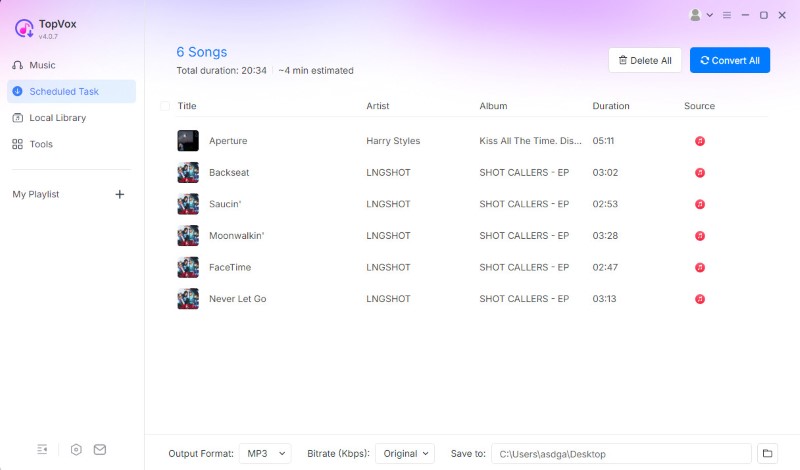
Step 4. Turn to the Scheduled Task option when all the songs have been added. Then select MP3 as the format and press the Convert All button. Now you can listen to Apple Music offline without limits.
User Review
“Mainly thanks to the numerous, on-screen features that ensure an easy process when selecting single or multiple items…I believe that the app offers decent capabilities, both in terms of available output formats, as well as different settings for controlling the quality characteristics of the converted tracks.” - Andrei Verdeanu from Softpedia
Part 3. Other Top-Rated Apple Music to MP3 Downloader Software
AudiFab Apple Music Converter ⭐⭐⭐⭐
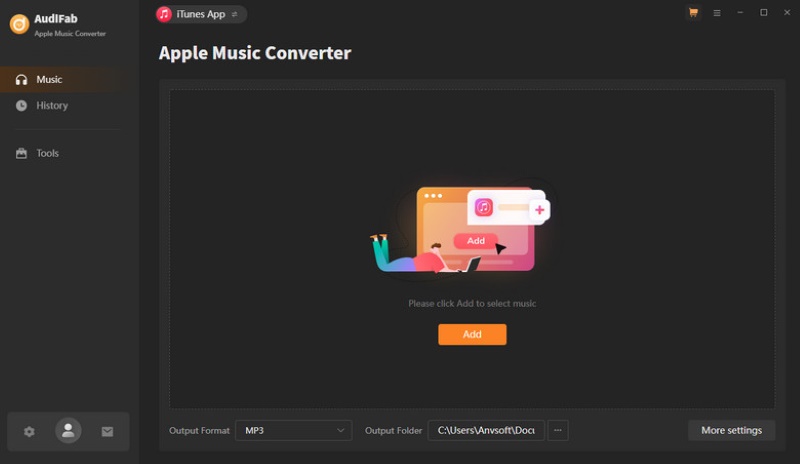
AudiFab Apple Music Converter is used for converting Apple Music songs, podcasts, and audiobooks to common formats like MP3. During my conversion process, the speed is not as fast as it claimed. For large libraries, it can’t overcome the poor downloading stability. We found that many users have encountered specific errors, such as Failed 1005/1200/1106, which have a severe negative impact on the experience. But a huge attraction for me is a 3-month free trial.
Pros
- Supports iTunes app and Apple Music web player.
- Batch converts at up to 10× speed.
- Offer 6 output formats.
- Retains ID3 tags for better management.
- With rich built-in tools.
Cons
- The free trial only transforms the first minute of a song.
- Meet Failed Error at any time.
User Review
“Effective download of apple Music…it retains the audio quality and the ID3 tags even after the conversion. The only thing is the limitations of the trail version.” – From G2
Sidify Apple Music Converter ⭐⭐⭐⭐
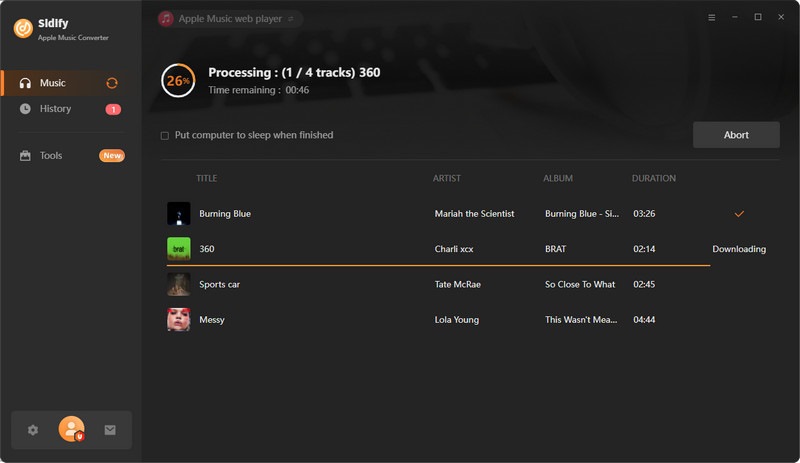
Sidify offers a straightforward solution for downloading your Apple Music collection, even including iTunes M4P songs, albums, playlists, and audiobooks. You can select tracks and convert them quickly to MP3 and 5 other open formats, ensuring an available playback across different devices. Sidify delivers excellent sound quality at 10 times the speed while preserving full metadata.
Pros
- Free of charge.
- Support more audio formats: MP3/AAC/WAV/FLAC.
- Supports iTunes app and Apple Music web player.
- Batch converts at up to 10× speed.
Cons
- Not guarantee audio quality (always limited to 128kbps).
- No extra audio tools.
User Review
“Sidify has convinced me, especially in terms of audio quality and user-friendliness. Unfortunately, song downloads sometimes abort and have to be restarted. This is time-consuming and frustrating.” – From Trustpilot
SpotiKeep ⭐⭐⭐
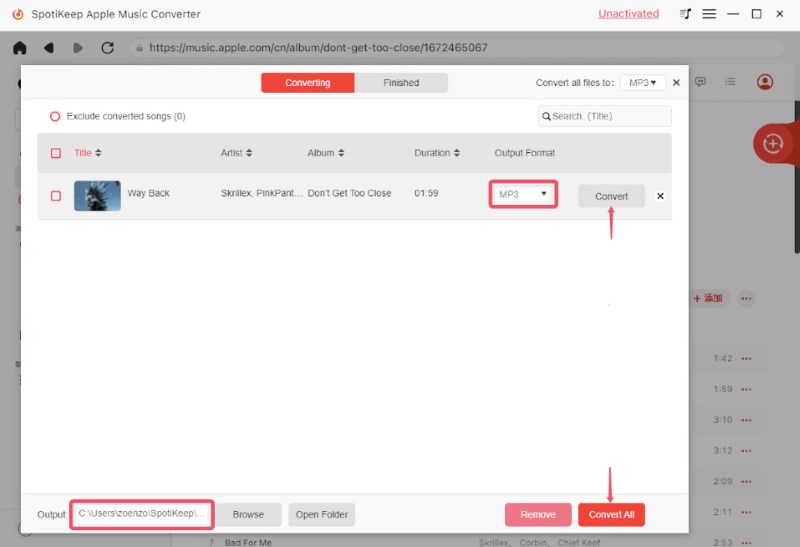
SpotiKeep is a useful Apple Music-to-MP3 converter for Mac and Windows. It will link to your Apple Music library, allowing you to download your iTunes music in seconds. But speed performance across devices varies quite distinctly: 10 times faster on Windows, but no more than 5 times faster on macOS. If you convert large playlists, it’s quite time-consuming. While the ID3 tags are fully saved, you can edit metadata info as well.
Pros
- high-quality audio downloads up to 320kbps.
- Download DRM-free songs to various formats.
- Keep with the original metadata.
Cons
- Unstable conversion process.
- The conversion speed is not fast enough.
User Review
“A great choice for beginners to save music offline. But no further editing service is offered. That's a little bit of pity.” – From Trustpilot
Part 4. Free Online Apple Music to MP3 Downloaders
APLMate ⭐⭐⭐
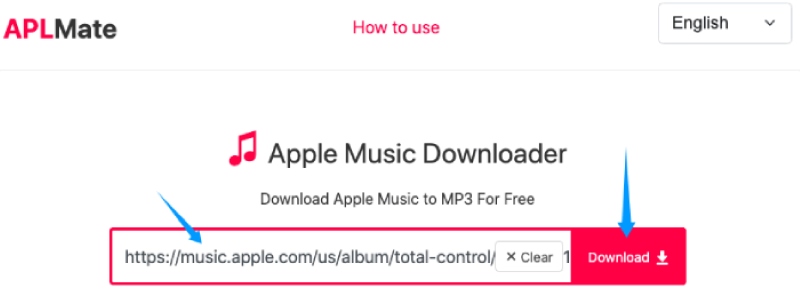
APLMate is an easy-to-use Apple Music downloader, allowing you to directly copy and paste an Apple Music song link for MP3 conversion. The testing results imply that the saved songs are hard to retain the high quality of the originals. Besides, the process is always full of ads that interrupt the experience.
Pros
- No installation required.
- Download tracks with ID3 tags.
- Simple to convert a single track quickly.
Cons
- Limited reliability, occasional broken links.
- No batch download.
- Can't keep original lyrics.
User Review
This tool isn't included on review sites like G2 or Trustpilot, so we can't find specific user reviews. But based on our measurements and other feedback, APLMate can convert Apple Music to MP3 with a high success rate, while it doesn’t support batch downloads or lyrics synchronization.
APPLMusicDownloader ⭐⭐⭐
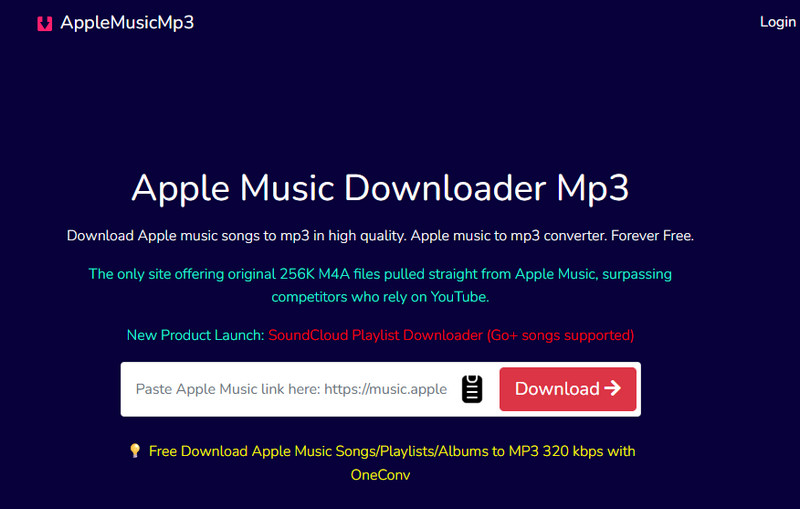
If you’re seeking an online Apple Music to MP3 converter that is compatible with all popular browsers, APPLMusicDownloader can be a good option. In our test, the free site provides a fluent experience in Google Chrome, Mozilla Firefox, Safari, Opera, and other browsers. It gives the original 256K M4A music from Apple Music for direct download. You can convert any Apple Music songs, albums, and playlists to M4A/MP3.
Pros
- Simple and fast for single tracks.
- No need to subscribe to Apple Music Premium.
- Supports batch downloader (ZIP) button.
Cons
- Slower download speed.
- Sign up to download full ZIPs.
- The sound quality is unreliable.
- Support MP3 output only.
User Review
AAPLMusicDownloader is convenient for quick, one-off downloads without any installation. However, it has strict daily download limits on the free version. And it is short on batch processing and solid stability. We prefer to use a professional desktop solution like TopVox.
Soundloader Apple Music Downloader ⭐⭐
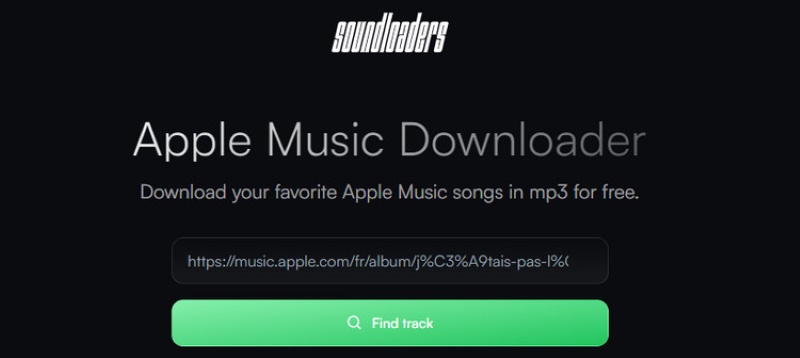
SoundLoader Apple Music Downloader is a powerful online music downloader for multiple streaming apps, not just Apple Music. You can freely download single tracks in MP3 format. In our test, it’s hard to find a safe download path due to the expired official website. Users are often directed to third-party sites with ads. The manual process is time-consuming, and downloaded songs are always of lower quality.
Pros
- Easy to use without tech hassles.
- Supports more music platforms.
- Keep ID3 tags, including artist, song cover, etc.
Cons
- The official website is unsafe and abandoned.
- Converts music one-by-one.
- Lower audio quality and missing ID3 tags.
- Can’t fully control the download settings.
User Review
Many users are reporting that this online tool can’t be used because of malware. For security, we recommend you convert Apple Music to MP3 using a reliable, officially supported converter.
Part 5. Comparison of 7 Apple Music to MP3 Downloader
| TopVox All Music Converter | AudiFab Apple Music Converter | Sidify Apple Music Converter | SpotiKeep | APLMate | APPLMusicDownloader | Soundloader |
| Max Audio Quality | Original BR/ 48000Hz | 320kbps | 320kbps | 320kbps | 320kbps (Often 128kbps in fact) | 320kbps (Often 256kbps in fact) | 320kbps (Often 128kbps in fact) |
| Batch Download | ✅️ | ✅️ | ✅️ | ✅️ | ❌️ | ❌️ | ✅️ |
| Speed | 35× | 10× | 10× | 10× | 1× | 1× | 1× |
| Input Music Source | Spotify, Apple Music, Amazon Prime Music, YouTube Music, Deezer, Pandora, SoundCloud, Line Music, or Audible | Apple Music, iTunes | Apple Music, iTunes | Apple Music, iTunes | Apple Music | Apple Music | Apple Music, Spotify, Deezer, SoundCloud, YouTube Music |
| Output Format | MP3/ WAV/FLAC/AIFF/M4A (AAC/ ALAC) | MP3/AAC/WAV/FLAC/AIFF/ALAC | MP3/WAV/AAC/AIFF/ALAC/FLAC | MP3/M4A FLAC/AIFF, AC3/AAC/AU | MP3 | MP3 | MP3 |
| ID3 Tags & Lyrics | Full metadata | Full metadata | Full metadata | title, artist, album, genre, cover | Title, Artist, Album | Title, Artist | Title, Artist |
| Advanced Tools | AA/AAx Converter, Tag Editor, Format Converter, Playlist Transfer | burn CD, edit ID3 tags, AI Audio Splitter and AA/AAX Converter | ❌️ | ❌️ | ❌️ | ❌️ | ❌️ |
| OS | Windows 7 or later (64-bit), macOS 10.14 or above | Windows 7/8, 10/11 and macOS 11 – 26 | Windows 7 or later (32/64-bit), macOS 11 and above | Windows 10/8.1/8/7, macOS X 10.11 or higher | Online | Online | Online |
| Pricing | 1- Month: $19.95
Lifetime: $159.90 | 1-Month: $14.95
1-Year: $44.95
Lifetime: $89.90 | 1-Year: $44.95
Lifetime: $89.90 | 1-Month: $14.95
1-Year: $34.95
Lifetime: $79.95 | Free | Free | Free |
Benchmark Result: Why Choose TopVox All Music Converter?
You are intuitive enough to know which converter tool is better from the table –the winner is TopVox All Music Converter. On the one hand, while online tools offer free features, they often provide unstable output quality and conversion performance. And they don't directly grab songs from Apple Music. You have to do a lot of manual copy-pasting. On the other hand, desktop software is far more efficient at processing Apple Music tracks. Among these, TopVox sets a lightning-fast download speed to take the lead. Its web player supports various streaming platforms beyond Apple Music. Whether you are a beginner or an advanced user, it gives you robust features and tools to meet your needs.
Conclusion
Exactly, there are many tools to choose from. But compared with the unstable online solutions or other software focused on limited platforms, TopVox All Music Converter is a preferred Apple Music-to-MP3 converter, which takes the lead in speed, stability and compatibility.
Owen Bannett
Owen Bannett is a music enthusiasm as well as a senior writer. He has paid close attention on the pros & cons of various audio formats, bitrate, sample rate and encoding methods. Always seeking the best listening experience, Owen has deep insights about lossless music and diverse music converters on the markets.


 by
by