What is Live Caption? Definition, Uses, & Applications
In today’s digital age, access to information is more important than ever. Live captioning is a powerful tool that converts spoken words into text in real-time, making audio and video content more accessible. Beyond accessibility, it also helps businesses, educators, and content creators reach a broader audience. In this post, we will discuss what live caption is, why it is used, how it works, the common types available, and its practical applications. By the end, you will have a clear picture of how live captioning enhances accessibility, engagement, and communication in various settings.
Part 1. What is Live Caption
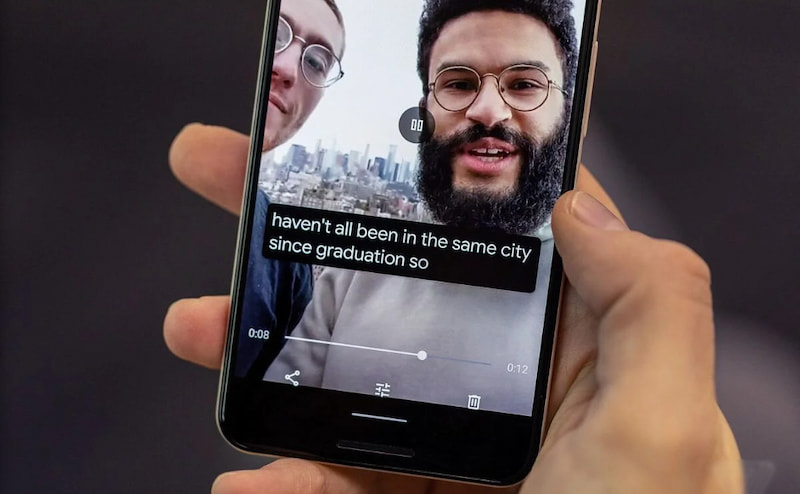
Caption is a text version of spoken words or sounds.
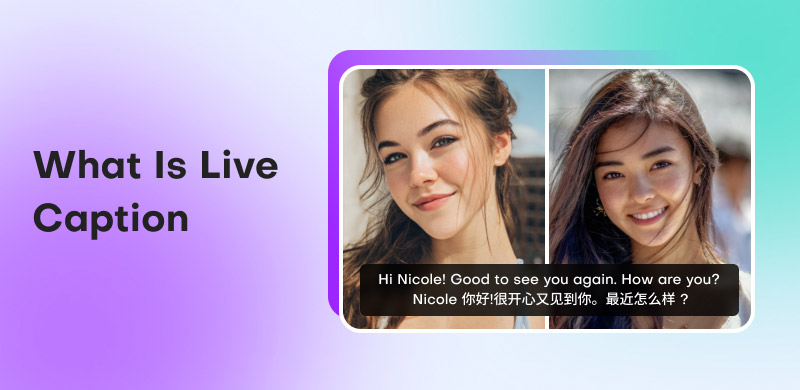
What is live caption? Essentially, it is the real-time process of converting spoken words into text as they are spoken. This allows audiences to read what’s being said instantly on a screen, broadcast, or webinar. It is also known as real-time captioning, computer-assisted real-time translation (CART), or speech-to-text.
Traditionally, it was done by a trained human captioner using a stenography machine to type speech at high speed. Today, the technology has advanced to include automatic speech recognition systems. ASR utilizes sophisticated algorithms to transcribe spoken audio and generate accurate captions automatically.
Part 2. Why Use Live Caption
Real-time captioning provides significant value to both individuals and organizations. It helps make spoken content easier to follow, more inclusive, and accessible to wider audiences. It ensures that no one is left behind due to audio limitations, hearing barriers, or language differences.
The primary goal of live captioning is to expand reach and connect with more viewers. By displaying real-time text of spoken words, you can include people who are deaf or hard of hearing. Another major reason is accessibility. It removes barriers by providing audiences with text-based support, allowing them to instantly understand spoken information.
Part 3. How Does Live Captioning Work
Live captioning captures spoken audio in real time and instantly converts it into on-screen text. In many live-stream setups, the process begins with connecting the video or audio feed through a Real-Time Messaging Protocol. It will then link the stream to a live captioning service. From there, the system processes the audio and generates captions that appear with a slight delay.
Now that you understand how live captioning works, you might also be interested in exploring the opposite process. You can use CapCut’s text-to-speech feature to convert a written description into spoken audio.
Part 4. Common Types of Captioning
Subtitles
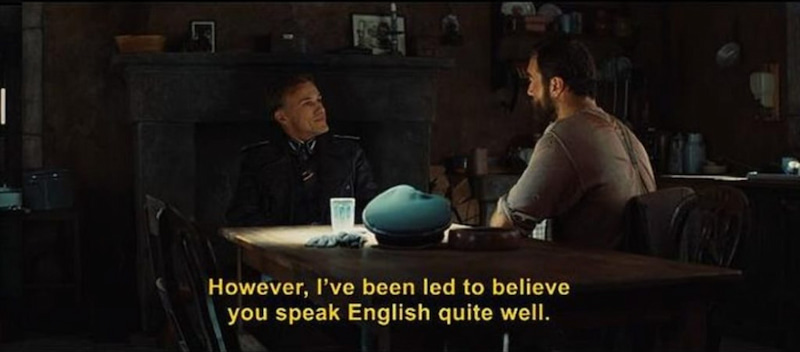
Subtitles are text displays that translate or transcribe spoken dialogue in videos, movies, and online content. They are primarily designed for viewers who can hear the audio but require the spoken words to be represented visually. It includes only speech, not non-verbal sounds, and is often used in international films and multilingual content.
Live Caption
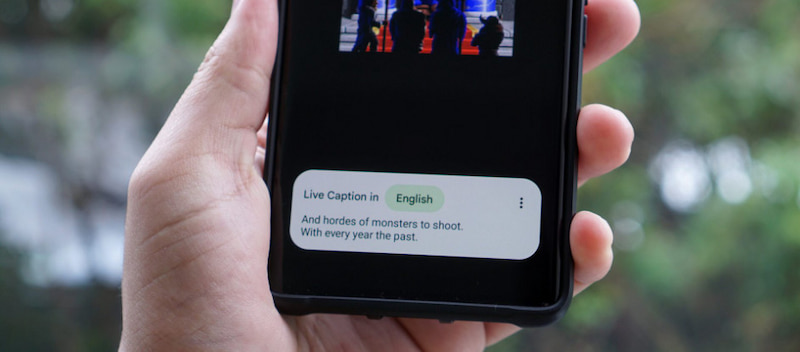
What is live captioning? Live captions are real-time text representations of spoken audio that appear instantly as the speaker begins to speak. They are especially useful in online classes, webinars, conference presentations, and live television. Because the captions are delivered moment by moment, there may be slight delays or occasional inaccuracies.
Closed Caption
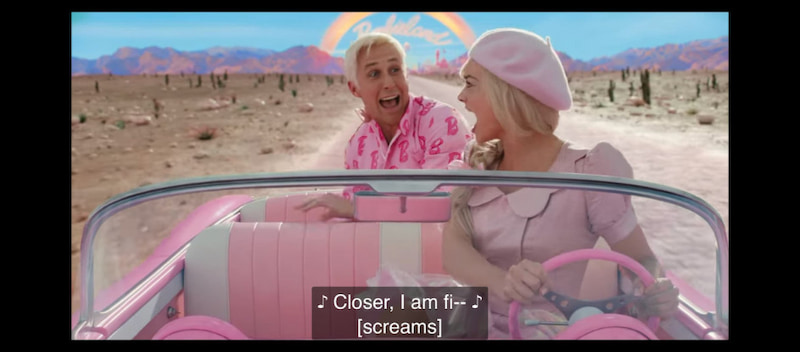
Closed captions provide a more complete transcription of audio than subtitles. It includes spoken dialogue and important background sounds, music cues, and non-verbal elements. Closed captions can be turned on or off at the viewer’s choice, which is why they are called closed. They are commonly found on TV, streaming services, and digital media platforms.
Avoid confusing closed captions with standard captions. Start by understanding the fundamentals of what a caption is.
| Subtitles | Live Captions | Closed Captions |
| Definition | Text that represents spoken dialogue. | Real-time transcription of spoken words. | Full transcription of spoken dialogue and non-verbal sounds. |
| Purpose | Helps viewers understand dialogue. | Provides accessibility during live events, broadcasts, and streaming. | Ensures accessibility for the deaf and hard of hearing. |
| Timing | Pre-made and synchronized with the video. | Generated instantly as the audio occurs. | Can be pre-made or live. |
| Content | Dialogue only | Spoken words | Dialogue, sound effects, speaker identification, and other non-verbal cues |
| Accessibility | Supports understanding for viewers who speak different languages. | Supports hearing-impaired viewers, non-native speakers, and noisy environments. | Fully accessible to deaf and hard-of-hearing audiences, providing a complete audio experience. |
| Flexibility | Cannot be turned on or off if hardcoded; optional if softcoded. | Always visible during live events. | Can be toggled on or off. |
| Usage Examples | Movies, TV shows, streaming content in foreign languages. | Livestreams, webinars, conferences, online classes. | TV broadcasts, streaming platforms, educational videos, virtual events. |
Part 5. Applications of Live Captioning
Live caption has become an essential tool in livestreams, virtual events, and online communication. It helps audiences follow discussions clearly, even when audio isn’t perfect or when language and hearing barriers exist.
Here are some of the most common applications of live captioning:
Lectures and Online Classes:

In educational environments, live captioning enables students to better understand lessons, particularly when covering complex subjects. Most institutions use captions to ensure everyone can keep up with the material and access equal learning opportunities.
Conferences and Webinars:

Professional events, such as business conferences, keynote presentations, and industry webinars, benefit greatly from live captioning. Organizers can reach a wider audience and make content accessible to participants across regions and languages.
Product Demonstrations and Tutorials:
Companies often use live captioning to help audiences understand features, instructions, and benefits more easily. When viewers can read as they watch, comprehension improves, especially during technical explanations.
Interviews and Guest Conversations:
Live interviews with experts, creators, or special guests are easier to follow when captions are available. It ensures audiences can understand every response, even if audio quality varies or accents differ. This maintains clarity and professionalism throughout the broadcast.
Part 6. FAQs about Live Caption
Q: How accurate is AI live captioning software?
A: AI live captioning software has improved significantly over the years. However, its accuracy still varies depending on factors like audio quality, background noise, and speaker accents. Modern ASR systems can achieve accuracy rates of around 85%, but errors may still occur.
Q: Are there privacy concerns with live captions?
A: Yes, especially when the software stores transcripts or shares data with third-party services. In educational and professional environments, this raises compliance issues under regulations like FERPA in the U.S. or GDPR in the EU.
Q: Is streaming caption the same as live caption?
A: Streaming captions and live captions are related but not identical. Live captions specifically refer to text generated in real-time as speech is being spoken. Meanwhile, streaming captions can include live captions but also encompass pre-recorded content that is streamed online with captions added beforehand.
Conclusion
In conclusion, understanding what is live caption highlights the essential role this technology plays in today’s digital and connected world. Live captioning enhances engagement, inclusivity, and comprehension, promoting a more accessible and inclusive experience. As technology continues to advance, the use of live captions is becoming increasingly valuable. This makes it an indispensable tool for communication, learning, and entertainment.
Ethan Carter
Ethan Carter creates in-depth content, timely news, and practical guides on AI audio, helping readers understand AI audio tools, making them accessible to non-experts. He specializes in reviewing top AI tools, explaining the ethics of AI music, and covering regulations. He uses data-driven insights and analysis, making his work trusted.

 by
by