
YouTube to WAV Converter Guide: Download WAV Easily
 by Luna Harper | May 22, 2026 | How to
TopVox YouTube Music Converter
YouTube to WAV converters allow you to extract high-quality, lossless audio from videos for offline use or editing. While many online tools have limitations such as ads, instability, or limited features, TopVox YouTube Music Converter stands out for its fast conversion, batch downloads, and high-resolution WAV output. It also supports multiple streaming platforms, making it a reliable all-in-one solution for premium audio conversion needs.
100% Secure. No virus.
100% Secure. No virus.
WAV is the gold standard in audio formats, delivering uncompressed, lossless sound quality that preserves every detail of the original recording. This format makes it valuable for music lovers, audio editors, and professionals who need high-fidelity audio. Converting YouTube videos to the WAV format lets you enjoy cleaner, richer, more accurate sound. In this post, we will explore the top choice and other popular YouTube-to-WAV converters. This way, you can understand the strengths and limitations of each option, especially in terms of audio quality, speed, batch downloading, and overall usability. We will also guide you step by step on how to convert YouTube videos to the WAV format using TopVox.
100% Secure. No virus.
100% Secure. No virus.
Part 1. TopVox YouTube Music Converter [Best]
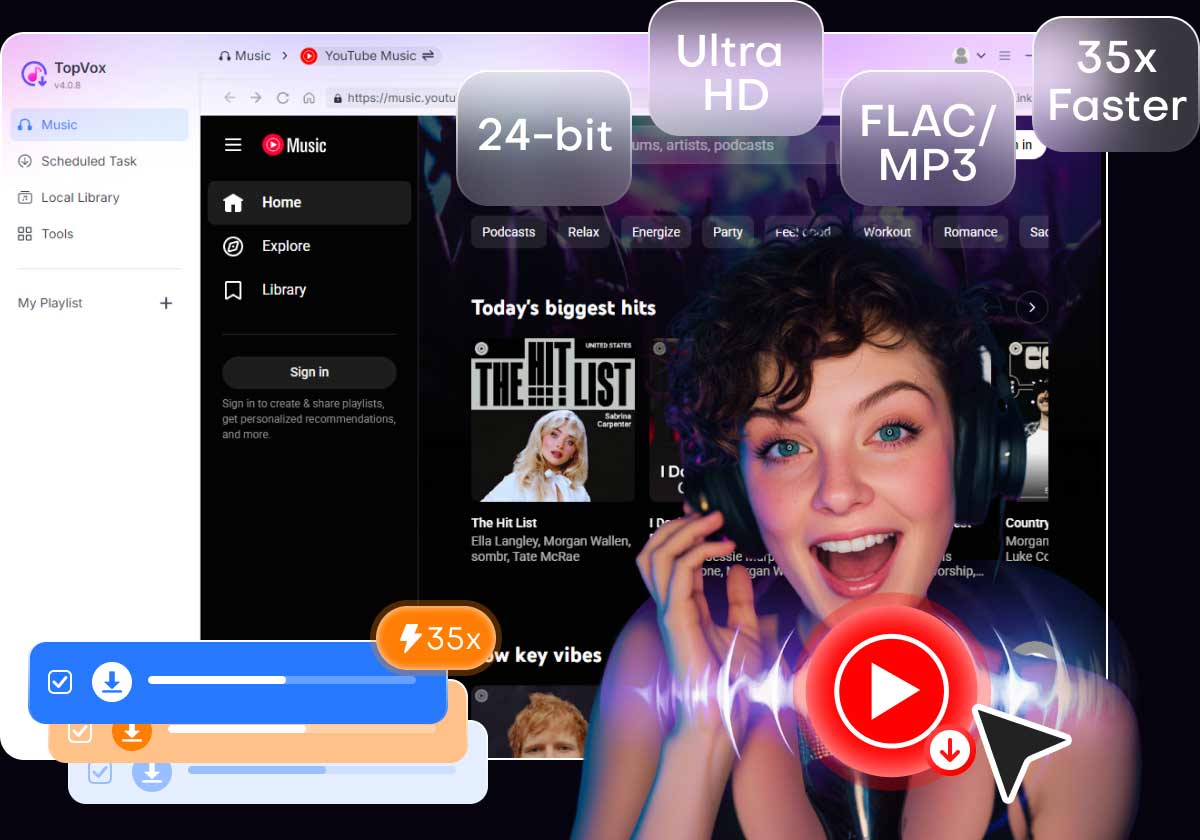
TopVox YouTube Music Converter is the best YouTube-to-WAV converter for high-quality audio downloads without DRM restrictions. It can convert YouTube Music tracks to WAV, MP3, FLAC, M4A (ALAC/AAC), and AIFF. The software supports batch downloading for multiple songs, albums, and playlists at up to 35× faster speed.
100% Secure. No virus.
100% Secure. No virus.
In addition, it can export music in high-quality formats up to 24-bit, 320 kbps, and 48000Hz. It can also retain original ID3 tags such as title, artist, album, and artwork for better organization. Beyond YouTube Music, it also supports major streaming platforms. This includes Amazon Music, Apple Music, Deezer, Pandora, SoundCloud, Spotify, Line Music, and Audible.
What to Look Forward to With TopVox YouTube Music Converter:
- Supports up to 35× faster conversion and download speed.
- Convert YouTube Music songs to DRM-free formats, including WAV.
- Export music in high-quality audio up to 24-bit, 320Kbps, and 48000Hz.
- Includes a built-in web player for browsing, searching, and downloading music.
- Download multiple tracks, albums, and playlists in batch mode for faster processing.
100% Secure. No virus.
100% Secure. No virus.
Part 2. How to Convert YouTube to WAV Using TopVox
TopVox YouTube Music Converter lets you convert YouTube Music songs to WAV format without losing audio quality. It provides a professional desktop solution with faster conversion speeds, batch downloading, and high-quality DRM-free output. With its built-in YouTube Music web player, you can download songs, albums, and playlists directly to the WAV format.
Here’s how to convert YouTube to WAV:
Step 1. First, download the TopVox YouTube Music Converter for free. Install the YouTube Music to WAV downloader, then complete the setup process. After you complete the installation, launch the software to access its main dashboard.
100% Secure. No virus.
100% Secure. No virus.
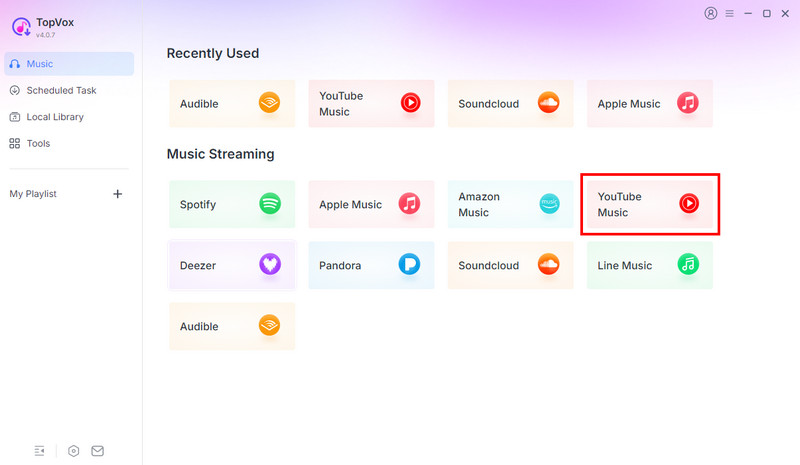
Step 2. As soon as it launches, it will enter the Music section. Click the YouTube Music tile to access the built-in YouTube Music web player. Sign in to your YouTube Music account, then browse for the songs, albums, or playlists you want to convert to WAV.
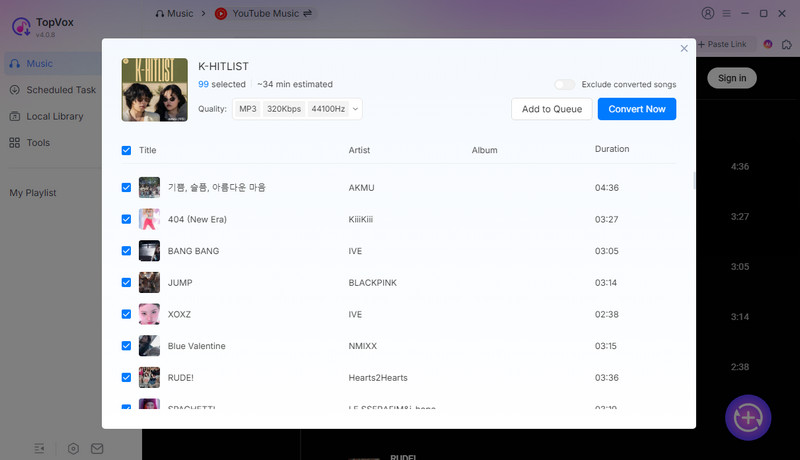
Step 3. After you find the music you want to save, click + Add to select individual tracks. If you want to download a full album or playlist, choose + Add to Convert instead. All selected tracks will appear in the Scheduled Task section.
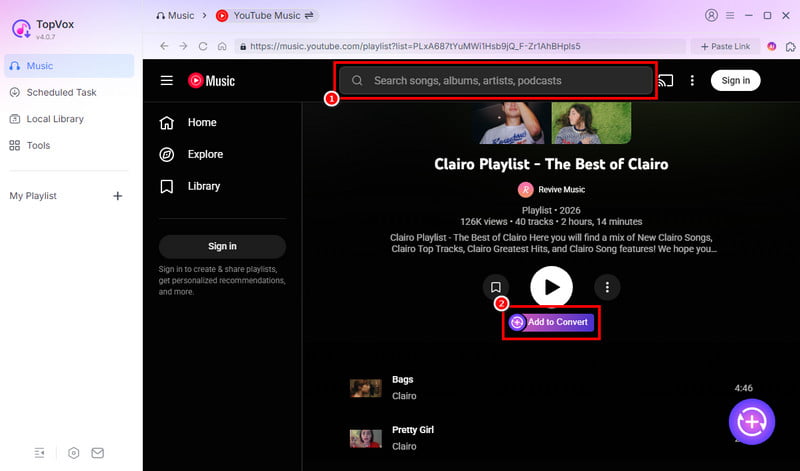
Step 4. By default, TopVox exports the music in MP3 format. Before downloading, customize the settings and select WAV as the output format. Then, click Convert All to convert YouTube Music tracks to the WAV format.
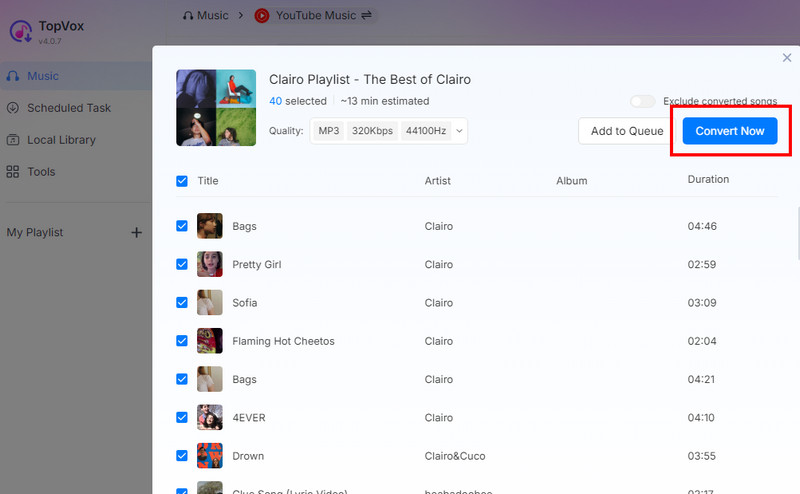
TopVox YouTube Music Converter lets you download YouTube music to your computer effectively. It easily converts YouTube Music to WAV without losing audio quality. If you want a reliable converter for offline listening or professional audio use, TopVox is worth a free trial.
100% Secure. No virus.
100% Secure. No virus.
Part 3. Other Top YouTube to WAV Converter
Y2WAV
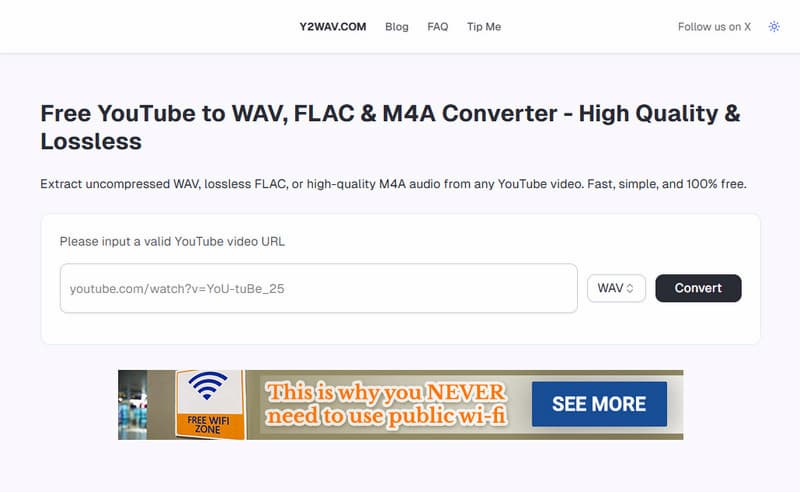
Y2wav is a free online YouTube-to-WAV converter that supports both music and video conversion. It can convert YouTube Music to WAV, FLAC, OGG, M4A (AACALAC), MP3, and MP4. However, pop-ups and redirect ads appear constantly during the conversion and download process. These drawbacks disrupt the user experience and can feel intimidating to some users.
4KDownload
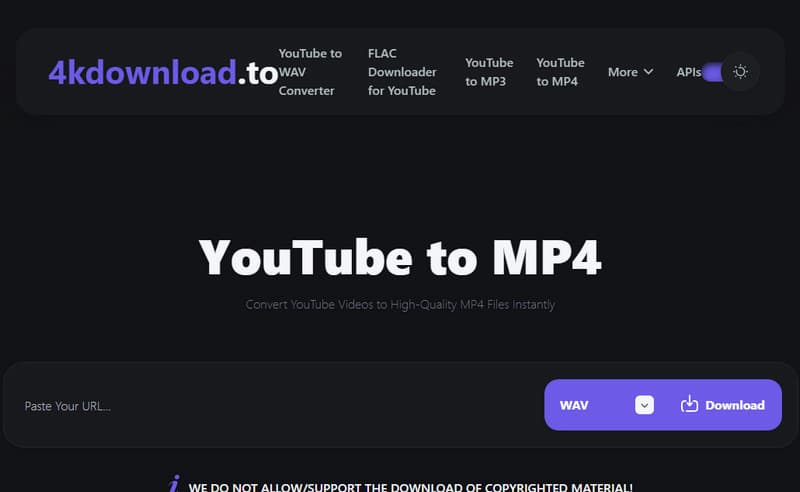
4kdownload is an online YouTube downloader that can save YouTube audio in high-quality WAV format. It offers features such as playlist downloads, subtitle extraction, and multiple output formats for offline playback. In addition to YouTube, it also operates as a SoundCloud-to-WAV downloader. However, it cannot download copyrighted or DRM-protected music and videos.
ProWAV Converter
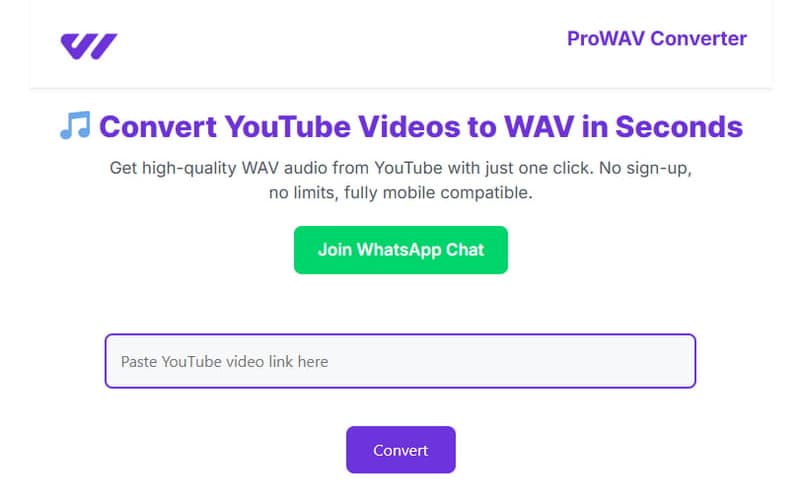
ProWAV Converter is a free online YouTube converter that allows you to extract and download audio from YouTube videos. It quickly converts YouTube videos into WAV files for offline listening, audio editing, or personal use. However, it lacks support for batch downloading entire YouTube playlists. It means you need to convert and download videos one by one.
Y2Down
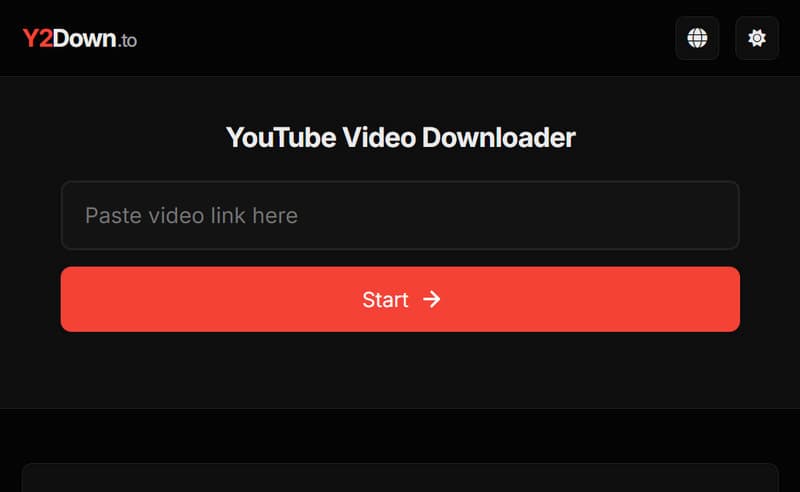
Y2Down is an online YouTube downloader and audio converter. It extracts audio from YouTube videos into formats such as WAV, MP3, FLAC, and M4A. It is popular for its fast conversion speed, simple interface, and browser-based accessibility. However, it does not actually convert songs directly from YouTube Music’s streaming library. Instead, it only extracts audio from standard YouTube videos.
Part 4. Why TopVox Wins: Comparison of 5 YouTube to WAV Converters
| YouTube to WAV Converter | Platform | Sound Quality | Conversion Speed | Batch Download | Security | Success Rate | Ad-Free |
|---|---|---|---|---|---|---|---|
| TopVox YouTube Music Converter | Windows and Mac | 24-bit/320Kbps/48kHz | Up to 35× | ✅ | ✅ | 99% | ✅ |
| Y2WAV | Web | 256/44.1kHz | Depends on server | ❌ | ❌ | 80% | ❌ |
| 4KDownload | Web | 320Kbps/44.1kHz | Depends on server | ✅ | ❌ | 60%. | ✅ |
| ProWAV Converter | Web | 128Kbps/44.1kHz | Depends on server | ❌ | ❌ | 90% | ❌ |
| Y2Down | Web | 128Kbps/48kHz | Depends on server | ❌ | ✅ | 80% | ❌ |
Verdict
Compared with free online YouTube-to-WAV converters, TopVox YouTube Music Converter clearly stands out. It delivers higher sound quality, faster download speeds, a stable conversion success rate, batch playlist downloading, and a completely ad-free experience. TopVox can directly convert YouTube Music tracks into DRM-free WAV, MP3, FLAC, AIFF, and M4A formats while preserving original quality and ID3 tags.
100% Secure. No virus.
100% Secure. No virus.
Conclusion
YouTube to WAV converters play an important role for users who value high-quality, lossless audio for music listening, editing, or professional use. Among all available tools, the choice of converter can affect sound quality, download speed, ease of use, and overall reliability. While many online converters offer basic functionality, they often come with ads, unstable performance, limited batch downloading, or lower audio quality. For a more complete and professional experience, TopVox YouTube Music Converter is the best option. It delivers high-resolution WAV output, supports batch downloads of playlists and albums, maintains original ID3 tags, and provides fast, stable, and ad-free performance.
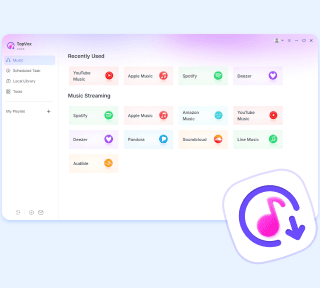
TopVox YouTube Music Converter
Rated on Trustpilot >  4.8/5
4.8/5
- Download and convert YouTube Music songs, albums, playlists, etc., with a success rate of up to 99%.
- Keep original quality, retain ID3 tags, offer lightning-fast speed and lifetime updates.
100% Secure. No virus.
100% Secure. No virus.