
Spotify to MP3 Player – Download Playlists for Any Device
 by Ethan Carter | May 13, 2026 | How to
TopVox Spotify Music Converter
Turn your Spotify playlists into real MP3 files. Listen on any MP3 player — no app required. Free download now.
100% Secure. No virus.
100% Secure. No virus.
You know the feeling.
You're at the gym, phone locked in the locker. Your Bluetooth earbuds can't reach it. You're on a plane, flight mode on, and you forgot to download those offline playlists. You're hiking through a canyon with zero signal, and Spotify just spins its little green circle.
You're paying for premium. You've spent years building the perfect collection. But the moment you want to listen on anything other than your phone — an old iPod, a kid's MP3 player, your running clip — you hit a wall.
It's not your fault. Spotify locks its files in a format called OGG Vorbis, wrapped in DRM. You can't just drag and drop like regular MP3s.
Most people try once, get frustrated, and give up. But there's a fix, and it takes about three minutes.
TopVox Spotify Music Converter
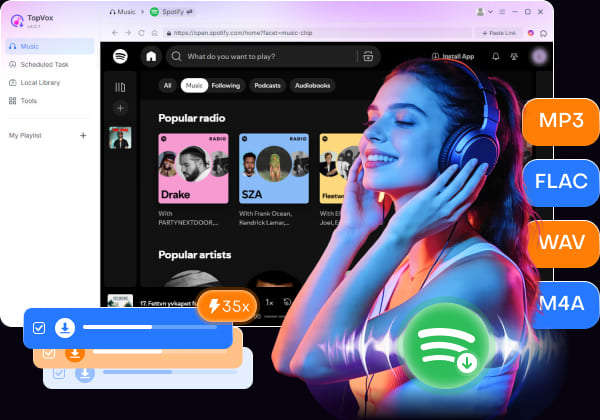
A professional music converter like TopVox can help. It allows you to download any Spotify tracks as local MP3 files permanently, and then you can play them on any MP3 player or other devices. Try Now. Free your Spotify playlists.
100% Secure. No virus.
100% Secure. No virus.
Three Steps to Free Your Music
Skip the online converters. They're slow, they spam you with pop-ups, and they make you paste song URLs one at a time like it's 2005. What you need is a desktop app that reads your Spotify library directly and handles whole playlists in one shot.
100% Secure. No virus.
100% Secure. No virus.
1. Install & Log In: Download, install, and run this software. Choose Spotify and log in to your account.
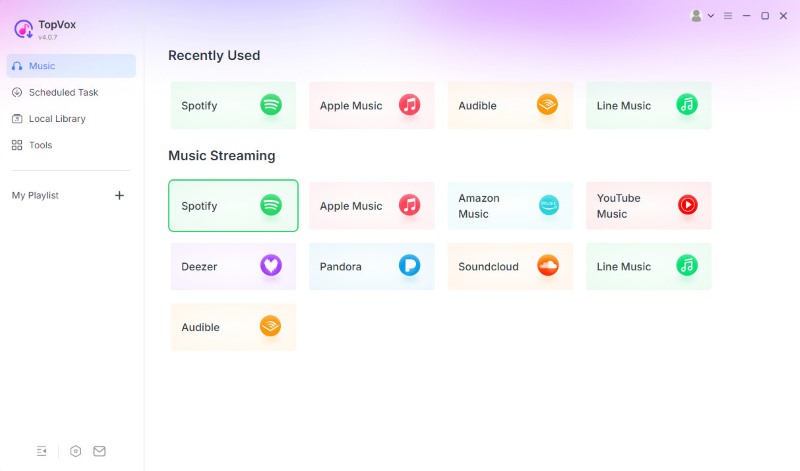
2. Add Music & Select MP3: Pick your songs. Hit "Add to Convert".
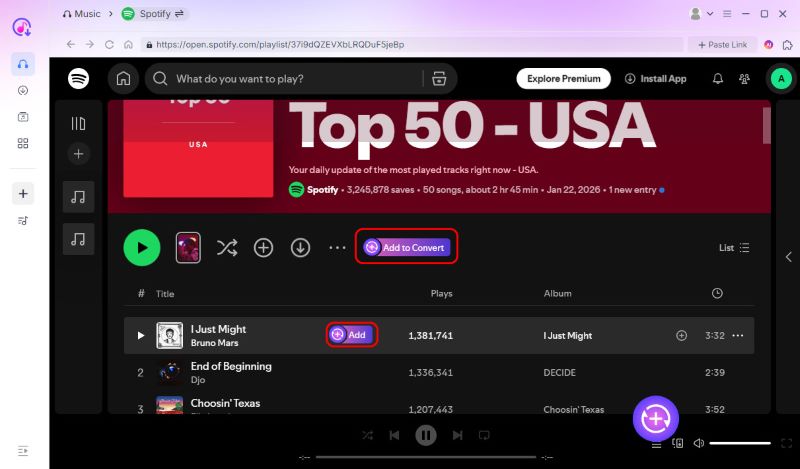
3. Convert & Save: Choose MP3 as the output format and click "Convert Now". Your Spotify tracks will become offline MP3s in a few minutes.
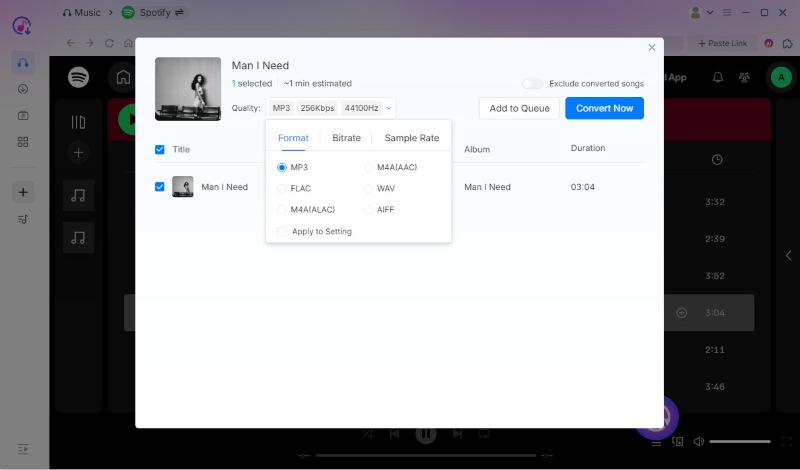
Then, you can plug in your MP3 player via USB, and drag the files over. Now, you can play Spotify songs offline anywhere with your MP3 player. Why waiting? Try now.
100% Secure. No virus.
100% Secure. No virus.
Why People Use TopVox
There are plenty of tools out there. But TopVox Spotify Music Converter is the one people stick with, because it just works — no tinkering required.
Open it. Log into Spotify. Pick your playlist. Select MP3. Hit convert. Done.
It keeps everything organized — song titles, artists, album art, track numbers. When you drop the files onto your MP3 player, they show up neatly, ready to browse by album or artist.
The audio quality is identical to what you hear on Spotify — up to 320 kbps. Not the tinny, compressed mess that online converters send you.
And yes, it handles entire playlists at once. Not one song at a time.
So What Happens Next?
You get your music back. Real files that belong to you. Put them wherever you want:
- • That old iPod Classic in the drawer
- • Your kid’s screen-free MP3 player
- • The clip-on for trail runs
- • A USB drive for the car
100% Secure. No virus.
100% Secure. No virus.
Your Music, Unlocked
Spotify gave us access to millions of songs. That's incredible. But access isn't ownership, and when your listening habits don't match what the app allows, you feel the difference.
Converting your playlists to MP3 isn't about piracy. It's about using your music the way you actually want to — on the device that fits the moment. A lightweight player for the gym. A simple device for your kid. That old iPod you can't bear to throw away.
You already have the songs. You already paid for them. Now they can finally live where they belong.
Give it a try. Download TopVox. Three minutes from now, you'll wonder why you didn't do this sooner.
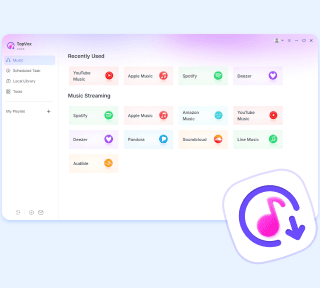
TopVox Spotify Music Converter
Rated on Trustpilot >  4.8/5
4.8/5
- Download and convert Spotify songs, albums, playlists, etc., with a success rate of up to 99%.
- Keep original quality, retain ID3 tags, offer lightning-fast speed and lifetime updates.
100% Secure. No virus.
100% Secure. No virus.