
How to Convert Spotify Playlist to MP3 Online [Free Options]
 by Luna Harper | May 22, 2026 | How to
TopVox Spotify Music Converter
SpotifyMate, SoundLoaders, KeepVid, and services based on yt-dlp allow quick, browser-based conversion of Spotify songs to MP3 files. However, they suffer from unstable performance, ads, limited batch downloads, and inconsistent audio quality. In comparison, TopVox Spotify Music Converter offers a more reliable solution with high-quality output, fast batch conversion, DRM-free formats, and stable playlist downloading, making it the better choice for long-term use.
100% Secure. No virus.
100% Secure. No virus.
Spotify suddenly removes music when licensing changes, regional restrictions, or artist agreements expire. These shifts disrupt your carefully curated collections by making songs, playlists, or entire albums inaccessible without warning. To avoid losing favorite tracks, many users turn to online Spotify playlist-to-MP3 converters. These tools can save music locally without depending entirely on streaming availability. In this post, we will explore the top-performing tools and explain how they work. We will also introduce a more reliable offline solution for users who find online tools limited in speed, quality, or stability. In addition, we will guide you step by step on how to download Spotify playlists as MP3s to build a more secure and flexible personal music library.
100% Secure. No virus.
100% Secure. No virus.
Part 1. TopVox Spotify Music Converter [Best]
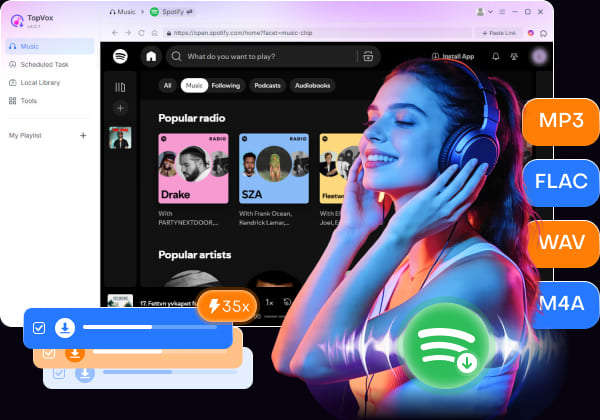
TopVox Spotify Music Converter, though it is not an online tool, offers far more stability, speed, and audio quality than most online Spotify downloaders. It can convert Spotify playlists into DRM-free formats such as MP3, FLAC, M4A (ALAC/AAC), WAV, and AIFF. It supports batch downloading entire playlists, albums, and multiple tracks at up to 35× faster speed.
Moreover, it preserves original ID3 tags, such as title, artist, album artwork, and genre. Additionally, it exports music in high quality up to 24-bit/320Kbps/48000Hz for a better listening experience. Beyond Spotify, TopVox also supports major streaming platforms. It includes Apple Music, Amazon Music, YouTube Music, Deezer, Pandora, SoundCloud, Line Music, and Audible.
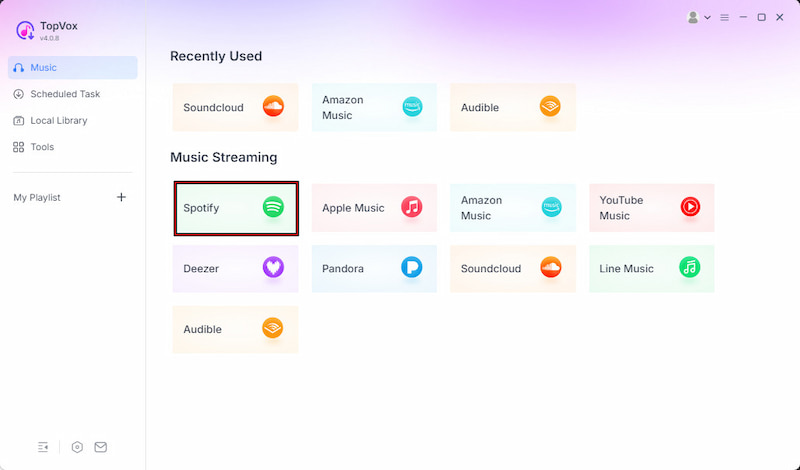
Step 1. Beforehand, download the free TopVox Spotify Music Converter on your system. Install the Spotify playlist downloader and wait for the setup process to complete. After the installation is finished, run the software to access its main dashboard.
100% Secure. No virus.
100% Secure. No virus.
Step 2. Inside the software, go to the Music section and select Spotify. TopVox will open the built-in Spotify web player directly within the program. Log in to your Spotify account, then browse the playlists you want to download as MP3 files.
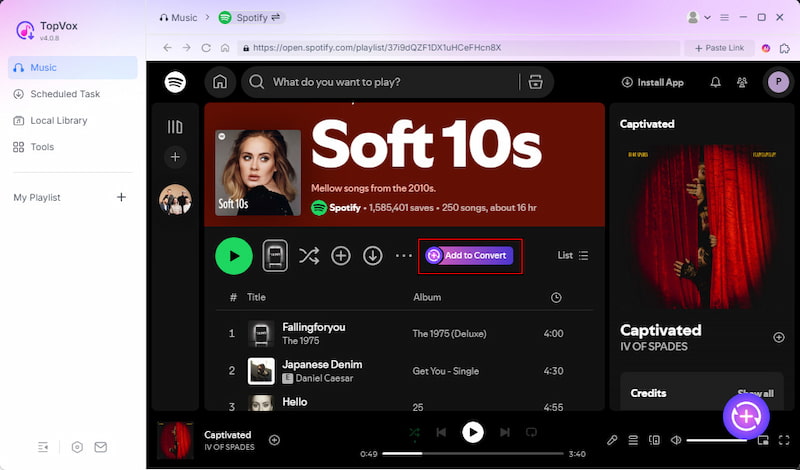
Step 3. To download an entire Spotify playlist, click + Add to Convert. However, click + Add to select individual songs from the playlist. TopVox will automatically analyze and import all selected tracks into the conversion queue for batch downloading.
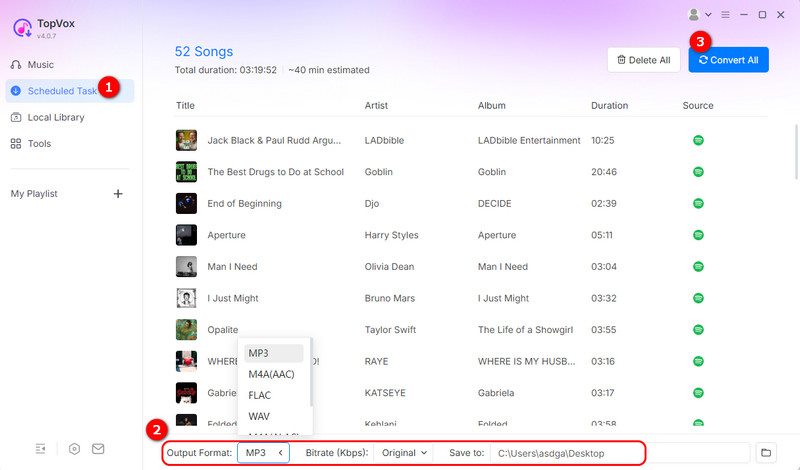
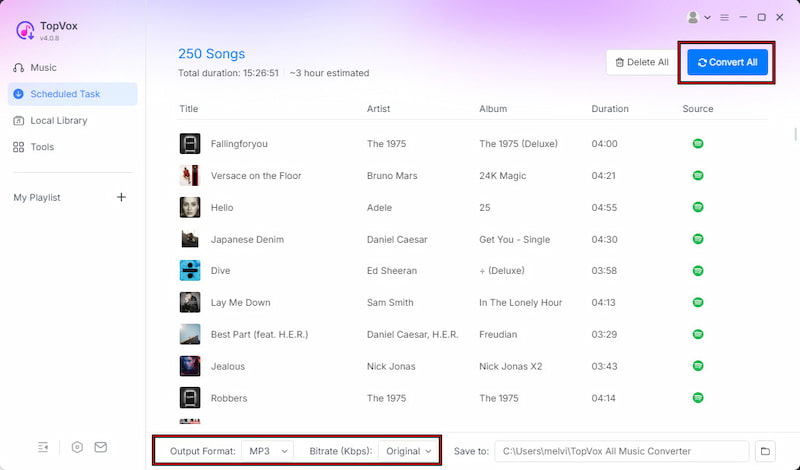
Step 4. MP3 is selected as the default output format. If needed, adjust the bitrate, sample rate, and audio quality settings for better sound performance. After adjusting the settings, click Convert All to batch-convert Spotify playlists to MP3.
TopVox Spotify Music Converter provides a safe, secure way to download Spotify playlists as MP3s without loss of quality. This Spotify playlist downloader offers fast batch conversion, DRM-free output formats, and support for high-quality audio export.
100% Secure. No virus.
100% Secure. No virus.
Part 2. 4 Online Spotify Playlist to MP3 Converters
SpotifyMate
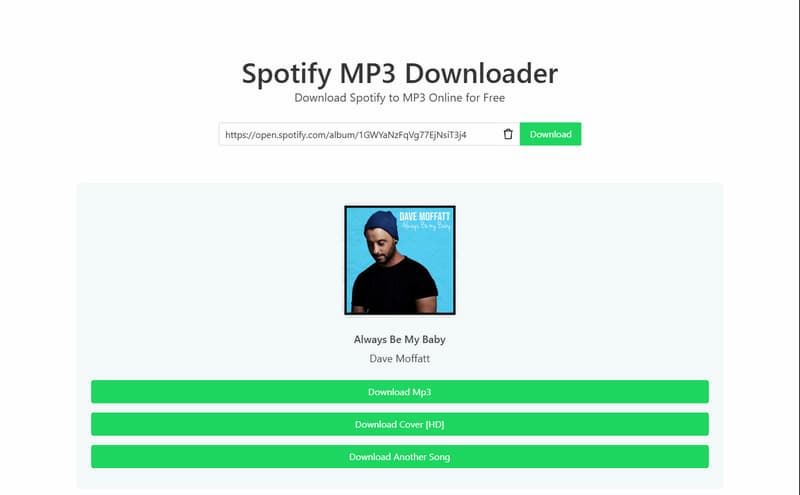
SpotifyMate is a free online Spotify playlist-to-MP3 converter. It lets you download Spotify songs, albums, and playlists directly from your browser without installing software. It supports high-quality downloads up to 320 kbps and works on any device with a browser. However, it does not properly preserve the full metadata and ID3 tags.
SoundLoaders
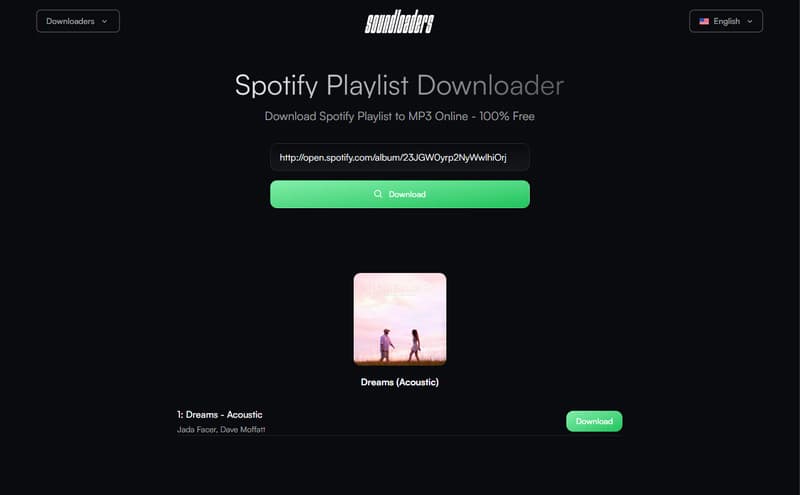
SoundLoaders lets you download Spotify playlists in 320 kbps MP3 format. It claims to preserve metadata such as song titles, artist names, album artwork, and release years. However, it redirects you to unknown pages during the process. In many cases, you need to go through several redirects and multiple clicks before the download actually starts.
Keepvid
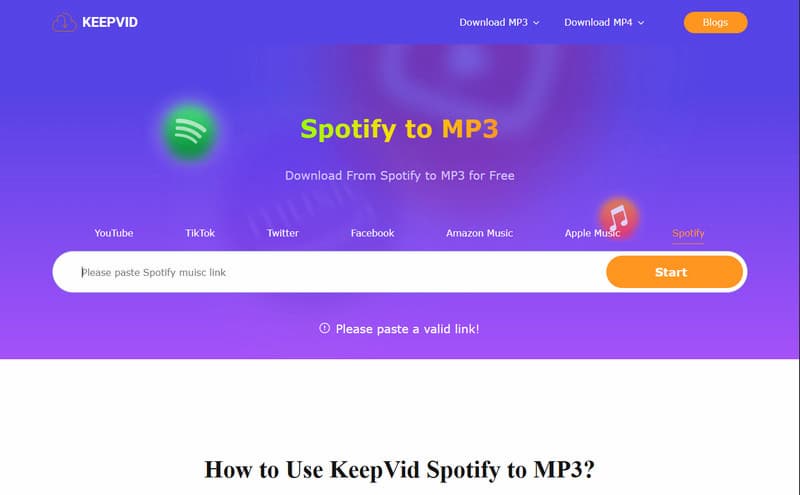
KeepVid is a web-based Spotify-to-MP3 converter that lets you download Spotify playlists directly from your browser. It claims to support unlimited downloads, batch playlist conversion, and fast processing speeds. However, many URLs pasted into the tool are flagged as invalid links, even when they are correct and publicly accessible.
Yt-dpl
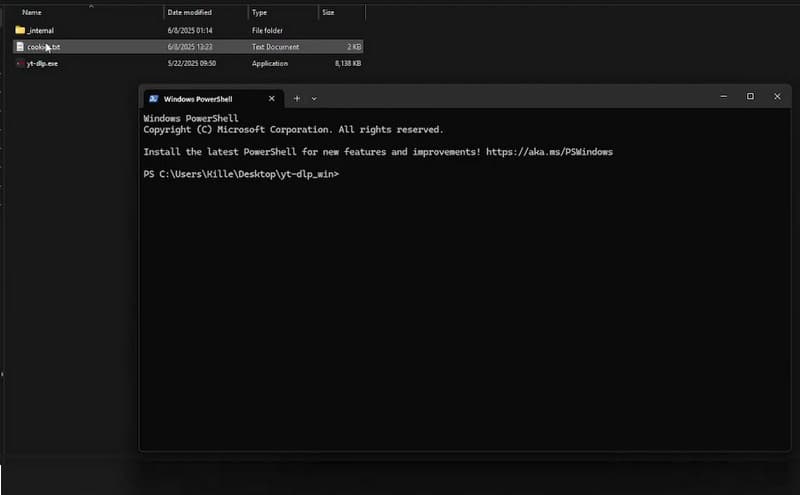
yt-dlp, the Official GitHub project, is a free, open-source command-line downloader for audio and video from thousands of websites. Many third-party Spotify download tools and scripts also rely on yt-dlp together with YouTube matching to download Spotify playlists as MP3 files. However, it is not beginner-friendly because it operates through command-line instructions.
Part 3. Why is TopVox the Most Recommended Tool?
What to Look Forward to with the TopVox Spotify Music Converter:
- Up to 35× faster conversion and download speed.
- Export music in high-quality up to 24-bit/320 kbps/48000Hz.
- Batch downloads multiple Spotify tracks, albums, and playlists.
- Contains no intrusive ads, redirects, download limits, or unreliable links.
- Supports multiple output formats, including MP3, FLAC, M4A, WAV, and AIFF.
| Spotify Playlist to MP3 Converter | Platform | Sound Quality | Conversion Speed | Batch Download | ID3 Tags Retention | Security | Success Rate | Ease of Use |
|---|---|---|---|---|---|---|---|---|
| TopVox Spotify Music Converter | Windows and Mac | 24-bit/320Kbps/48kHz | Up to 35× | ✅ Fully supported | ✅ | ✅ | 99% | Very easy GUI |
| SpotifyMate | Web | 16-bit/128Kbps/44.1kHz | Depends on server | ✅ Yes, but limited | ❌ | ❌ | 90% | Easy |
| SoundLoaders | Web | 320Kbps/44.1kHz | Depends on server | ✅ Yes, but unstable for large lists | ❌ | ❌ | 40%. | Easy |
| Keepvid | Web | 16-bit/128Kbps/44.1kHz | Depends on server | ✅ Yes, but unreliable | ❌ | ❌ | 60% | Easy |
| Yt-dlp | Web | 128Kbps/48kHz | Depends on command setup | ✅ Yes, but complex setup | ❌ | ✅ | 80% | Difficult (command-line) |
Final Recommendation
Online Spotify playlist-to-MP3 tools like SpotifyMate, SoundLoaders, KeepVid, and yt-dlp offer quick access. However, they all share common issues, including unstable downloads, inconsistent audio quality, limited batch support, security risks, and technical complexity. These drawbacks make them less reliable for long-term, high-quality music downloads.
In contrast, TopVox provides a complete, stable, and professional solution with faster performance, higher audio quality, safer processing, and full playlist support. It removes the common frustrations of online converters and ensures a smooth experience from start to finish.
100% Secure. No virus.
100% Secure. No virus.
Conclusion
In conclusion, online Spotify playlist-to-MP3 tools provide a quick and convenient way to save your favorite playlists for offline use. These tools allow you to convert Spotify content into downloadable MP3 files. However, online converters come with unstable performance, lower audio quality, ads, and inconsistent download success. Because of these issues, many users eventually look for a more reliable solution. For a smoother and more secure experience, TopVox Spotify Music Converter is the recommended alternative. It offers faster batch conversion, higher audio quality, and stable performance without the common problems of online tools.
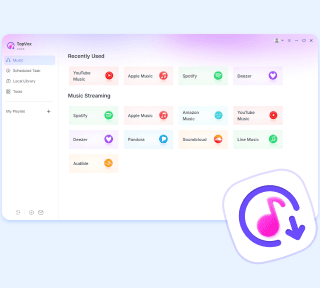
TopVox Spotify Music Converter
Rated on Trustpilot >  4.8/5
4.8/5
- Download and convert Spotify songs, albums, playlists, etc., with a success rate of up to 99%.
- Keep original quality, retain ID3 tags, offer lightning-fast speed and lifetime updates.
100% Secure. No virus.
100% Secure. No virus.