
Lifetime License
$119.96 $149.95 $249.95
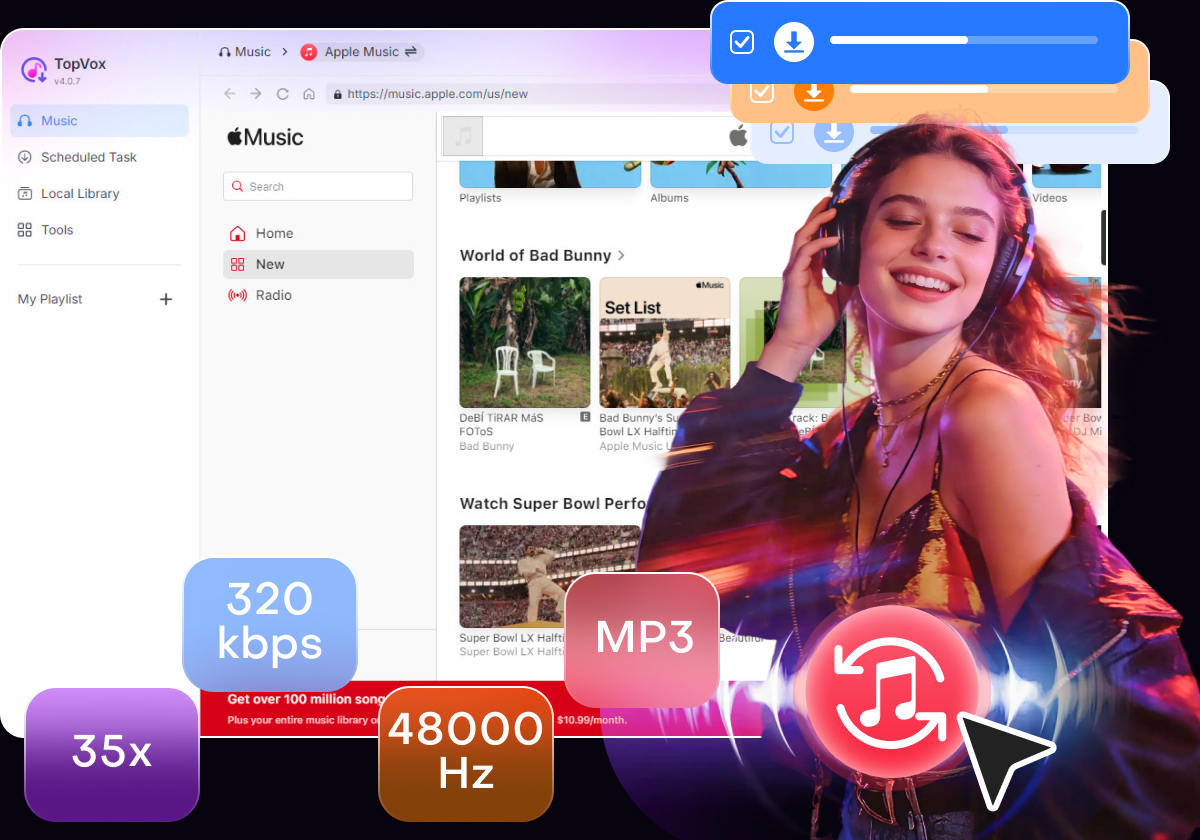
 Apple Music Converter
 by Owen Bannett | May 7, 2026 | How to
TopVox Apple Music Converter
Don't let Apple lock your playlists. Use the professional tool to safely remove DRM from Apple Music tracks and convert them to lossless MP3s for offline playback.
100% Secure. No virus.
100% Secure. No virus.
If you’ve been paying for Apple Music, you might think you own the massive library of songs sitting on your iPhone or Mac.
Try this experiment: take your favorite downloaded track, copy it to a USB drive, and plug it into your car’s stereo. Or try importing it into Adobe Premiere for a video edit. It won't work. The file is a .m4p, and your device will simply refuse to play it.
Worse, if you cancel your $10.99 monthly subscription tomorrow, every single song you spent years organizing will vanish from your devices.
Why? Because of DRM (Digital Rights Management). If you want to truly own your music and keep it forever, you need to understand how this digital lock works—and more importantly, how to break it legally.
Skip the Guide – Get the Top 1 DRM Removal Tool
100% Secure. No virus.
100% Secure. No virus.
Think of Apple Music not as a record store, but as a heavily guarded rental library.
When you download a track for offline listening, Apple wraps the audio file in a proprietary encryption technology called FairPlay. This DRM acts as a digital padlock. It constantly checks two things:
1. Is your Apple ID currently paying for an active subscription?
2. Is the device you are using authorized by Apple?
If both conditions aren’t met—or if you try to open the file on a non-Apple device like an Android tablet, a smart TV, or an old-school MP3 player—the padlock stays shut. The music remains unreadable.
(Note: Songs you explicitly purchased for $0.99 from the old iTunes Store are usually DRM-free. However, anything downloaded via the Apple Music streaming catalog is heavily encrypted.)
So, how do you bypass a system designed by one of the biggest tech companies in the world?
You can't just change the file extension from .m4p to .mp3—that will just result in a corrupted file. You also shouldn't use sketchy online "unlockers" that often compress the audio to a muddy, unlistenable state or inject malware into your downloads.
To remove the DRM without destroying the studio-quality sound, you need software that interfaces directly with the Apple Music stream, decrypts the audio data in real-time, and repackages it into an open, universal format.
After testing dozens of tools, I found that TopVox Apple Music Converter handles this exact process better than anything else on the market in 2026.
TopVox isn't just a simple ripper; it’s an incredibly sophisticated decryption engine.
Instead of requiring you to install bloated software like iTunes, TopVox features a built-in web browser. You log in to your Apple ID directly within the app, select the playlists you want to keep, and the software silently strips away the FairPlay DRM in the background.
Here is why TopVox is the absolute best tool for the job:
100% Secure. No virus.
100% Secure. No virus.
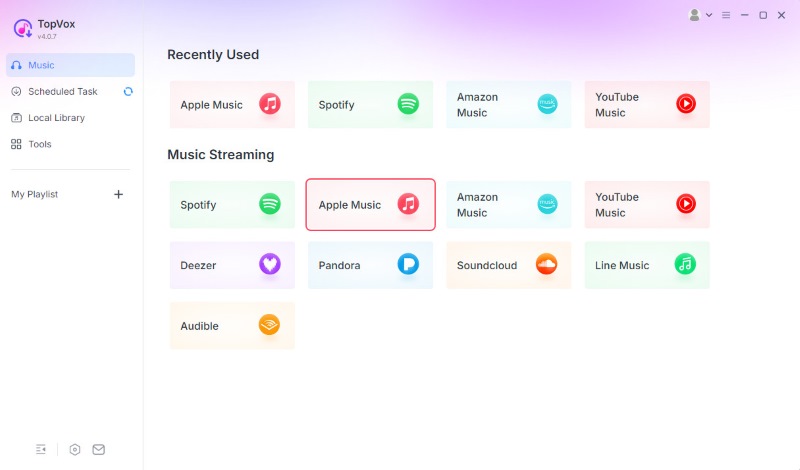
1. Launch TopVox: Open the software and click on the Apple Music platform.
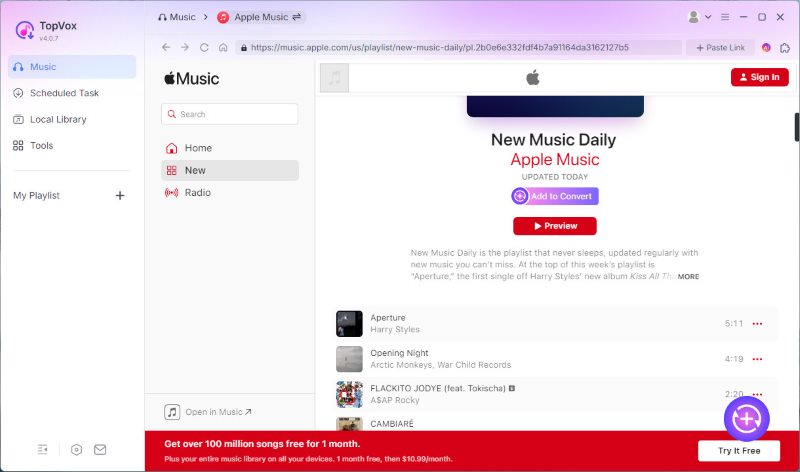
2. Add Your Playlists: Browse your library. When you find the tracks you want to keep forever, click the Add to Convert button.
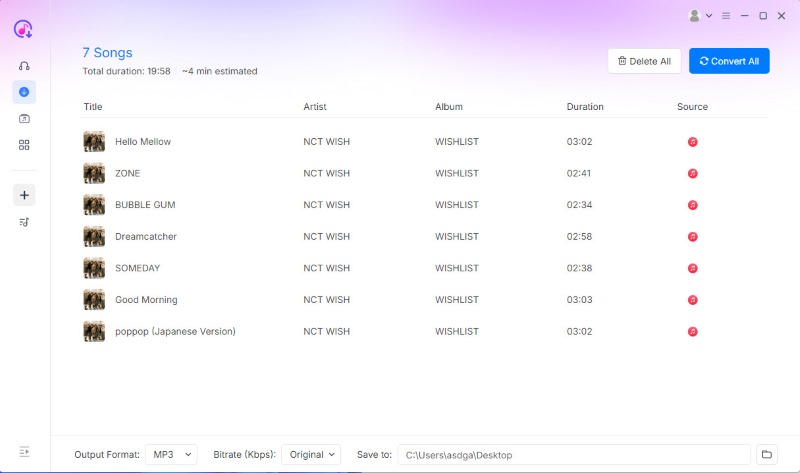
3. Decrypt & Convert: Select MP3 (or your preferred format) and hit Convert All. The software will bypass the DRM and save the unprotected files straight to your hard drive.
100% Secure. No virus.
100% Secure. No virus.
This is a common and important question.
If you are removing DRM to pirate music, upload it to YouTube, or sell it to other people, you are committing copyright infringement, which is illegal.
As long as you are keeping the decrypted files strictly for your own personal, offline enjoyment, you are generally in the clear.
The streaming model is incredibly convenient until the day you stop paying, or the day a licensing dispute pulls your favorite album off the platform permanently.
By understanding how Apple's DRM works and utilizing a powerful decryption engine like TopVox Apple Music Converter, you can easily transition from renting your music to owning a permanent, high-fidelity local library.
Take control of your playlists today.
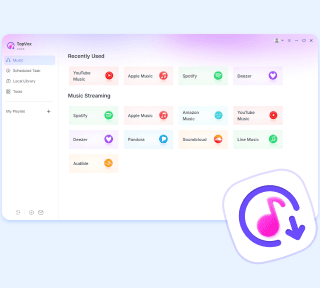
TopVox Apple Music Converter
Rated on Trustpilot >  4.8/5
4.8/5
100% Secure. No virus.
100% Secure. No virus.
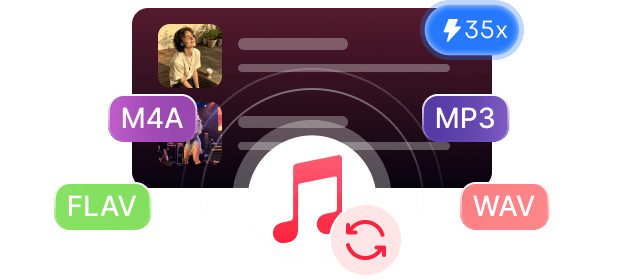
Download any Apple Music song, playlist, or album to popular formats like MP3 in 320kbps.



*Required field
*Please enter a valid email
Copyright © 2026 TopVox. All rights reserved.

Subscribe to Our Newsletter:
Please fill in the details below. Fields marked are required.
First Name
First Name cannot be empty.
Last Name
First Name cannot be empty.
Email Address
Email Address cannot be empty.
Invalid Email Address . Please try again.
Country
Country cannot be empty.
Phone(optional)
Please enter a valid phone number.
ZIP Code(optional)
Please enter a valid ZIP code.
📌Subscribe now and take an extra 20% off on top—double the savings, plus early access to future product updates.

Congratulations! - Exclusive Bonus🎁
Thank you for subscribing! You have successfully joined our newsletter. Expect updates, offers, and insights delivered straight to your inbox. Plus, we offer you an extra $30 off on TopVox Lifetime Membership!


