
Best Way to Import Spotify to Serato DJ
 by Owen Bannett | May 22, 2026 | How to
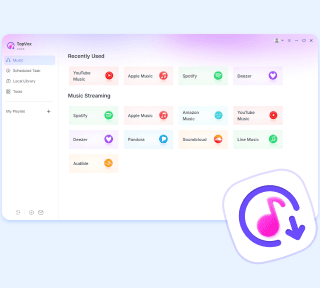
TopVox Spotify Music Converter
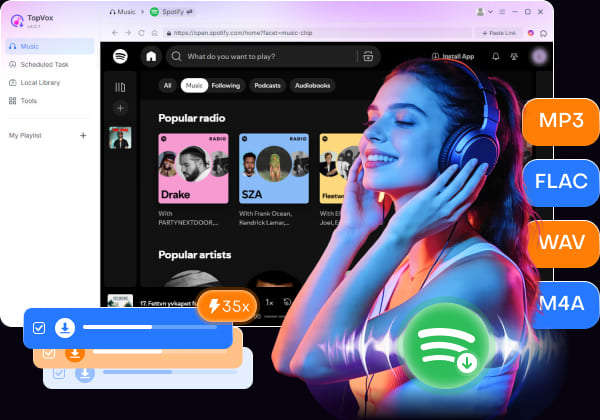
While Serato DJ & Spotify integration don’t support offline playback, TopVox Spotify Music Converter lets you download and save Spotify playlists directly to your computer, ensuring a permanent and lossless listening experience, anywhere, anytime.
100% Secure. No virus.
100% Secure. No virus.
Party's starting - If you are a radio DJ, you do want to get the amazing music that goes out there and impress everybody. Serato DJ is the most commonly used software for making mixes for lots of gigging DJs. When it comes to adding perfect tracks and playlists, Spotify, as the world’s leading music streaming service, has gradually become the preferred option. In this article, I will introduce the most universal and reliable way to import Spotify songs to Serato DJ without any limits, ensuring a seamless offline playback anywhere, anytime.
100% Secure. No virus.
100% Secure. No virus.
Part 1. Can You Import Spotify Music to Serato?
The good news is, Spotify is now in Serato DJ. So, you can directly integrate your massive Spotify library into Serato Pro & Lite. But the premise is that you have to subscribe to Spotify Premium. This DJ software only supports paid users to import and load their playlists from Spotify.
"I use it at home and have used it at one gig.- Need a good internet connection. No offline capabilities
- When starting up, it can take a few minutes to load large playlists."
- LiquidMoves from Reddit
However, as we can see, the use of Spotify music depends on active internet connections and limited offline playback, leading to a loss of your stage effects. That’s because most of the songs on Spotify Music are protected by copyright, that stopping unauthorized tracks from being misused.
100% Secure. No virus.
100% Secure. No virus.
Part 2. Best Way to Import Spotify songs to Serato [All Users]
Even Spotify Premium users are locked by official restrictions, let alone free users. Don’t worry – if you want to get a common solution to transfer Spotify songs to Serato, I recommend you TopVox Spotify Music Converter, a professional tool to download Spotify Music playlists to MP3 and more streaming audio formats on your computers for offline DJing. The software supports play, download, convert, and transfer songs, playlists, albums, podcasts, and audiobook files for Spotify Premium and Free users. You can also customize audio quality to your creative needs, from 128kbps/22.5kHz to 320kbps/48kHz, or original Hi-Res audio output.
What You Can Benefit from TopVox?
| Features | You can get |
|---|---|
| No Premium Required | Spotify Free users have many specific restrictions, including regular ads, lower audio quality, and unavailable offline listening, etc. TopVox gives you the freedom to enjoy and download ad-free Spotify Music tracks with no limits. |
| Compatible Audio Formats | You can convert songs to MP3, M4A(AAC/ALAC), WAV, FLAC, and AIFF, depending on your device compatibility, sound quality needs, and storage space. |
| Lossless Audio Quality | TopVox will abstract and output 320kbps MP3 or uncompressed FLAC and more, providing the latest, lossless music and impressive onstage presence for DJs. |
| Preserve/Custom ID3 Tags | Take full control of song’s ID3 tags and more metadata, like the song title, artist, album cover, lyrics, and more details. You can rename and adjust them as you like. |
| 35× Batch Conversion Speed | With CPU & GPU acceleration, TopVox offers top-ranking download speed up to 35x. While processing the bulk of playlists, you’ll get more time to spend on record production. |
| Various Supported Platforms | TopVox supports 9+ popular music platforms, including Spotify, Apple Music, Amazon Prime Music, YouTube Music, Deezer, Pandora, SoundCloud, Line Music, and Audible. You can choose any of the apps and look for the music you want to produce. |
| Built-in Web Player | Within TopVox, you can enjoy a seamless workflow with the integrated web player, instead of switching between music apps or browsers. |
| High Device Compatibility | TopVox works for both Windows 7 or later (64-bit) and macOS 10.14 or above. You can download Spotify songs on your computer and directly add them to Serato DJ. |
Part 3. How to Import Spotify Music to Serato DJ
Follow the guide to download songs from Spotify Music and transfer tracks to the Serato DJ software:
100% Secure. No virus.
100% Secure. No virus.
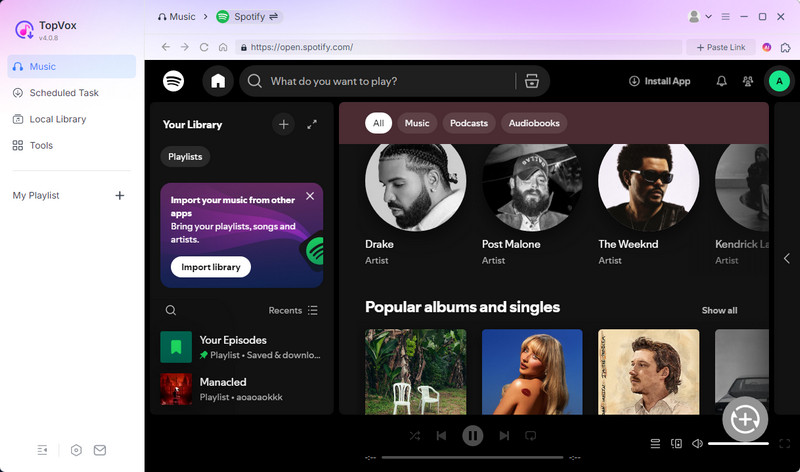
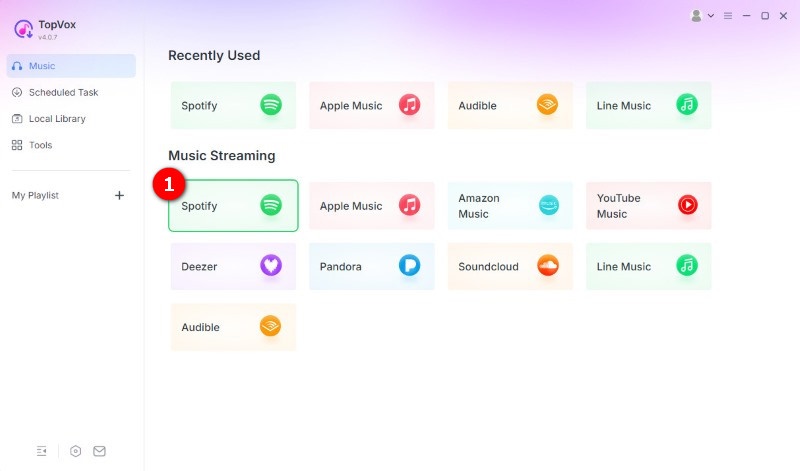
Step 1. Log in to the Spotify web player
Install and register the software on your computer. Then choose the Spotify platform on the homepage and log in to your Spotify account.
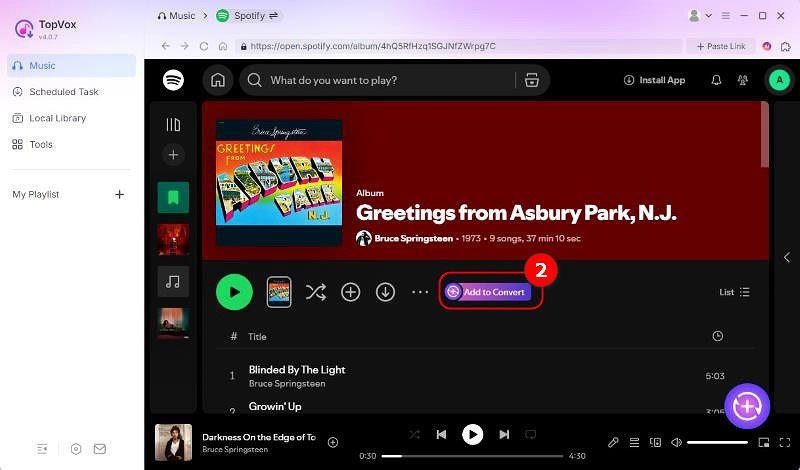
Step 2. Select Spotify Music songs
Search for the Spotify music you want to download offline. Then hit the Add to Convert button or click the Add button (a plus icon at the lower right corner) to load music.
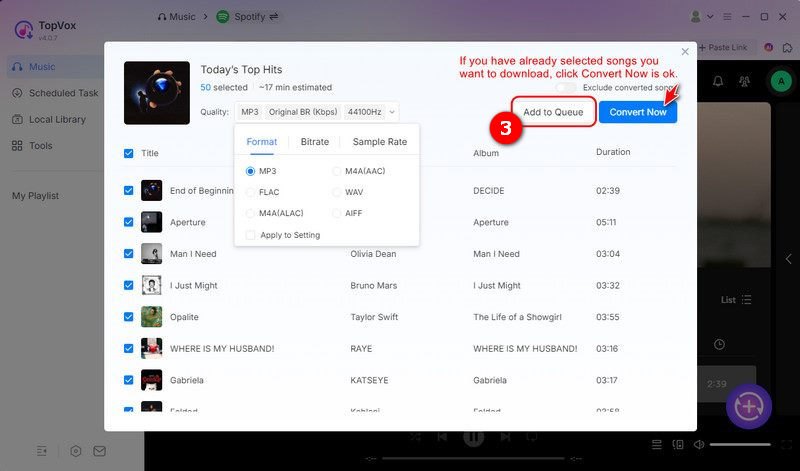
Step 3. Custom audio format and quality
Go to the Format section and set the preferred output format and audio quality. Once done, tap the Add to Queue to put the selected songs in the downloading list later. You can move to choose other collections.
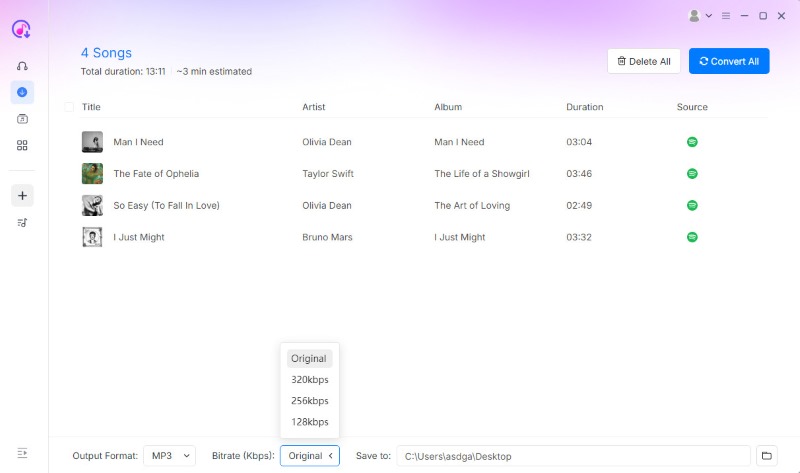
Step 4. Convert Spotify Music
Go to the Scheduled Task to ensure the songs. Then you can click the Convert All to download music on Spotify without Premium and listen to them offline.
Step 5. Import Spotify to Serato DJ
Turn on the Serato DJ program on your Windows/Mac and click Files. Target your folder on the left side of the interface to navigate your downloaded Spotify music. Then you can drag and drop them onto the "All…" icon at the top of the crates and playlist window. Wait for a moment, you can use all of the songs in the Serato DJ for offline playback and mixing.

Conclusion
Although Serato DJ gives you easy access to songs and playlists from a Premium account, TopVox Spotify Music Converter is a better choice to import true offline Spotify music files to the Serato DJ program, regardless of your subscription plan. Try it now with a free trial!
TopVox Spotify Music Converter
Rated on Trustpilot >  4.8/5
4.8/5
- Download and convert Spotify songs, albums, playlists, etc., with a success rate of up to 99%.
- Keep original quality, retain ID3 tags, offer lightning-fast speed and lifetime updates.
100% Secure. No virus.
100% Secure. No virus.