
How to Download YouTube Music for Free Offline Listening
 by Ethan Carter | May 25, 2026 | How to
With the rise of music streaming platforms, the number one video-sharing website today has also entered the market to compete with them, resulting in the launch of YouTube Music. Originally added as a bonus to the ad-free YouTube Premium plan, the standalone music streaming platform is gaining traction versus its close competitors. Unfortunately, learning how to download YouTube Music could be challenging, especially if you want to use its free version. In this article, we will present the most practical option for downloading YouTube Music using modern music-converter software.
100% Secure. No virus.
100% Secure. No virus.
Part 1. How to Get YouTube Music Offline
If you are already subscribed to YouTube Premium, you can easily save music for offline use on YouTube Music. This is essentially the most formal and official way to download music from the streaming app, even though it isn’t natively saved on your device.
Unfortunately, YouTube Music is subscription-based, and its users pay $120.00 per year. Once you cancel your subscription, your access to offline music will be gone, and it cannot be downloaded or saved offline to your device or other devices.
To avoid such expenses and make file sharing much simpler and more accessible, we highly recommend using TopVox All Music Converter, which can easily download and convert YouTube Music content.
100% Secure. No virus.
100% Secure. No virus.
Part 2. Deep Dive into Topvox Features
Downloads DRM-Protected Music
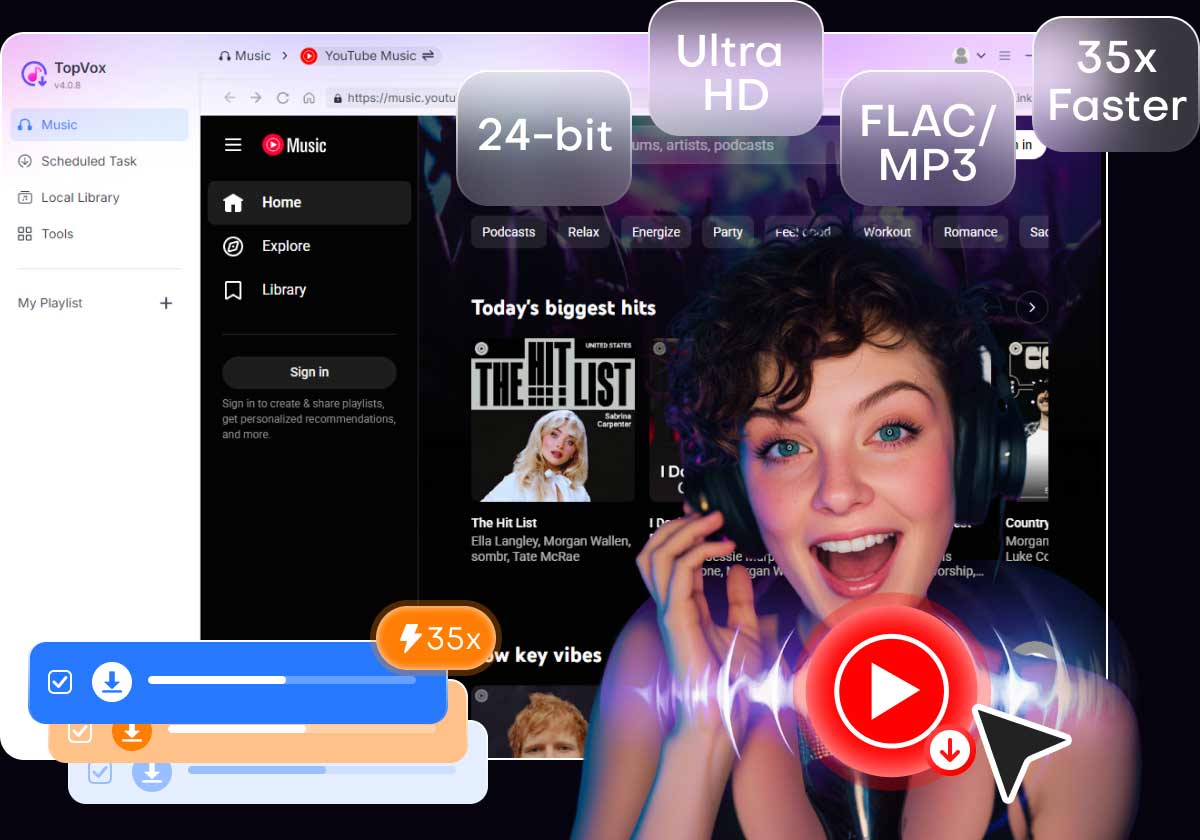
Since YouTube Music content is DRM-protected, TopVox All Music converter was optimized to bypass this protection for offline playback. It removes playback restrictions while preserving the original audio quality and metadata. This makes it easier to enjoy YouTube Music for free.
Converts YouTube Music Content to Various Formats
To provide optimized options for its users, TopVox supports multiple formats, including MP3, M4A, WAV, and FLAC, allowing users to save their downloaded YouTube Music content. These options also improve compatibility with smartphones, media players, car stereos, and editing software.
Batch Conversion for Playlists and Albums
For easier music downloading, TopVox supports batch conversion and downloading of multiple songs from a playlist or album. This feature saves time by eliminating the need to select tracks individually. This is a perfect solution for users with a huge library on their streaming app of choice.
Built-in Browser to Open Streaming Apps Easily
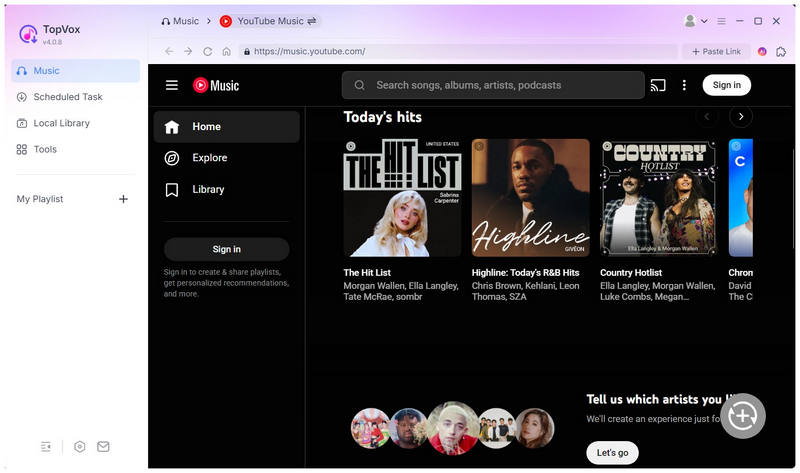
To easily access your favorite music streaming apps, TopVox includes a built-in browser that opens popular services like YouTube Music, Spotify, Amazon Music, and more. This also makes selecting the audio you want to download more efficient.
Hardware Accelerated for Conversion and Download
TopVox All Music Converter is also superb in terms of performance and efficiency. Since it is a desktop-based solution, it can handle file conversions and downloads quickly, especially compared to online-based solutions, which are the usual go-to for downloading music on YouTube.
Part 3. How to Convert YouTube to MP3 with Topvox
With the features of TopVox All Music Converter now discussed, we can proceed to the tutorial on using the program to specifically convert YouTube Music Media to MP3. Fortunately, all you have to learn to use the tool is three simple steps.
Please read our guide below and download the software to start downloading YouTube Music media for free.
100% Secure. No virus.
100% Secure. No virus.
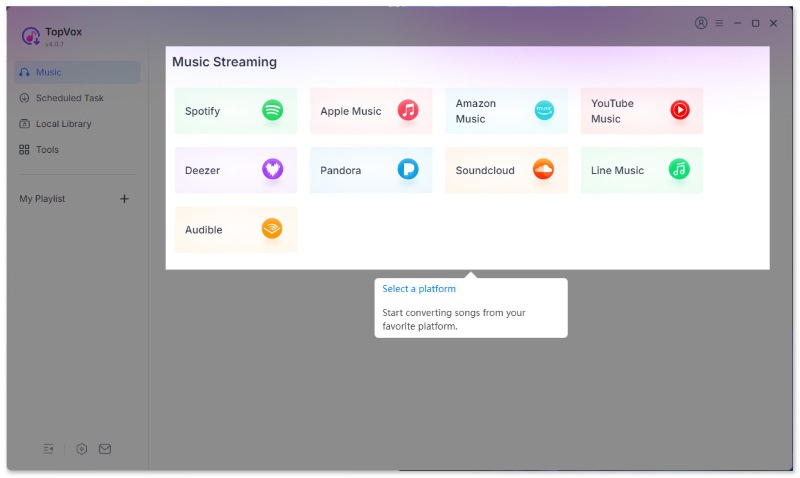
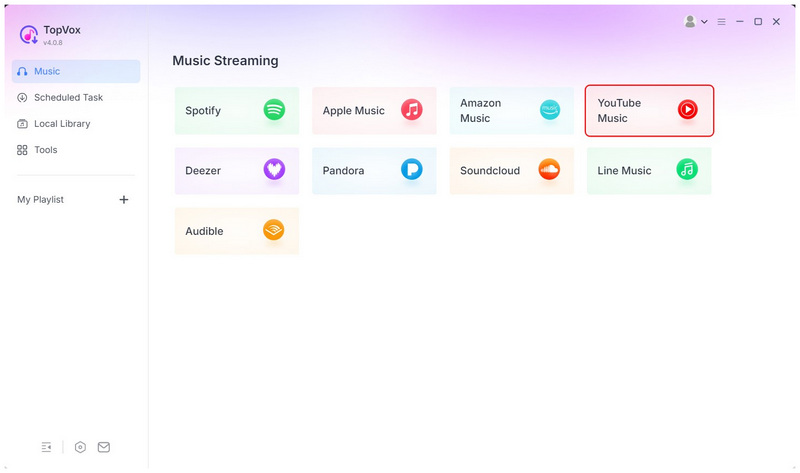
Step 1. Open TopVox All Music Converter on your desktop. Then, select YouTube Music among the available music streaming sources.
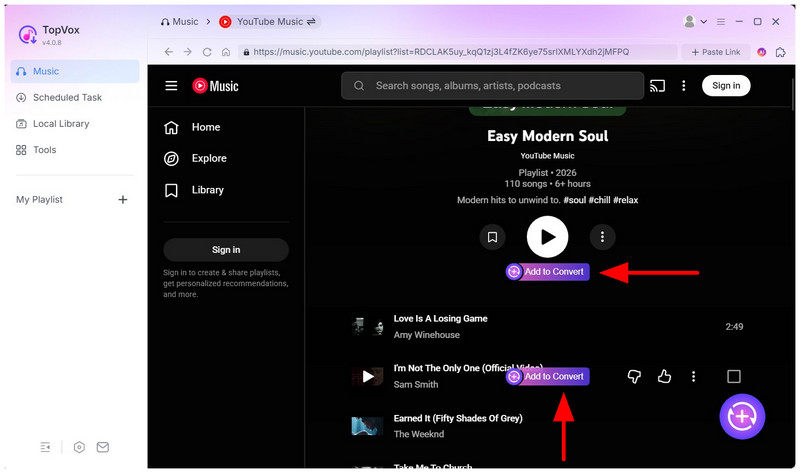
Step 2. Navigate the YouTube Music menu to find the playlist or song you want to download. To download entire playlists, select Add To Convert under the name of the playlist, or select Add to Convert next to a specific song to add it to the download queue.
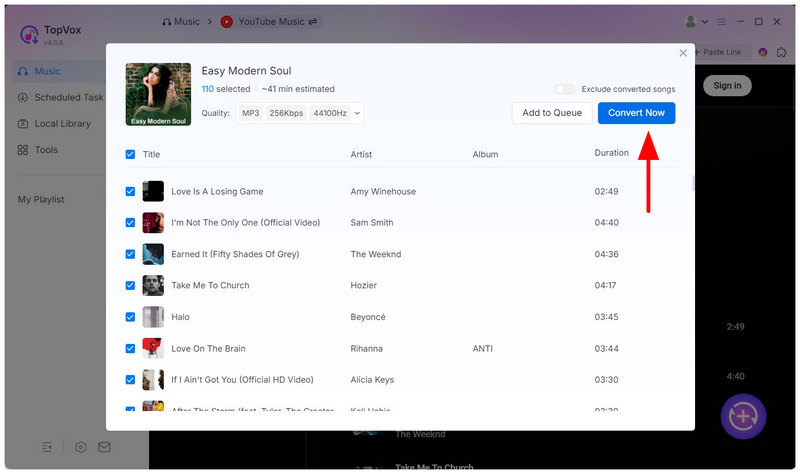
Step 3. Once you are satisfied with the music files you want to download, click the Add button in the lower-right corner of the menu to open the download checklist. Finally, click Convert All to start converting the files to a DRM-free format and download them to your desktop.
Part 4. TopVox vs Other YouTube Music Converters
| DRM Music Downloaders | Audio Quality | Download Speed | Batch Download | ID3 Tags Preservation | Is It Ad-Free | Free To Use |
|---|---|---|---|---|---|---|
| TopVox All Music Converter | 320kps – Lossless Quality | 35X Standard Speed | ✅ | Full ID3 Tags | Yes | Yes (Free Version) |
| Web-based Tools | 128kpbs – 300kpbs | 1X – 3X Standard Speed | ❌ | Inconsistent | No | Yes |
| Other Desktop Tools | 320kps – Lossless Quality | 5X – 15 Standard Speed | ✅ | Inconsistent | Yes | No |
Conclusion
Now that we have provided the best tool for downloading YouTube Music content, we hope you can now reliably download these media files on your device for easy offline consumption. This will be made possible by TopVox All Music Converter, which you can download for free using the link below.
TopVox YouTube Music Converter
Rated on Trustpilot >  4.8/5
4.8/5
- Download and convert YouTube Music songs, albums, playlists, etc., with a success rate of up to 99%.
- Keep original quality, retain ID3 tags, offer lightning-fast speed and lifetime updates.
100% Secure. No virus.
100% Secure. No virus.