
How to Convert M4A to MP3 on Windows PC (2026 Guide)
 by Owen Bannett | May 25, 2026 | How to
When handling downloaded music files, MP3 remains one of the most reliable options for local storage, thanks to its superior compatibility, passable audio quality, and high compression ratio, making it optimal for offline listening. As such, it is common for users to seek ways to convert their audio files to MP3 format. In this article, we will provide a solution to this problem by highlighting the best methods for converting M4A audio to MP3 on Windows computers. This guide will cover how to convert both Apple Music and local M4A files to MP3.
100% Secure. No virus.
100% Secure. No virus.
Part 1. What is an M4A File
Before proceeding with our guide to using MP3 converter tools, let us first discuss what M4A files are and why converting them to MP3 is common. To start, the M4A file is the exclusive format used by Apple for compressed audio on Apple Music and recorded audio of their devices. It has significant advantages over MP3 in audio quality, compression ratio, and compatibility with the Apple ecosystem.
Despite these advantages, MP3’s superior compatibility outside the Apple ecosystem and the widespread familiarity of most users with the format are too strong to ignore. As such, it is still quite common to use programs for MP3 conversion, despite the M4A format being a direct upgrade.
Part 2. Convert Apple Music in M4A to MP3
Perhaps the most popular use of the M4A format is that it is the standard for files protected by Digital Rights Management in Apple Music. As such, the DRM prevents them from being downloaded for offline use on Windows computers. Fortunately, TopVox All Music Converter can handle both downloading and converting M4A files to MP3.
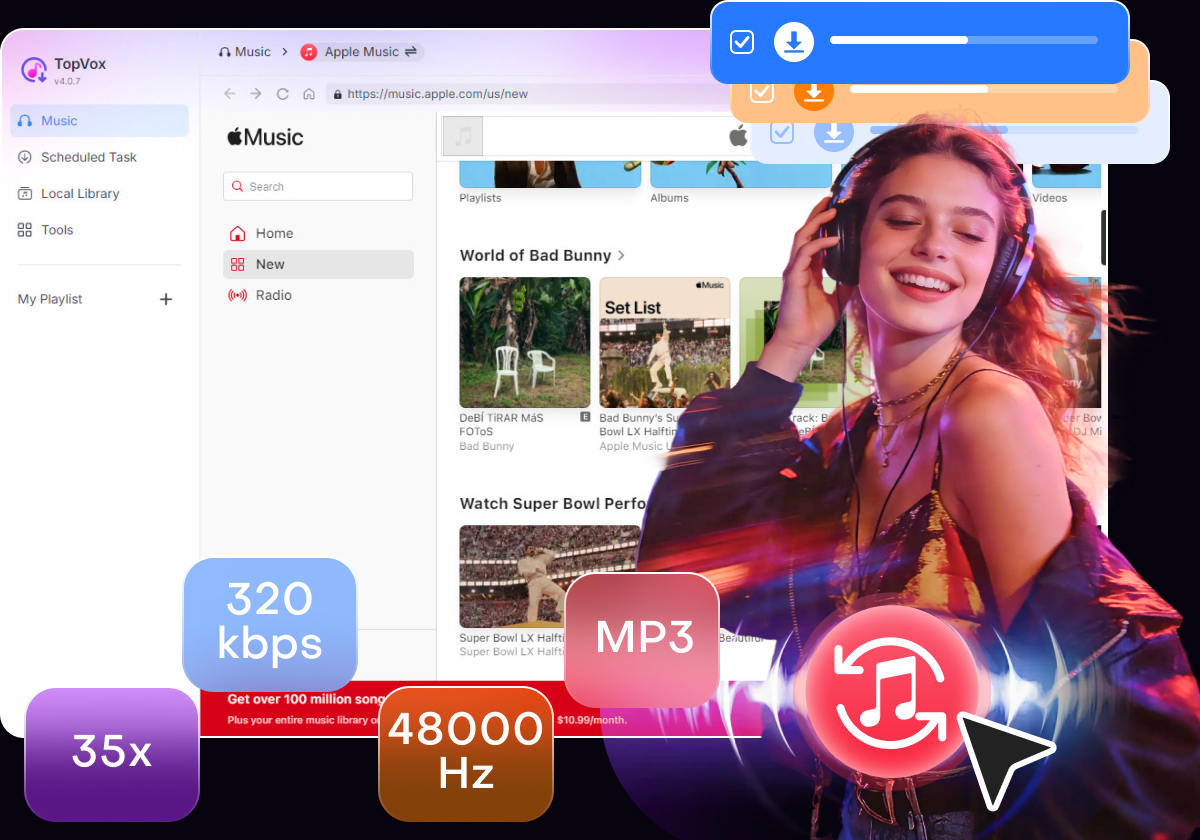
Capable of delivering highly efficient conversion and download speeds, TopVox is one of the best solutions for converting DRM media from music streaming apps such as Apple Music. Besides converting to MP3 format, the software can also save your downloaded audio as WAV, FLAC, ALAC, or keep them in M4A, while saving them at high-quality 320 kbps or lossless quality.
To learn more about the capabilities of the best Apple Music converter tool in the market, make sure to read TopVox All Music Converter’s main features below and read our three-step guide on using it.
Key Features of TopVox All Music Converter for Apple Music Conversion
- Convert and download DRM-protected M4As from Apple Music.
- Capable of downloading playlists and albums via batch conversion.
- Downloaded Apple Music retains its original ID3 tags and metadata.
- Built-in browser to easily open Apple Music and other streaming platforms.
- GPU-accelerated for faster speed, conversion, and downloading process.
Download the software first to make following our guide easier.
100% Secure. No virus.
100% Secure. No virus.
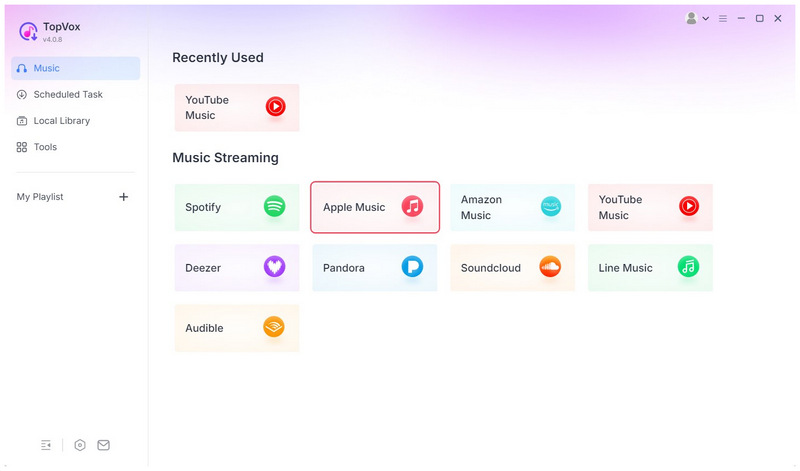
Step 1. Open TopVox All Music Converter and select Apple Music among the selection of streaming apps.
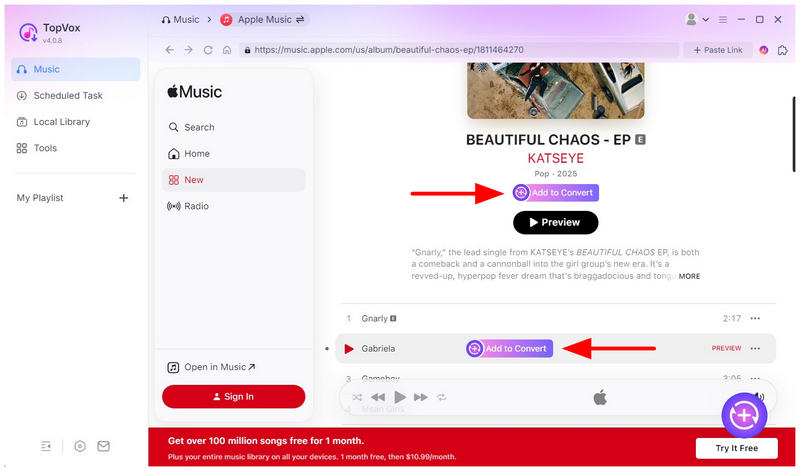
Step 2. Find the Apple Music song, album, or playlist you want to download. Once located, select the Add to Convert option under the playlist or album, or beside the song, to download it.
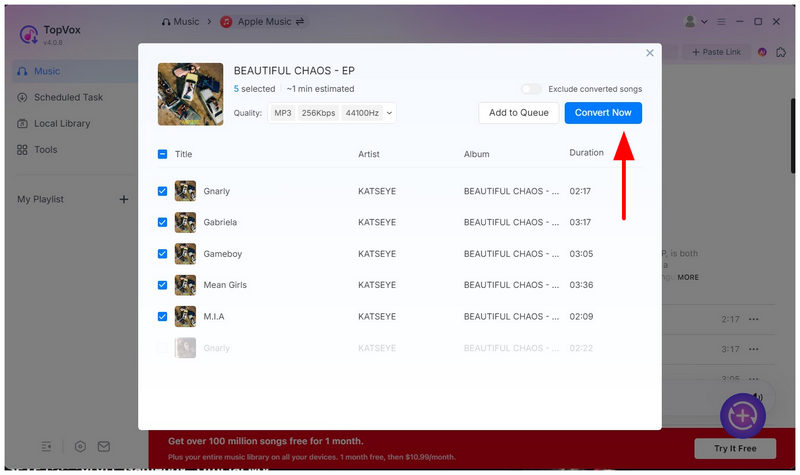
Step 3. In the converter menu, select Convert All to begin converting the selected Apple Music media into DRM-free, locally available files.
Part 3. Convert Local M4A File to MP3
When converting M4A files to MP3 locally, TopVox All Music Converter can still get the job done. The program also includes a Format Converter tool you can use to convert files stored on your hardware.
Fortunately, this additional feature is easy to use, and we have also provided a three-step guide to help you use it.
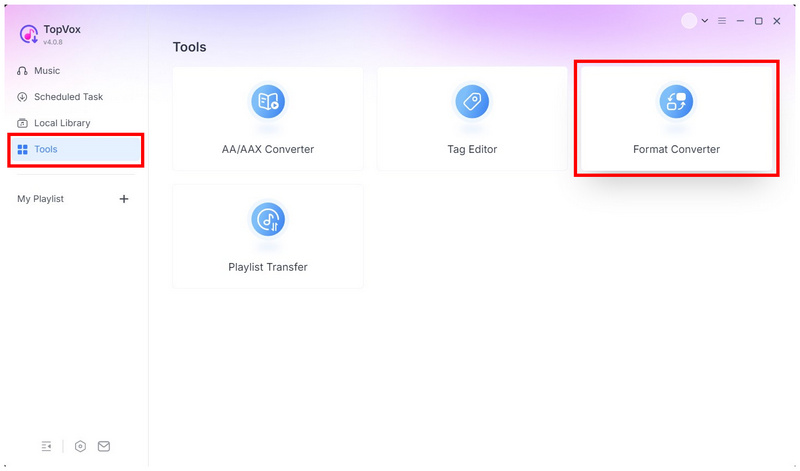
Step 1. Open TopVox All Music Converter and go to the Tools tab. Then, select Format Converter.
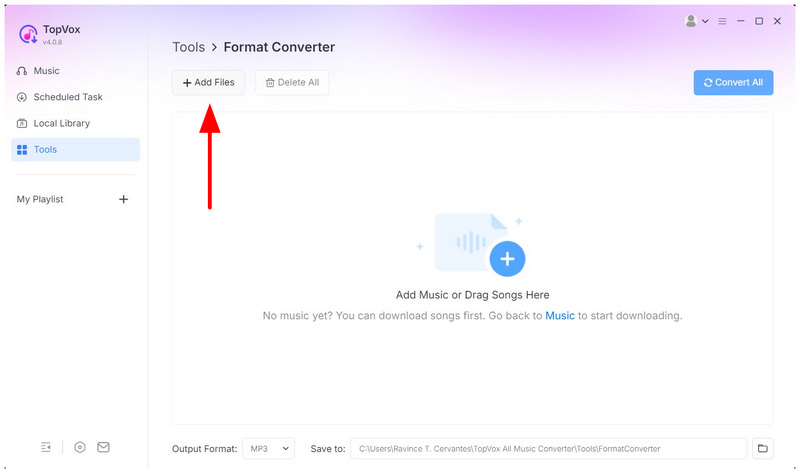
Step 2. In the Format Converter menu, select Add Files, and navigate through your local files to find the M4A file you want to convert.
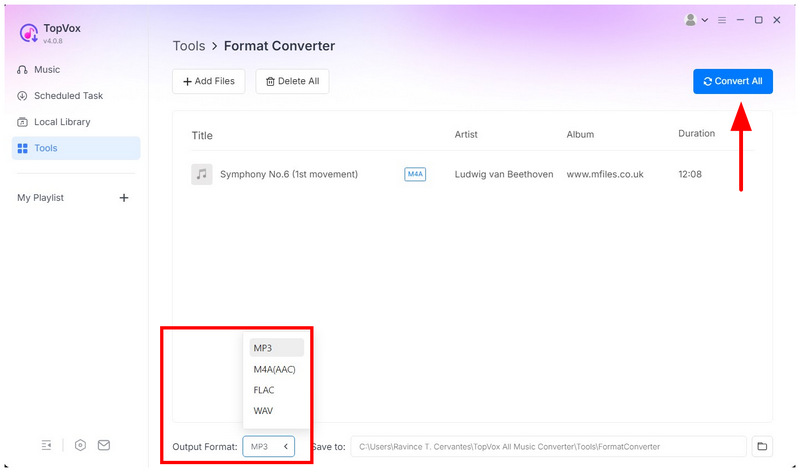
Step 3. With the M4A file now uploaded, set the Output Format to MP3. Then select Convert All to begin the M4A-to-MP3 conversion.
Conclusion
Now that we have explored the best options to convert M4A to MP3 on Windows, with none other than TopVox All Music Converter, we hope that this article will be helpful in your pursuit for enhancing the compatibility of your audio files. Make sure to download our proposed DRM converter tool, TopVox, using the link below.
TopVox Apple Music Converter
Rated on Trustpilot >  4.8/5
4.8/5
- Download and convert Apple Music songs, albums, playlists, etc., with a success rate of up to 99%.
- Keep original quality, retain ID3 tags, offer lightning-fast speed and lifetime updates.
100% Secure. No virus.
100% Secure. No virus.