
DRM Removal Software for Music and Video Streaming (2026)
 by Ethan Carter | May 25, 2026 | How to
Has canceling streaming subscriptions crossed your mind, and are you wondering what will happen to your curated playlists? Fear not, since they are saved on your streaming account and you can still access them without a subscription. However, these playlists will not be available offline due to Digital Rights Management (DRM), which prevents them from being opened outside their home app. Fortunately, these can be easily solved with reliable DRM removal software and freeware; we will highlight and review some of the most reliable programs in this guide.
100% Secure. No virus.
100% Secure. No virus.
Part 1. How to Choose a Good DRM Removal Software
When selecting reliable DRM removal tools, look for features that enhance workflow efficiency, preserve file integrity, and ensure general accessibility. These factors are very important to ensure that your selected software will get the job done effectively.
Key Factors to Look for When Selecting DRM Removal Tools:
- • Output Quality
- • Processing Speed
- • Ease of Use
- • User Security
- • Free Trial Availability
With these key factors out of the way, let us now proceed to the DRM programs we highly suggest for music and video streaming.
100% Secure. No virus.
100% Secure. No virus.
Part 2. DRM Removal Software for Streaming Music
TopVox All Music Converter
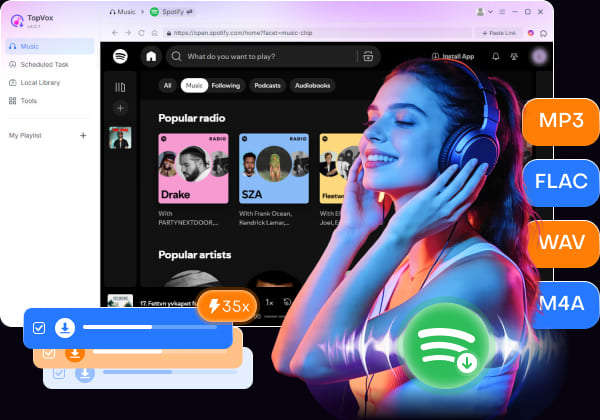
TopVox All Music Converter is easily the best option if you want reliable DRM Removal Software for media files from music streaming platforms like Spotify, Apple Music, YouTube Music, Amazon Music, and more. The software allows saving DRM-protected media for offline playback outside the app, where they are natively available. These DRM-free audio files may also be saved in highly compatible MP3, FLAC, WAV, and M4A formats.
To learn more about the software's capabilities, read its main features and refer to our tutorial below.
Features
- Supports DRM removal for music, podcast episodes, and audiobooks.
- Preserves the media’s ID3 tags and metadata.
- Batch download for playlists.
- Built-in web players to easily access streaming services.
- High-speed and efficient conversion.
You may download TopVox All Music Converter using the link below to make learning how to use it easier.
100% Secure. No virus.
100% Secure. No virus.
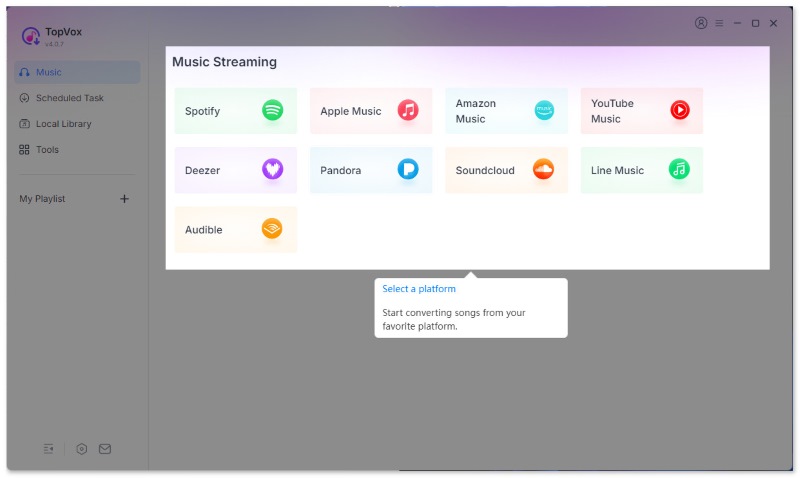
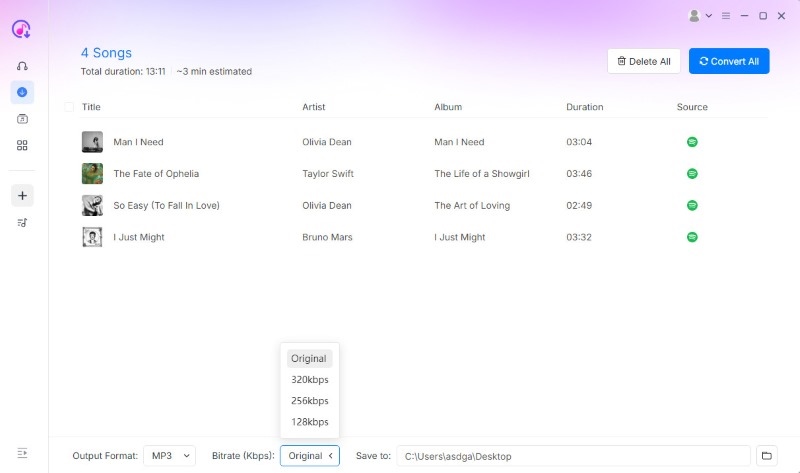
Step 1. Open TopVox All Music Converter and select the streaming service you want to access.
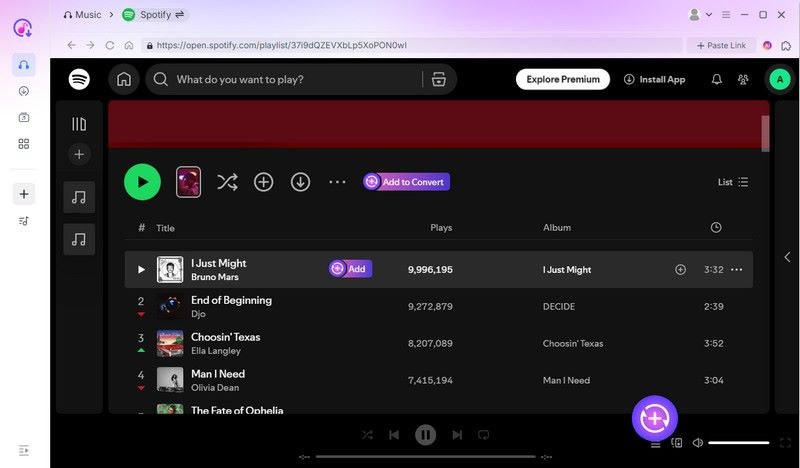
Step 2. In the streaming service you selected, locate the playlist or song you want to download. Then select Add To Convert next to the playlist, or the Add button next to a specific song.
Step 3. After adding the files you want to download, go to the Scheduled Task tab to check the music titles you want to download. Once confirmed, click on Convert All to start converting the files into DRM-free audio saved on your desktop.
Aplmate.com
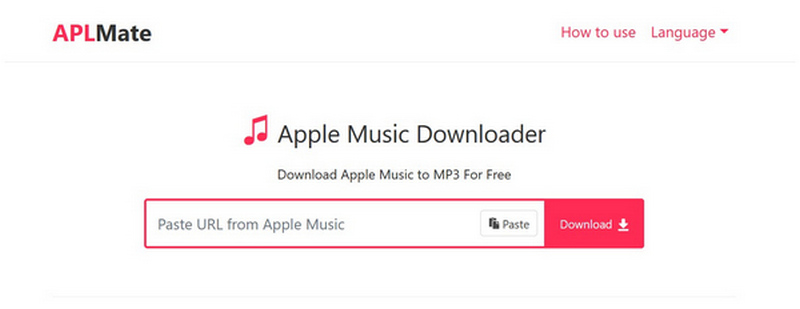
Aplmate.com is a free-to-use browser-based tool designed exclusively for managing Apple Music downloads, converting tracks, albums, and playlists into MP3 files without installation or complex setup. Unfortunately, its web-based setup made it less reliable than desktop-based solutions. Its DRM-bypass capabilities are also lightweight, making it unreliable in this regard.
Part 3. DRM Removal Software for Video
VideoSolo VideoPro
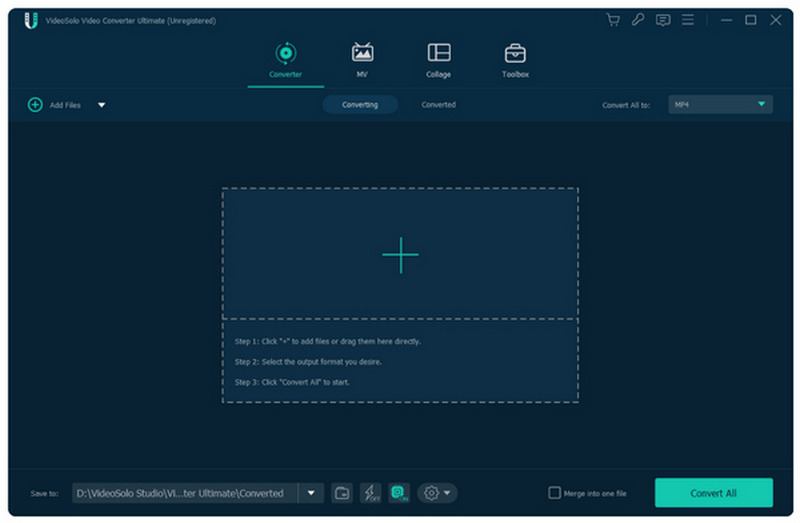
VideoSolo Video Converter Ultimate is a multimedia conversion suite that supports converting DRM-protected files into much more accessible digital formats. Although it is an all-rounder, it is best used for processing video files, such as those recovered from iTunes Video and DVD releases. These are all supported by high-speed conversion, GPU acceleration, editing tools, and maintaining near-lossless video and audio quality.
Aimersoft DRM Media Converter
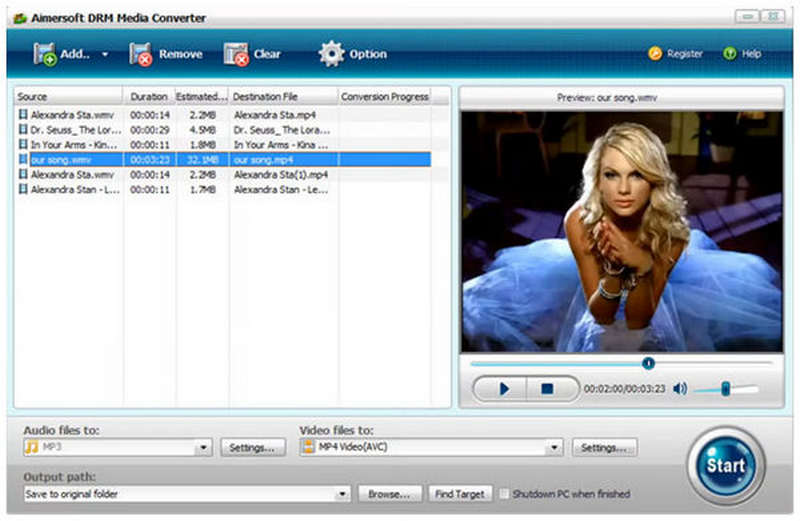
Aimersoft DRM Media Converter for Windows is a classic DRM removal application that converts protected iTunes music, audiobooks, videos, and other DRM-protected files into standard, highly compatible formats such as MP3 and AAC. It became popular during the peak of iTunes' heavy protection of music files. However, it has become obsolete today due to more advanced DRM protections.
Y2mate
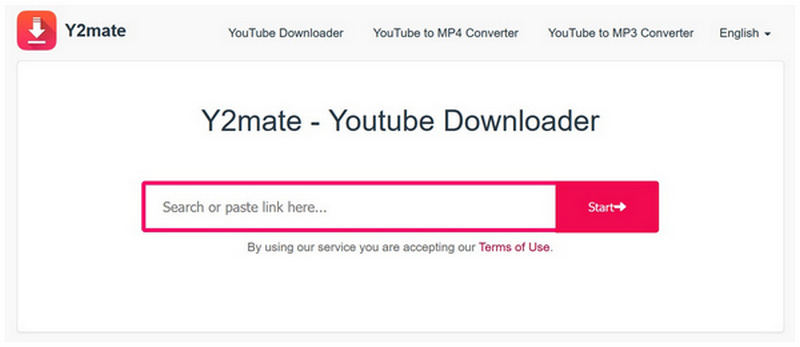
Y2Mate is another web-based solution that primarily lets you save YouTube videos and convert them to MP4 or MP3 files for offline use. It also offers the convenience of online solutions, making it easy to download quickly. However, it suffers from the same issues, including aggressive ads, clone sites, and subpar reliability.
Part 4. Comparison of DRM Removal Software
For a quick breakdown of the DRM Removal Software we have highlighted, please refer to the table below. However, to help our readers choose the best program for their DRM-bypassing needs, we highly recommend using TopVox for music files and VideoSolo for videos.
| DRM Removal Software | Supported Services | Output Formats | Output Quality | Success Rate | Price | Security and Privacy |
|---|---|---|---|---|---|---|
| TopVox All Music Converter | Spotify, YouTube Music, Apple Music, and more. | MP3, WAV, FLAC, AIFF, M4A, AAC, ALAC, and more. | 320kbps, Lossless FLAC/ALAC | High | Free – $19.95 | Secured, virus-free download. |
| Aplmate.com | Apple Music | MP3, M4A | 128kbps – 320kbps | Moderate | Free | Unreliable Security (Online Tool) |
| VideoSolo VideoPro | iTunes Video, DVD Media | MP4, MKV, MOV, AVI, MP3, AAC, FLAC, and more | 1080p, 4K | Moderate | $29.95 – $49.95 | Secured |
| Aimersoft DRM Media Converter for Windows | iTunes Music, Audiobook, Videos | MP3, AAC, WAV, M4A, and more. | Lossless Quality | Low | $39.00 | Secured |
| Y2mate | YouTube | MP4, MP3, WEBM, M4A | 128kbps – 320kbps | Moderate | Free – $299.90 | Unreliable Security (Online Tool) |
Conclusion
Now that we have reviewed the best DRM removal software for different media files, we hope this article has provided you with sufficient guidance to help you choose the one that best suits your needs. To help our readers decide, we recommend using TopVox All Music Converter for DRM-protected music from streaming services.
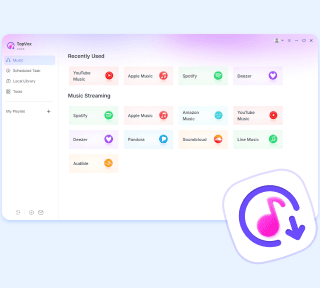
TopVox All Music Converter
Rated on Trustpilot >  4.8/5
4.8/5
- Download and convert songs, albums, playlists, etc., with a success rate of up to 99%.
- Keep original quality, retain ID3 tags, offer lightning-fast speed and lifetime updates.
100% Secure. No virus.
100% Secure. No virus.