
Download YouTube Music to Your MP3 Player - The Right Way
 by Ethan Carter | May 9, 2026 | How to
TopVox YouTube Music Converter
Stop renting your music. Download YouTube Music to an MP3 player as real MP3 files with TopVox. Works for Windows, Mac, Walkman & iPod, and more. Get a free trial now.
100% Secure. No virus.
100% Secure. No virus.
Want to listen to your YouTube Music playlist on an MP3 player? You're not alone. But here's the problem: YouTube Music locks all downloads inside its app. You can't drag them to a USB cable, you can't put them on an SD card, and you lose everything the moment you cancel Premium.
There is a fix. And it takes about 5 minutes.
100% Secure. No virus.
100% Secure. No virus.
Why YouTube Music Won't Let You Have Your Files
- • Encrypted formats. Tracks are streamed as AAC or Opus — DRM-protected and unreadable outside the app.
- • Premium downloads are fake. You can “download” for offline listening, but only inside YouTube Music’s walled garden. They’re not real MP3s.
- • They expire. Stop paying? All your cached songs vanish.
Solution: TopVox YouTube Music Converter
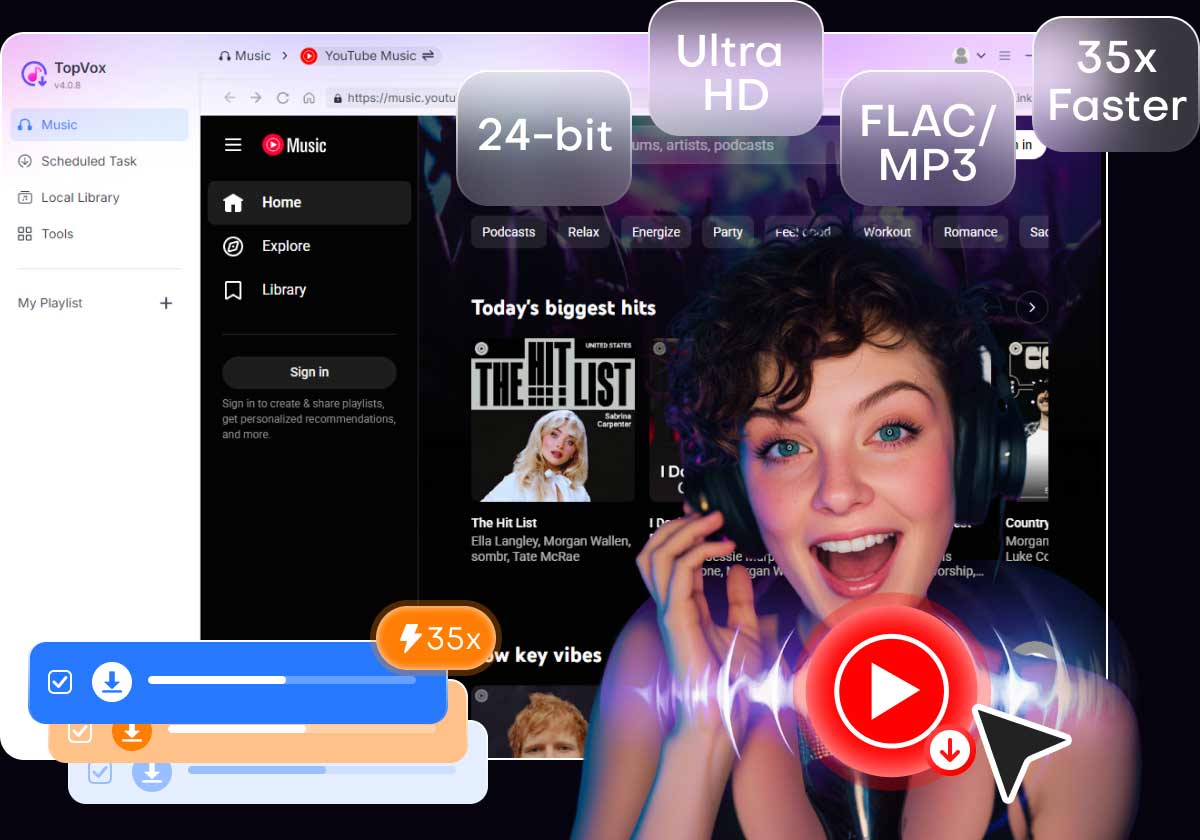
A proper desktop converter that reads YouTube Music streams, strips the DRM, and outputs genuine 320 kbps MP3 files — no quality loss, no malware, no daily limits.
- • 320 kbps MP3 output — full CD-quality audio
- • Batch conversion — entire playlists in one click
- • 35x faster — a 50-song playlist in under 3 minutes
- • Preserves metadata — artist, album, cover art, track numbers
- • Safe & clean — no ads, no malware, no hidden installs
100% Secure. No virus.
100% Secure. No virus.
How to Download YouTube Music to MP3
Download TopVox YouTube Music Converter (free, no virus).
100% Secure. No virus.
100% Secure. No virus.
Step 1. Open the program and log into YouTube Music.
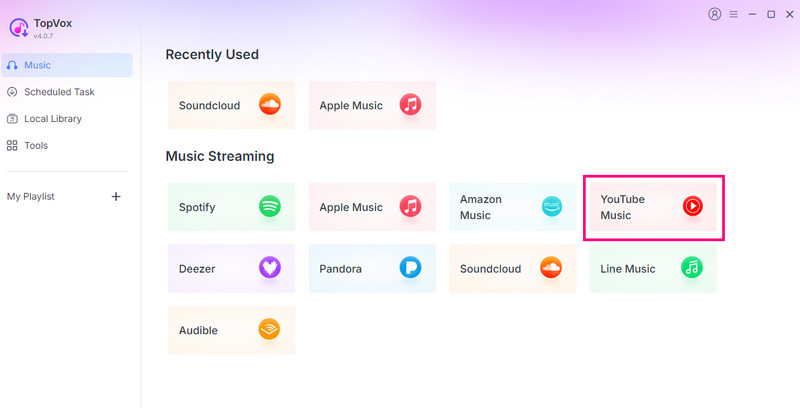
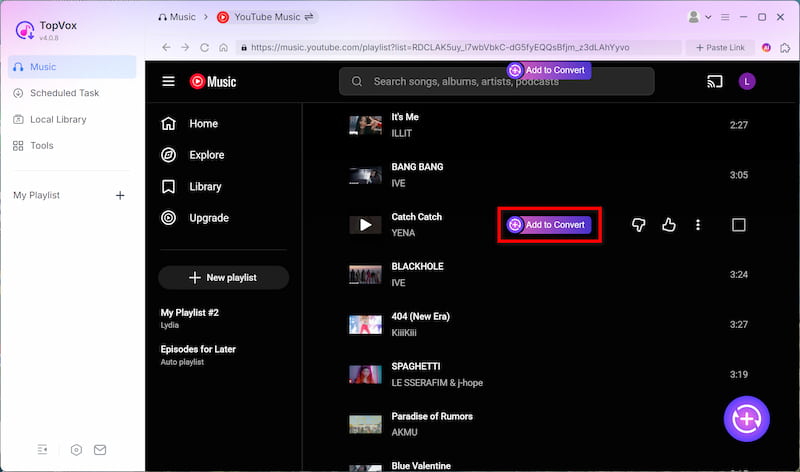
Step 2. Browse your library. Find the songs you want to convert and click the "Add to convert" button.
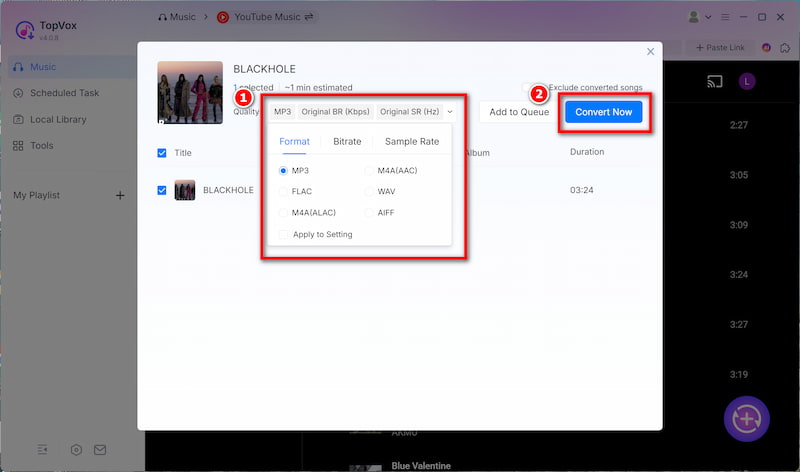
Step 3. Choose MP3 as the output format. Set bitrate to 320 kbps. Click "Convert Now." Your MP3 files are ready in seconds.
Try now and get your YouTube MP3s smoothly with TopVox! Enjoy them offline anywhere.
100% Secure. No virus.
100% Secure. No virus.
How to Transfer MP3s to Your Player
Windows: Open File Explorer → locate your MP3 files → drag to your player's Music folder.
Mac: Connect player via USB → open Finder → drag MP3s into the Music folder. For Android-based players, use Android File Transfer.
Sony Walkman: Install Music Center for PC/Mac → import MP3s → sync.
Apple iPod: Add MP3s to iTunes/Music → sync your iPod. All tags preserved.
Why Not Use Free Online Converters?
Free YouTube to MP3 websites sound tempting, but here's what you're actually getting:
- • Pop-up ads and redirects
- • Hidden malware in downloads
- • Terrible audio quality (128 kbps or worse)
- • Daily download limits
- • Broken links and failed conversions
TopVox is a proper desktop app. One install. Clean results. Every time.
A Question You Should Ask Yourself
Before you go through all of this, ask: Do you actually want an MP3 player, or do you just want offline music?
If the answer is "I just want to listen offline without paying $11/month forever," then an MP3 player with your ripped library is genuinely the better long-term play. A one-time converter purchase plus a cheap player pays for itself inside a year.
If the answer is "I want the convenience of streaming but also want to own a few playlists," then tools like TopVox still make sense — just convert the stuff you can't live without and keep the subscription for discovery.
Either way, the principle holds: you should own what you pay for. Streaming services are great for browsing. They're terrible for ownership. Tools like TopVox YouTube Music Converter close that gap.
TopVox YouTube Music Converter
Rated on Trustpilot >  4.8/5
4.8/5
- Download and convert YouTube Music songs, albums, playlists, etc., with a success rate of up to 99%.
- Keep original quality, retain ID3 tags, offer lightning-fast speed and lifetime updates.
100% Secure. No virus.
100% Secure. No virus.