
How to Download Spotify Songs to MP3 Free in 3 Easy Ways
 by Luna Harper | May 13, 2026 | How to
TopVox Spotify Music Converter
This guide explains how to save Spotify music as MP3 files for offline use, including desktop tools, online converters, and recording software. Each method varies in quality, speed, and convenience, but all aim to help you keep your favorite tracks accessible without relying on streaming restrictions or app limitations.
100% Secure. No virus.
100% Secure. No virus.
Spotify Premium downloads can be frustrating because they expire, stop working when your subscription ends, and you can only play music in the Spotify app. It leaves users without real ownership of the music they've saved, especially when they want to listen across different devices or keep their favorite tracks permanently. What you really need is a way to download Spotify songs as MP3 files that you can store, transfer, and play freely on any device without restrictions. In this post, we'll explore various methods to download Spotify songs to MP3 for free. This way, you can permanently own your music and play it freely on any device without restrictions.
100% Secure. No virus.
100% Secure. No virus.
Part 1. TopVox Spotify Music Converter [Desktop App]
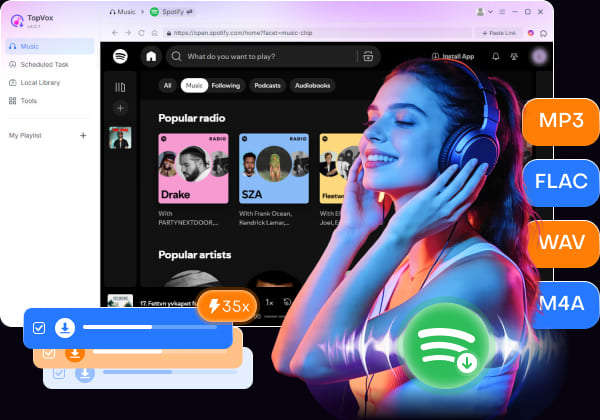
TopVox Spotify Music Converter is a desktop application for downloading streaming music and converting it to DRM-free audio files for offline playback. It can convert Spotify songs, albums, podcasts, and playlists into MP3, FLAC, M4A (ALAC/AAC), WAV, and AIFF. It supports batch downloading of multiple songs, albums, or entire playlists at up to 35× faster speed.
100% Secure. No virus.
100% Secure. No virus.
Notably, it exports music in high quality up to 24-bit/320Kbps/48000Hz. In addition, it automatically retains important ID3 tags, including title, artist, album, genre, and cover artwork. Beyond Spotify, TopVox also supports other major streaming platforms. It includes Apple Music, Amazon Music, YouTube Music, Deezer, Pandora, SoundCloud, Line Music, and Audible. These features make it a complete all-in-one music converter for offline playback.
What to Look Forward to with the TopVox Spotify Music Converter:
- Supports multiple output formats and exports audio in high quality.
- Retains all ID3 tags, including title, artist, album, genre, and cover artwork.
- Converts music at up to 35× faster speed to save time during large downloads.
- Converts Spotify songs, playlists, albums, and podcasts into DRM-free audio files.
- Works without Spotify Premium and provides an ad-free music downloading experience.
Part 2. How to Download Spotify Songs to MP3 for Free?
Spotify allows streaming millions of songs online, but it does not officially support downloading tracks as local MP3 files. To listen offline on any device without restrictions, you can use TopVox Spotify Music Converter. It offers an easy solution by converting Spotify songs to MP3.
Here's how to download Spotify songs to MP3 for free:
Step 1. Start by downloading the TopVox Spotify Music Converter on your system for free. Install the Spotify music downloader, then wait for the installation to complete. After you finish the setup process, launch the software to access its main dashboard.
100% Secure. No virus.
100% Secure. No virus.
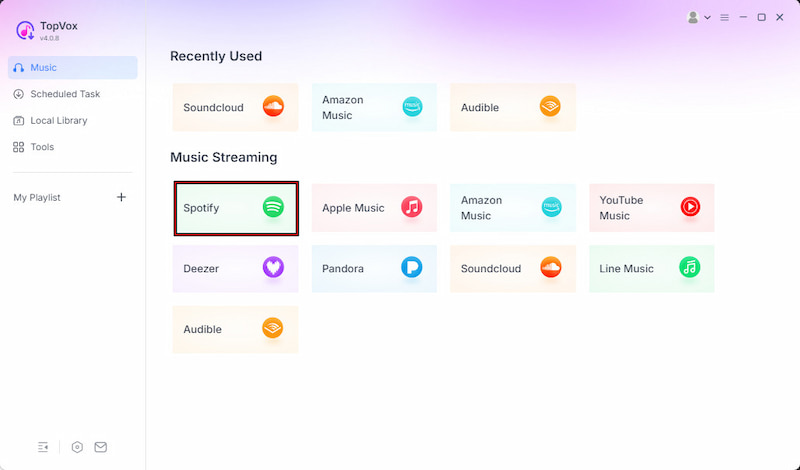
Step 2. From the Music tab, you will see multiple supported streaming services. Select Spotify to open the built-in Spotify web player. Log in to your Spotify account and browse the songs, albums, or playlists you want to convert.
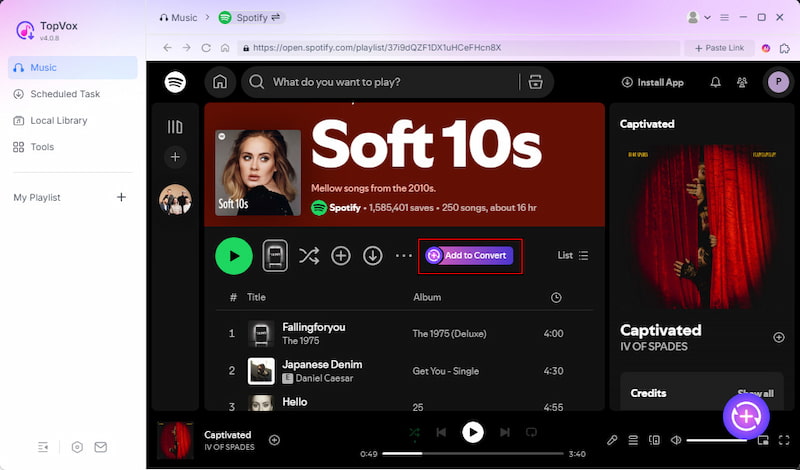
Step 3. After finding your desired music, click + Add to select individual tracks. To download a complete playlist or album, choose + Add to Convert instead. All selected music will automatically appear in the conversion queue for batch downloading.
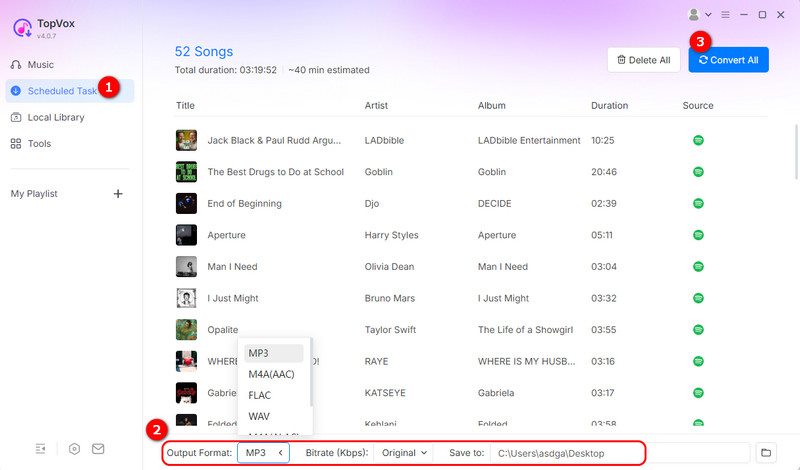
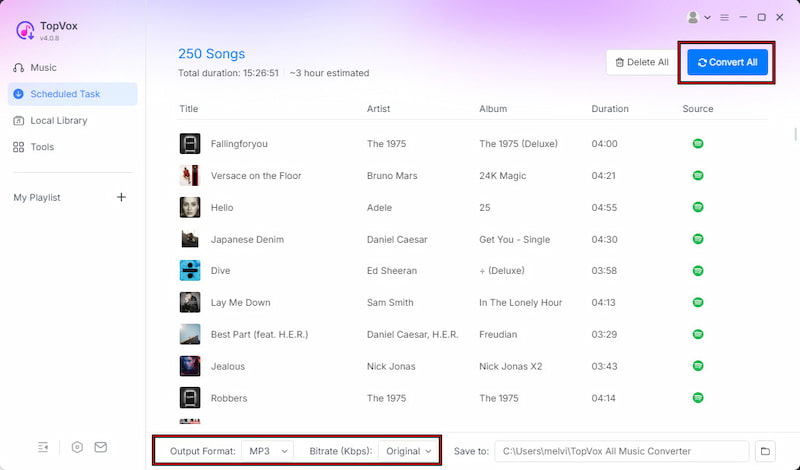
Step 4. Before downloading, customize the output settings according to your preferences. MP3 is selected by default, but you can also choose FLAC/WAV for lossless conversion. Next, click Convert All to batch-convert and download Spotify songs up to 35× faster.
Using TopVox Spotify Music Converter is the easiest and most reliable way to download Spotify songs to MP3 for free. It supports fast batch conversion, high-quality audio output, full ID3 tag retention, and multiple DRM-free audio formats for flexible offline playback.
100% Secure. No virus.
100% Secure. No virus.
Part 3. Other Free Ways for Spotify Music to MP3
Online Spotify Music Converter
SpotDown is a free online Spotify downloader that converts Spotify songs to standard audio files, specifically MP3. Users commonly used it for quick single-song downloads for offline playback. However, it has drawbacks, such as ads, redirects, and occasional downtime.
Here's how to download Spotify songs to MP3 for free:
Step 1. Open the Spotify app or web player and find the song you want to download. Click Share and copy the Spotify URL. Navigate to SpotDown and paste the URL into the search box.
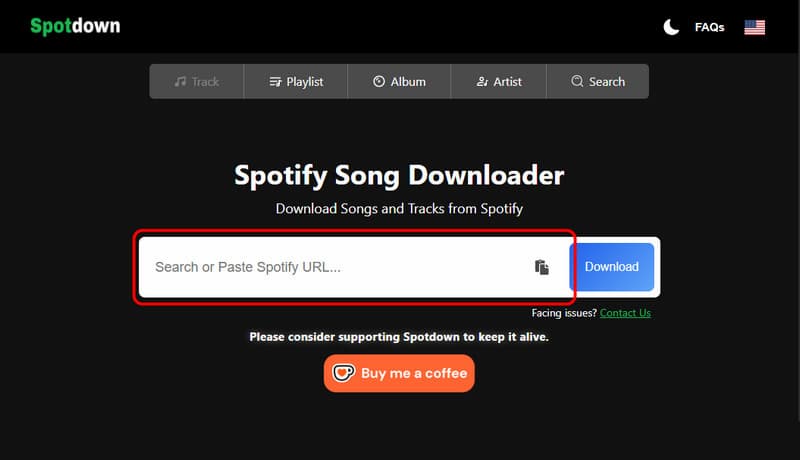
Step 2. Click the Download button to process the Spotify link. Then click Get Link to download the MP3 version. Finally, click Download Now to download it on your device.
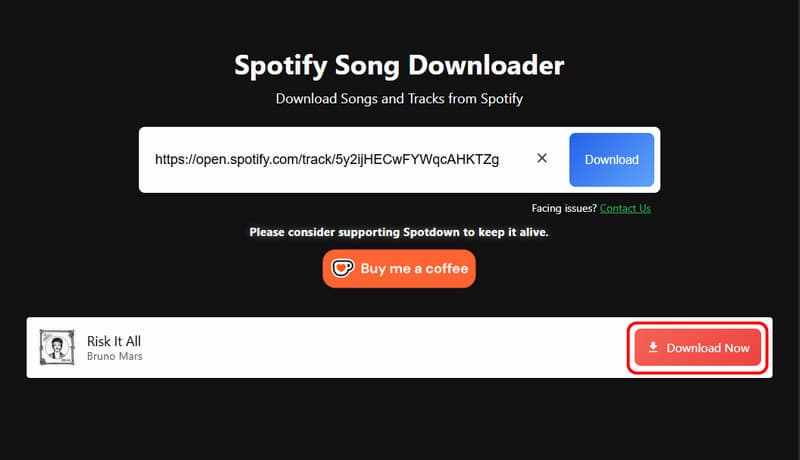
SpotDown is useful for quick, free Spotify MP3 downloads. However, each click redirects you to unrelated websites before the actual download page appears. It requires multiple clicks and repeated download attempts before the file is successfully generated.
Using a Recording Tool
Audacity is a highly popular audio recording software that can record system sound from your computer, including Spotify playback. Instead of directly downloading Spotify songs, it captures the audio while the music is playing. Many users use this tool to save Spotify as MP3 files.
Step 1. In Audacity, click the red Record button from the function toolbar. Then, open the Spotify app or web player, and play the song you want to record.
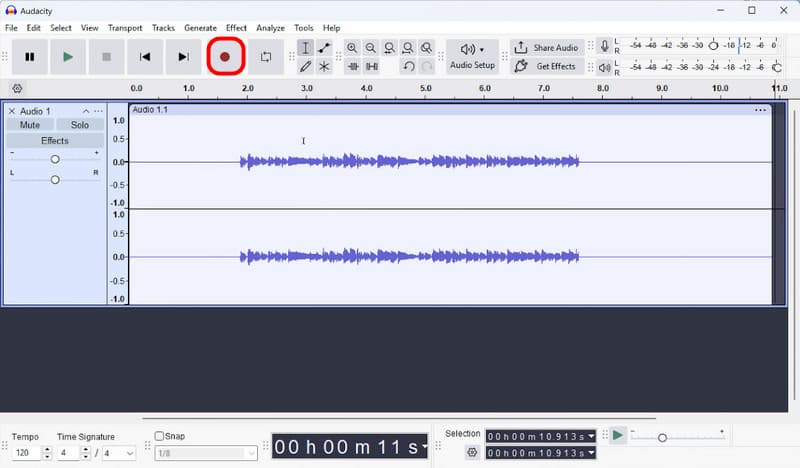
Step 2. Once the track finishes playing, click the Stop button in Audacity to end the recording session. Go to File, click Export, and select the MP3 Files option in the Format selector.
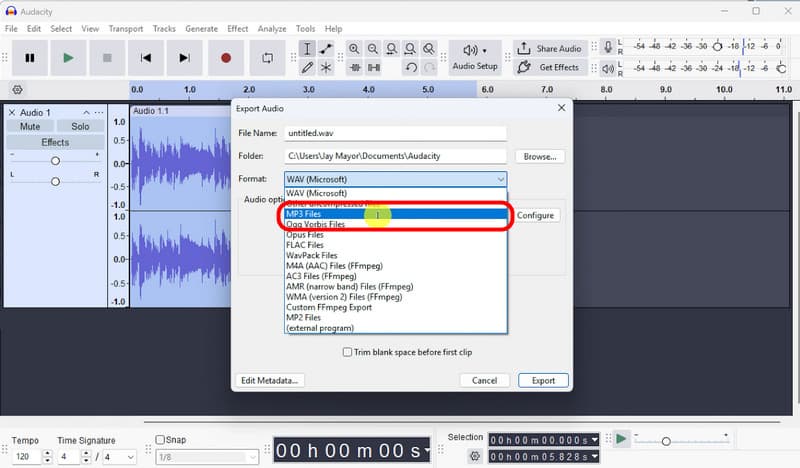
Audacity is a useful free tool for recording Spotify music to MP3. It lets you record Spotify songs in real time and export them into widely supported formats like MP3. However, it will also include Spotify ads, notifications, and background sounds during playback.
Part 4. Comparison of 3 Methods to Download Spotify Songs to MP3
| Spotify Music Converter | Tool Type | Platform | Price | Sound Quality | Download Speed | Batch Download | ID3 Tags Retention | Security |
|---|---|---|---|---|---|---|---|---|
| TopVox Spotify Music Converter | Desktop-based Spotify Music Downloader | Windows and Mac | Free version available; paid plans start at $19.95 following a 14-day free trial | 24-bit/320Kbps/48kHz | Up to 35× | ✅ | ✅ | ✅ |
| SpotDown | Web-based Spotify Music Downloader | Web | Free | 256Kbps/44.1kHz | Depends on the server/network | ❌ | ❌ | ❌ |
| Audacity | Desktop-based Audio Recorder | Windows, Mac, and Linux | Free | 320Kbps/44.1kHz | Real-time recording (1:1 speed) | ❌ | ❌ | ✅ |
100% Secure. No virus.
100% Secure. No virus.
Conclusion
In conclusion, learning how to download Spotify songs to MP3 for free allows you to break free from Spotify's limitations and enjoy true music ownership. Instead of relying on expiring Premium downloads, you can convert your favorite tracks into MP3 files that work on any device. This method helps you build a permanent offline music library with more flexibility. To get the best results, use TopVox Spotify Music Converter to download Spotify songs quickly, safely, and in high-quality MP3 format.
TopVox Spotify Music Converter
Rated on Trustpilot >  4.8/5
4.8/5
- Download and convert Spotify songs, albums, playlists, etc., with a success rate of up to 99%.
- Keep original quality, retain ID3 tags, offer lightning-fast speed and lifetime updates.
100% Secure. No virus.
100% Secure. No virus.