
How to Download Spotify Playlists for Offline Listening [Full Guide]
 by Ethan Carter | May 13, 2026 | How to
TopVox Spotify Music Converter
Short on time? The fastest way to download any Spotify playlist is using TopVox Spotify Music Converter. It bypasses limitations, preserves 320kbps quality, and works for both Free and Premium users.
100% Secure. No virus.
100% Secure. No virus.
Short on time? The fastest way to download any Spotify playlist is using TopVox Spotify Music Converter. It bypasses limitations, preserves 320kbps quality, and works for both Free and Premium users.
100% Secure. No virus.
100% Secure. No virus.
Why Downloading Playlists Directly is Tricky
If you use the Spotify app to download music, you probably know the catches:
- • You don’t actually "own" the files (they are encrypted).
- • You must go online every 30 days to keep your downloads.
- • If you stop your subscription, your music disappears.
To truly own your music and play it on any device (MP3 player, car, or phone), you need a dedicated converter. Here is the step-by-step process.
100% Secure. No virus.
100% Secure. No virus.
Best Way: Download Spotify Playlists to MP3 via TopVox
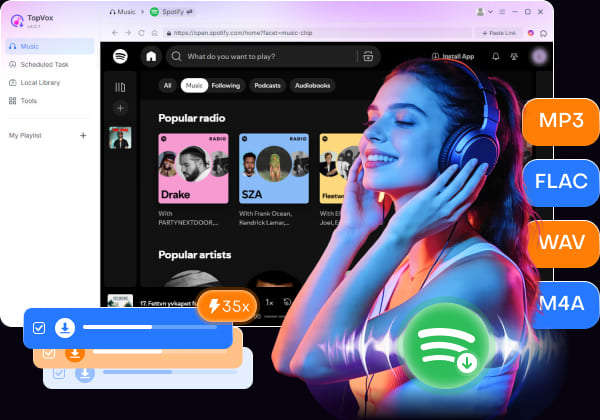
TopVox Spotify Music Converter is a professional tool designed to extract high-fidelity audio from Spotify. Unlike screen recorders, it downloads the data directly from the source, ensuring zero quality loss.
Key Features for Playlist Lovers:
- Batch Download: Grab an entire playlist with 200+ songs in one click.
- ID3 Tag Preservation: It automatically saves the cover art, artist name, and album info.
- 35X Speed: Why wait? Download a 50-song playlist in just a few minutes.
100% Secure. No virus.
100% Secure. No virus.
Step-by-Step: How to Save Your Music Permanently
100% Secure. No virus.
100% Secure. No virus.
1. Install & Log In: Download, install, and open this music converter. Choose Spotify and log in to your account.
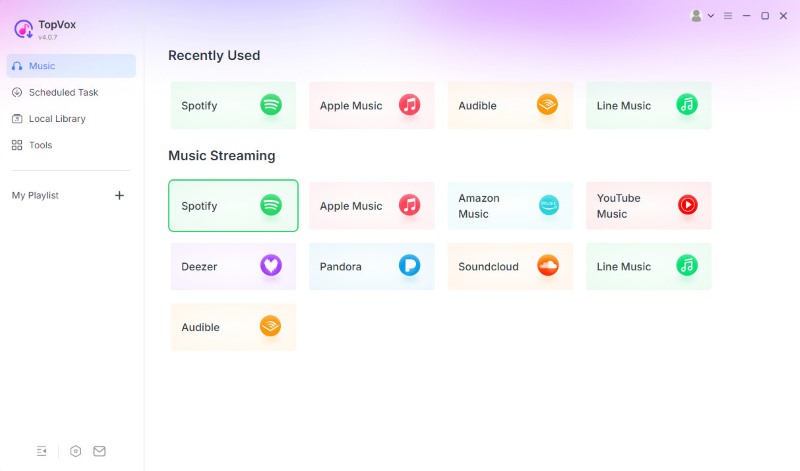
2. Add Music & Select MP3: Find the playlists you want to download and tap the "Add to Convert" button.
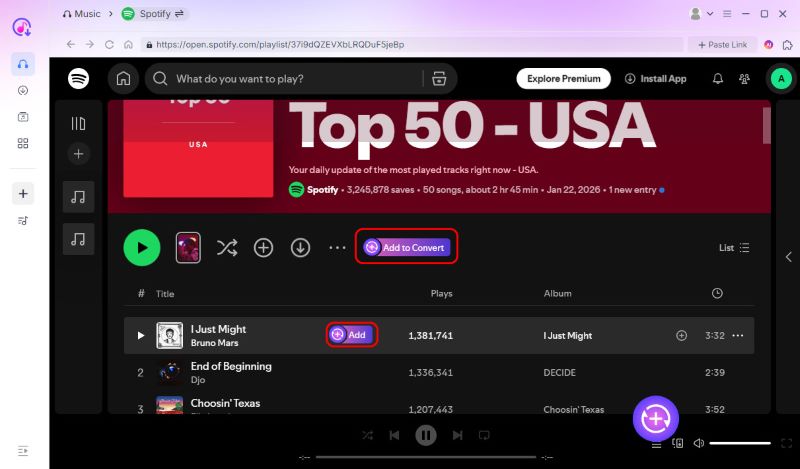
3. Convert & Save: You can choose your preferred output format and bitrate. Then, click "Convert Now".
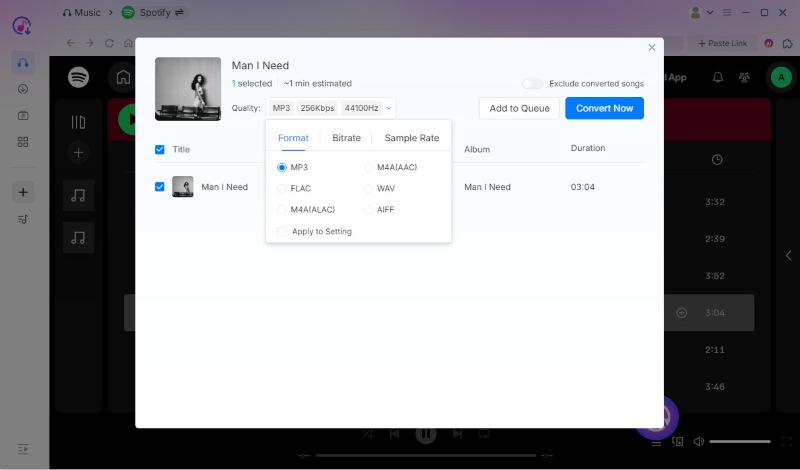
Now, you’ve got your Spotify playlists locally, and then you can listen to them offline anywhere, anytime. Try now!
100% Secure. No virus.
100% Secure. No virus.
Beyond Downloading: What Can You Do With Your Offline Files?
Once your playlist is converted via TopVox, you are no longer restricted by the Spotify app:
1. Transfer to MP3 Players: Perfect for the gym or jogging without your phone.
2. Car Audio: Copy files to a USB drive for your next road trip.
3. Permanent Backup: Your music stays with you even if the artist removes the song from Spotify.
100% Secure. No virus.
100% Secure. No virus.
Conclusion
While there are many "online recorders," none offer the speed, quality, and batch-handling capabilities of TopVox Spotify Music Converter. Don't let your favorite music be locked behind a subscription.
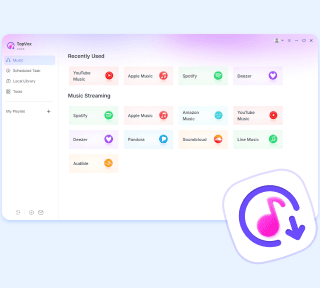
TopVox Spotify Music Converter
Rated on Trustpilot >  4.8/5
4.8/5
- Download and convert Spotify songs, albums, playlists, etc., with a success rate of up to 99%.
- Keep original quality, retain ID3 tags, offer lightning-fast speed and lifetime updates.
100% Secure. No virus.
100% Secure. No virus.