
How to Download Music from Spotify to My Computer [2026 Ultimate Guide]
 by Luna Harper | May 7, 2026 | How to
TopVox Spotify Music Converter
Looking to download music from Spotify to your computer? Try TopVox Spotify Music Converter. Save Spotify songs, playlists, and albums to MP3 at 320kbps. Free download now!
100% Secure. No virus.
100% Secure. No virus.
Are you asking yourself, "How do I download music from Spotify to my computer?" You're not alone. While Spotify is fantastic for streaming, saving songs as local files to your PC or Mac can be frustrating due to DRM protections—especially if you don't have a Premium account.
Fortunately, there are proven ways to bypass these limits and keep your favorite playlists forever. In this guide, we'll show you the fastest and most reliable method to download Spotify music directly to your computer as standard MP3 files.
100% Secure. No virus.
100% Secure. No virus.
Part 1: Best Way to Download Spotify Music to a Computer (No Premium Needed)
If you want to truly own your music and play it anywhere, using a dedicated music converter is the smartest choice. We highly recommend TopVox Spotify Music Converter.
TopVox removes DRM restrictions effortlessly, allowing both Free and Premium users to download songs, albums, and podcasts with zero loss in quality.
Why Choose TopVox?
- No Premium Required: Download anything from Spotify completely for free.
- Lossless Quality: Preserve 100% original audio quality (up to 320kbps).
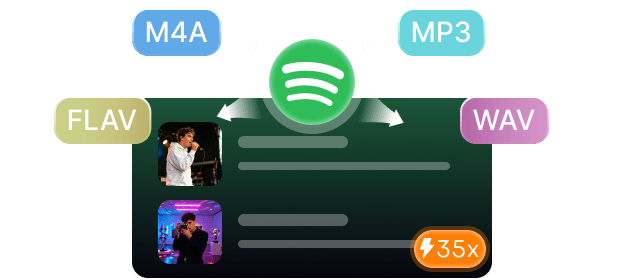
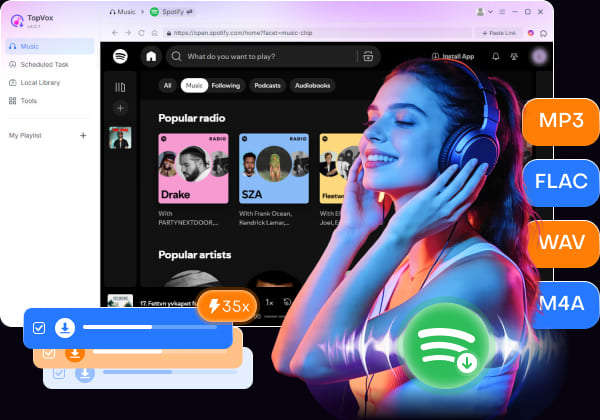
- Multiple Formats: Convert Spotify to MP3, WAV, FLAC, AAC, and more.
- 35X Faster Speed: Download entire playlists in minutes while keeping all ID3 tags (artist, cover art).
3 Simple Steps to Download Your Music:
100% Secure. No virus.
100% Secure. No virus.
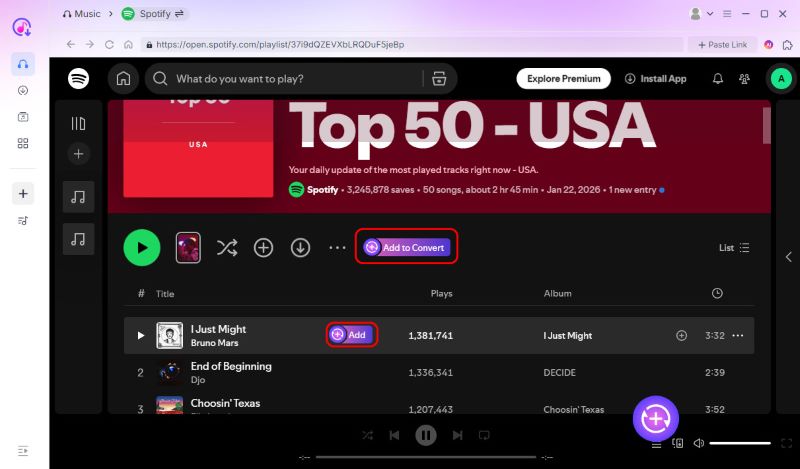
Step 1. Install & Log In: Download TopVox on your computer and log into your Spotify account directly within the built-in web player.
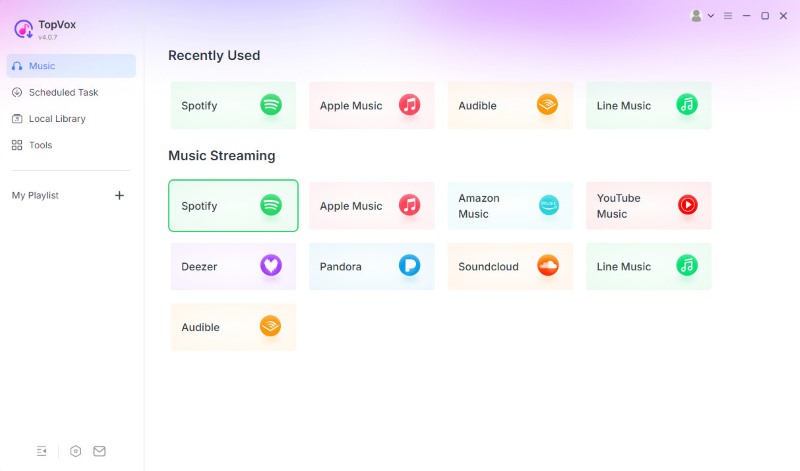
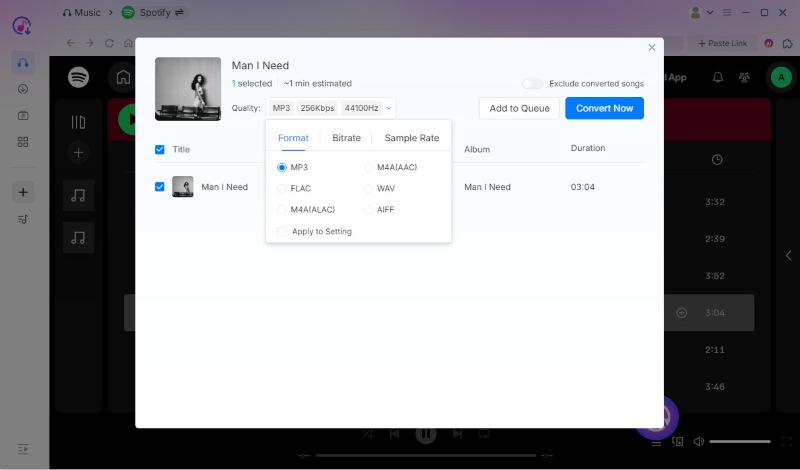
Step 2. Select Your Music: Open the song or playlist you want, click the "Add to Convert" button, and choose your preferred output format (e.g., MP3).
Step 3. Convert & Save: Click "Convert Now." In seconds, your DRM-free Spotify music will be saved locally to your computer's hard drive!
100% Secure. No virus.
100% Secure. No virus.
Part 2: Official Way (Spotify Premium Required)
If you already pay for Spotify Premium, you can use the official desktop app to download music for offline listening.
How to do it: Open the Spotify desktop app, find your playlist or album, and toggle the "Download" icon.
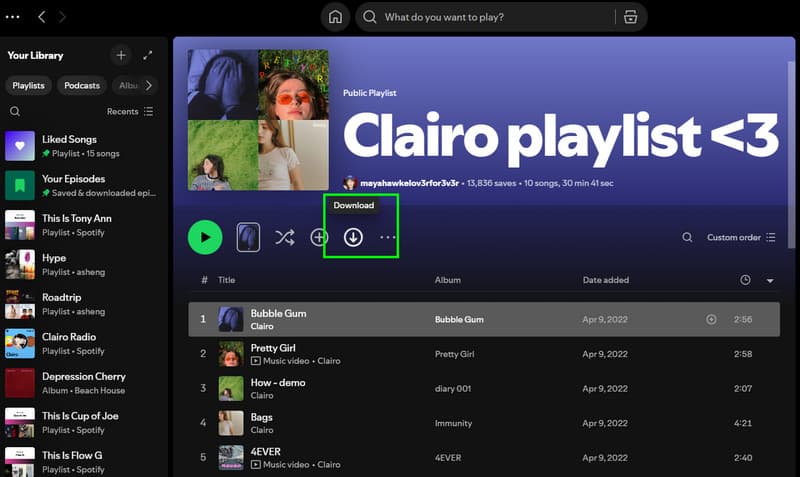
Note: These files are DRM-protected cache files, not MP3s. You cannot move them to an MP3 player, burn them to a CD, or edit them. If your Premium subscription expires, all your downloaded songs will disappear instantly.
Part 3: Online Spotify Downloaders (No Installation)
Don't want to install software? You can try online tools like Fame. You simply copy the Spotify track link and paste it into their website.
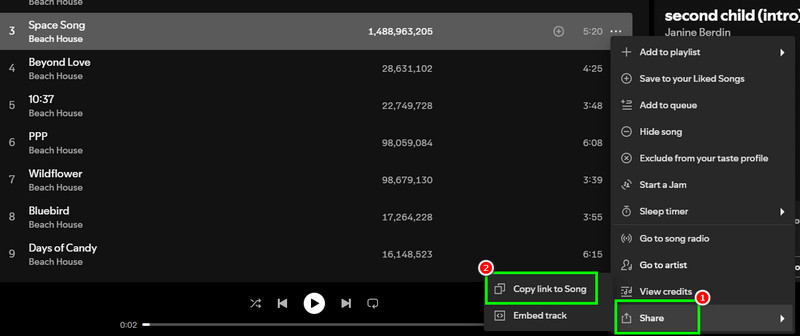
Note: Most online tools compress audio quality heavily, are packed with pop-up ads, and often restrict you to only one or two downloads per month unless you pay. They also struggle with bulk downloading playlists.
Conclusion: Which Method Should You Choose?
If you're still wondering "how do I download music from Spotify to my computer" without restrictions, TopVox Spotify Music Converter is the clear winner. It overcomes the limitations of Spotify Premium and outshines slow online tools by giving you fast, high-quality, and permanent local audio files.
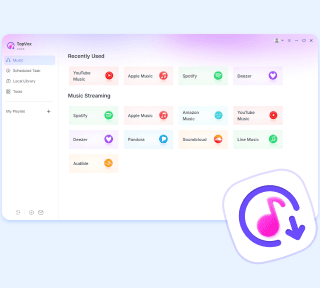
TopVox Spotify Music Converter
Rated on Trustpilot >  4.8/5
4.8/5
- Download and convert Spotify songs, albums, playlists, etc., with a success rate of up to 99%.
- Keep original quality, retain ID3 tags, offer lightning-fast speed and lifetime updates.
100% Secure. No virus.
100% Secure. No virus.