
How to Download Amazon Music to Computer: Keep Songs Forever
 by Ethan Carter | May 13, 2026 | How to
TopVox Amazon Music Converter
Want to download Amazon Music to your computer? Convert to permanent MP3 at 320 kbps. Works with Prime & Unlimited - play anywhere, never expire.
100% Secure. No virus.
100% Secure. No virus.
If you use the Amazon Music desktop app, you know the "Download" button exists. However, there’s a catch: those files are hidden, encrypted, and only playable within the Amazon app. The moment your subscription ends, your "downloads" disappear.
To truly download Amazon Music to your computer—meaning real MP3 files that you can move to a USB drive, edit in a video, or keep forever—you need a more powerful solution.
This guide explains how to break free from the app and save your library directly to your local hard drive.
100% Secure. No virus.
100% Secure. No virus.
"Offline Mode" vs. "Local Storage"
Most users don't realize that Amazon’s official "Offline Mode" is essentially a temporary cache. To gain full control, you need a tool that can convert these streams into universal formats like MP3, FLAC, or WAV.
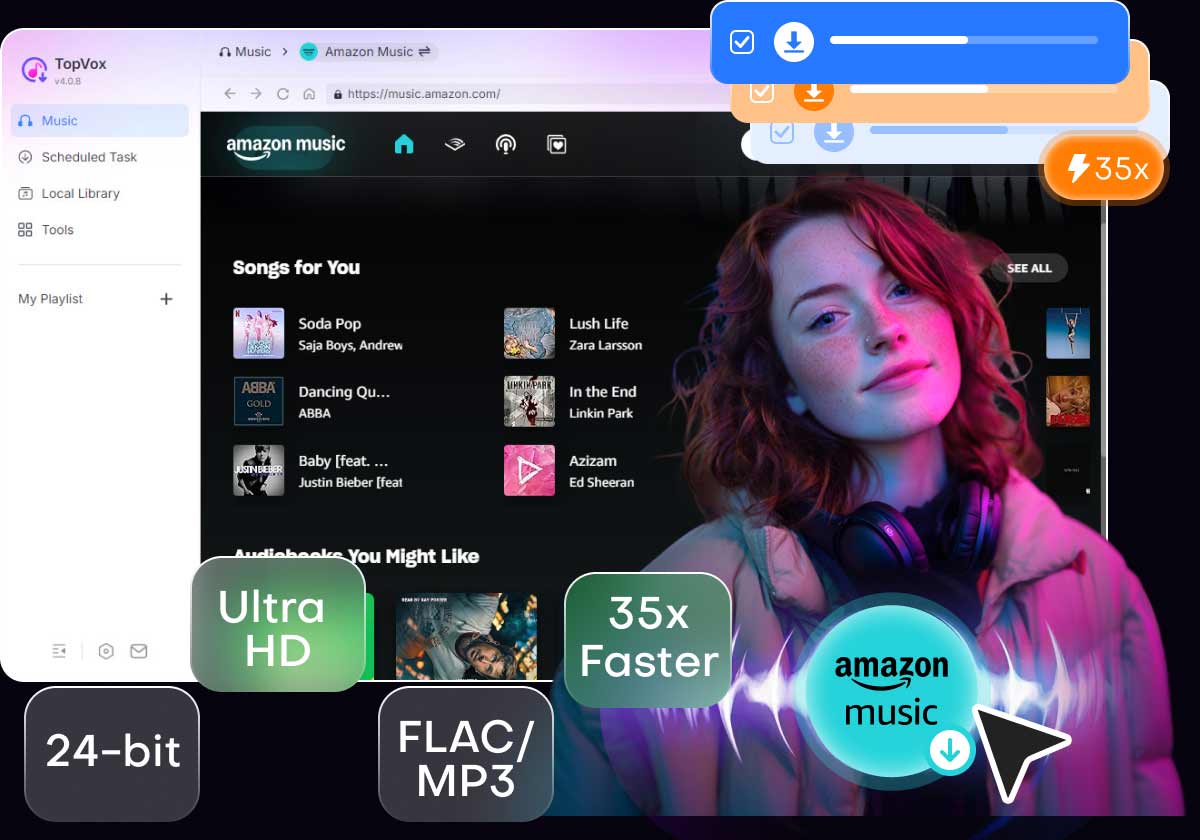
TopVox Amazon Music Converter is designed to bridge this gap. It allows you to:
- • Export to Any Folder: Save music directly to your "Downloads" or "Music" folder.
- • Original Audio Quality: Keep the 320kbps or Ultra HD fidelity.
- • Listen Without the App: Play your songs on VLC, Windows Media Player, or iTunes.
100% Secure. No virus.
100% Secure. No virus.
Why TopVox is the Recommended Solution for PC/Mac
When downloading thousands of songs to a computer, speed and organization are everything. TopVox stands out with professional-grade features:
1. 35X Lightning Conversion: Don't wait hours. Download entire playlists or albums in a fraction of the time.
2. Built-in Amazon Web Player: No need to install the heavy Amazon Music app. Log in securely and download directly.
3. Automatic ID3 Tagging: Your computer files will be perfectly organized with titles, artists, and high-resolution album art.
100% Secure. No virus.
100% Secure. No virus.
3 Simple Steps to Save Music to Your Hard Drive
You don't need to be tech-savvy to build your local music library. Here’s the standard workflow:
100% Secure. No virus.
100% Secure. No virus.
1. Open the App: Download and open TopVox and access the Amazon Music built-in web player.
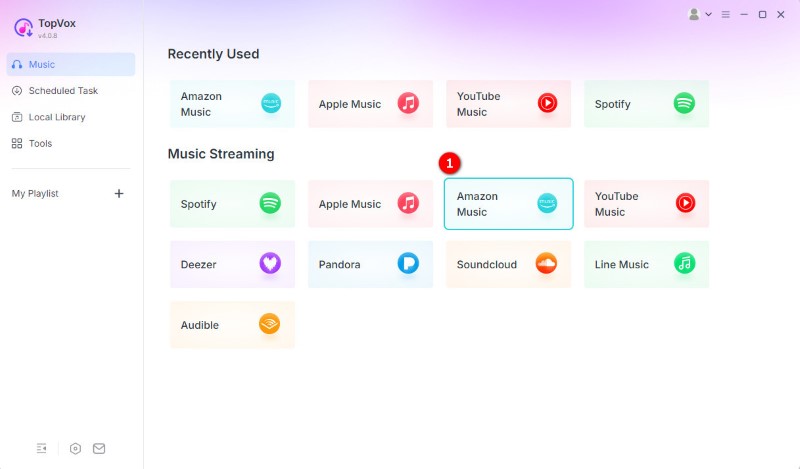
Your playlists will appear exactly as they do in the official app.
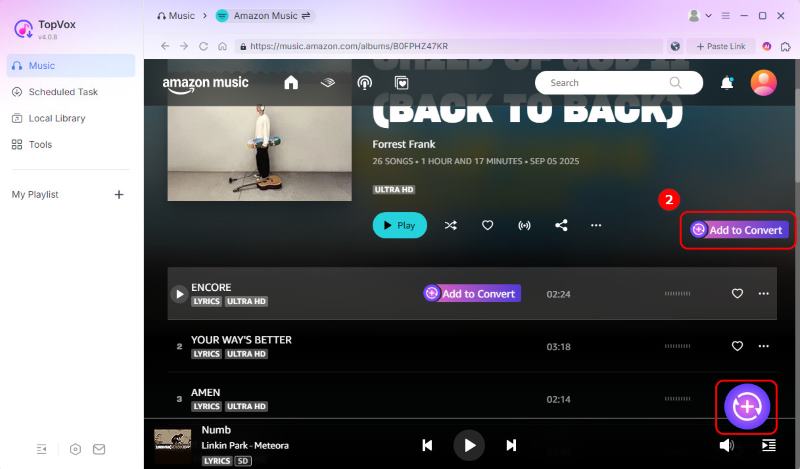
2. Pick Your Music: Find songs you want to download to your computer, and click Add to Convert.
3. Convert: Select MP3 (or FLAC/WAV). You can also choose exactly which folder on your computer the files should be saved to. Then, tap Convert Now.
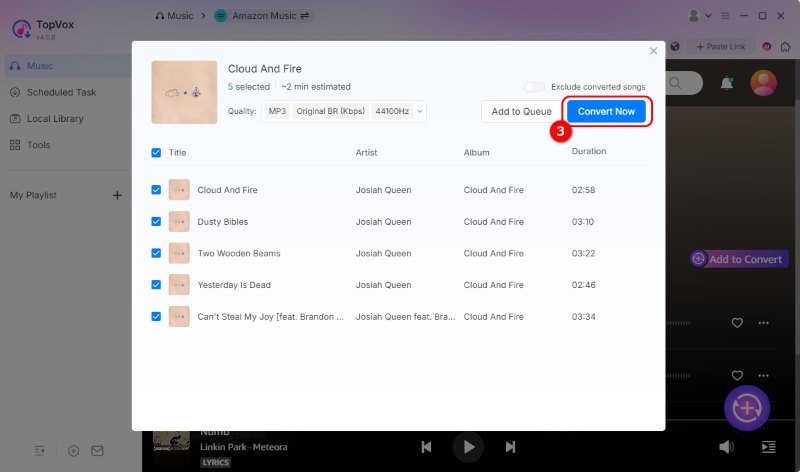
That's it. Your Amazon Music is now permanently saved as standard audio files on your computer.
100% Secure. No virus.
100% Secure. No virus.
Verdict: Why It’s Better Than a Subscription Alone
While a subscription gives you access, a downloader gives you ownership. Whether you’re a DJ needing tracks for a set, or a commuter who wants to save data, having your music locally stored on your computer is the ultimate freedom.
Take Your Music Anywhere, Anytime.
Stop letting "Cloud-only" access limit your listening experience. Download your Amazon Music to your computer today and keep your rhythm alive forever.
TopVox Amazon Music Converter
Rated on Trustpilot >  4.8/5
4.8/5
- Download and convert Amazon Music songs, albums, playlists, etc., with a success rate of up to 99%.
- Keep original quality, retain ID3 tags, offer lightning-fast speed and lifetime updates.
100% Secure. No virus.
100% Secure. No virus.