
[Complete Guide] How to Convert iTunes to MP3 on Windows & Mac
 by Owen Bannett | May 8, 2026 | How to
TopVox Apple Music Converter
Stuck with iTunes files that won't play on your other devices? Choose TopVox to convert your music library to universal MP3 - fast, lossless, and hassle-free.
100% Secure. No virus.
100% Secure. No virus.
Here's a scenario you've probably lived through. You've spent years building the perfect iTunes library. Then one day you plug your phone into a rental car, pull up your road trip playlist, and... nothing. The car stereo stares back at you with a blank "File Not Supported" message.
The problem isn't your music. It's the format.
iTunes stores its songs in AAC and M4A - perfectly fine files inside Apple's world, but notoriously picky outside it. Try playing them on an older MP3 player. A Samsung phone. A smart speaker from another brand. A gaming console. A DJ deck. The story is always the same: incompatible.
That's where MP3 comes in. It's the universal language of digital audio - supported by literally everything with a speaker. Converting your iTunes library to MP3 isn't about piracy. It's about portability. It's about making sure the music you love follows you everywhere, on every device.
The question is: what's the best way to do it?
The "Free" Routes That Actually Cost You
Let's start with the option Apple gives you.
Inside iTunes' preferences, under Import Settings, you can select "MP3 Encoder" and choose "Create MP3 Version" from the file menu. It sounds straightforward. But there's a catch that most people discover the hard way.
The built-in converter is extremely limited. It works for songs you ripped from CDs years ago or purchased from the iTunes Store back when they sold unprotected files. But for anything you've added through an Apple Music subscription, the button simply... doesn't work. No error message that explains why — just silence.
And even when it does work, you're making a compromised file. iTunes is converting an already-compressed AAC file into another compressed format. Audio engineers call this "generational loss" — each compression pass strips away subtle details. The result sounds noticeably flatter, with less clarity and narrower soundstage.
The real kicker? There's no batch option. You have to convert songs one at a time. For a 500-track library, that's not a solution — it's hazing.
The Audacity Trap
The next stop for most DIYers is Audacity, the free open-source audio editor. The idea is simple: play the song through your computer's speakers, record it in Audacity, then export as MP3. Technically, it works.
Practically, it's one of the most time-consuming things you can do with a computer. Every track has to play in real time. Your computer can't make a sound during the recording — no Slack notification, no YouTube video, no phone call. A single album takes 45 minutes of uninterrupted silence. A full library takes your entire weekend.
Oh, and it records exactly what comes out of your speakers. So if your system audio isn't configured perfectly, you're capturing a degraded version. And there's no metadata preservation — no album art, no track names, no artist info. Just a folder full of "Track 01.mp3" files you'll have to tag manually.
The Online Converter Gamble
Sites like Zamzar seem like a quick fix. Upload your files, select MP3, enter your email, and wait. But these services are built for small jobs — a single song, maybe two. Uploading a whole library is impractical, if not impossible. File size limits. Upload bottlenecks. Queues. And that sinking feeling when a site processes for 20 minutes only to time out at 99%.
For people with serious music collections, these aren't solutions. They're distractions.
The Professional Approach: Batch Conversion at Full Quality
The realization most iTunes users eventually reach is this: if you value your time and your audio quality, you need a tool built for the job.
TopVox Apple Music Converter takes a fundamentally different approach. It's designed around one question: how do we get your music out of its original format and into MP3 without degrading quality or wasting your day?
The answer involves three things most free tools don't offer: speed, precision, and metadata integrity.
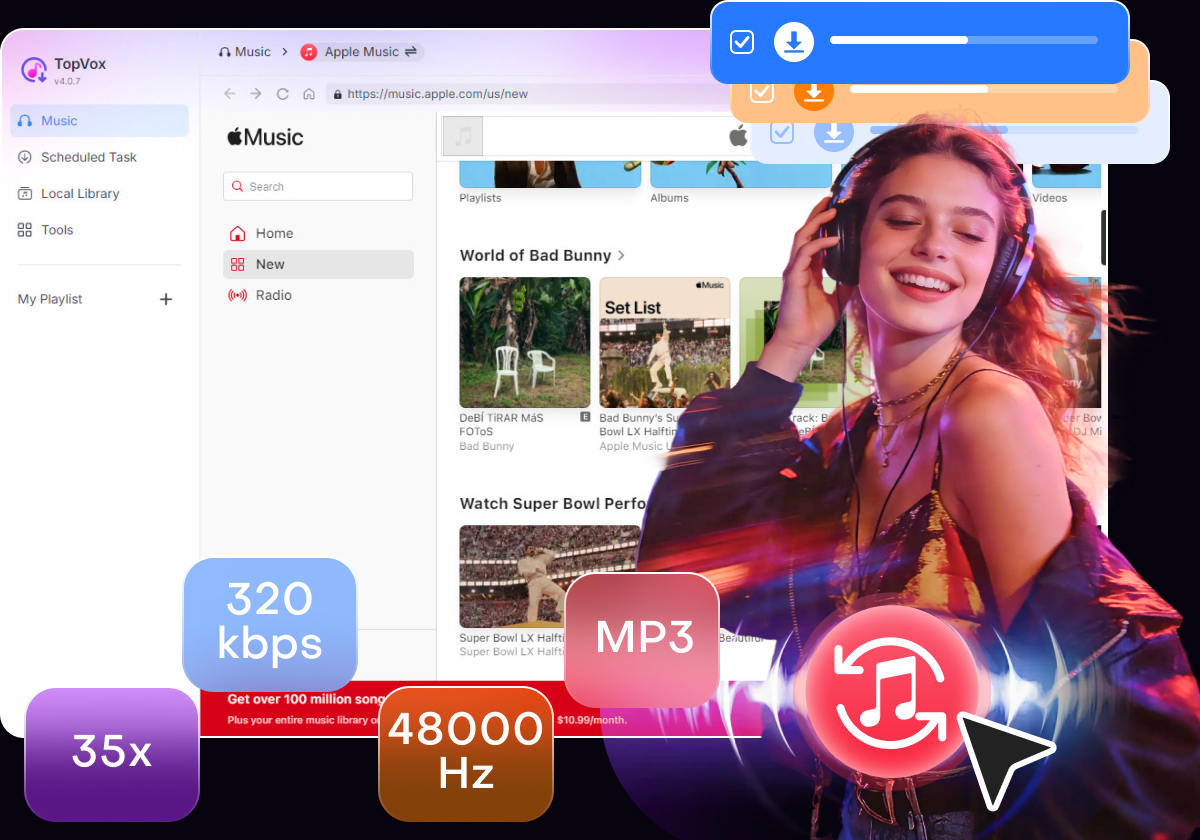
35x speed changes the math entirely. If you have 200 albums, Audacity would take roughly 200 hours of real-time recording. TopVox handles the same job in under 6 hours, without requiring you to sit at the computer. You queue it up, hit start, and come back to a finished library. No babysitting required.
Metadata is preserved automatically. This might sound like a small thing until you've spent an afternoon manually renaming files and hunting for album covers. TopVox reads and retains every ID3 tag: song title, artist, album, track number, genre, release year, embedded album art. Your converted library arrives exactly as organized as your original — not a mess you have to clean up.
The actual process is about as simple as it gets:
100% Secure. No virus.
100% Secure. No virus.
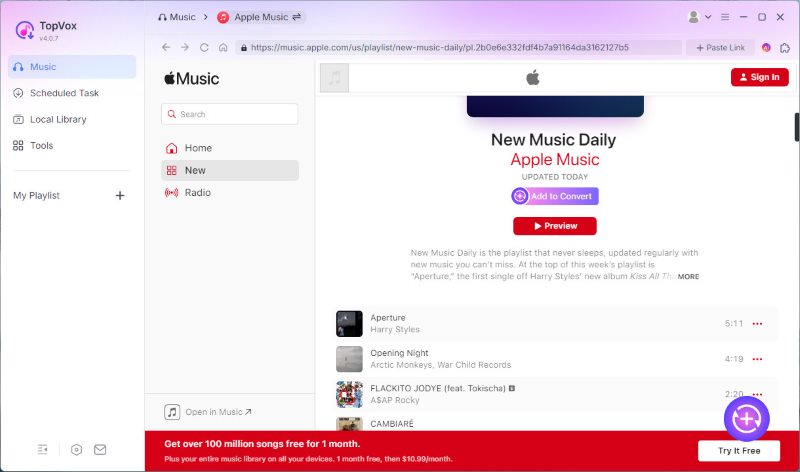
1. Open the App: Open TopVox and log in to your Apple Music account through the built-in web player.
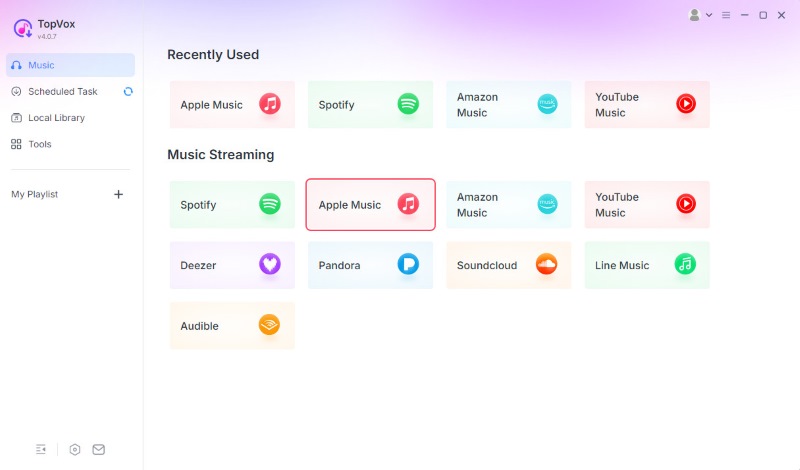
2. Pick Your Music: Select what you want to convert and click "Add to convert" button.
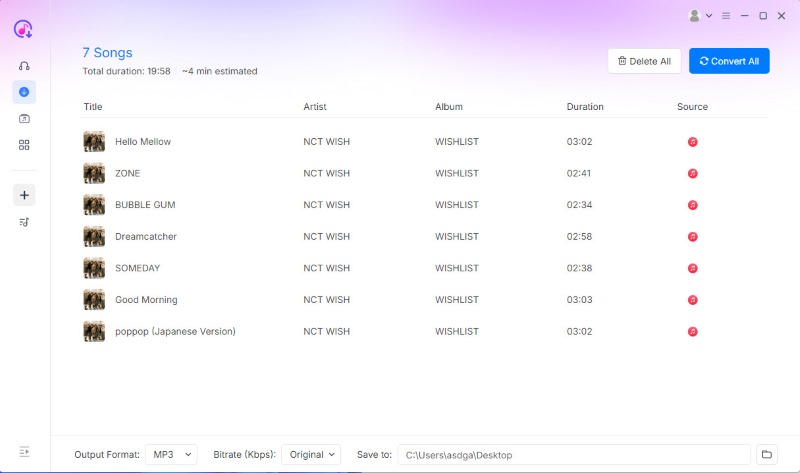
3. Convert: Choose MP3 as your output format and set your preferred bitrate. Then click "Convert All".
That's the entire workflow. No file hunting. No format guessing. No real-time recording. Just set it and forget it. And it supports other platforms too — Spotify, Amazon Music, YouTube Music, Deezer — so if your listening habits span multiple services, you can consolidate everything into one universal library.
100% Secure. No virus.
100% Secure. No virus.
Making the Switch Without Regret
Here's the bottom line. If you only have a handful of tracks you want to play on a specific device, the free methods might get you by. Use iTunes' converter for unprotected files. Use Audacity for a quick single-track recording. Use an online converter for that one song your friend sent you.
But if you're looking at a real music collection — hundreds or thousands of songs you've built up over years — the "free" options are a false economy. The time cost alone makes them more expensive than any premium tool.
TopVox isn't the cheapest option on paper. But it's the one that actually solves the problem. Your time is worth something. Your audio quality is worth preserving. And your neatly organized library shouldn't become a chaotic mess of unnamed files just because you wanted to listen on a different device.
Music is meant to be heard — not trapped in a format that limits where you can take it. The best converter is the one that gets you back to listening the fastest.
Ready to break your music free?
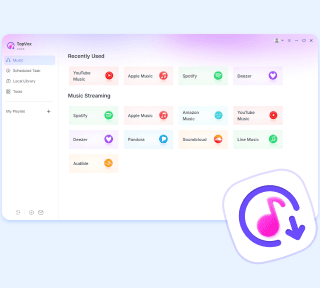
TopVox Apple Music Converter
Rated on Trustpilot >  4.8/5
4.8/5
- Download and convert Apple Music songs, albums, playlists, etc., with a success rate of up to 99%.
- Keep original quality, retain ID3 tags, offer lightning-fast speed and lifetime updates.
100% Secure. No virus.
100% Secure. No virus.