
How to Truly Own Your Amazon Music Library: A Comprehensive Guide
 by Ethan Carter | May 9, 2026 | How to
TopVox Amazon Music Converter
Unlock your Amazon Music library. Use TopVox to convert playlists to high-quality MP3 (320kbps) for any device. Free Download Now!
100% Secure. No virus.
100% Secure. No virus.
For Amazon Music lovers, a subscription is a double-edged sword. You have access to millions of tracks, but you don't actually own them. The moment your signal drops or your subscription pauses, your carefully curated playlists become inaccessible.
This guide explores how to bridge that gap using a professional-grade downloader.
Skip the tutorial? Try it out right away!
100% Secure. No virus.
100% Secure. No virus.
Why You Need TopVox Amazon Music Converter
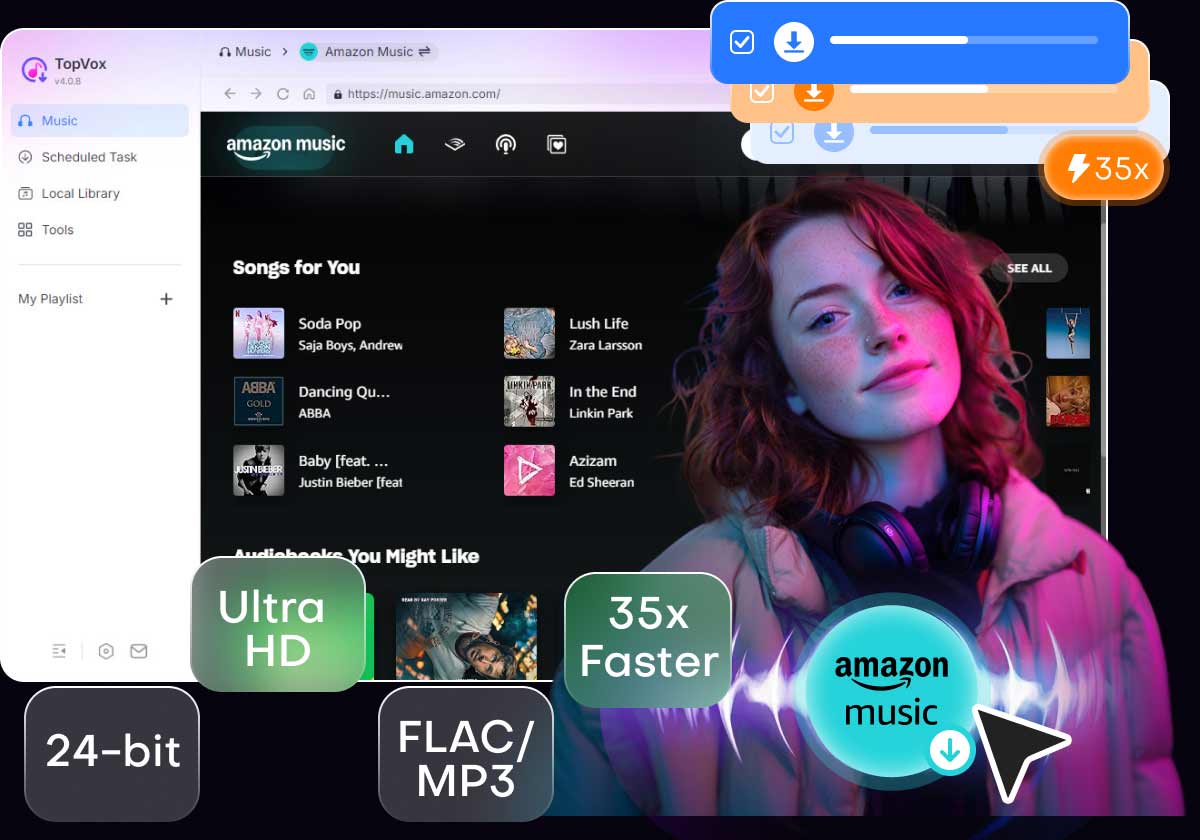
Standard recording tools are slow and often ruin the sound quality. To get the most out of your Amazon Music Unlimited or Prime subscription, you need a specialized tool that handles the decryption while preserving the Ultra HD details.
With TopVox, you can get:
- Permanent Ownership: Your songs stay on your hard drive forever.
- Device Freedom: Play music on Apple Watch, SanDisk players, or smart TVs.
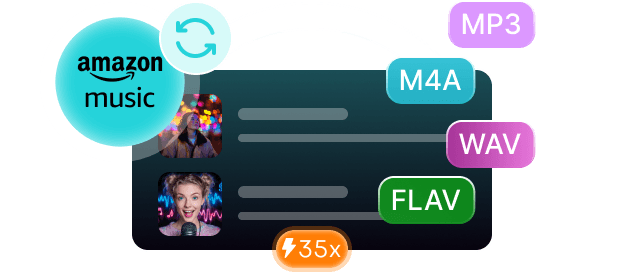
- High-Fidelity Audio: Save tracks in 320kbps or lossless FLAC/WAV formats.
Not All Downloaders Are Created Equal
When choosing a tool, most users care about two things: speed and organization. You don't want to wait all day for one album, and you definitely don't want a folder full of "Track 01" and "Unknown Artist."
TopVox solves this with two key technologies:
1. 35X Lightning Speed: Uses advanced hardware acceleration to batch-download entire playlists in minutes, not hours.
2. Smart ID3 Tagging: It automatically identifies and saves the album art, artist name, and genre, keeping your library perfectly organized.
100% Secure. No virus.
100% Secure. No virus.
How to Convert Amazon Music to MP3 (3-Step Guide)
You don't need to be a tech expert to use this. Here is how simple the process is:
100% Secure. No virus.
100% Secure. No virus.
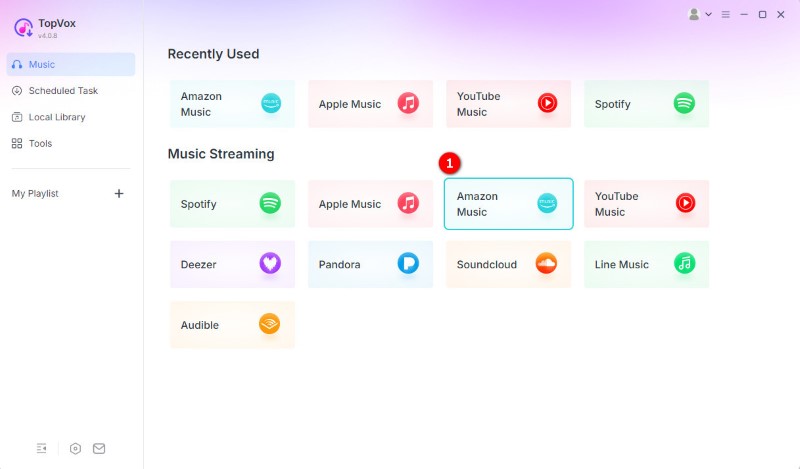
1. Open the App: Download, install, and open the software and log in to your Amazon Music account via the secure, built-in web player.
2. Pick Your Music: Find and choose the track you want to download, and click the “Add to Convert” button.
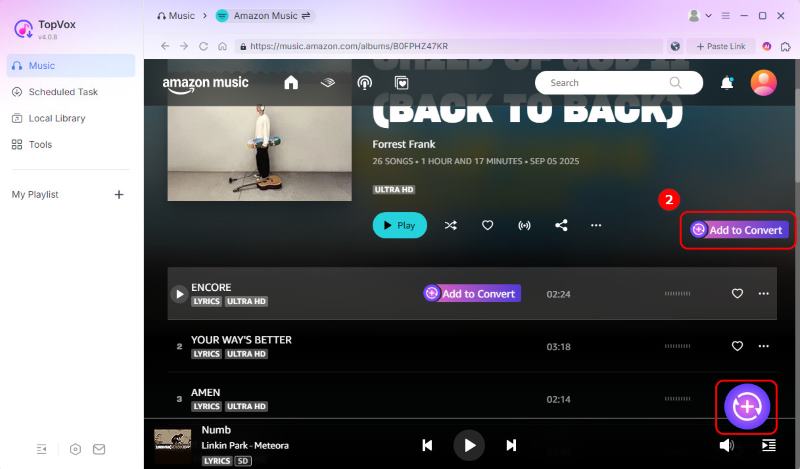
3. Convert: Select your desired output format (MP3 is best for compatibility) and set the bitrate to 320kbps for crystal-clear sound. Then click the “Convert Now” button.
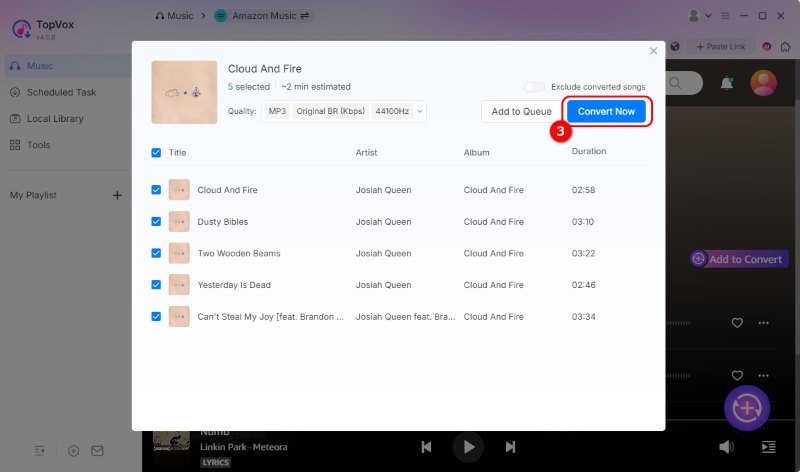
Your files will be ready in seconds. Try it Now!
100% Secure. No virus.
100% Secure. No virus.
Verdict: Is It Worth It?
If you are tired of monthly "rental" fees for music you can't even use where you want, a downloader is a game-changer. It’s the difference between renting your rhythm and owning your soundtrack. Stop letting data caps and app restrictions dictate your listening experience. Join thousands of users who have already reclaimed their music libraries.
Ready to take your music offline for good?
TopVox Amazon Music Converter
Rated on Trustpilot >  4.8/5
4.8/5
- Download and convert Amazon Music songs, albums, playlists, etc., with a success rate of up to 99%.
- Keep original quality, retain ID3 tags, offer lightning-fast speed and lifetime updates.
100% Secure. No virus.
100% Secure. No virus.