
4 Ways to Convert Apple Music to MP3 [Which Actually Works in 2026?]
 by Owen Bannett | May 7, 2026 | How to
TopVox Apple Music Converter
Skip the ad-heavy web apps and bloated software. Find the ultimate tool to download Apple Music playlists to MP3 safely. Try TopVox Apple Music Converter Now!
100% Secure. No virus.
100% Secure. No virus.
We’ve all been there. You have an incredible Apple Music playlist, and you want to put it on a USB drive for your car, load it onto an old-school MP3 player for a run, or use a track as background music for a video.
But when you locate the downloaded file, it’s not an MP3. It’s an encrypted .m4p file. If you try to play it outside the Apple ecosystem, it simply won't work. Apple’s FairPlay DRM makes sure of that.
To solve this, I spent a week testing the four most frequently recommended methods for converting Apple Music to MP3. From official Apple software to sketchy web tools, here is a brutally honest breakdown of what actually works in 2026.
100% Secure. No virus.
100% Secure. No virus.
Method 1: The "Official" iTunes Route (The Disappointment)
If you search the internet, countless guides tell you to use the built-in encoder in Apple Music or iTunes. The steps look promising: you go to Preferences > Import Settings > MP3 Encoder, then right-click a song and hit Create MP3 Version.
The Reality Check:
I tried this on my current library, and almost immediately, a pop-up hit me: "Protected music files cannot be converted to other formats."
Here is the secret those guides don't tell you: the official iTunes method only works for DRM-free music. If you ripped a CD in 2005 or explicitly purchased a song individually from the iTunes Store, you can convert it. But if the track is downloaded via your $10.99/month Apple Music streaming subscription, iTunes will block the conversion.
For 99% of modern listeners, the official route is a dead end.
Method 2: Free Online Converters (The Security Risk)
Frustrated with iTunes, I turned to the web. Sites like Apple Music Downloader claim to handle conversions directly in your browser. You just paste the song link and download the MP3. No software needed.
The Reality Check:
First, the user experience is awful. You can only paste one link at a time. Trying to convert a 30-song playlist meant 30 individual copy-pastes while dodging aggressive pop-up ads for VPNs and fake antivirus software.
Worse, when I finally inspected the downloaded MP3, the audio quality was abysmal. The tool had aggressively compressed the track to a muddy 128kbps to save server bandwidth. It also stripped all the ID3 metadata—no album art, no artist name, just a messy filename.
Method 3: Audio Recording Tools like Audacity (The Time Sink)
Some forums suggest bypassing the protection entirely by using a free recording tool like Audacity to "rip" the audio as it plays through your computer's soundcard.
The Reality Check:
Does it work? Technically, yes. Is it practical? Absolutely not.
Recording is done in real-time. If you want to convert a 4-hour playlist, you have to leave your computer running and playing music out loud for 4 straight hours. If an email notification pings, or your system lags for a millisecond, that flaw is permanently recorded into your new MP3. It’s a tedious, manual process that requires you to cut and trim the audio files yourself.
Method 4: Professional Decryption with TopVox (Only Reliable Fix) 🔥
After dealing with blocked files, muddy audio, and real-time recording, I finally used a dedicated decryption tool: TopVox Apple Music Converter.
Unlike the other methods, TopVox is designed specifically to handle DRM-protected streaming files. It doesn't record the audio from your speakers; it interfaces directly with the Apple Music web player, decrypts the stream, and saves the raw audio.
100% Secure. No virus.
100% Secure. No virus.
The Reality Check (Why it actually works):
When I logged into my Apple ID via the TopVox app and selected that same 30-song playlist, the difference was night and day.
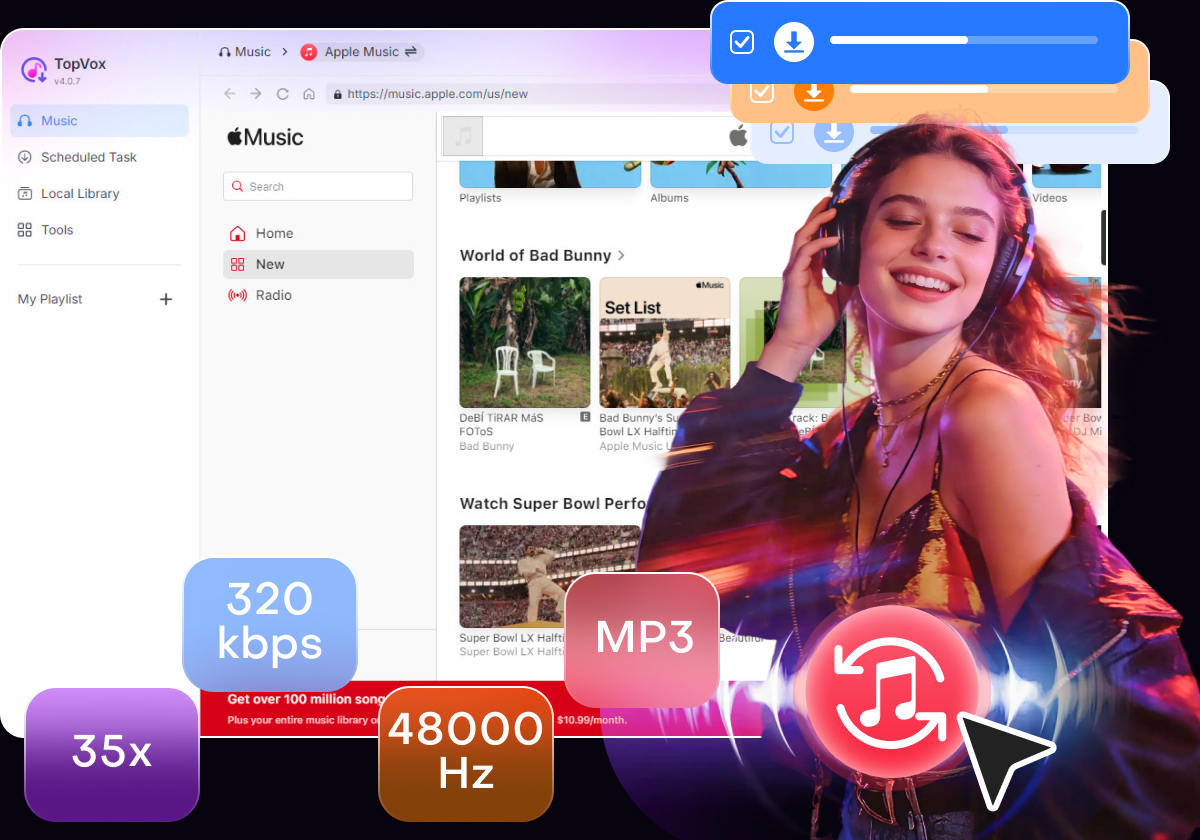
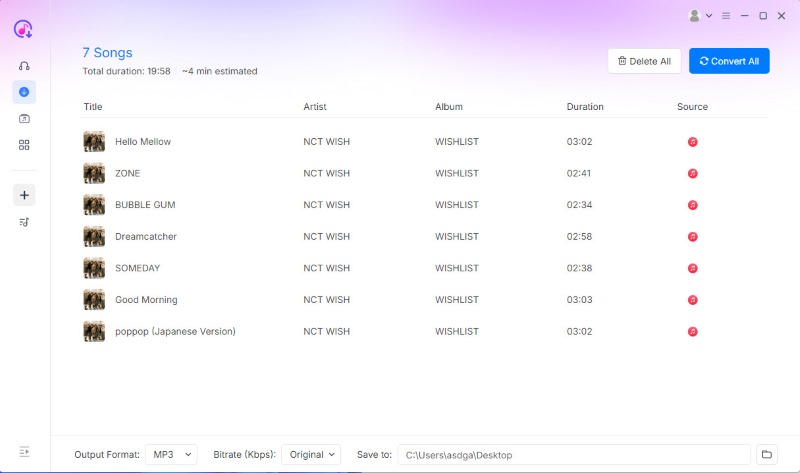
I set the output to MP3 at 320kbps. Instead of doing it one by one, I clicked "Convert All". The software utilized batch downloading at roughly 35X speed. The entire playlist was sitting on my hard drive, DRM-free, in a matter of minutes.
More importantly, it sounded perfect. The lossless quality was preserved, and every single track retained its original album art, lyrics, and metadata.
And as a massive bonus, I realized TopVox isn't just for Apple Music. It has built-in support for Spotify, YouTube Music, Amazon, and Pandora. It’s essentially a universal ripper for the entire streaming landscape.
How it works (It’s surprisingly simple):
100% Secure. No virus.
100% Secure. No virus.
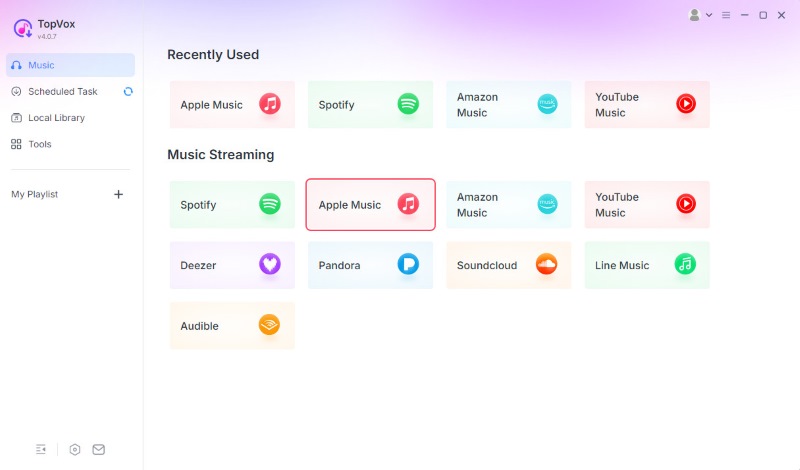
1. Open the App: Install TopVox and select Apple Music from the main interface.
2. Pick Your Music: Navigate to any album or playlist you want to convert and hit the “Add to Convert” button.
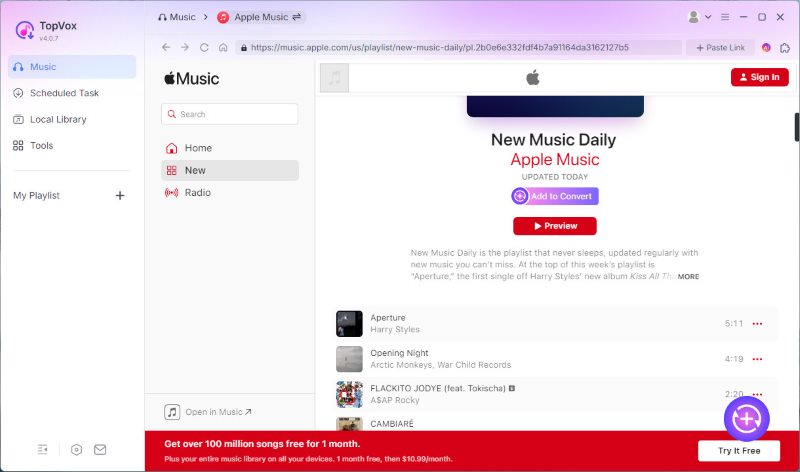
3. Convert: Choose your output format as MP3 and click “Convert All”. There is no need to wait long for the conversion.
Final Verdict
If you have old, purchased, DRM-free tracks, use the free iTunes method.
But if you are trying to convert your modern Apple Music streaming library into universally playable MP3s, don't waste your time on web tools or manual recorders. They will ruin your audio quality and test your patience.
For extreme speed, flawless 320kbps audio, and perfect track organization, a professional tool like TopVox Apple Music Converter is the only method that respects your time and your music collection.
TopVox Apple Music Converter
Rated on Trustpilot >  4.8/5
4.8/5
- Download and convert Apple Music songs, albums, playlists, etc., with a success rate of up to 99%.
- Keep original quality, retain ID3 tags, offer lightning-fast speed and lifetime updates.
100% Secure. No virus.
100% Secure. No virus.