
How to Add Spotify Music to Serato DJ Pro & Lite [Offline Forever]
 by Owen Bannett | May 22, 2026 | How to
TopVox Spotify Music Converter
To deliver a flawless mix on Serato DJ Pro or Lite, audio quality remains primary. TopVox Spotify Music Converter abstracts the original track source with full metadata during the rapid bulk conversion. Drag your downloaded files into the Serato playlist for perfect DJing right now!
100% Secure. No virus.
100% Secure. No virus.
Are you ready to start mixing in Serato while unlocking a whole world of Spotify Music? Since September 2025, Spotify has been fully integrated with Serato DJ Pro & Lite. You can access liked songs and playlists directly from the Serato. But it’s not suitable for everyone: The program only allows linking with Spotify Premium accounts. Never mind! This article shares a flexible alternative – using TopVox Spotify Music Converter to add your favorite tracks to Serato for all Spotify users.
100% Secure. No virus.
100% Secure. No virus.
Part 1. Complete Offline Solution – Spotify to MP3/FLAC for Serato DJ
Please figure out that the Spotify & Serato integration doesn't work for Spotify Free users and offline storage. So, in this part, I will provide you with the most effective tool to download and add Spotify music to Strato DJ without a subscription. Here is where TopVox Spotify Music Converter is useful.
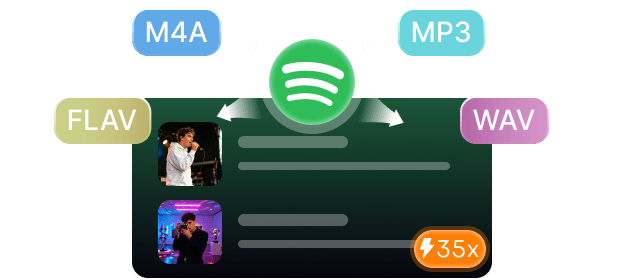
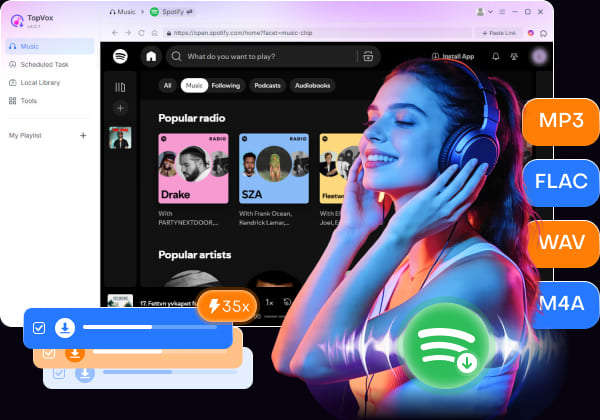
This desktop software for Windows & Mac lets you play, download, and convert Spotify audio to various formats like MP3, playing your favorite songs on any device. To achieve good stage effects for DJs, high-quality tracks will be required. TopVox achieves lossless output up to 320kbps MP3/M4A or Hi-Fi ALAC and provides customized settings, including format, Bitrate, and Sample rate. If you have to handle massive playlists, this Spotify downloader will process these tasks in bulk with super-fast 35x speed while auto-skipping downloaded songs, ensuring a time-saving workflow.
100% Secure. No virus.
100% Secure. No virus.
Features
- Convert Spotify Music to Formats
Convert Spotify songs, albums, and playlists with the OGG Vorbis format into MP3, WAV, FLAC, AIFF, M4A (AAC), or M4A (ALAC), in order to suit your different devices and preferences. - Output Lossless Quality and ID3 Tags
The output sound quality preserves up to the original BR/24-bit and 48000Hz with full ID3 tags and other metadata. You also have total control over these parameters. - Offers 35× Batch download Speed
Based on advanced hardware acceleration, TopVox provides a lightning conversion process with 35× faster speed, saving a playlist of 77 tracks that took about 15 minutes. - Built-in Web Player Supports 9+ Platforms
With the integrated web player, you can freely access Spotify, Apple Music, Amazon Prime Music, YouTube Music, Deezer, Pandora, SoundCloud, Line Music, or Audible. - User-friendly operation and high success rate.
The intuitive interface helps you get started with the downloads quickly. After several steps, you can convert Spotify to MP3 at 99% success rate.
Part 2. How to Add Spotify Music to Serato DJ [No Limits]
Process 1. Download Spotify Music on your computer
100% Secure. No virus.
100% Secure. No virus.
Step 1. Log in to Spotify from streaming services and your accounts.
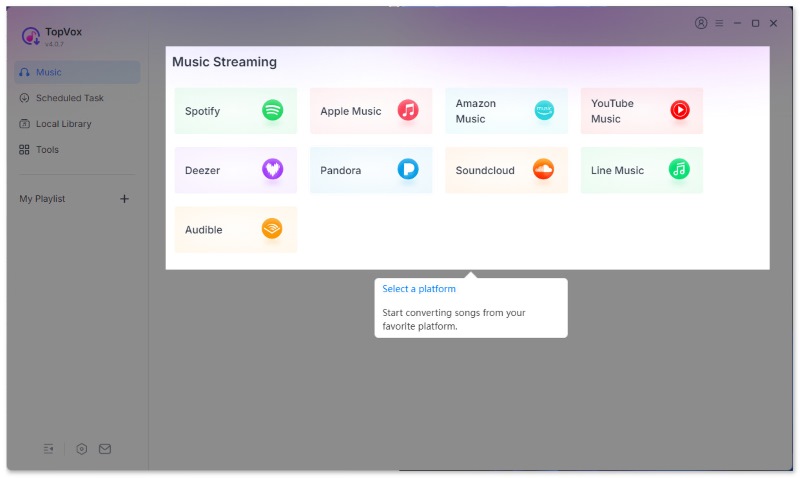
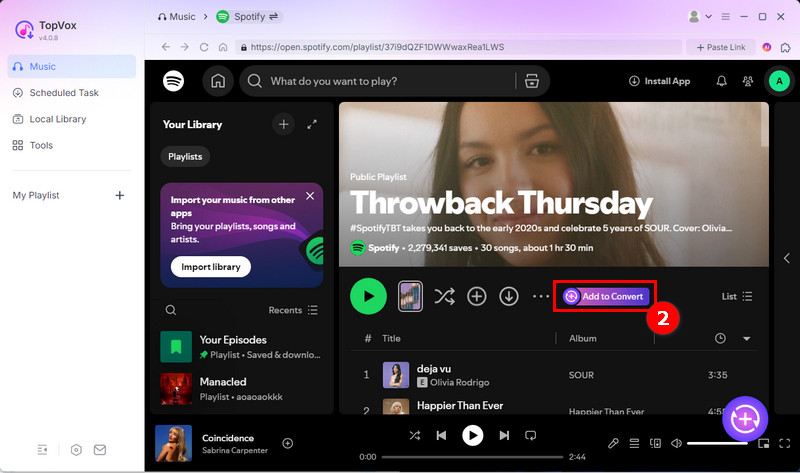
Step 2. Navigate to the specific song, album, or playlist you want to download. Click the Add to the Convert button.
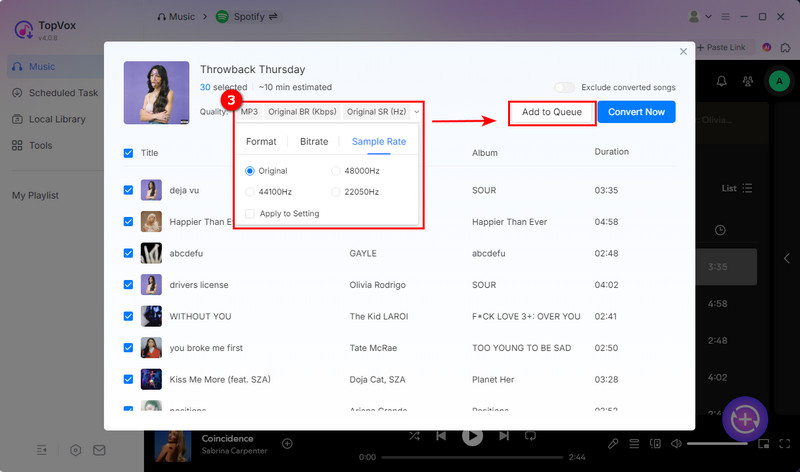
Step 3. Change the output folder, audio quality, and other settings. And click Add to Queue to add more songs together into the Scheduled Task list for later bulk conversion.
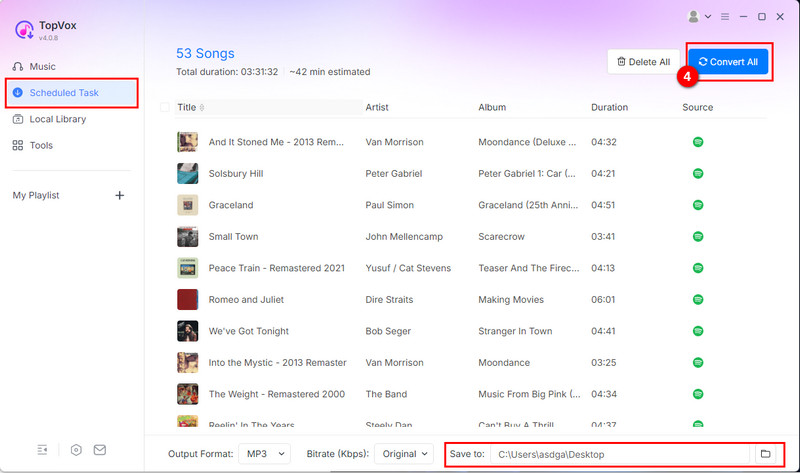
Step 4. Click Convert All to download. Once completed, you can listen to the converted songs offline.
Process 2. Add Spotify Music to Serato DJ Software
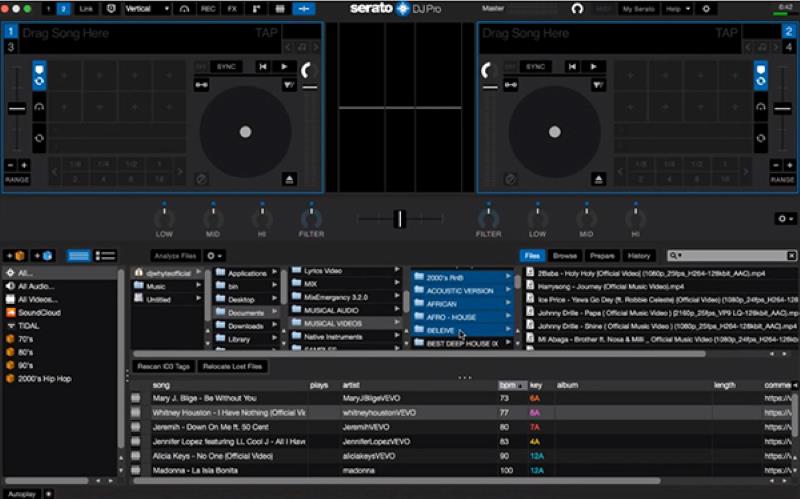
Step 1. Turn on the Serato DJ program on your Windows/Mac and click Files.
Step 2. Target your folder on the left side of the interface to navigate your downloaded Spotify music.
Step 3. Drag and drop all songs onto the “All…” icon at the top of the crates and playlist window. Wait for a moment, you can use all of the songs in the Serato DJ for offline playback and mixing.
Part 3. Spotify Music & Serato DJ Integration [Premium Only]
With Spotify now in Serato, that means users who have a Premium account can load all of their favorite songs, albums, playlists, and more into their Serato DJ Lite (free version) and Pro (full-featured version) for daily listening and mixing within one platform. There is a step-by-step guide to using Spotify Music in Serato online.
Note: [Limitations] Why can you only connect to Spotify and Serato online?
The Serato program can’t play Spotify songs without an internet connection. Moreover, many advanced features are not supported, such as offline commercial use, real-time Stems, or playlist creation/edition. We recommend you try the unlimited solution that offsets all of those problems in Part 1.
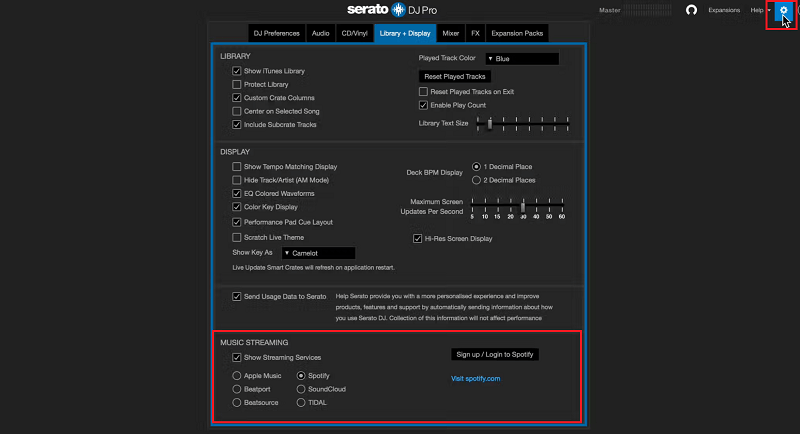
Step 1. Run the Serato DJ Pro on your computer. Go to Settings > Library + Display.
Step 2. Under MUSIC STREAMING, click Spotify and link your Premium account.
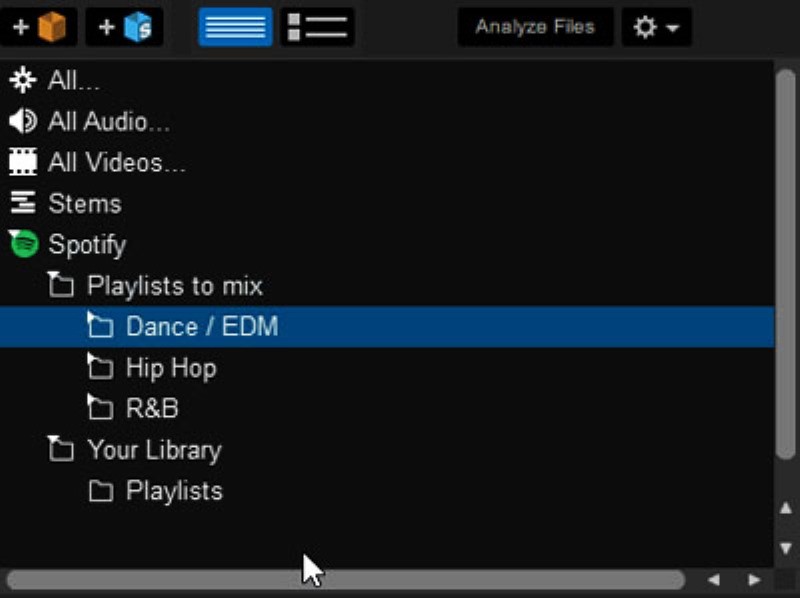
Step 3. After that, you can find Spotify on the left side of the interface. Then you can browse and mix personal and public Spotify music for more inspiration.
Conclusion
While the official Spotify and Serato DJ integration is available now, it presents many restrictions for DJs. If you want true mixing freedom, downloading your Spotify music locally is the ultimate answer. With TopVox Spotify Music Converter, you can bypass all boundaries and save tracks into common files forever, bringing new creative possibilities for DJs and producers alike.
TopVox Spotify Music Converter
Rated on Trustpilot >  4.8/5
4.8/5
- Download and convert Spotify songs, albums, playlists, etc., with a success rate of up to 99%.
- Keep original quality, retain ID3 tags, offer lightning-fast speed and lifetime updates.
100% Secure. No virus.
100% Secure. No virus.